How to Import DBX Files to Office 365? Expert Solutions
Main Reasons to Import DBX to Office 365
- Office 365 is a cloud-based email service that allows you to access emails, contacts and calendars from anywhere on any device.
- Microsoft 365 provides advanced security or spam filtering features to protect data from threats and unwanted emails.
- Microsoft 365 combines emails, contacts, calendars and online apps like Word, Excel, and PowerPoint.
- DBX files have a 2GB limit. Exceeding can often cause data corruption or crashes.
- Since Outlook Express is no longer supported. It does not work on modern operating systems like Windows 10 or Windows 11.
Expert Solution to Import Outlook Express DBX to Office 365 Account
Corbett DBX Converter software is a reliable software that allows you to migrate multiple DBX files to Office 365 without file size limitations. The software is also capable to convert DBX files to TXT, PST, MBOX, EML, PDF, or MSG while keeping all emails, folders, and attachments preserved. It also lets you select a desirable saving path to save files according to requirements.
Download a free demo version of DBX to Office 365 Migration software. Free edition allows migrating a limited number of emails from each Outlook Express folder. You can test software functionality and performance before purchasing a licensed version.
Steps to Migrate DBX to Office 365 with Automated Solution
- Download and install DBX to Office 365 Migrator on your Windows system.

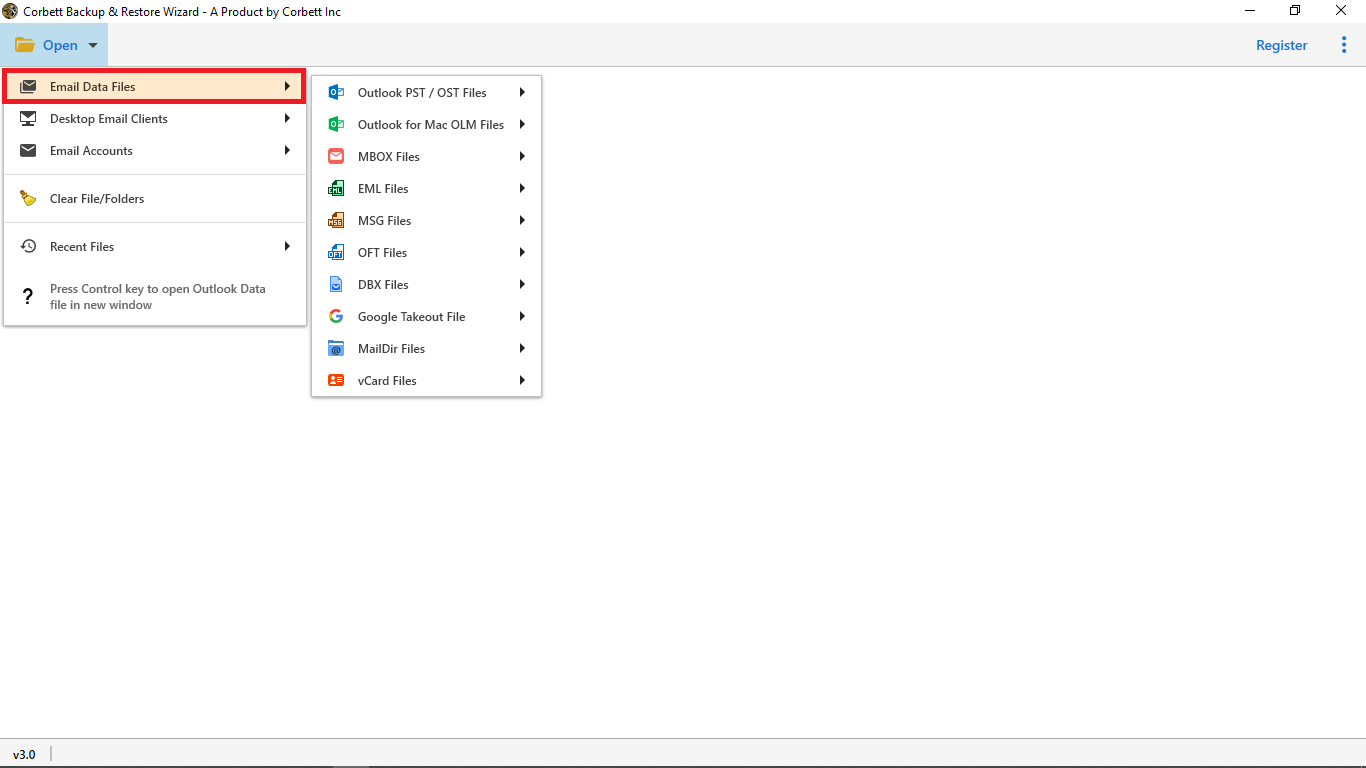
- Now, click on Open and choose Email Data Files to upload DBX Files.
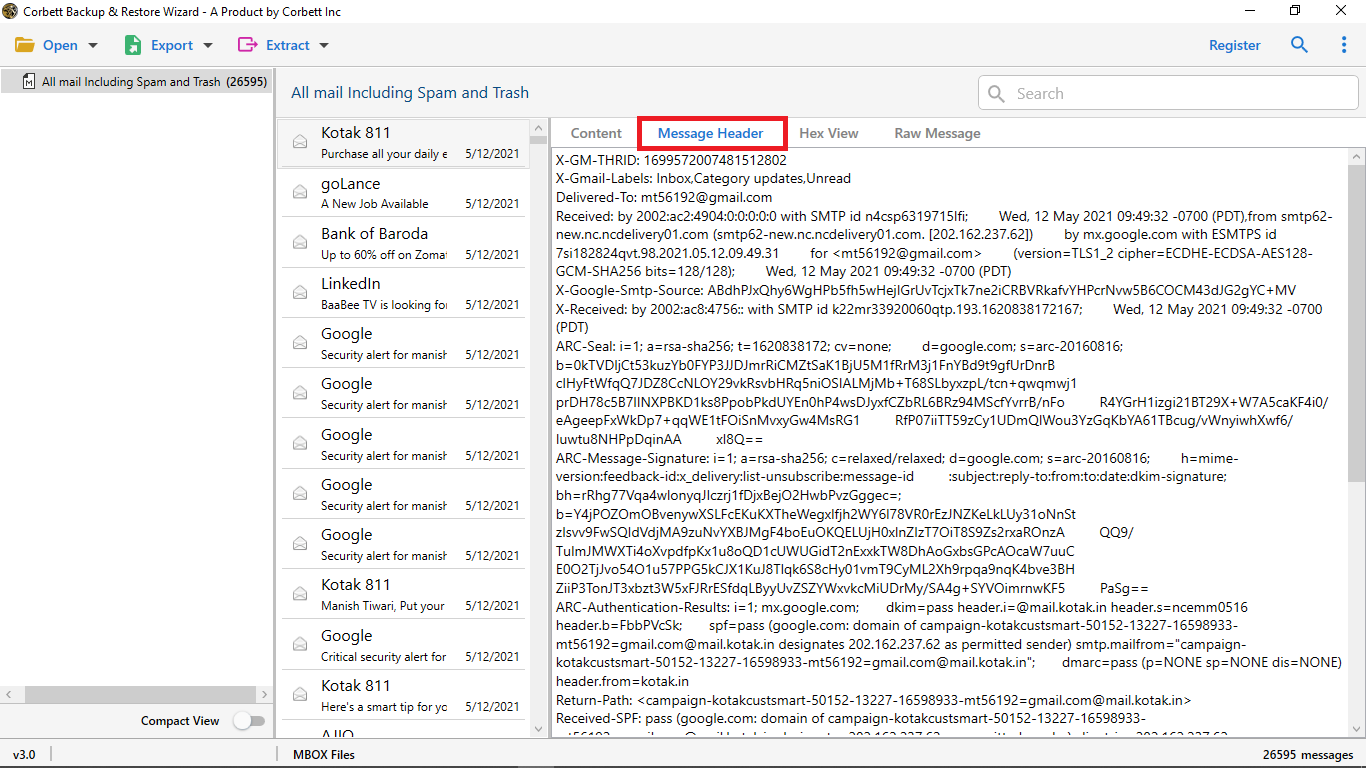
- After that, preview and check emails in different modes like Content, Message Header, Properties, Raw and Hex View.
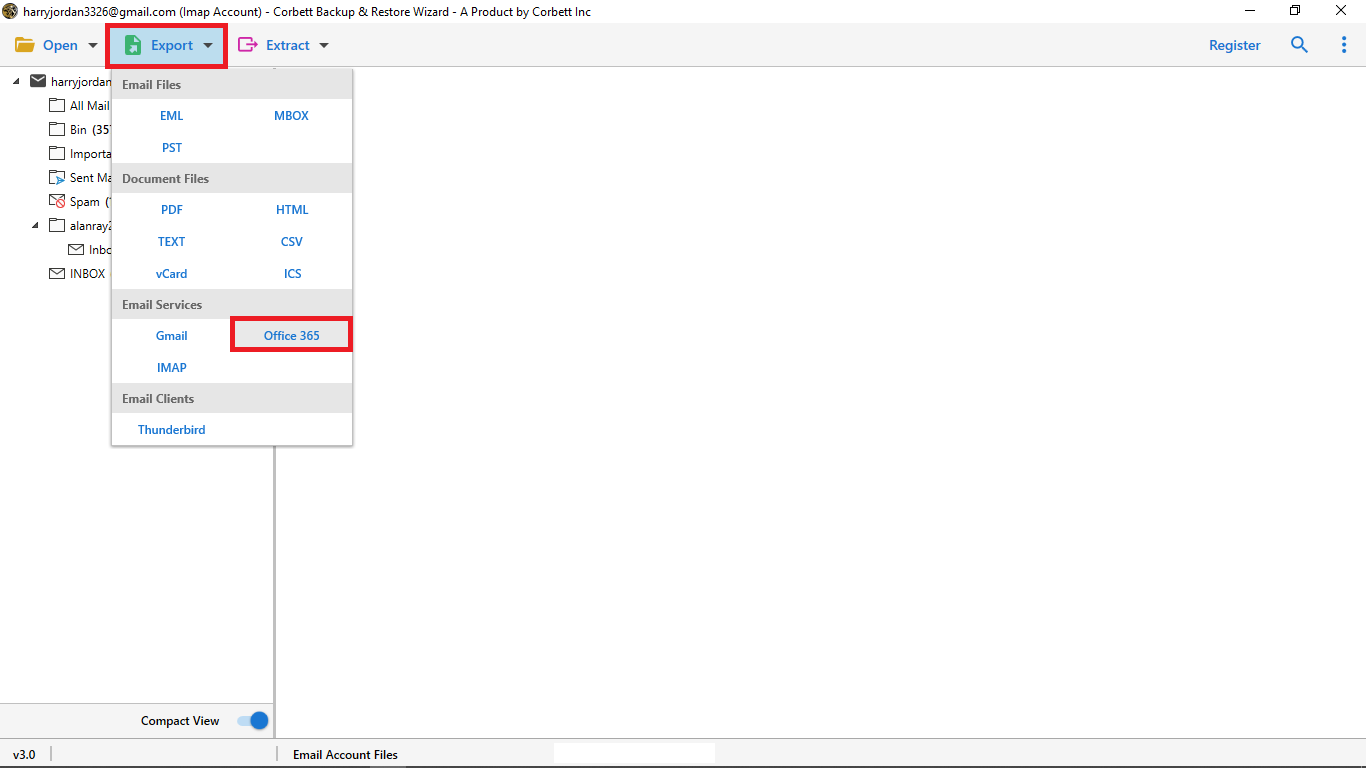
- Then, click Export and select Office 365 as a saving format from dropdown list.
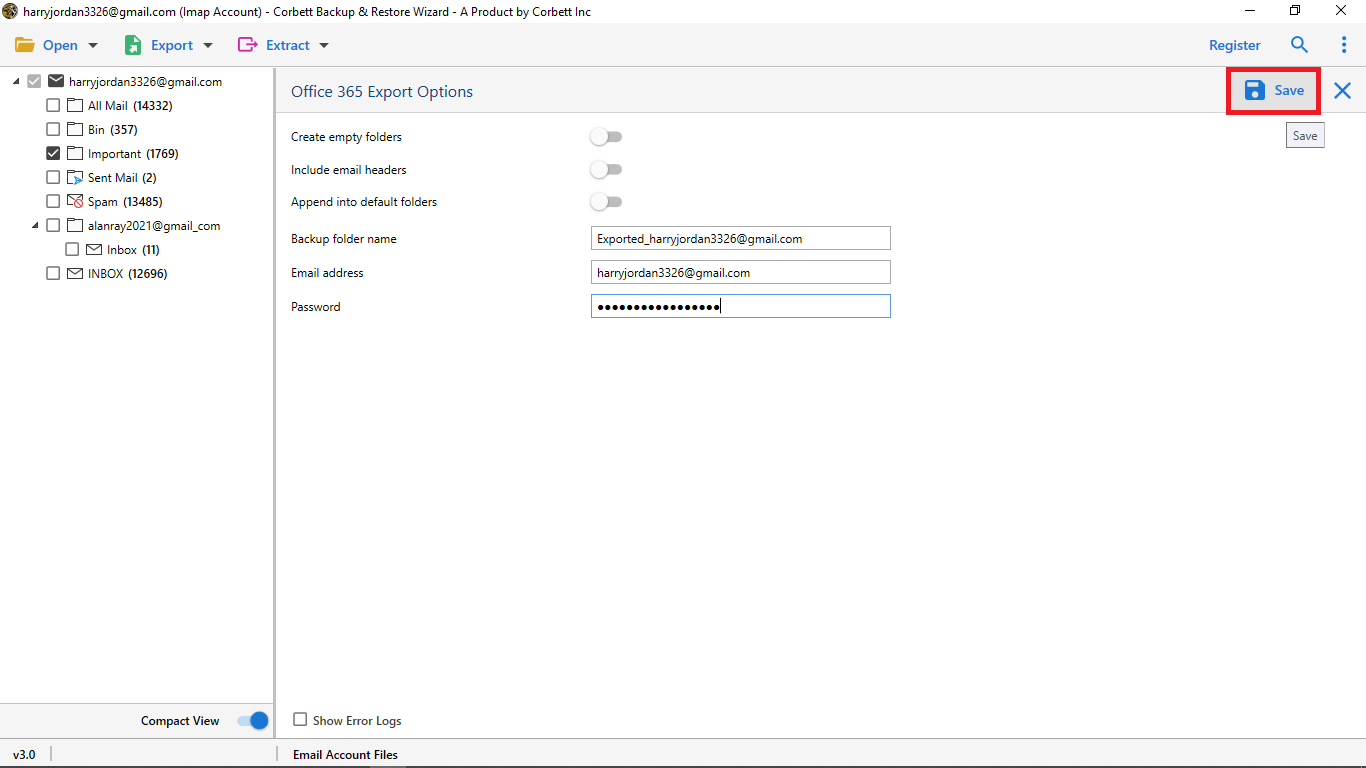
- Finally, enter your Office 365 account details and click Save to complete DBX to Office 365 migration.

Advanced Features for Migrating DBX Emails to Office 365
- The software has a user-friendly interface for everyone whether you are a professional and non-professional user. You can easily convert import DBX files to Office 365 account without technical guide.
- It preserves all email formatting, header, addresses, subjects and attachments. The tool maintains original folder hierarchy throughout the process.
- 24/7 technical support team is also available if you need help to import DBX to Microsoft 365 and customization in software contact to customer service number to solve query.
- Advance filter and search option for selective data migration. You can filter emails by To, From, Subject, or date range for more precise results. It makes conversion fast and saves time when users are dealing with large data.
- Compatible with all versions of Windows, whether latest or oldest. For example Windows 11, Windows 10, Windows 8, Windows 8.1, Windows XP and more. It works as a standalone and does not require Outlook installation to migrate data.
- Multiple file naming feature allows to choose desirable file name to keep emails organized according to your preference. You can select formats like Subject, Subject+Date, From+Subject+Date, or Date+From+Subject.
Final Thought
In this guide, we will cover how to import DBX to Office 365 with a dedicated software. Therefore Office 365 does not provide a direct manual way to import Outlook Express DBX files, users need to rely on automated solutions. A professional solution is the most reliable way to import DBX to Office 365 directly. The software also keeps your data 100% safe because it works in offline mode. It saves your time when you are dealing with large data and makes conversion hassle free.
Frequently Asked Questions
Q. What is Microsoft Office 365?
Microsoft 365 is a cloud service that gives access to apps like Word, Excel, PowerPoint, Outlook, and Teams, plus cloud services like OneDrive, AI tools, security features, and updates. It lets you create, edit, and share files online from any device, anywhere.
Q. Can I migrate multiple DBX files at once?
Yes, with a dedicated DBX to Microsoft migration tool you can easily migrate DBX files in bulk without file size restrictions.
Q. How can I import DBX files into Office 365?
- Download DBX to Office 365 Migration tool.
- Select DBX Files.
- Choose Office 365 as a saving output.
- Browse location and hit Save.
Q. What is DBX and why can’t I open it in Office 365?
DBX is a file format used by Outlook Express to save emails. Office 365 does not support DBX files directly, so you cannot open a DBX file without a migration tool.