I highly recommended Corbett Software because I can perform multiple tasks like backup, migrate, and extract data. It completes all my organization needs and saves my time & money.
Backup, Migration, Converter and Viewer
Corbett email software handles email backup, migration, conversion and viewing on Windows with one installer and no mail client. Free demo handles 10 emails per folder.
Download free demo Purchase now
All in one
Corbett email software replaces separate backup, migration, conversion and viewer tools with one installer. You install once and select your mode.
Corbett
1 download
One installerSeparate Tools
4 downloads
Four installersEmail software
Start with your email software mode. Every task below lists steps, outputs and limits.
Backup Email From 209+ Services
Corbett Email Backup Software saves mail from 209+ webmail services, IMAP hosts and desktop mail apps to your own drive.
Migrate Mail Between Accounts
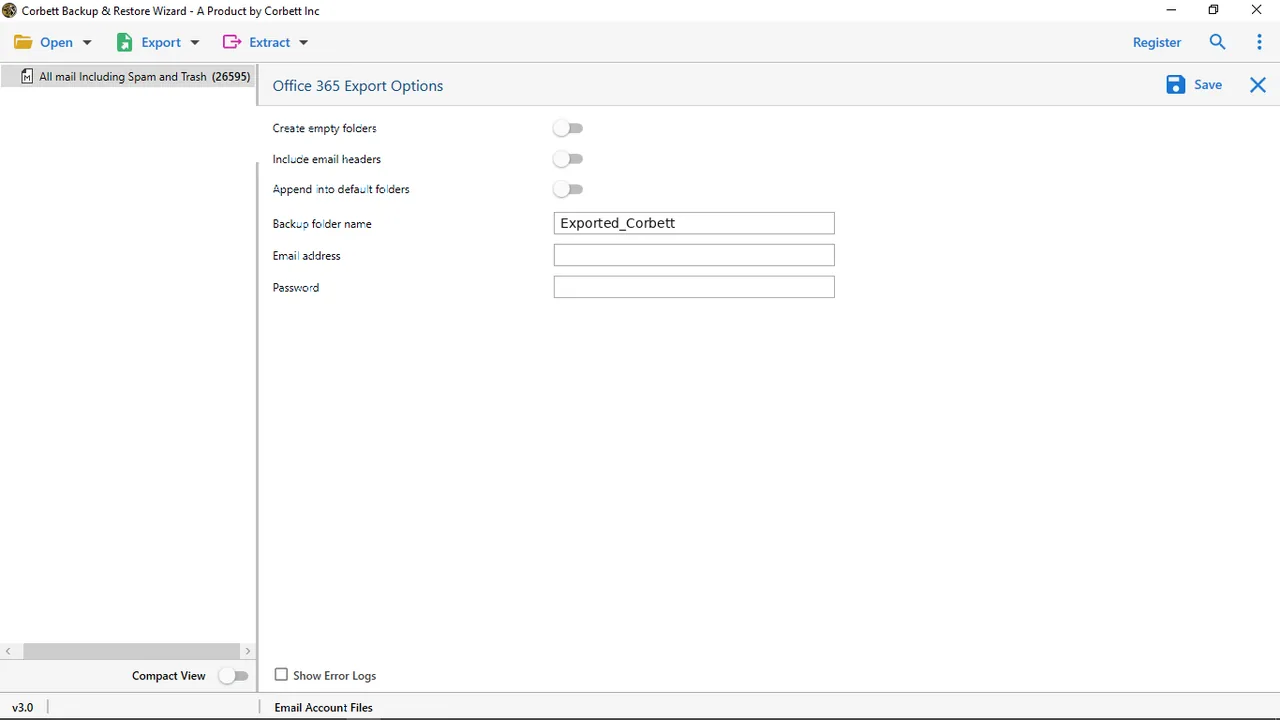
Email Migration Tool from Corbett copies one live mailbox into another account across 209+ services.
IMAP Migration ToolCommuniGate MigrationKerio MigrationMDaemon MigrationZimbra Migration
Convert PST, OST and MBOX Files
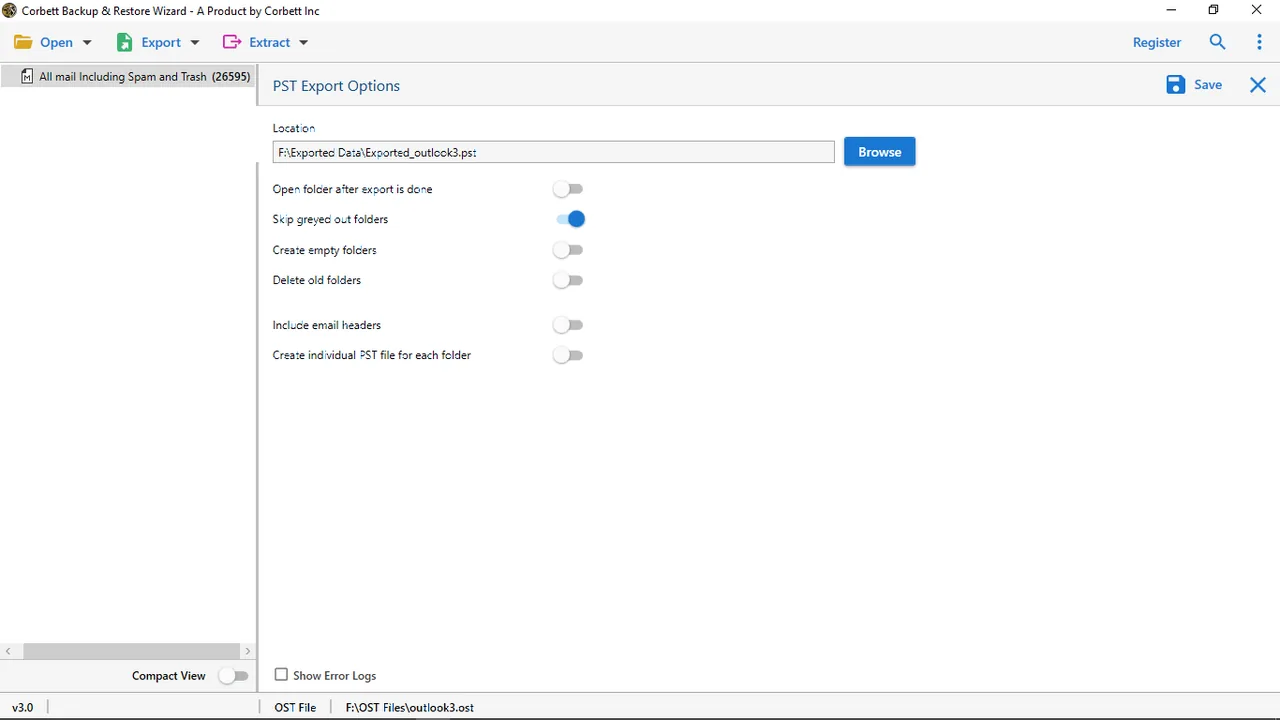
Corbett Email Converter Tool takes a mail file and saves its messages in a new format.
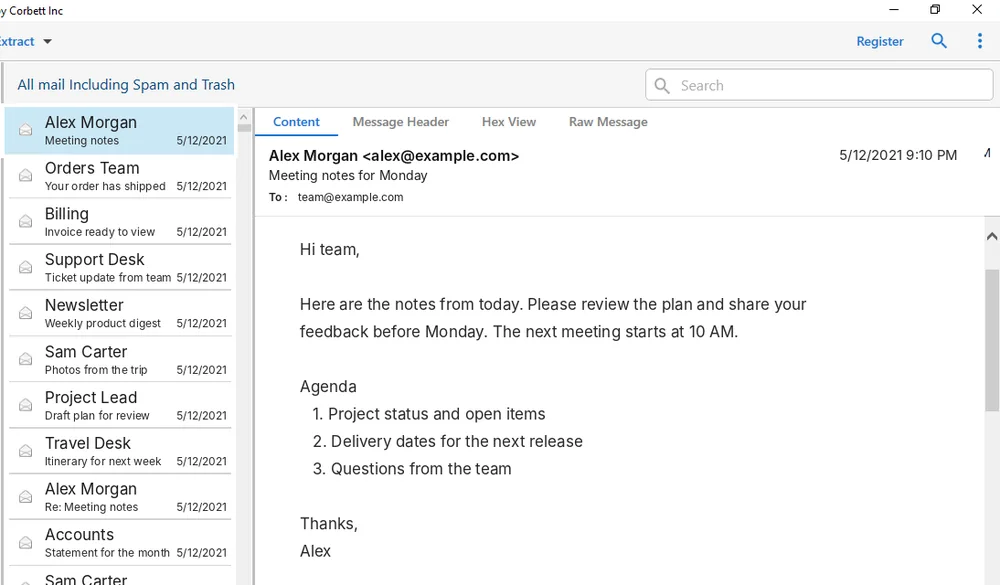
Preview
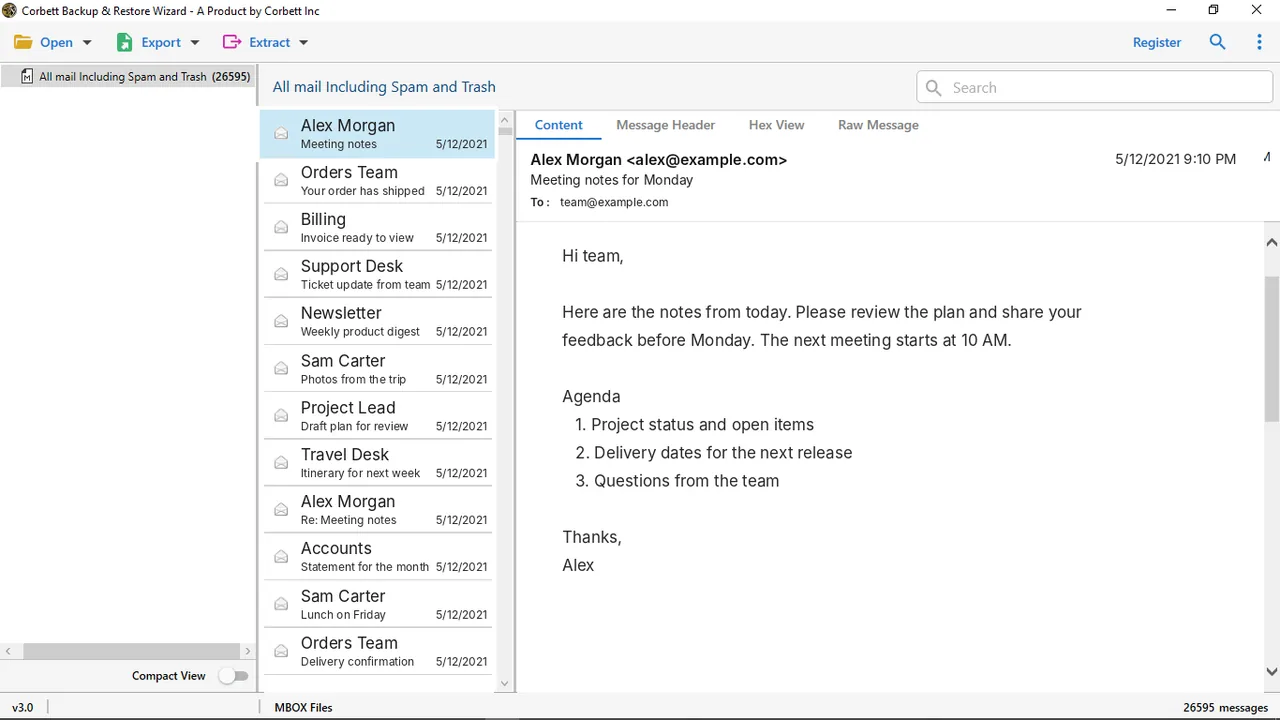
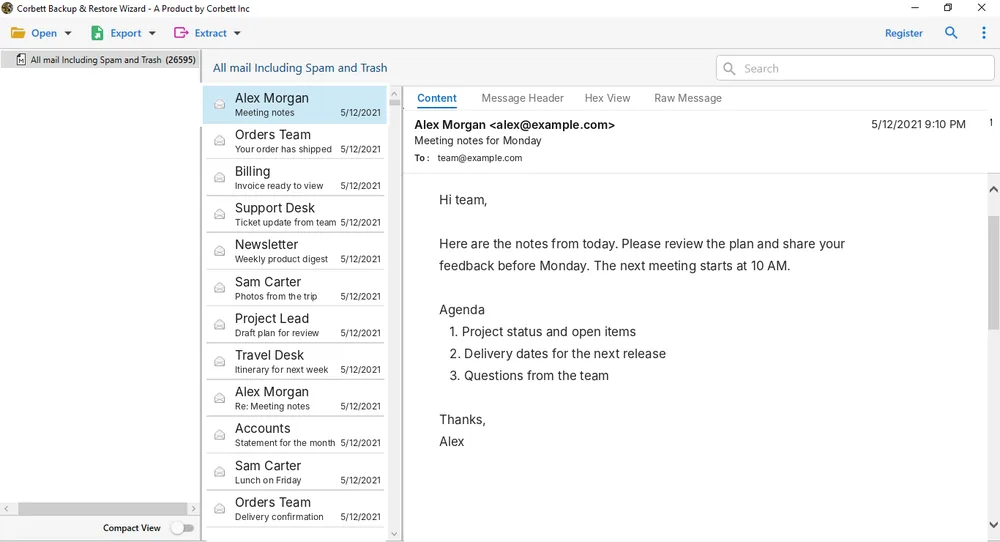
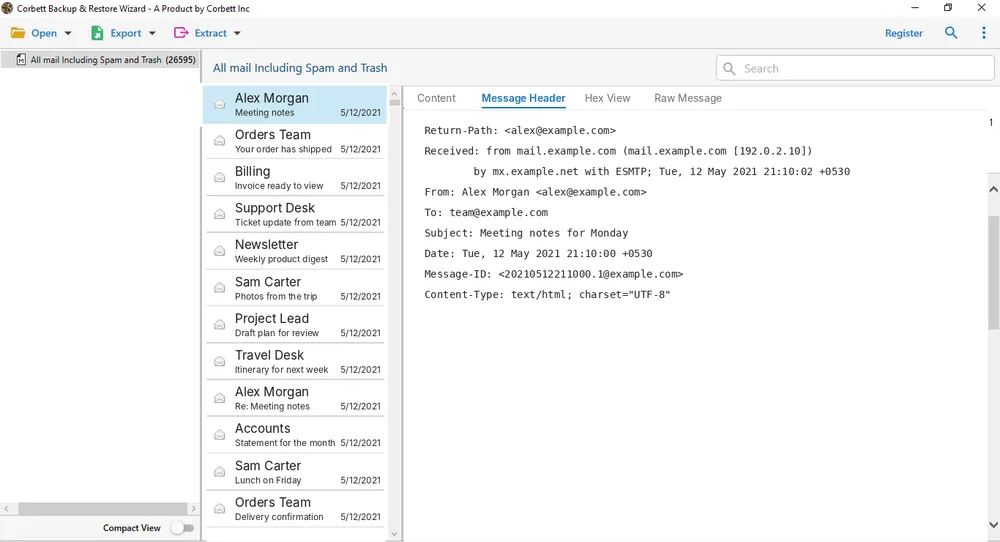
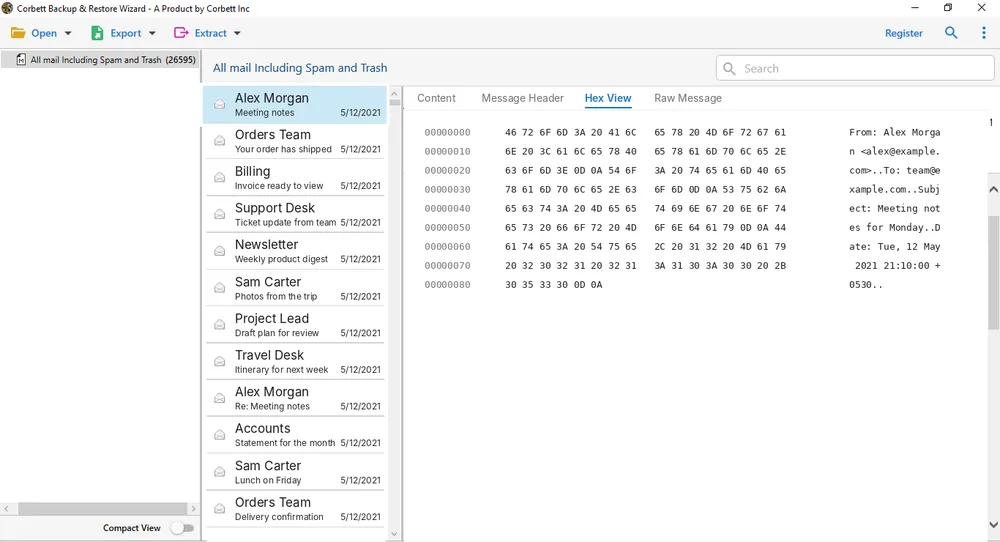
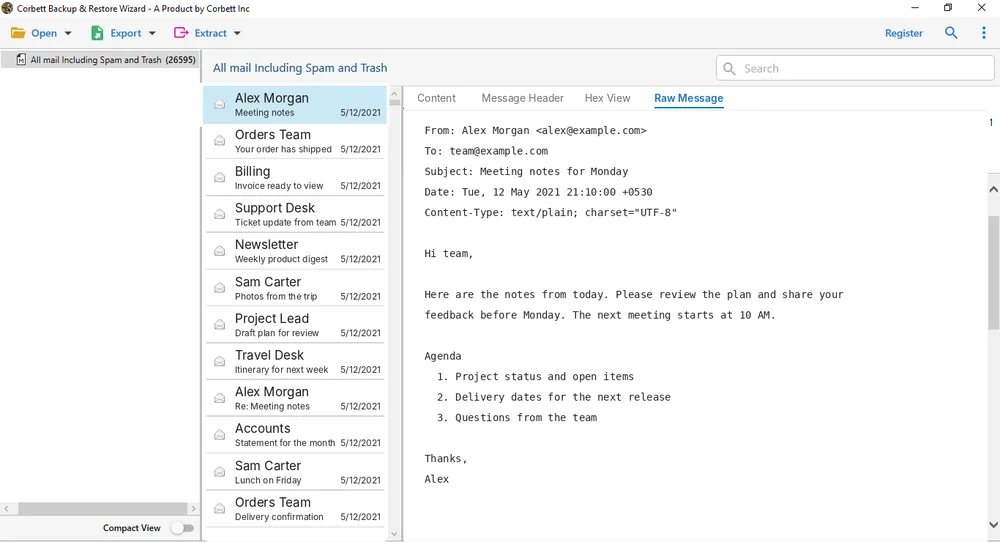
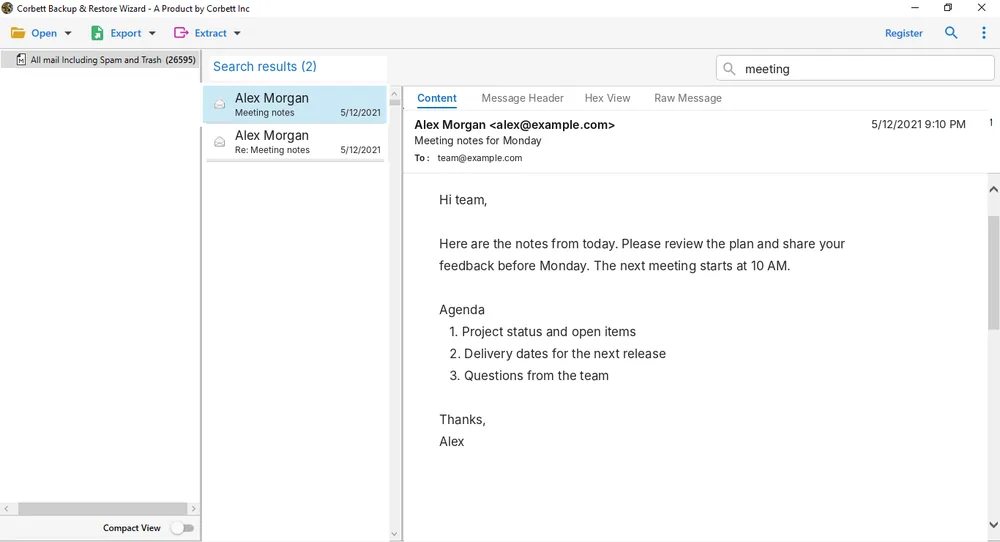
Check any message in Corbett email software before a save starts.
Shows message body text as sent.

Lists header fields of your message.

Shows message data as hex bytes.

Shows raw message source.

Quick and advanced search work in the free viewer.

How it works
Every Corbett mode follows one path from mail to output.
Install the Free Demo
Download the installer once. Corbett starts every mode from there.
Choose Your Mode
Select email backup, email migration, converter or viewer from the main screen.
Preview and Filter
Preview any message on screen and tick the folders you want. Filters trim your list.
Save Your Output
Select a format and press Save. Your files land in your chosen folder.
Popular tasks
Filter Corbett email software by task and go to its steps and limits.
Supported services
Search your email service and get its login steps, formats and limits.
Webmail Services
Cloud and Workspace
Web Hosting Services
Servers and Mail Clients
No match in this list. Corbett backup covers more services, so see all 209+ services.
Why Corbett
Corbett email software shares one engine so basic tasks work alike in every mode.
Eight Output Formats
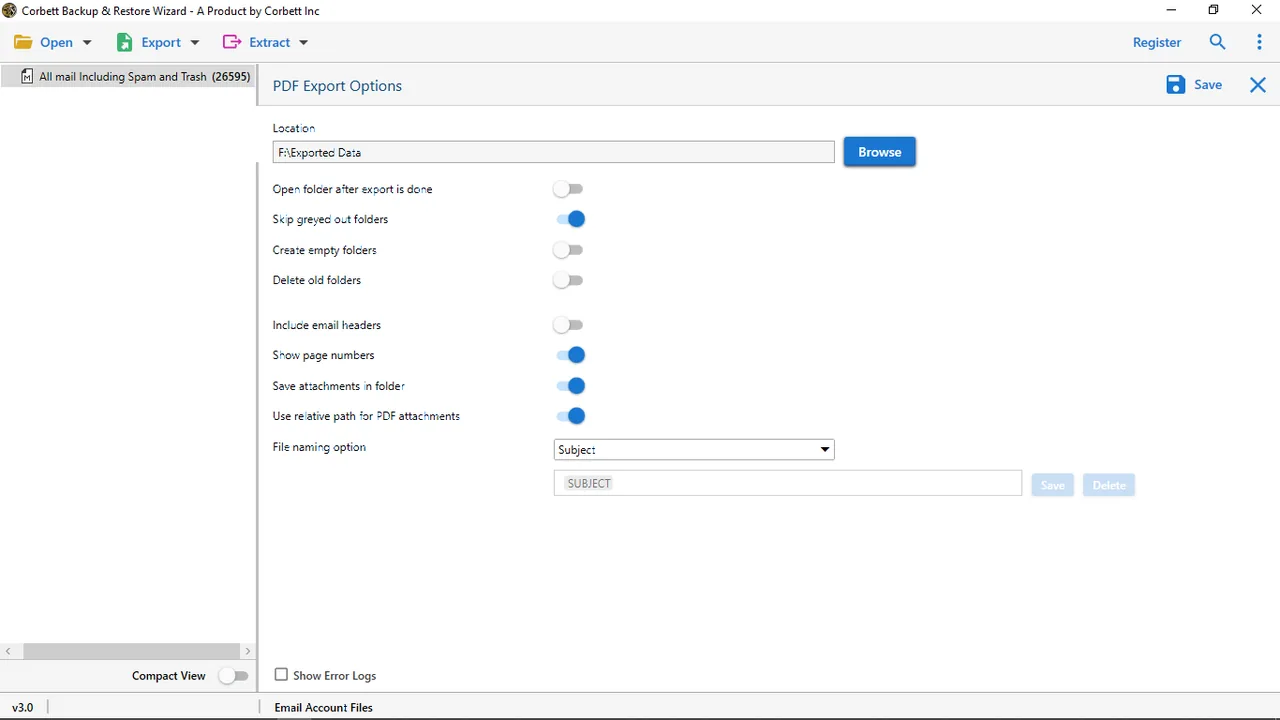
Save mail as PST, EML, MBOX, PDF, HTML, TXT, CSV or MSG.
209+ Services
Backup covers webmail, IMAP and mail client files.
Five Preview Modes
Check any email in content, message header, hex, properties and raw views.
Folders Stay in Place
Output keeps your folder tree, dates and attachments.
Filters That Trim Mail
Advanced filters narrow mail by attachment, date, time, To, From, Cc, Bcc, file name and size.
One Installer
Every mode shares one download.
Free demo
Test Corbett Email Software on Your Own Mail
Install the free demo, add a mail file and select a folder. Ten emails per folder give you enough to judge your output before you buy.
Download free demoPrivacy
Corbett email software works on files you already hold. Nothing leaves your PC for a Corbett server.
Licence
Pay once and keep your email software licence for life. Your money back window lasts 30 days.
Personal
5 machines
$99one time
$19.80 per machine
Business
25 machines
$299one time
$11.96 per machine
Enterprise
100 machines
$499one time
$4.99 per machine
Plans cover the email software tools for every mode. Full details sit on Corbett Buy.
Customers
Three customer notes, shown as written.
I highly recommended Corbett Software because I can perform multiple tasks like backup, migrate, and extract data. It completes all my organization needs and saves my time & money.
The interface of the tool provided by them is simple and helps me to complete my goal in just a few clicks. Absolutely hassle-free experience.
I had an amazing experience with this software. It allows to convert many files in a single process and saves time.
Common questions
Formats, limits, licence and setup answers for Corbett email software and email backup.
What does Corbett email software do?
Corbett email software handles email backup, migration, conversion and viewing on Windows. One installer covers every mode.
Do I need Outlook or another mail client?
No. Outlook and other mail clients do not need to be installed.
Does Corbett get a copy of my mail?
No. Files stay on your PC and nothing is sent to Corbett.
Does backup cover 209+ email services?
Yes. Backup covers 209+ webmail services, IMAP servers and desktop clients. See email backup software for the list.
Which formats can I save to?
Corbett saves mail as PST, EML, MBOX, PDF, HTML, TXT, CSV or MSG based on your choice.
Can I migrate mail between servers?
Yes. Server tools exist for CommuniGate, Kerio, MDaemon and Zimbra servers and Email Migration Tool covers account to account moves.
Can I convert PST, OST and MBOX files?
Yes. Corbett accepts PST, OST, MBOX, EML, MSG, OLM and DBX files in Email Converter Tool and converts them in bulk.
Does free demo cap my output?
Yes. Free demo handles 10 emails per folder. Loading, previewing and filtering have no cap.
Do licences start at $99?
Yes. Personal costs $99 for 5 machines. Business costs $299 for 25 machines and Enterprise costs $499 for 100 machines.
Do you offer refunds?
Yes. Your money back window lasts 30 days. Full terms sit in the refund policy.
Help
Support, refunds and licences for Corbett email software are one click away.
Support is available 24/7.
Money back lasts 30 days.
One payment covers every licence.
Get started
Try Corbett Email Software Today
Test Corbett on a spare copy of your mail first. Licences start at $99 and you pay once.
Download free demo Purchase now
87.4 MB installer for Windows 7 to 11 and Server 2008 to 2025. Money back for 30 days.