Corbett

PST to EML Converter

Corbett PST to EML Converter saves Outlook PST mail as plain EML files, in bulk or for chosen items only. Folder order, attachments and data integrity stay intact, and huge PST files convert without a hitch. Search fields narrow the batch, the email server and port are found automatically, and a free demo shows the output first.

Download free demo Purchase now

4.6 out of 5 from 353 reviews

Nothing leaves this PC during conversion. Corbett receives no data.

Free demo, scanned clean on VirusTotal and a 30-day money-back window.

Lifetime licence from $99 Demo converts 10 items

EML facts

PST to EML Converter for Windows

A PST file belongs to desktop Outlook, while an EML file carries one message and imports into Gmail, Yahoo, Hotmail, iCloud and Outlook. The tool connects the two with no extra software.

Held in every EML

  • Email bodies
  • Attachments
  • Sender and receiver
  • Subject lines
  • Contact numbers
  • Folder hierarchy
  • Email addresses

PST input files

  • Single PST files
  • Bulk PST files
  • Huge PST files
  • Terabyte sizes
  • Chosen folders
  • Chosen email items
  • Emails, contacts and attachments

More formats

  • EML (main output)
  • MBOX
  • PDF
  • HTML
  • Text
  • CSV
  • iCloud and IMAP
  • Local hard drive

Not part of EML

  • Calendars
  • Tasks
  • Notes
  • Journals

Why Mail Moves From PST to EML

PST is an Outlook format confined to the desktop, and no manual method moves it elsewhere. EML files import into other email applications, so the same mail works in clients beyond Outlook.

Core features

Four Steps for PST to EML

Install, add PST files, set search fields and export as EML.

PST file loading screen

Install

Install the Tool

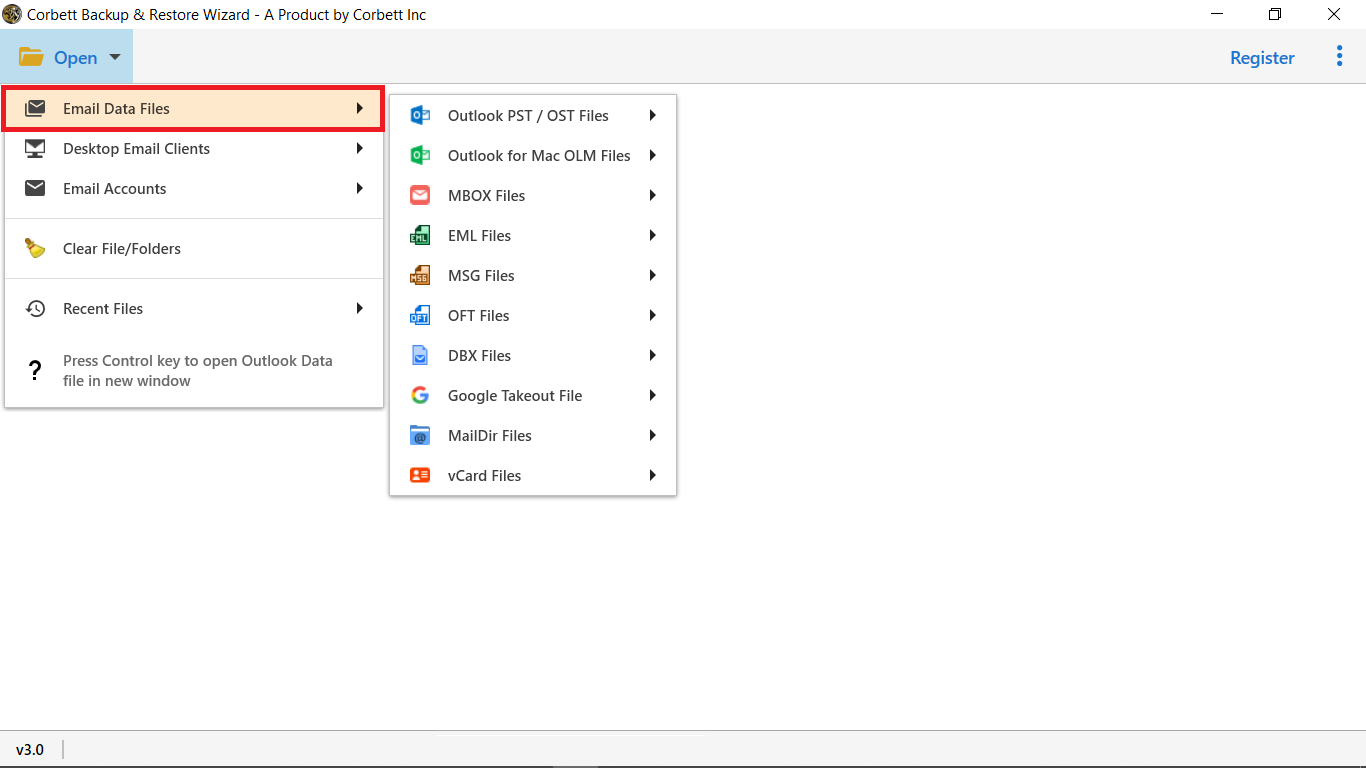
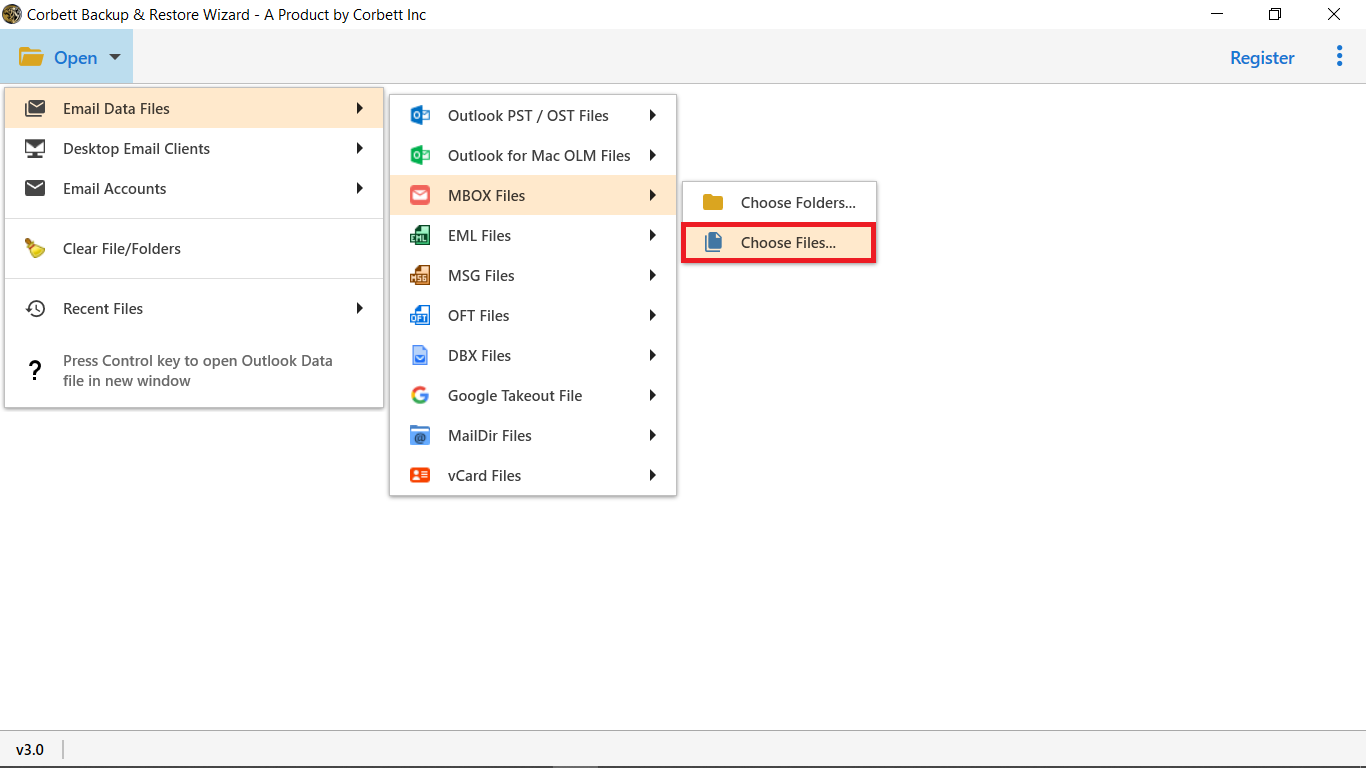
Get the tool from the download link and run its setup on Windows. PST files are added in the main window.

  • Free demo available
  • Windows 10, 8 and 7
  • No extra software
  • Terabyte files accepted
PST folder tree with selection checkboxes

Folder selection

Add the PST Files

Load one PST file or many. Folders and items appear in source order before conversion starts.

  • Items listed by folder
  • Source order kept
  • Preview before export
  • Chosen folders only
Message preview with hex and raw views

Message preview

Inspect Mail Before Export

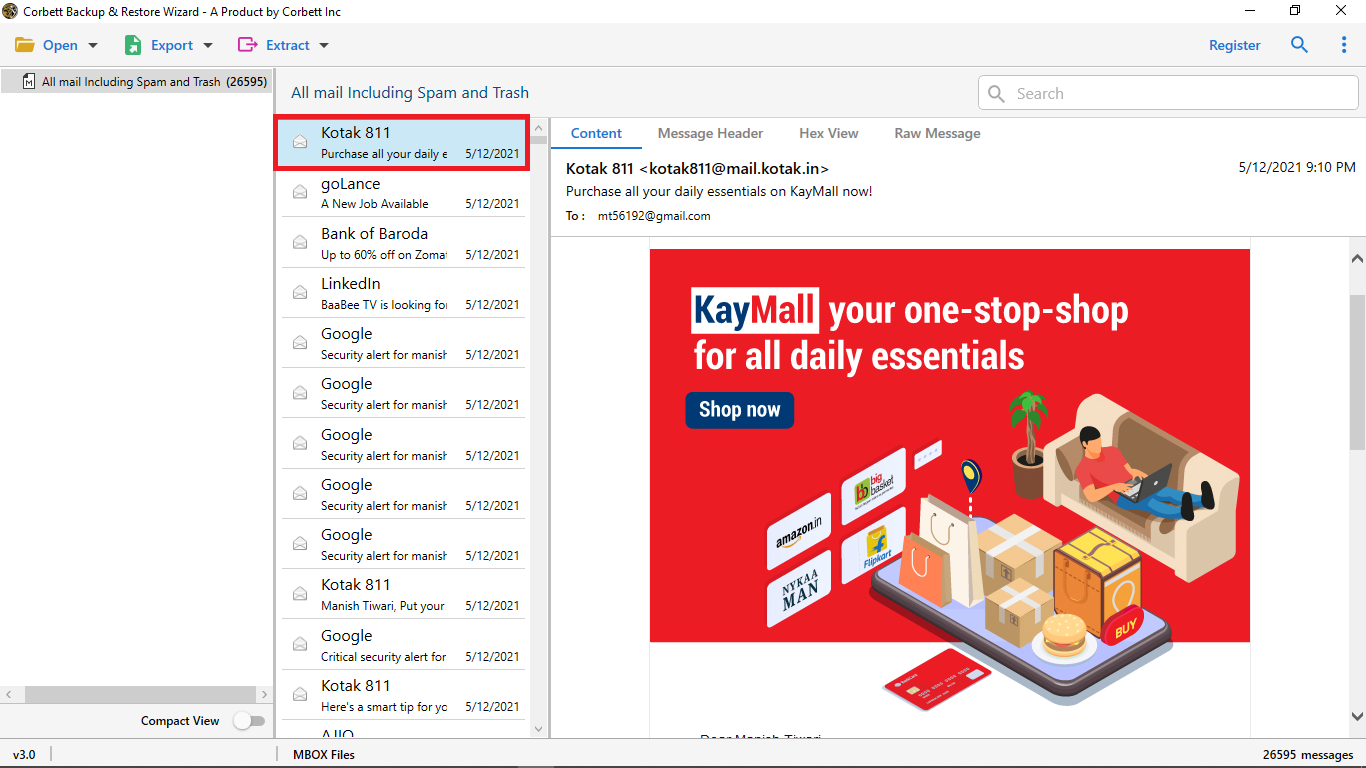
The preview opens every email in full, so admins can check the data before the EML run.

  • Content shows the email body
  • Message Header lists From, To and Subject
  • Properties reports item attributes
  • Hex View and Raw Message show stored values and code
Search filters for selective conversion

Selective backup

Search Within the PST File

Use fields like name, subject and To or From to find mail inside the PST, then convert only the matched items.

  • Name field
  • Subject field
  • To and From field
  • Contact field
  • Address field
  • Attachment field
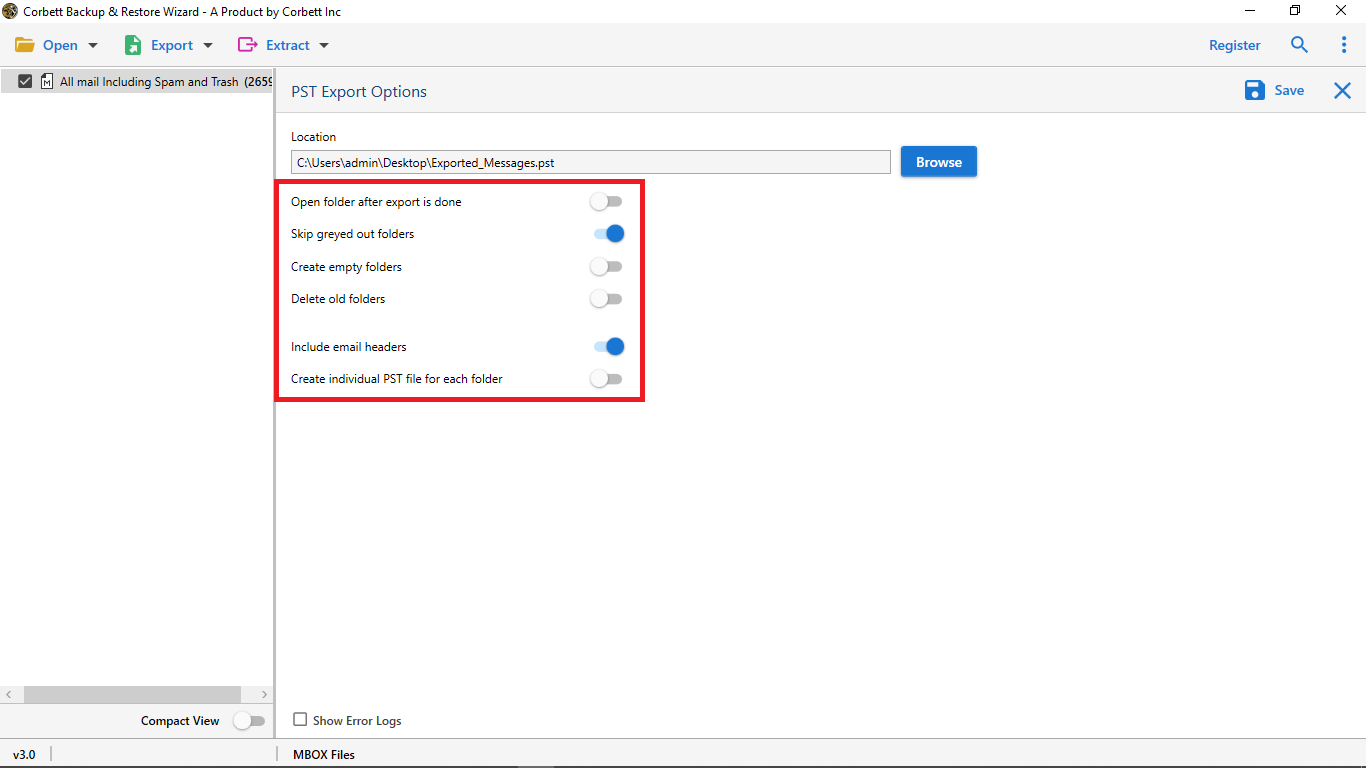
Export format and destination options

Output options

Export Mail as EML

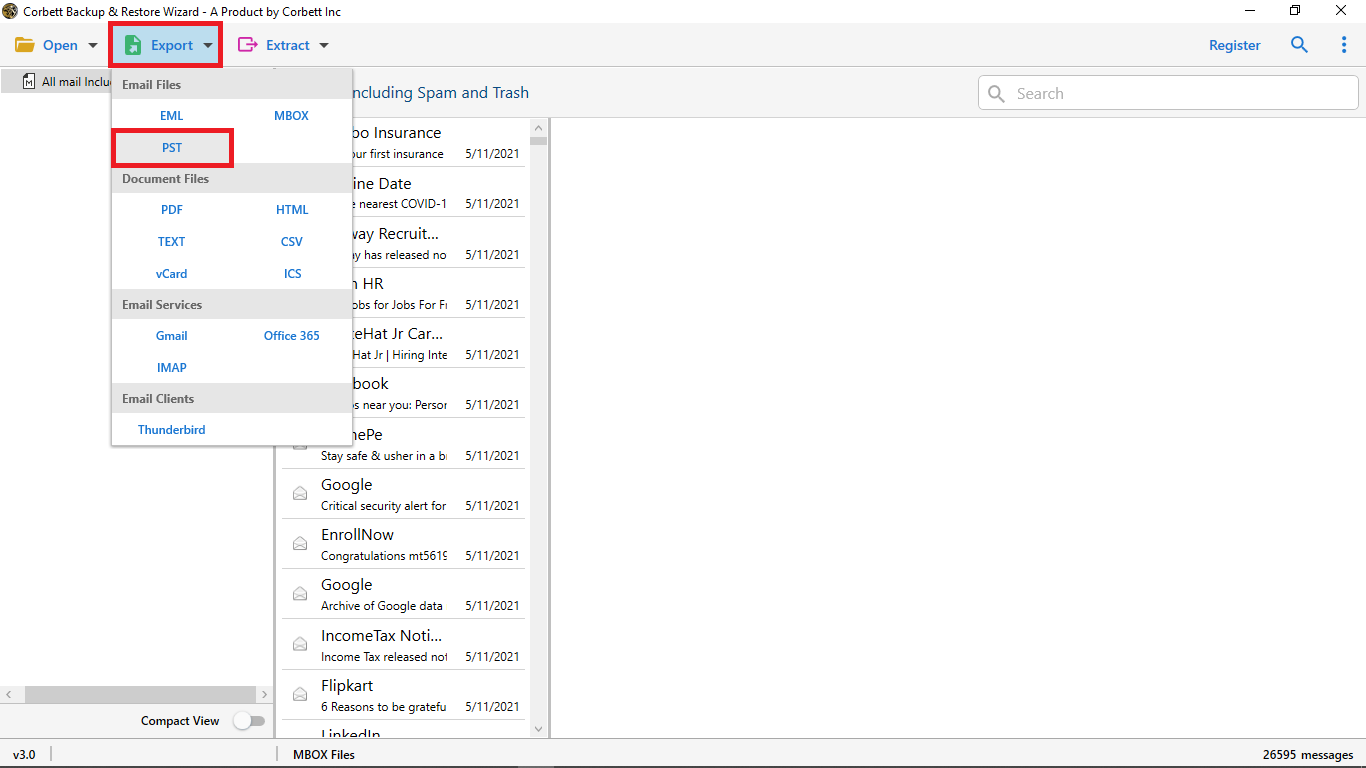
Click Export, choose EML and start the process. Every message becomes its own EML file on the local drive.

Before converting

Preparation for PST to EML

Three simple checks avoid trouble later.

Source file

Make a PST copy

Close Outlook and back up the PST file on a safe drive before the EML run starts.

Item scope

All mail or chosen items

Convert every folder at once, or limit the run to contacts, addresses or attachments when only those are needed.

Target disk

Leave space for EML files

One EML file is created per email, so thousands of messages need a destination disk with free room.

Source PST handling inside Outlook is covered in Open PST file and Import PST to Outlook.

Free demo

Try the PST to EML Converter Free

The free edition takes 10 messages or folders. Open a few sample EML files before buying.

Download free demo

Before purchase

Manual Work or PST to EML Converter

Outlook cannot save a PST as EML files, and no manual method moves a PST outside the desktop. The table compares the options.

Task Manual work Tool
Cost Free $99 one time
One email Open and save by hand Works too
EML file output Not offered in Outlook One EML per email
Huge PST files Slow and error prone Terabytes in one run
Folder hierarchy Often reshuffled Same as the source
Extracted items Copied by hand Converted on request
Search fields Basic search only Name, Subject, To, From
Other targets Not offered PDF, HTML, CSV, IMAP, iCloud

Only the green row is within reach by hand.

Attachments alone come out with Extract attachments from PST file .

Specifications

PST to EML Converter Requirements

Download details

Version
3.0
Download size
47.6 MB
Demo limit
10 items
Delivery
Electronic: link and activation code come by email
Licence
Personal: 2 PCs. Business: 10 PCs. Enterprise: unlimited PCs.
Download Now

System

Hard disk
100 MB free space
RAM
512 MB minimum, 1 GB is better
Processor
Processor at 1 GHz, 2.4 GHz advised
Interface
English
Input
Outlook PST files

Supported editions

Windows 10 in 32-bit or 64-bit and every older edition, 8 and 7 included.

Start with Run as Administrator.

Corbett has built Windows email utilities since 2020. Setup questions and first-run issues are answered by support.

Working process

Watch PST to EML Converter Work

Prefer reading? The Import EML files to Outlook post explains the next move for the finished EML files.

PST to EML walkthrough

Common questions

PST to EML Converter FAQs

Steps, data integrity, bulk jobs and search.

How can PST mail be turned into EML files?

Download the tool and add the PST file. Preview the mail, choose Export and select EML files. Every email then converts to its own EML file.

Can the converted data be trusted to stay intact?

Yes. The design keeps the data identical to the original files.

Can bulk PST files be exported to EML?

Yes. The tool handles bulk PST files and also saves PDF, HTML, CSV and other formats.

Can I convert mail from one email address only?

Yes. Email addresses, contacts and attachments can be converted as specific items.

Are there demo limits?

Yes. The free edition converts 10 messages or folders.

Do the folders stay in order?

Yes. The output follows the order of the source folders.

Is the number of files capped?

No. The tool sets no limit and handles terabyte sized PST files.

Is extra software needed?

No. The tool is self-contained and needs no additional software.

Which email applications accept the EML files?

Gmail, Yahoo, Hotmail, Outlook and iCloud accept them through import and export functions.

Does it detect the IMAP server?

Yes. Scanning detects the mail server address and the port.

Which Windows editions are covered?

Windows 10 in 32-bit or 64-bit and every older edition, 8 and 7 included.

What memory is required?

Memory: 512 MB at the least, 1 GB preferably. Disk: 100 MB free.

How many computers does a licence cover?

Two PCs or laptops on Personal, ten on Business, and any number on Enterprise.

How does delivery happen?

Electronically, after payment.

Is there a refund?

Yes. A refund is available within 30 days of purchase.

Step by step

Help With PST Mail and EML Files

Posts on opening the PST and using the EML files.

Hosted account moves use the Email Migration Tool . Server cutovers use the IMAP Migration Tool. Additional formats are covered in the email converter tool. Broken archives belong with the email recovery software. Mail files can also be viewed free in the email viewer software. Same family: MBOX to EML Converter and EML Converter Tool. Also see the PST File Converter Tool, MBOX to PST Converter, OST to PST Converter, MSG Converter Tool and Office 365 Backup Tool.

User testimonials

PST to EML Converter Reviews

Ratings from 353 users who exported PST data as EML with Corbett.

4.6 out of 5

Collected across 353 reviews gathered from portals and email, as sent.

Satisfied with the tool

I wanted to convert all the PST files into EML format so that it can be used in other email applications also. Since PST is a format of an Outlook application and is confined to desktop only. I was looking for an alternative option and found it was not possible manually. On recommendation, I used the Corbett software PST to EML conversion tool and i am quite satisfied with it.

Maria Carol

Thousands of mails in a few steps

This tool is a very useful automated tool. I had thousands of mails to be converted into EML format and in just few simple steps I got the desired results. I have recommended the tool to my colleagues too.

Andy Eros

Easy for a non-IT user

I am very happy with the software. I belong to non-IT field and perhaps had to keep a backup of my files into Eml format. It was quite challenging but when I tried the automated tool, I found it simplified and easy to use without any hassles.

James Barack

Get started

Create EML Files From Outlook PST Mail

Open the EML files after a trial run on a spare PST. The $99 licence is paid one time, with refunds open for 30 days.

Download free demo Purchase now

47.6 MB · Windows 10 and below · 30 days money back