Corbett

OLM Converter

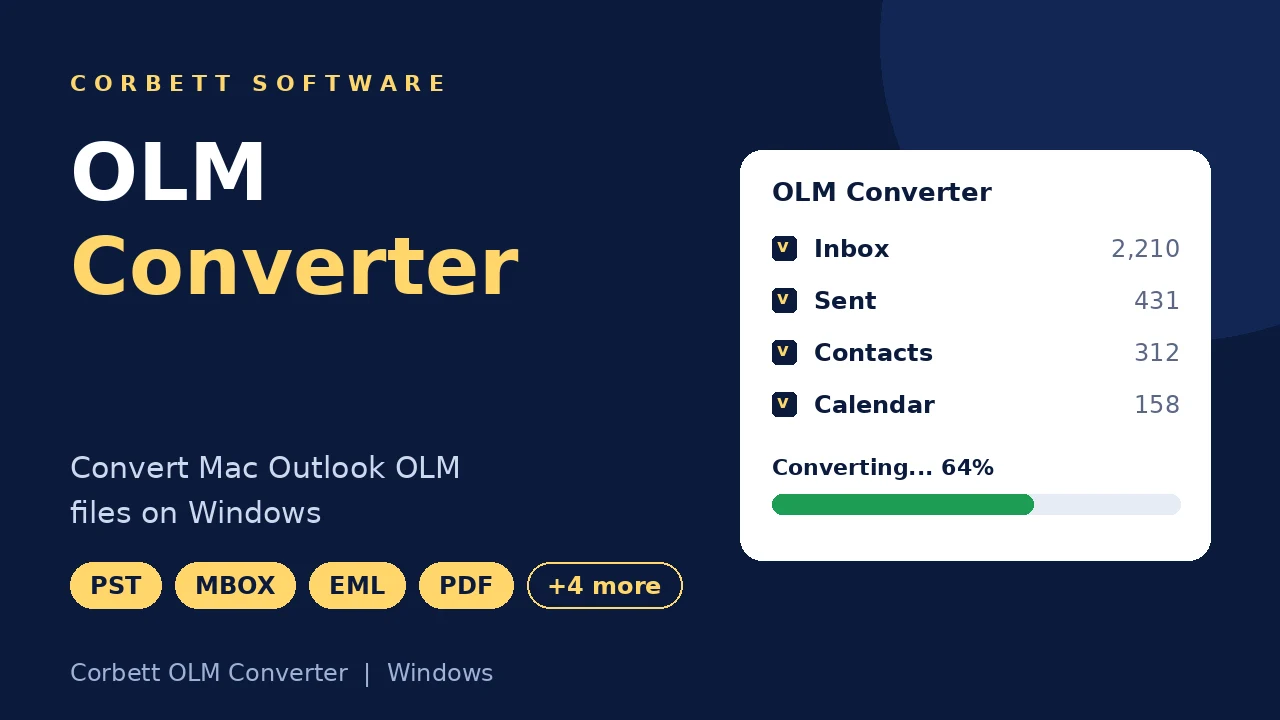
Corbett OLM Converter turns Mac Outlook OLM files into 10+ formats, in bulk or by selection. Emails, contacts, calendars, tasks, journals, notes and attachments convert with folder hierarchy intact. PST, EML, MBOX, PDF, CSV, vCard and ICS output is included, and so is upload to Gmail and Office 365. Free demo included.

Download free demo Purchase now

4.8 out of 5 from 1,758 reviews

The OLM file is processed on this PC. Corbett never receives it.

Free demo, scanned clean on VirusTotal and a 30-day money-back window.

Lifetime licence from $99 Demo converts 10 emails per folder

OLM facts

OLM Converter for Mac Outlook Data

An OLM file is the archive Outlook for Mac keeps, and Windows apps cannot open it. OLM Converter loads that archive on a Windows PC and outputs emails, address books, calendars and tasks in formats any system accepts.

Carried over from OLM

  • Folder hierarchy
  • Attachments
  • Read and unread counts
  • Message headers
  • Contacts
  • Calendars
  • Tasks

Supported OLM data

  • Outlook 2011 files
  • Outlook 2016 files
  • Outlook 2019 files
  • Emails and attachments
  • Contacts
  • Calendars
  • Tasks, journals and notes

Outputs

  • PST
  • EML
  • MBOX
  • PDF, HTML and TXT
  • CSV and vCard
  • ICS calendars
  • Gmail and Office 365
  • IMAP accounts

Not part of conversion

  • Client settings
  • Account passwords
  • Filter rules
  • Saved searches

Why Convert OLM Files

Windows Outlook, Gmail and Office 365 do not accept OLM. After OLM Converter finishes, a Mac mailbox lands in PST, MBOX or a cloud account with the same folder tree and the same read and unread counts.

Core features

Four Steps With OLM Converter

Install, load the OLM file, preview and export.

OLM file loading screen

Load

Browse the OLM File

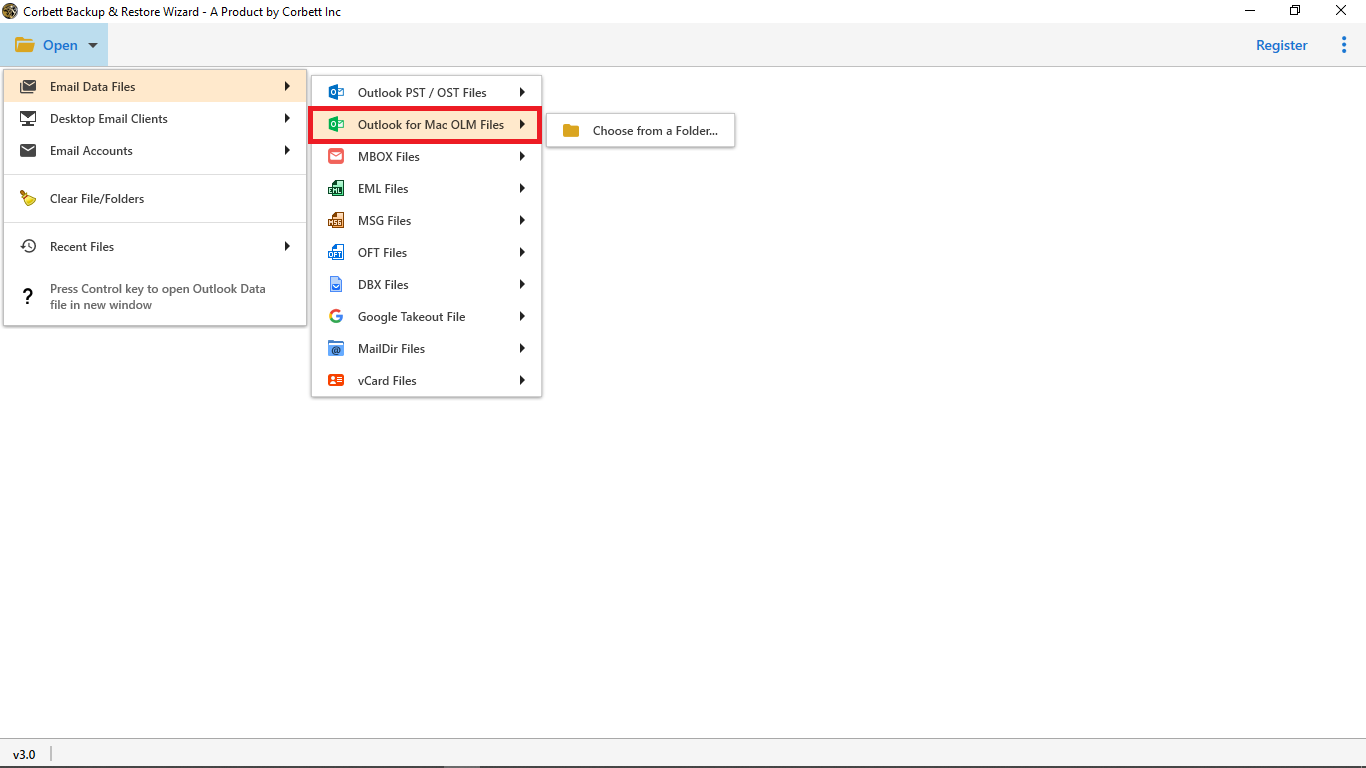
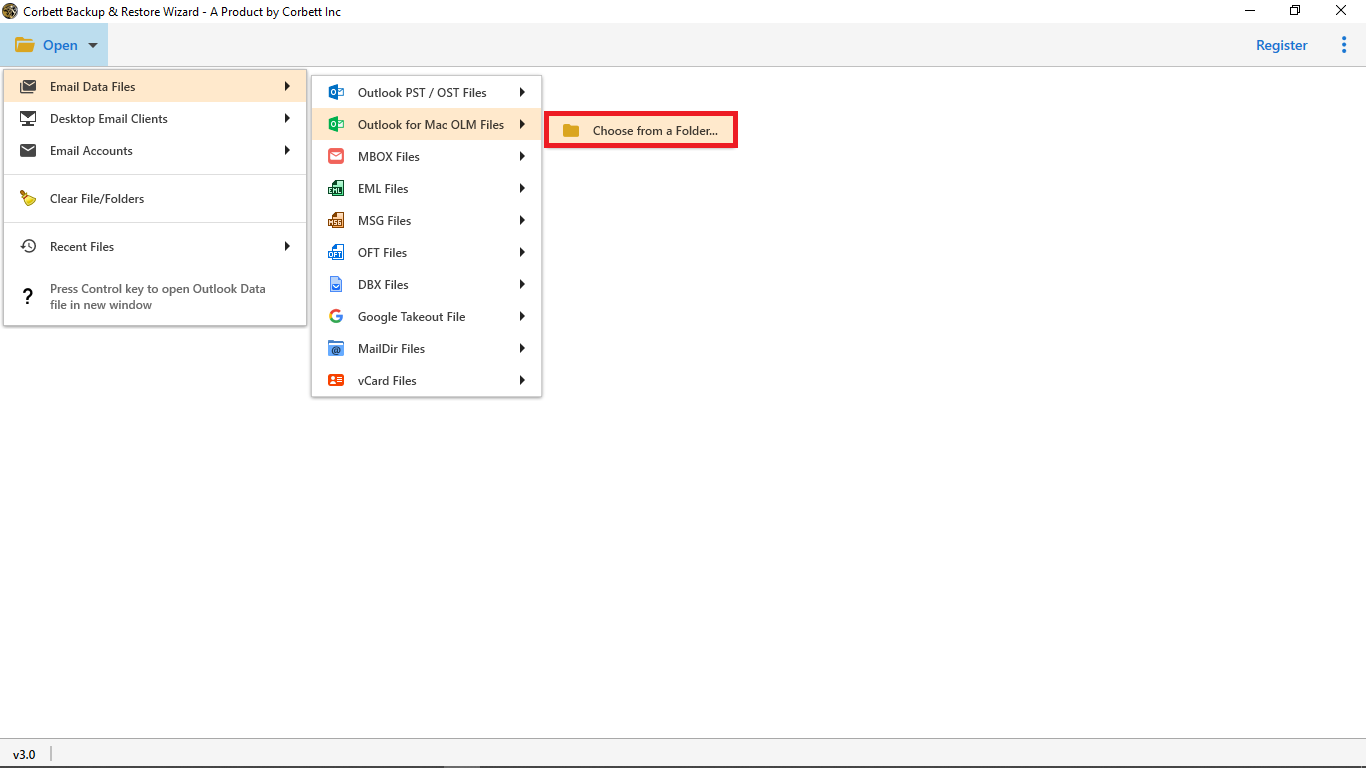
On Windows, start the software and follow Open, Email Data Files, Mac OLM File. Select the OLM file to load it into the dashboard.

  • Any OLM size
  • Outlook 2011, 2016 and 2019
  • No file size limit
  • No second program needed
OLM folder tree with selection checkboxes

Folder selection

Check the OLM Data Folders

The software scans the OLM file and lists data folders in the preview panel. Mail, contacts, calendars and tasks sit in one tree.

  • Checkbox on every folder
  • Hierarchy shown as saved
  • Mailboxes processed in bulk
  • Unticked folders skipped
Message preview with hex and raw views

Message preview

Preview OLM Items With Attributes

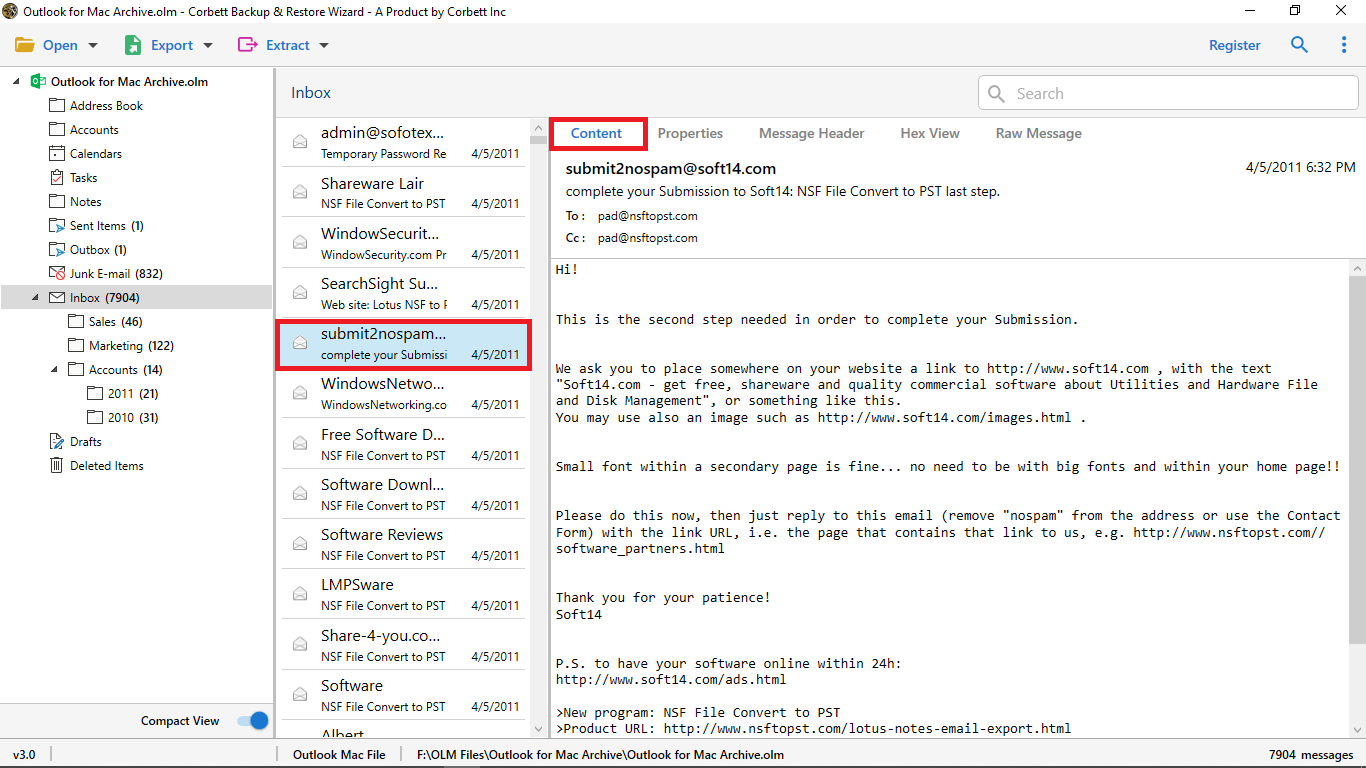
OLM Converter shows any item in five views before export. Admins and forensic investigators use them to verify mail.

  • Content shows body, images and attachments
  • Message Header lists From, Subject, To and Date
  • Properties reports message meta values
  • Hex View and Raw Message show the stored values and code
Search filters for selective conversion

Selective backup

Filter OLM Data by Item Type

OLM Converter gives every item type its own search fields, so contacts, calendars, journals and tasks filter on their own terms.

  • Calendar subject and location
  • Contact name and company
  • Journal keyword and date
  • Task status and priority
  • Task owner and file size
  • Notes and file name
Export format and destination options

Output options

Select an Export Option

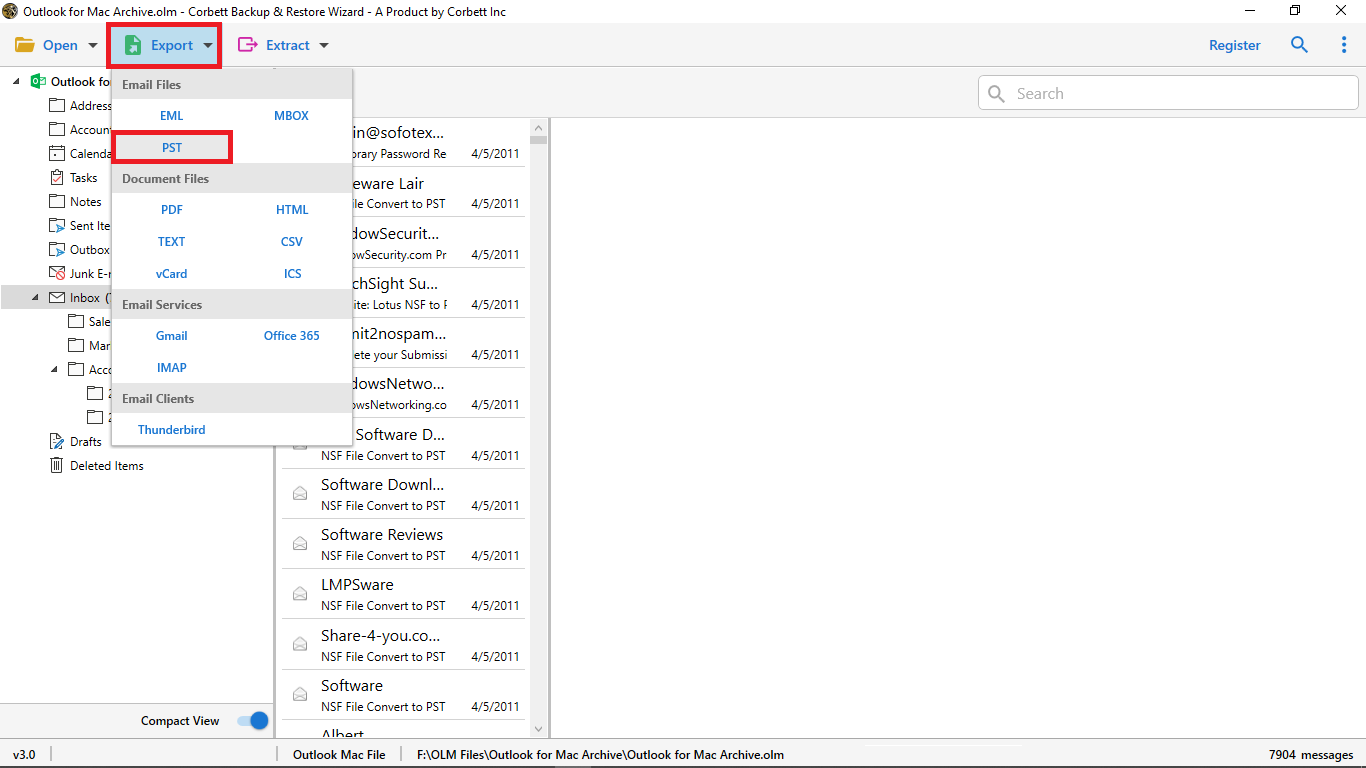
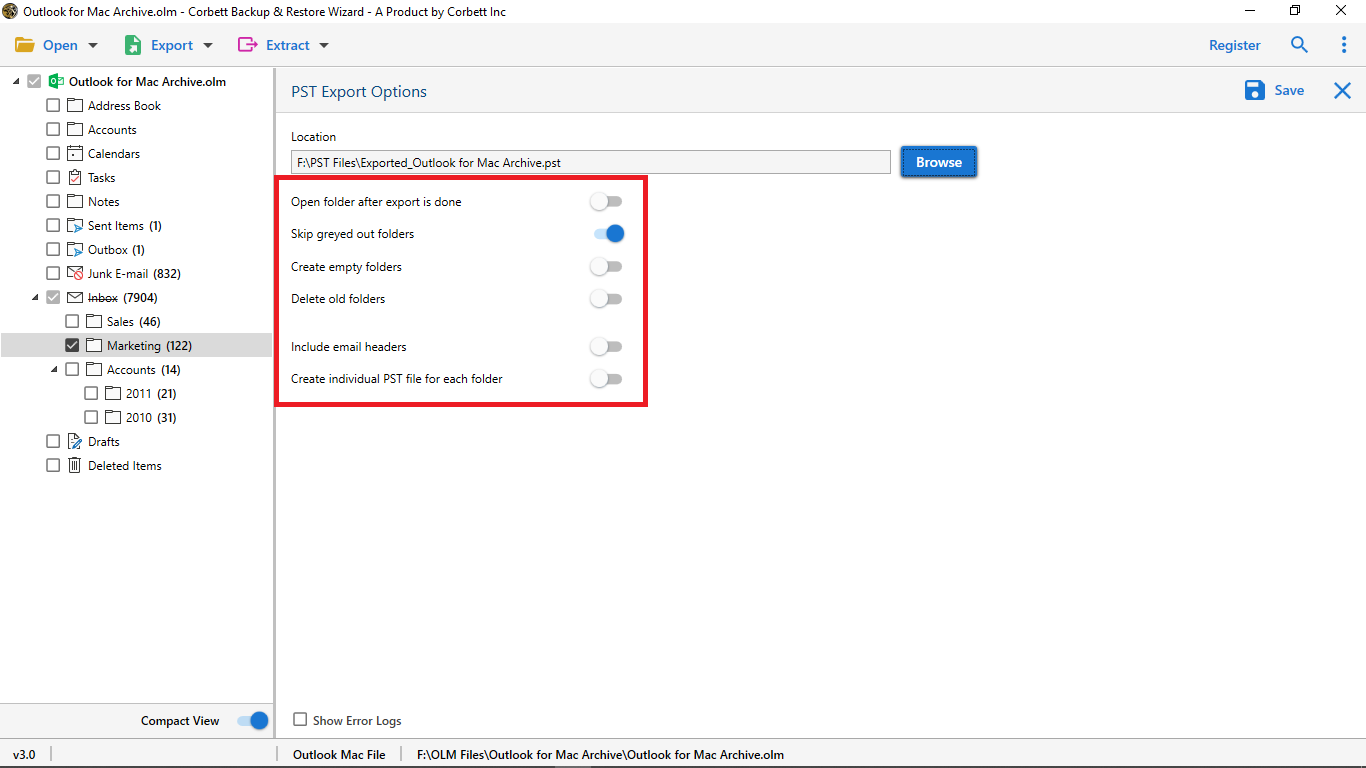
Click Export, select a format or a cloud account, set the filters and press Save. OLM Converter sends contacts to CSV or vCard and calendars to ICS.

Before converting

Checks Before an OLM Conversion

Three habits keep a Mac mailbox tidy.

Source file

Copy the OLM file over

Export the archive from Outlook for Mac 2011, 2016 or 2019 and copy it to the Windows PC. A 10 GB file is fine.

Cloud upload

Have the app password ready

For Gmail, Office 365 or another IMAP server, only the email address and an app password are needed.

Run mode

Launch as Administrator

Launch OLM Converter with Run as Administrator on Windows 11, 10, 8 or 7.

Pulling out single items is covered in Extract attachments from OLM files and Extract email addresses from OLM file.

Free demo

Free Trial of OLM Converter

The trial exports 10 emails from every folder. Test the files in the target client, then decide on a licence.

Download free demo

Before purchase

Manual Moves vs OLM Converter

A Mac can sync one mailbox through an IMAP account, one folder at a time. A big OLM archive or a mixed set of items is quicker in OLM Converter. The table compares both.

Task Manual move Tool
Cost Free $99 one time
One small mailbox Sync through an IMAP account Works too
Large OLM file Slow sync Any size
Contacts and calendars Separate exports CSV, vCard and ICS
Folder hierarchy Often reshuffled Kept intact
Filters Mail search only Mail, contacts, calendars, tasks
Other formats None PST, EML, MBOX, PDF, HTML
Item extraction Not offered Addresses, attachments, photos, phones

Only the green row is work that a Mac can do alone.

A spreadsheet route for contacts is shown in Convert OLM to CSV files .

Specifications

System Needs of OLM Converter

Download details

Version
4.1
Download size
47.6 MB
Demo limit
10 emails per folder
Delivery
Electronic, sent by email with link and key
Licence
Single user. Personal, Business and Enterprise editions.
Download Now

System

Hard disk
100 MB free space
RAM
4 GB minimum
Processor
Intel Pentium at 1 GHz, 2.4 GHz suggested
Interface
English
Input
Mac OLM files from Outlook 2011, 2016 and 2019

Supported editions

Windows 11, 10, 8 and 7 in 32-bit or 64-bit, plus Server 2016, 2012 R2 and 2008.

Start with Run as Administrator. No macOS build.

Corbett has built Windows email utilities since 2020. Technical questions reach the support team by live chat or email, 24/7.

Working process

Watch OLM Converter Run

Prefer text steps? The Import OLM to Gmail accounts post follows a cloud upload from start to finish.

OLM Converter walkthrough

Common questions

Common OLM Converter Questions

Steps, editions, file size and the demo.

How can I export my Mac OLM emails to another format?

Download OLM Converter, launch it on Windows and open Email Data Files, Mac OLM File. A preview of the emails appears. Then click Export, select a saving option, set data filters and press Save.

Can I convert selected emails only?

Yes. Several data filters let you convert chosen OLM emails alone.

Which OLM editions are supported?

All editions of Mac Outlook OLM files, including Outlook for Mac 2011, 2016 and 2019.

Can the tool process a 10 GB OLM file?

Yes. It converts an OLM file of any size without errors, so a 10 GB archive is fine.

What are the demo limits?

The demo is for testing. It converts 10 OLM emails from every folder, and the licensed edition removes the cap.

Does the folder tree stay intact?

Yes. The folder structure of the source file stays intact, and read and unread counts match the original.

Do contacts and calendars convert?

Yes. Contacts convert to CSV and vCard (2.1, 3.0 and 4.0), and calendars convert to ICS.

Can I upload OLM data to Gmail or Office 365?

Yes. Provide the email address and an app password. The tool supports 100+ IMAP servers and web clients from Google and Microsoft.

Can I pull out attachments or addresses?

Yes. The tool can pull out email addresses, attachments, phone numbers and contact photos separately.

Do I need another program installed?

No. The software runs alone and needs no other application for conversion.

Do Windows 11 PCs work?

Windows 11 (64-bit), 10, 8 and 7 in 32-bit or 64-bit, plus Windows Server 2016, 2012 R2 and 2008.

How are the licences arranged?

A licence covers a single user. Personal, Business and Enterprise editions are sold.

Is a refund available?

Corbett refund policy applies, with a 30 day window for money back requests.

How much memory does it need?

At least 4 GB RAM, 100 MB free on the hard disk and an Intel Pentium at 1 GHz, or 2.4 GHz for better speed.

Is live support offered?

Yes. The team helps 24/7 through live chat and email.

Step by step

More Help With OLM Mailbox Moves

Posts that cover Mac Outlook data and its next stop.

Cloud mailbox jobs go through the Email Migration Tool . Server cutovers use the IMAP Migration Tool. Further formats are listed in the email converter tool. Damaged archives go to the email recovery software. Free viewing of mail files is offered in the email viewer software. Same family: OLM to PST Converter and OLM to MBOX Converter. Also see the OLM to PDF Converter, MSG Converter Tool, PST File Converter Tool, MBOX Converter and Office 365 Backup Tool.

User testimonials

OLM Converter Ratings and Feedback

1,758 ratings from users who converted Mac Outlook data with OLM Converter.

4.8 out of 5

Collected across 1,758 reviews from download portals and email, shown exactly as sent.

Wonderful features

I have been searching for the reliable tool which can convert OLM files to multiple formats. Fortunately, I came across the Corbett OLM converter tool which is undoubtedly wonderful with excellent features. It allows to convert the OLM files into multiple formats without any hassles. I am happy with this tool.

Mike Stegner

Integrity fixed

I have used many Mac OLM converter tools but so far it has not given the desired results. The main problem was data integrity. However, this Corbett solution is the best because of the simplified GUI and active customer support.

Michael Corner

Selected data exported

It is quite a reliable solution, Corbett OLM converter helped me to export selected data from Mac OLM to document format. This software provides multiple data filters to classify data for selective conversion.

James Mercado

Get started

Open Mac Mailbox on Windows Today

Download the demo, open a Mac archive and test the results in the planned client. One $99 payment buys the full licence.

Download free demo Purchase now

47.6 MB · Windows 11 and Server editions · 30 days money back