








email backup wizard box

Screens

Video

100% Safe & Clean

Verified by VirusTotal

IT Expert's Choice

Rated 4.8/5 for Data Integrity

Expert Recommended

Email Recovery Software

Recover deleted emails from backup directly to Gmail, Outlook 365, Thunderbird, and other email platforms.

  • Recover emails from PST, MBOX, EML, MSG & other backup formats.
  • Maintain original folder structure, email metadata and attachments.
  • Restore emails from backup files without file size limitations.

Compatible with Windows 11, 10, 8, 7 (32/64 bit)

  • Try Free Demo – 100% Secure Email Restore Tool
  • Standalone Tool – No Email Client Required

Advanced Features

preview

Preview Emails Before Recovery

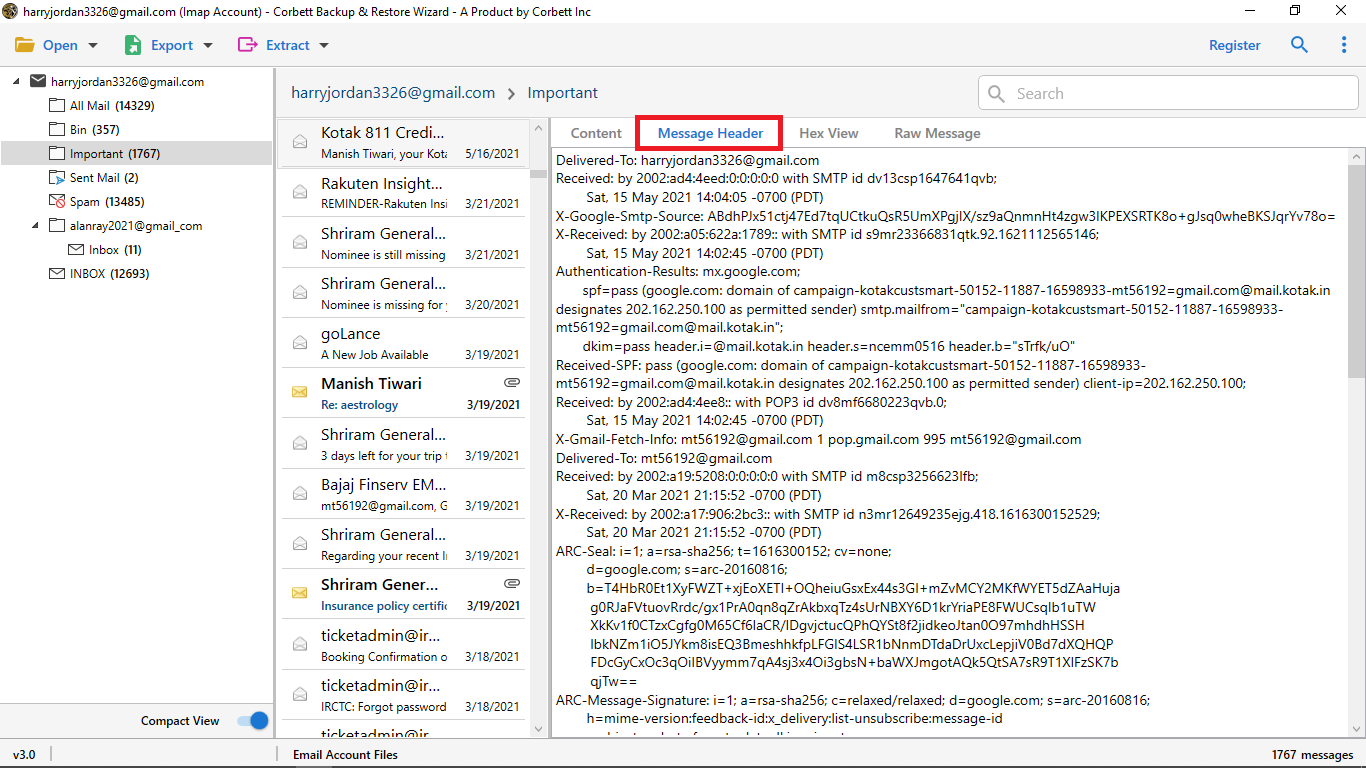
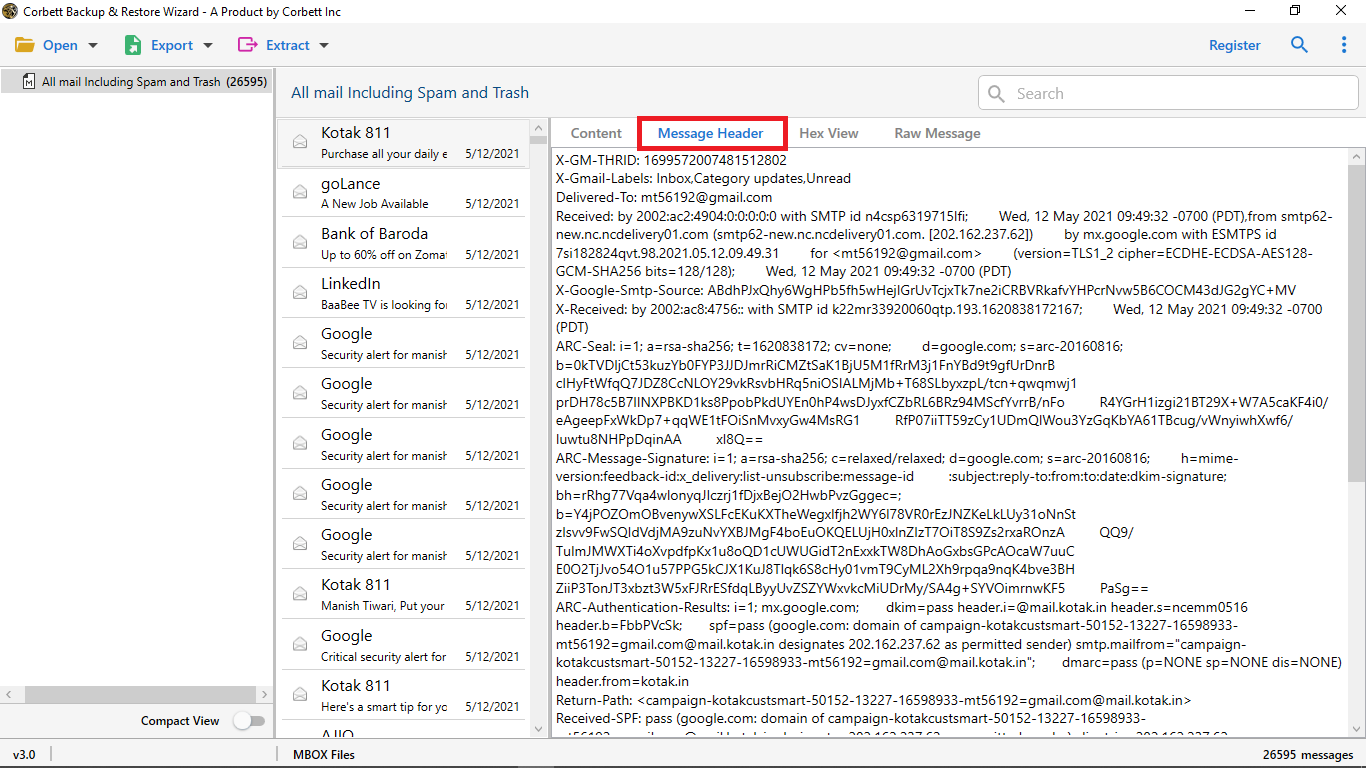
Corbett Email Recovery Software offers advanced built-in preview features that allows users to view emails before completing the restore process. Users can check email content, attachments, sender details, dates, and folder structure. It is beneficial for forensic and IT users to analyze data in different mode such as:

  • Content View
  • Message Header
  • Properties
  • Hex View
  • Raw Message
different file formats

Recover Emails from Any Backup Format

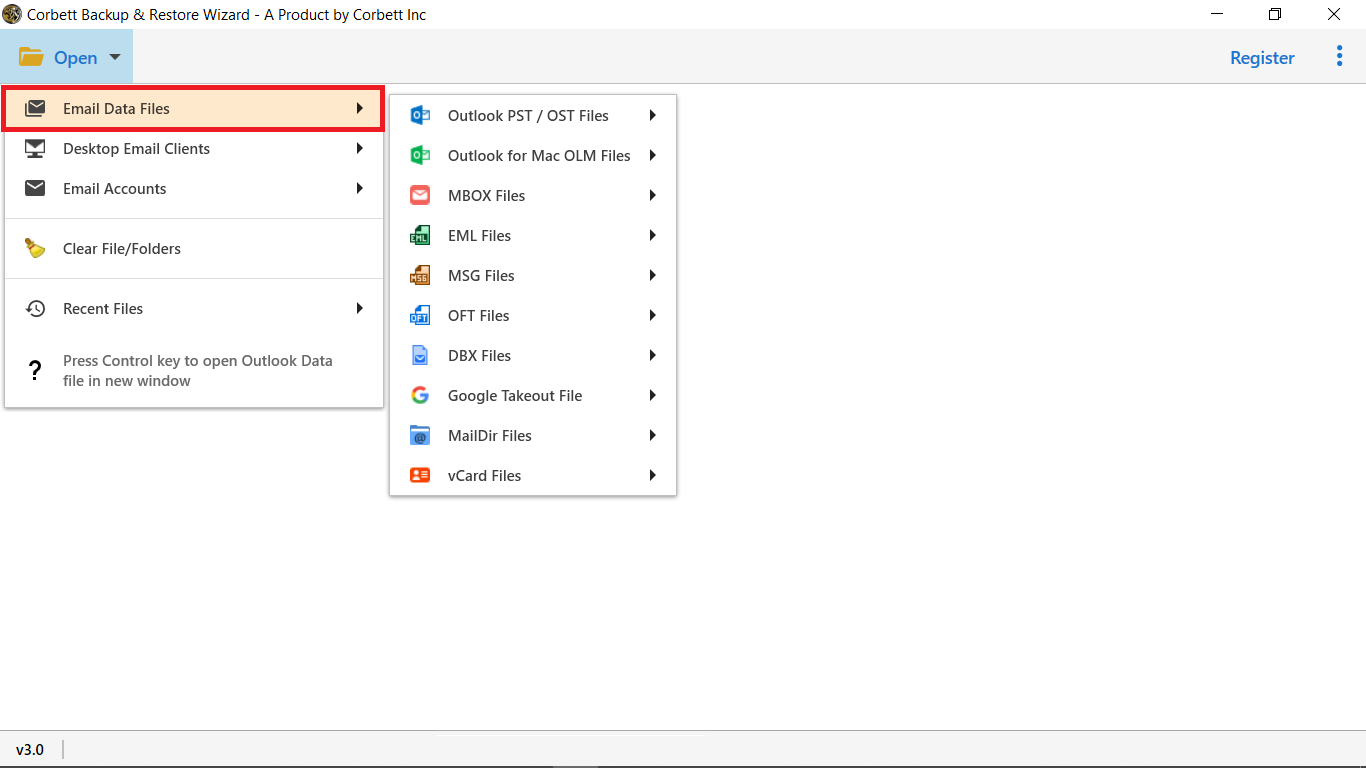
This advanced Email Restore Tool allows users to recover deleted or permanently lost emails from multiple backup file formats with complete accuracy and security.

  • MBOX
  • OST
  • PST
  • EML
  • MSG
  • DBX
  • OFT
  • OLM
  • vCard
  • MailDir
  • Eudora
  • Google Takeout

Software Feature

Core Benefits of Email Recovery Software

Multiple Formats

Restore Emails to Multiple Platform

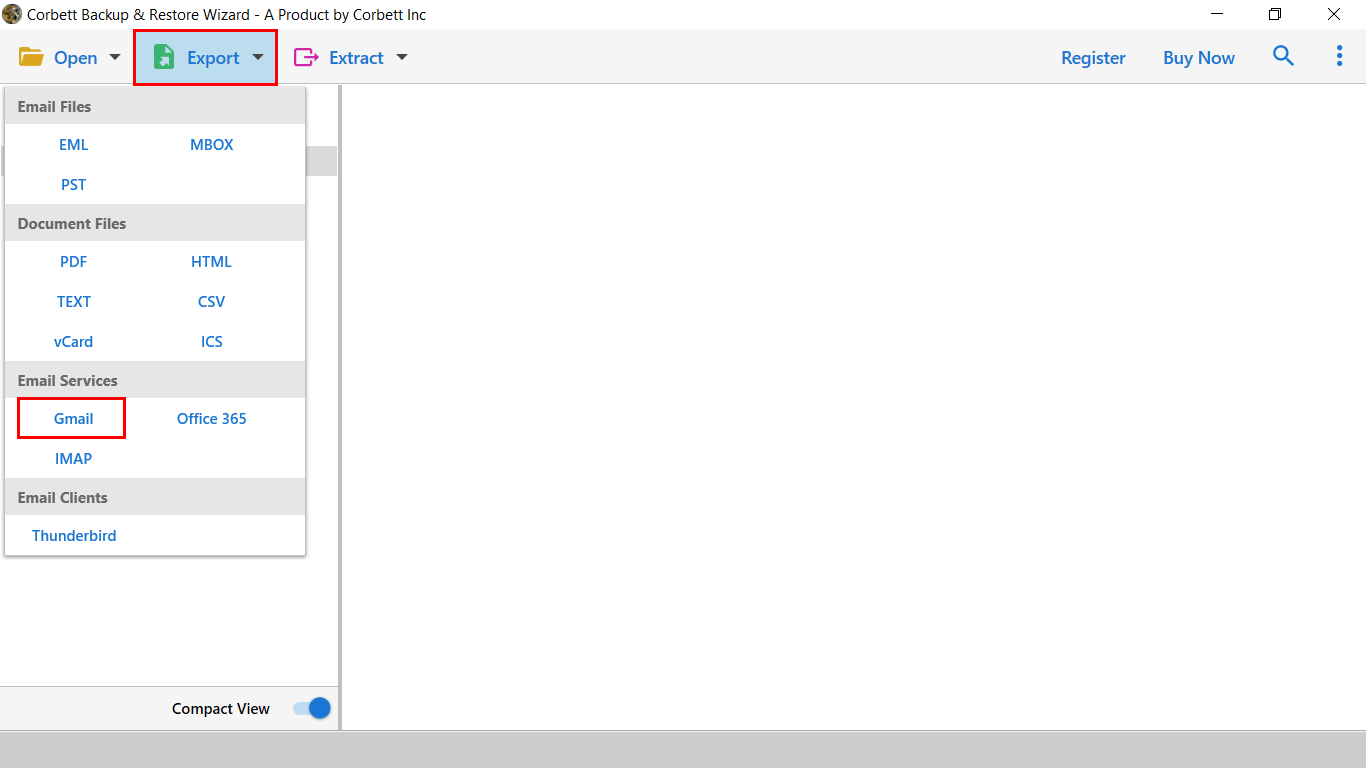
Recover emails from backup files and restore them to popular email platforms such as Gmail, Office 365, Thunderbird, and IMAP accounts. The software allows users to access their recovered emails on any preferred email service without problem.

batch recovery

Bulk Email Recovery Without Limits

Restore multiple emails in a single process without file size or quantity restrictions. This allows you to add entire folders or multiple backup files at once. The email recovery tool saves time and allows restoring large amount of data efficiently.

Selective Backup

Quick Search & Advanced Filter

Email Restore Tool enables users to quickly find and restore specific emails with advanced filtering. Users can refine emails with specific keywords, date range, sender, recipient, or subject. Selectivity restore emails from backup as per requirements.

Data Integrity

Preserve Original Folder Hierarchy

Restore deleted emails from backup files with 100% data integrity. This Email Recovery program maintains all meta data properties, including Subject, To, Cc, Bcc, From, and formatting. Users can recover deleted emails from backup without any changes in data.

User-Friendly Interface

Simple & Easy-to-Use GUI

The application has a user-friendly interface suitable for both technical and non-technical users. Download free Email Recovery software and restore 10 emails from each backup folder without any technical advice or support.

Naming Options

Custom File Naming options

Email Restore Software allows users to restore email in organized manger. To reduce data clutter you can select file names based on Sender, Subject, Date, or Recipient. For example: Date + Sender, Sender + Subject + Date, or Subject + Date + Sender.

Support Team

24/7 Technical Support Team

Our customer support team is available around the clock to help users. You can contact the technical team for any software problems and also request to add new features in utility according to your needs.

Windows OS

Supports All Windows OS

This Email Recovery tool is compatible with all versions of Windows like Windows 11, 10, 8.1, 8, 7, Vista, and XP. It allows users to retrieve emails from backup without additional setup or software installation required.

Specifications

Requirements to Launch Email Restore Tool

Software Download

Size : 87.4 MB

Version : 5.3

Trial Limitations

Limitations
Email Recovery Software free demo version allows to restore 10 email messages per folder. Purchase the licensed version to recover all your emails without any limitations.

System Specifications

Hard Disk Space
150 MB of free hard disk space

RAM
Minimum 4 GB RAM

Processor
Intel® Pentium 1 GHz processor (2.4 GHz is recommended)

Pre-Requisites

  • Windows OS 11, 10, 8 and 7. Users can launch the tool as "Run as Administrator".

Supported Editions

  • Microsoft Windows – Windows OS 11 (64 bit), 10, 8.1, 8, 7 (32 bit or 64 bit) & Windows Server 2025, 2022, 2019, 2016, 2012 R2, 2008

Electronic Delivery

Email Restore software will be delivered automatically. After payment confirmation, you will receive an email with the product download link and its activation key.

Software Screenshots

Email Recovery Software Working Steps

email recovery software
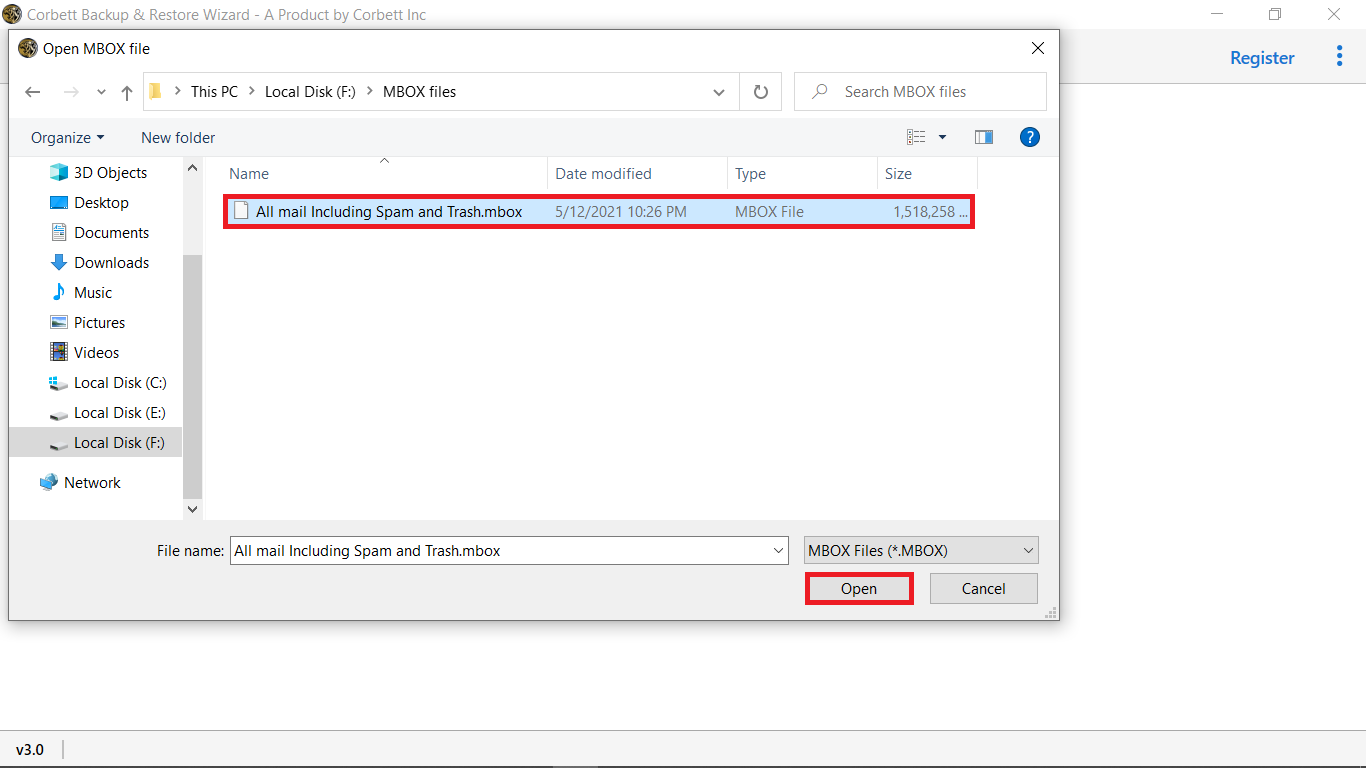
add backup files
Preview data
select export option

Working Process

Watch Email Recovery Tool Video

We specialize in assisting customers

Examine the graph and ratings for the Email Backup software.

Performance

95%

Customer Satisfaction

93%

Output Accuracy

100%

Software FAQs

Questions Regarding Email Restore Tool

5 Steps to restore emails using Corbett Email Recovery Tool:

  • Step 1:Download Email Restore Software on your system.
  • Step 2:Add or select the backup file containing lost emails.
  • Step 3:Preview and choose the required emails.
  • Step 4:Select Gmail as destination platform.
  • Step 5:Log in and start the restore process.

Yes, the software allows users to recover permanently deleted emails from backup files.

The tool works offline to ensure complete privacy and also keeps data unchanged throughout the process.

Yes, Corbett Email Recovery Software allows you to recover lost or deleted emails from backup with all email properties.

User Testimonials

Customer Reviews of Email Recovery Software