How to Convert DBX to PDF Easily With Simple Steps
Updated for 2026 — DBX files are leftovers from Outlook Express, and the moment you move to a newer PC or email client you discover Windows can no longer open them. Converting those old DBX folders to PDF turns them into portable, searchable, printable records you can read, archive, or hand over for legal and compliance needs without reinstalling Outlook Express. This guide walks through converting DBX to PDF cleanly, with no data loss, even for large mailboxes.
Why You Should Export DBX to PDF Format?
There are following reasons why users choose to export DBX File to PDF. DBX files may not open, get corrupted, or become outdated. PDF is safer, easier to read, and works on all devices. Here we read different situations that make DBX files hard to use:
- DBX files only open in old Outlook Express, but PDF lets you view and print your emails on any computer, phone, or system.
- When you convert DBX file into PDF file all information like text, images, links, and layout look just like the original email.
- PDF is a strong and stable format, so saving emails as PDFs helps you to protect data for many years without damage.
- Portable Document Format (PDF) file keeps all information safe and secure there is no risk of file corruption or data loss.
- You can send PDF files to others without worrying if they have special software to open DBX emails.
How to Convert DBX Files into Adobe PDF format?
If you want to convert DBX files into Adobe PDF format you can use a dedicated software that allows you to change old Outlook Express emails into readable PDF documents. For safe and secure conversion technical users often recommend the Corbett DBX Converter, which helps you convert emails along with attachments like images, notes, or documents without losing any details.
The DBX file to PDF converter comes with multiple features that saves users time and makes reliable conversion. It keeps the email properties such as To, From, Cc, and Bcc in their original form. The software also allows you to convert a few DBX emails into PDF files for free in its trial mode. It allows the users to see how the tool works before finishing the full conversion.
Steps to Convert Outlook Express DBX files to PDF format
Follow these simple steps to export DBX to PDF easily:
- Download and install a dedicated DBX to PDF Converter software on your computer.

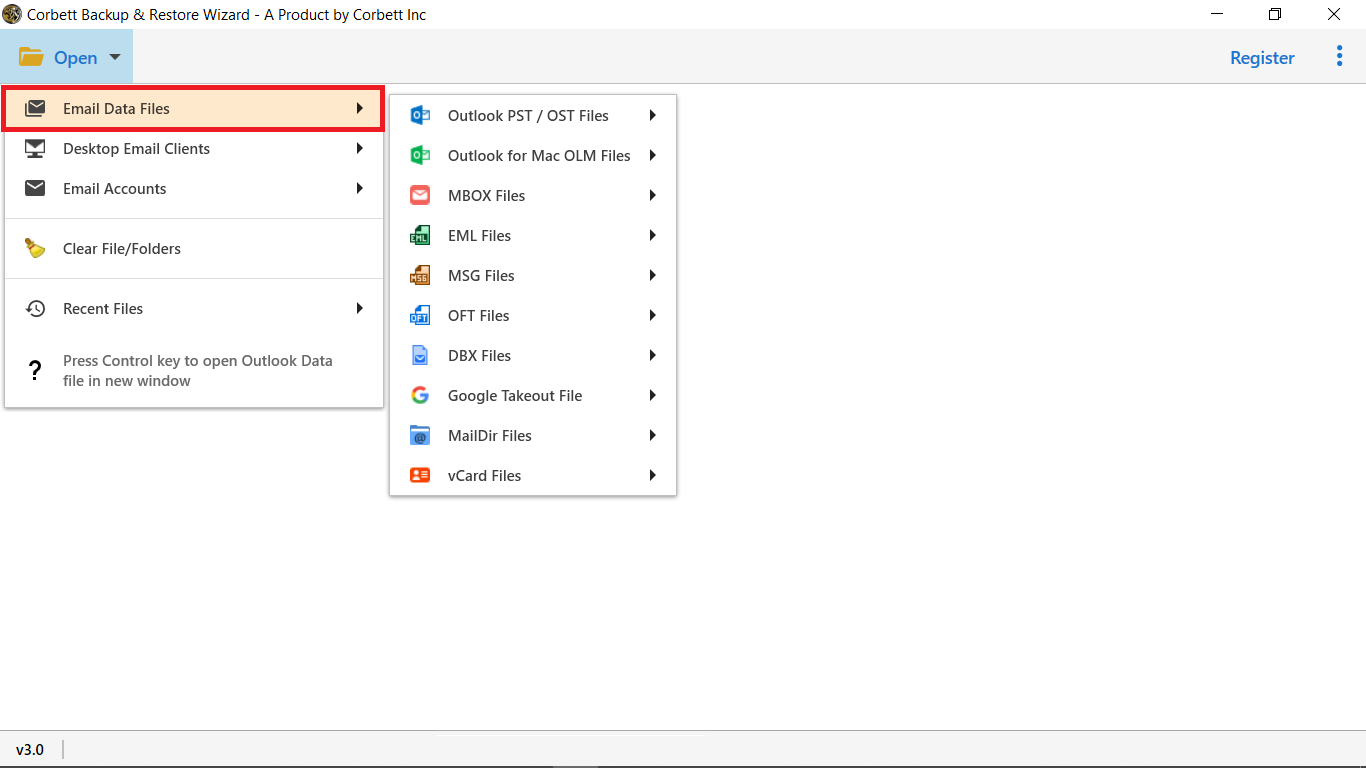
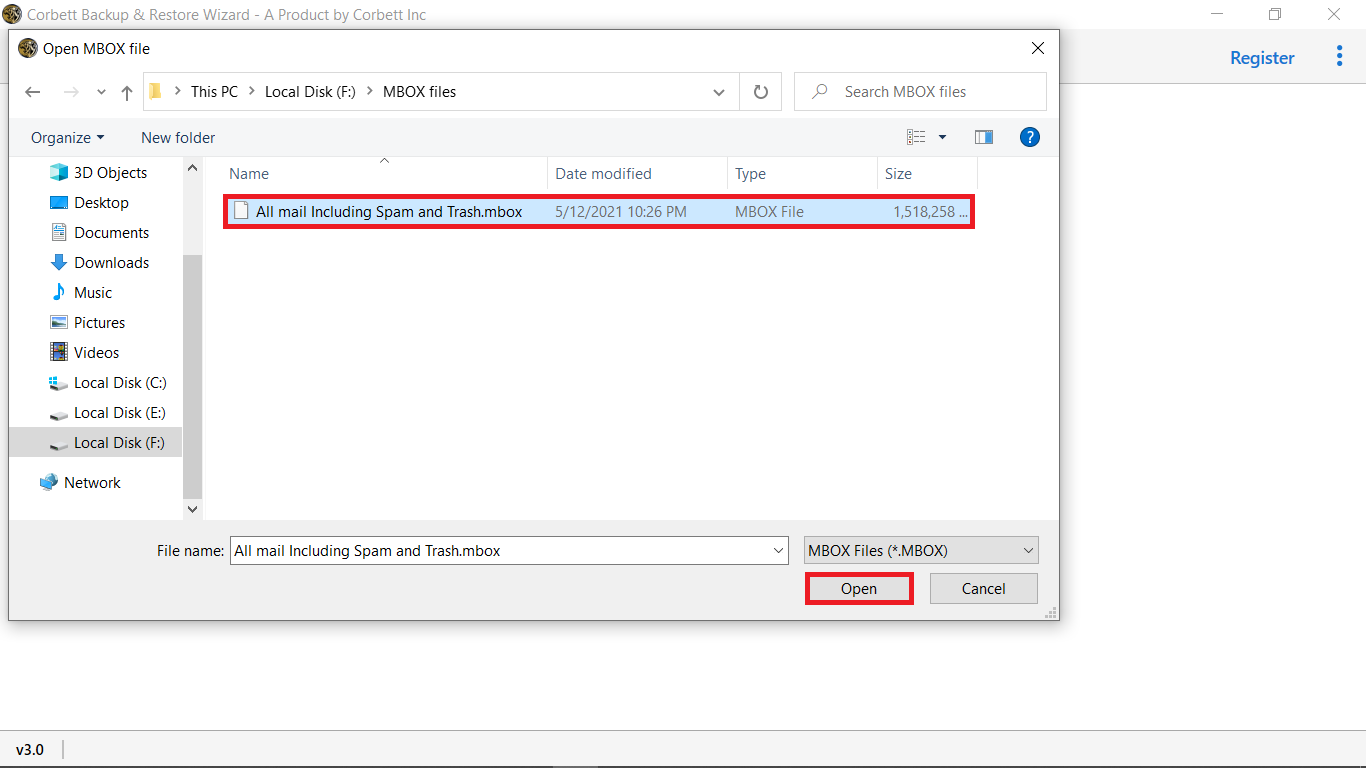
- Now, run the software and click open to upload DBX files or folders.
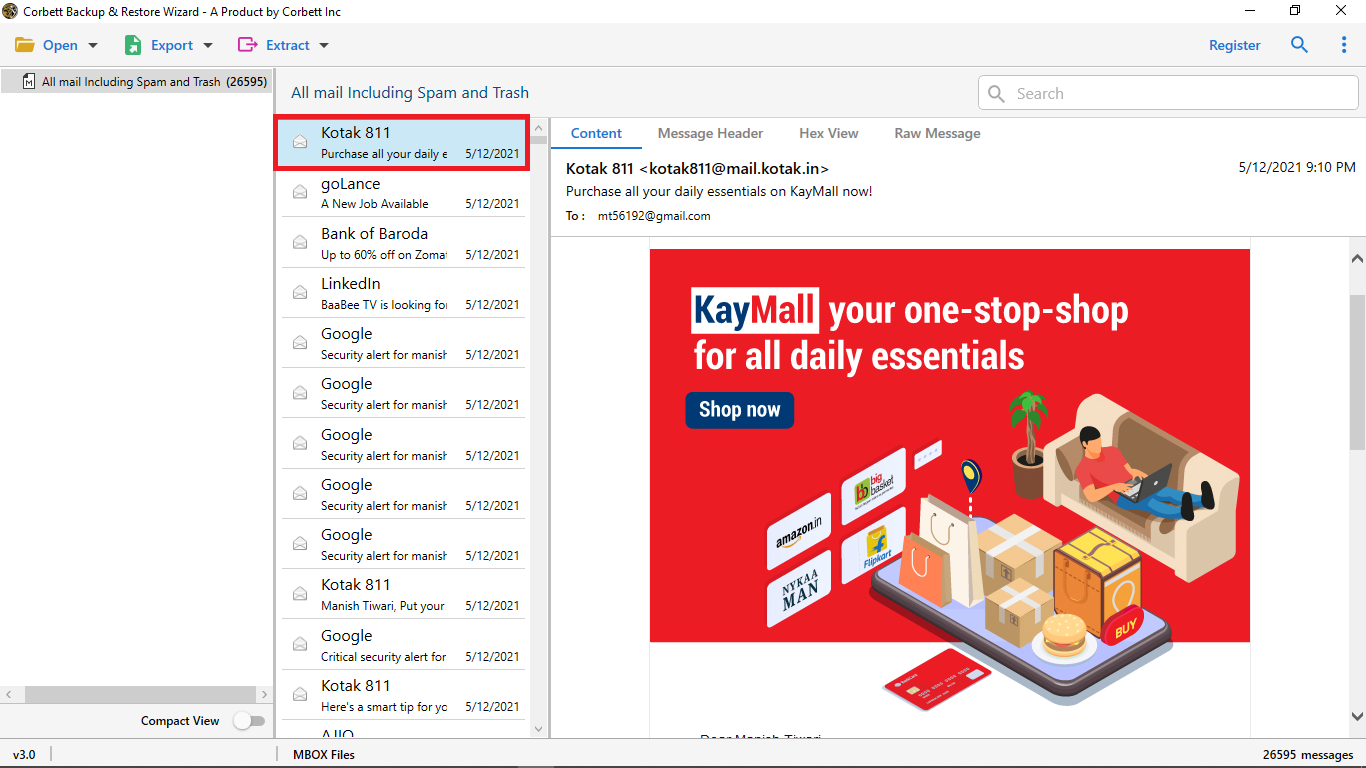
- Next, analyze the DBX file into different preview modes.
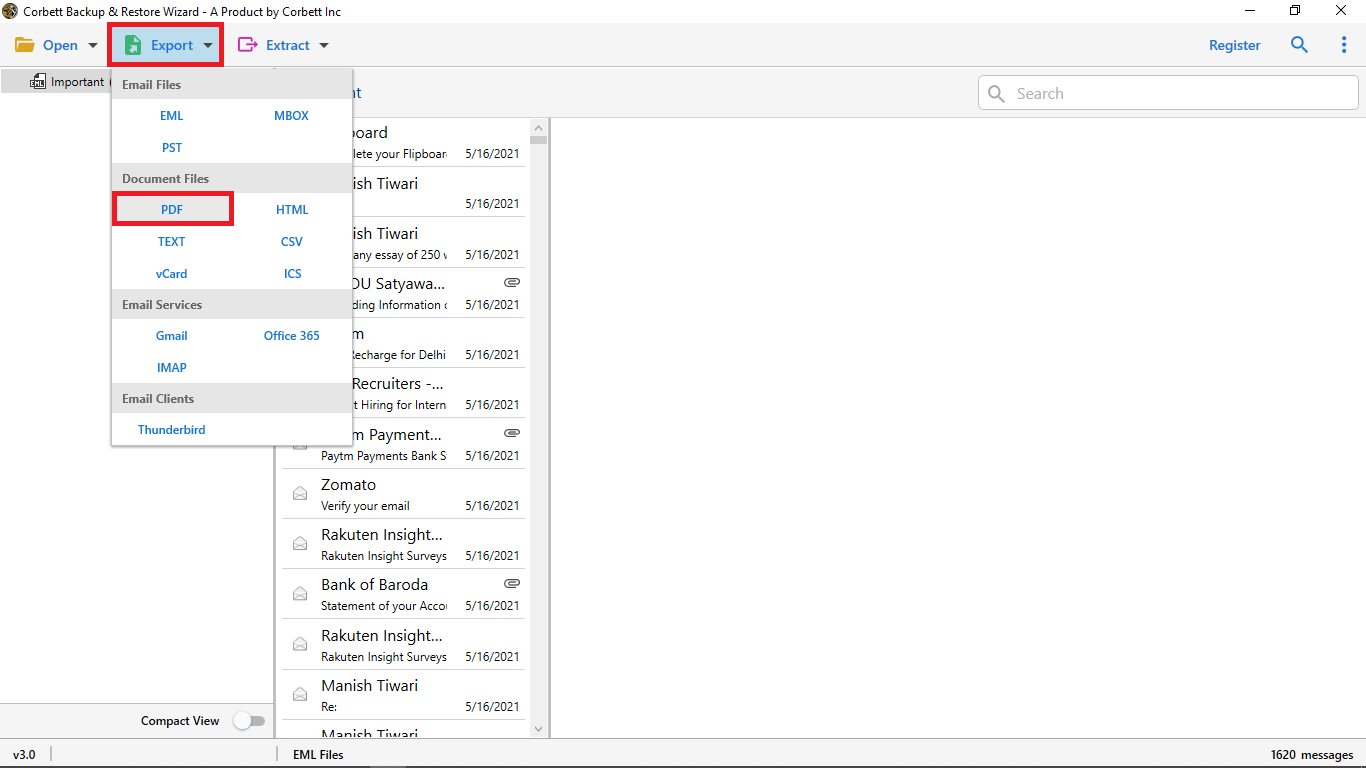
- Click “Export” and select PDF format from the list of saving options.
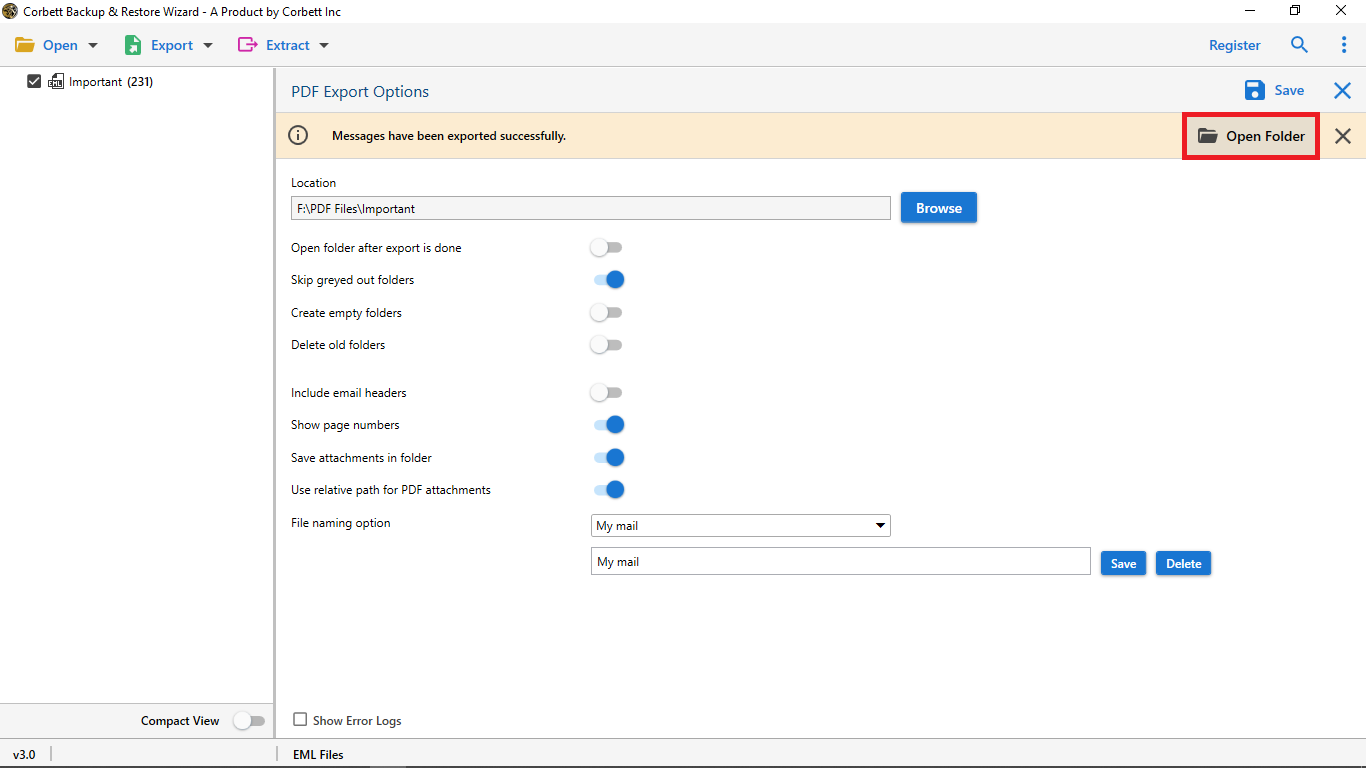
- Finally choose the desirable location and click save to start the conversion process.
Best Features of DBX to Adobe PDF Converter
- Batch and selective conversion: It allows you to convert a batch DBX file into PDF format together. You can easily convert large DBX files without consuming time and it also allows you to convert specific files without any data loss.
- User-friendly interface: The software designed with a simple and easy-to-use interface for both technical and non-technical users. You can easily convert DBX files without any technical knowledge or assistance.
- Export DBX Emails into PDF with Attachments: The tool allows you convert DBX files with attachment, so important images or documents inside the email are also saved. Once the DBX file is converted, you get a clear and organized PDF that you can print, store, or share anytime.
- Custom Options & Helpful Support: If you need any kind of modification and customization in the software and require customer support you can freely reach out to the customer service team to solve your query.
- Supports All Windows Versions: The tool works on every Windows edition such as Windows 11, 10, 8, 7, and older versions. You can easily work with the software without extra setup and application.
- Export DBX to Multiple Formats: The software allows you to save or export DBX to PST, EML, MBOX, PDF, and more file formats. The software has a simple navigation and allows you to easily view email data without any technical skills.
Frequently Asked Questions
Not directly on modern Windows. DBX is tied to Outlook Express, so you either import it into a compatible client or convert it to a portable format like PDF to read it on today’s systems.
Yes, a reliable converter embeds attachments and preserves headers like From, To, Date, and Subject, so each PDF stays a faithful copy of the original message.
Yes. Bulk conversion lets you process an entire folder of DBX files in one run rather than exporting messages one at a time, which matters for large archives.
Most tools let you choose — either an individual PDF per email for easy retrieval, or a single merged PDF per folder for compact archiving.
Final Thought
In conclusion, you can convert a bulk DBX file into PDF format without any difficulty with simple and reliable automated software. It keeps all emails in an organized form, preserves every detail, and ensures that important messages and attachments remain accessible on any device. The solutions make conversion effortless and save users time.
Frequently Asked Questions by Common users:
Q1. How do I open a DBX file?
You can open a DBX file by using professional DBX viewer or converter tool that allows you to upload the file on any Windows system.
Q2. Can I extract attachments while converting DBX to PDF?
Yes, you can also convert DBX to PDF with attachment or save them as a separate file with a reliable DBX to PDF converter software.
Q3. How do I convert a DBX to PDF for free?
You can convert DBX files to PDF format by using online tools or free trial versions of desktop converters. You can convert a limited number of files just need to upload a DBX file, choose PDF, and click “Convert” to start the process.
Q4. Can I convert multiple DBX files to PDF at once?
Yes, the professional software makes conversion easy and quickly you can easily convert large DBX file without any file size restriction.