Corbett

DBX to PST Converter

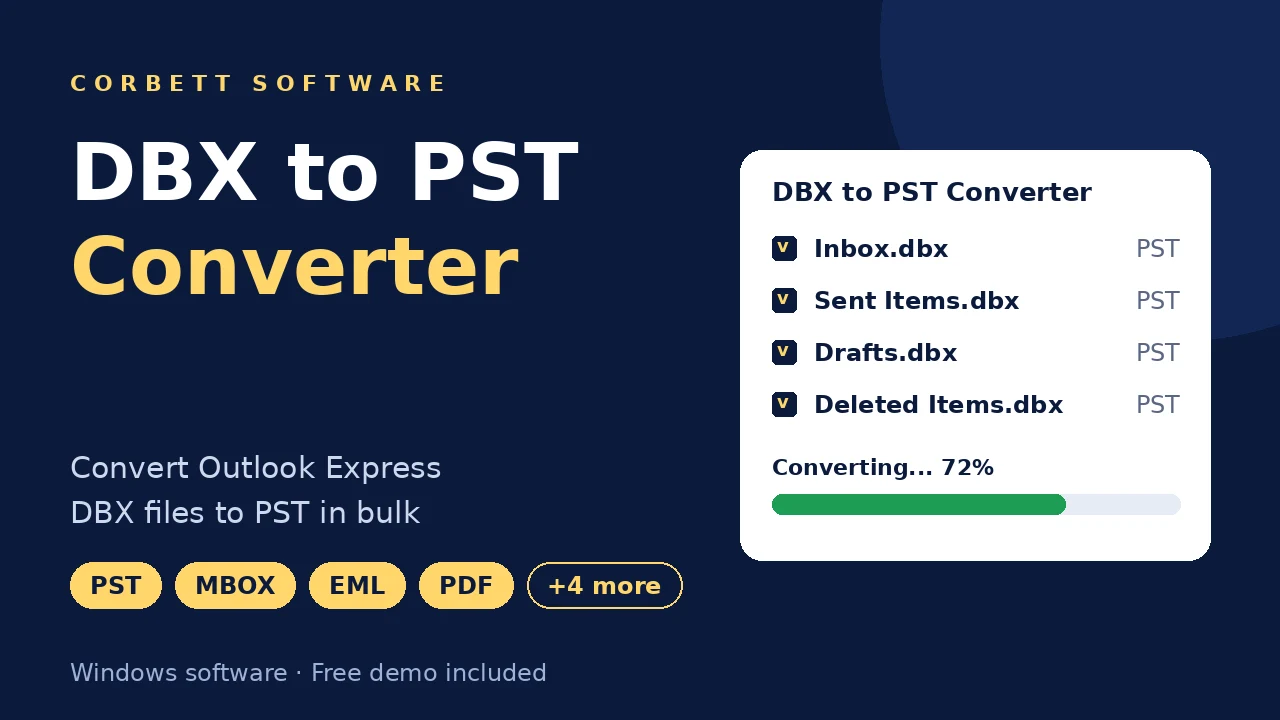
Corbett DBX to PST Converter converts Outlook Express DBX files to PST in batch with attachments, folders and formatting kept. It also exports DBX to MBOX, EML, MSG, PDF, HTML and TEXT, or sends mail to Gmail and Office 365. Free demo included.

Download free demo Purchase now

4.8 out of 5 from 362 reviews

DBX files convert on this PC. No mail is sent to Corbett.

Free demo, scanned clean on VirusTotal and a 30-day money-back window.

Lifetime licence from $99 Demo handles 10 data files

DBX facts

DBX to PST Converter for Outlook Express Mail

Outlook Express saved every mail folder as its own DBX file, and current Outlook versions cannot open that format. The software loads those files, previews the mail and builds a PST that Outlook opens like any data file.

Kept in PST

  • Folder structure
  • Attachments
  • Inline images
  • Original formatting
  • Sender and recipients
  • Message dates
  • Subject lines

Accepted DBX items

  • Single DBX files
  • Folders of DBX files
  • Inbox.dbx
  • Sent Items.dbx
  • Drafts.dbx
  • Deleted Items.dbx
  • Custom folder files

Outputs

  • PST
  • MBOX
  • EML
  • MSG
  • PDF
  • HTML
  • TEXT
  • Gmail and Office 365

Left out of the PST

  • Outlook Express settings
  • Mail rules
  • Address book
  • Account passwords

Why Outlook Will Not Open a DBX File

DBX belongs to Outlook Express, an old Windows mail program, and no modern Outlook has an import for it. Renaming the file does nothing. The software decodes the DBX structure and rebuilds every message inside a PST.

Core features

Five Steps With DBX to PST Converter

Load the DBX files, check the mail, apply a search, select PST and save.

DBX file loading screen

Load

Load DBX Files or Entire Folders

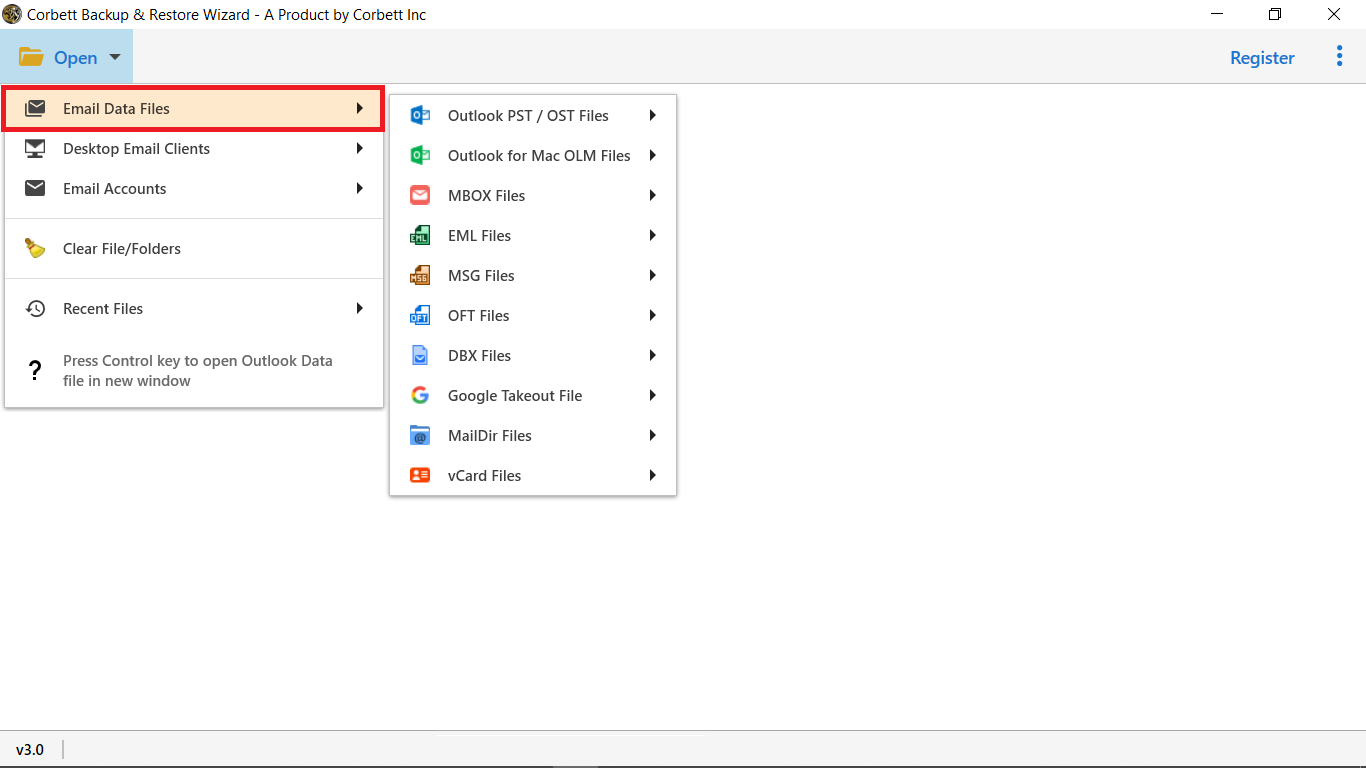
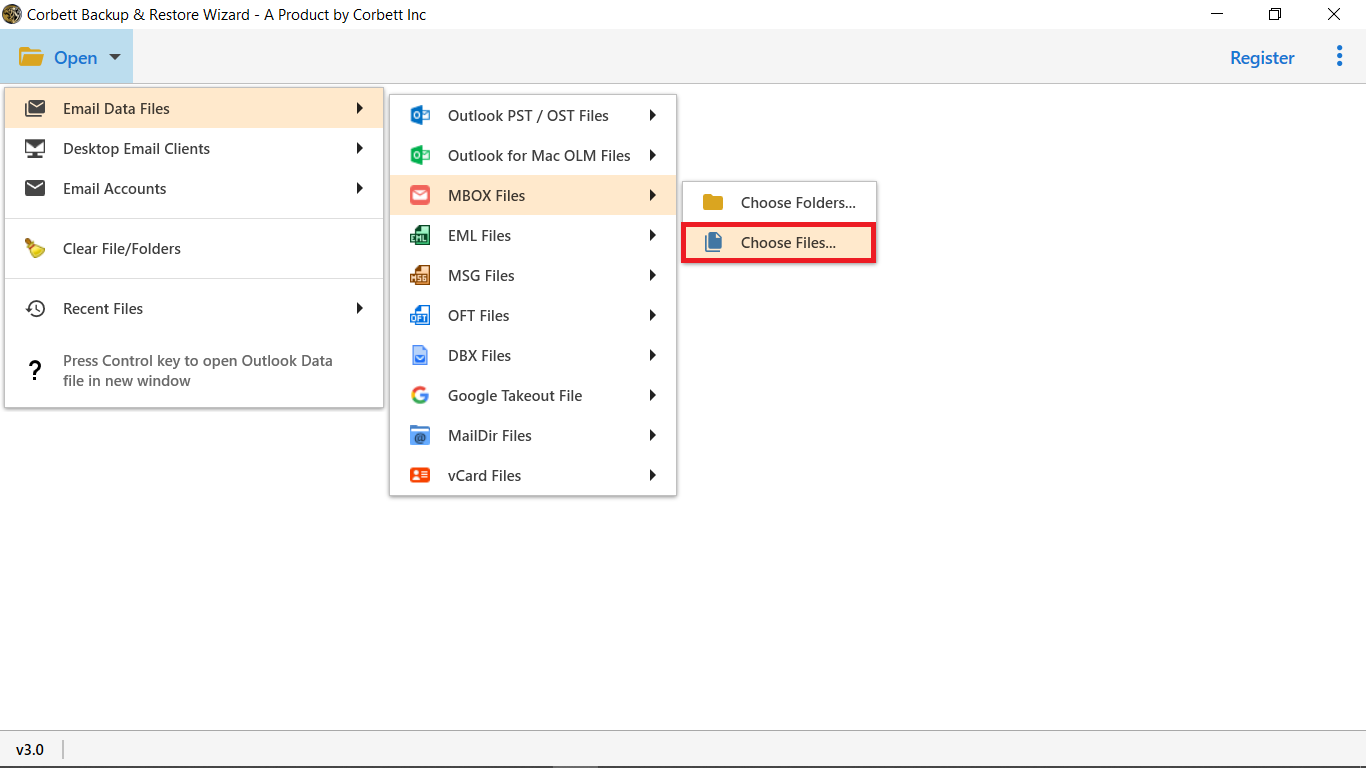
Start from the Open menu and go to the DBX entry under Email Data Files. Choose File loads a single file and Choose Folder loads a directory.

  • File and folder browsing
  • Many DBX files in one pass
  • No Outlook Express needed
  • Large files accepted
DBX folder tree with selection checkboxes

Folder selection

Tick the DBX Files for the PST

Files appear in a folder tree. Tick those to convert and clear the others, so the PST holds only wanted mail.

  • Checkbox on every file
  • Source folder names stay
  • Batch conversion for many files
  • Unwanted files left out
Message preview with hex and raw views

Message preview

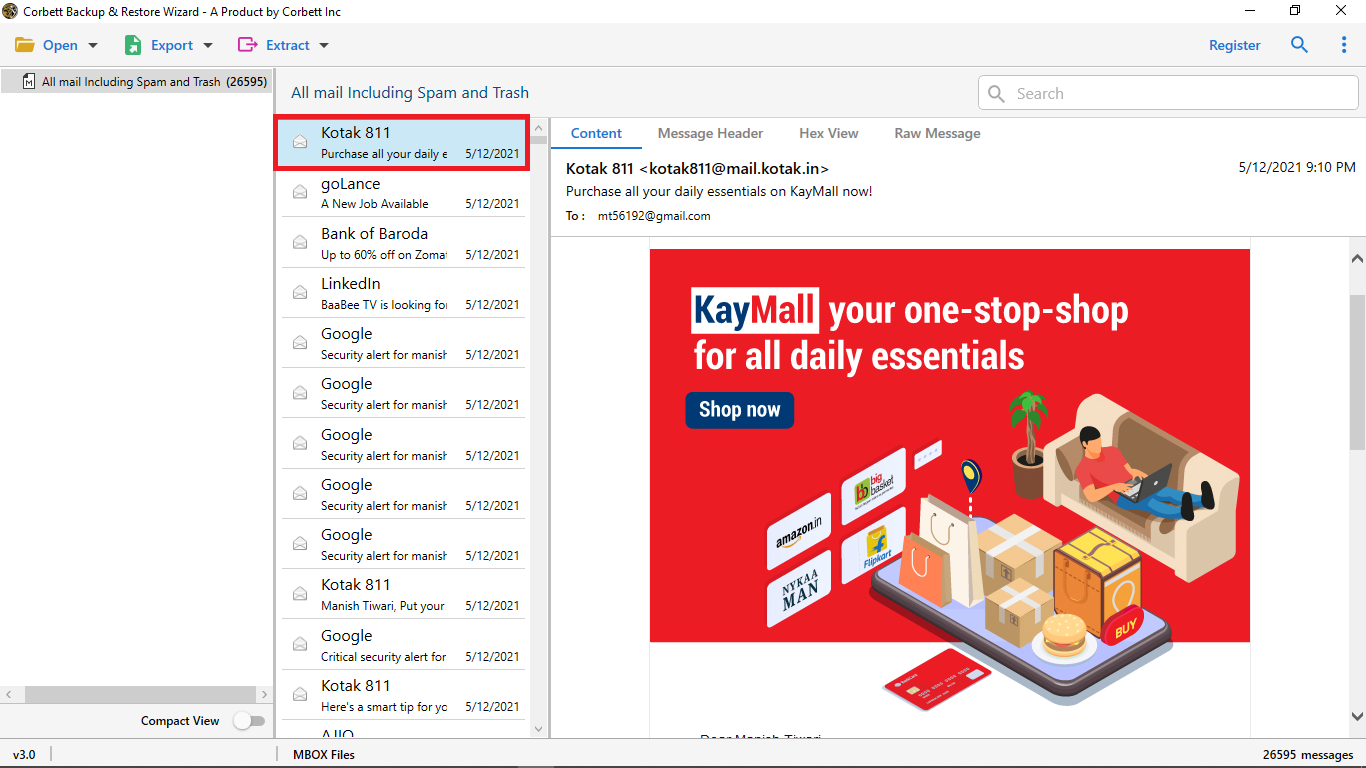
Check DBX Messages in Four Views

The preview panel has four view modes. Sort out a damaged message or a wrong folder before any PST exists.

  • Content shows who sent the mail, when and on what subject
  • Message header lists the header fields of the message
  • Raw message displays the plain text as stored
  • Hex view and byte values expose the message code exactly as saved
Search filters for selective conversion

Selective backup

Filter DBX Mail With Two Search Settings

Quick Search matches a keyword. Advanced Search narrows mail by Subject, date range, To, From, Cc or Bcc. Convert only the mail that matches.

  • Keyword search in Quick Search
  • Date range in Advanced Search
  • To and From match
  • Cc and Bcc match
  • Subject match
  • Matching mail only converted
Export format and destination options

Output options

Select an Output Beside PST

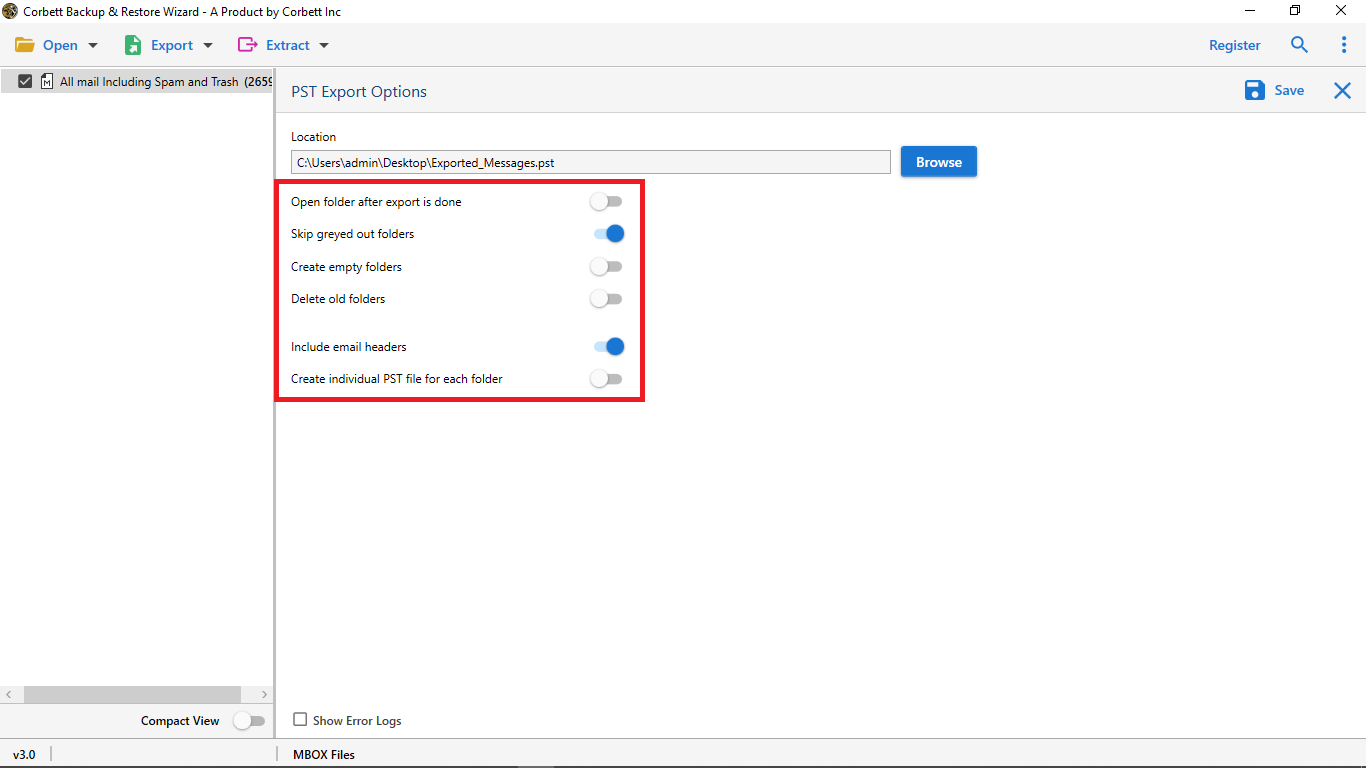
PST is the main target, but the same load can go to other formats. Save to disk as MBOX, EML, MSG, PDF, HTML or TEXT, or send mail straight to Gmail or Office 365.

  • MBOX, EML, MSG, PDF, HTML and TEXT files
  • Gmail and Office 365 accounts
  • Moving mail from a server instead of files? Use the IMAP Migration Tool
  • Only need to look at the PST afterwards? Try the Free PST Viewer Tool at no cost

Before converting

DBX to PST Converter File Prep

Three quick checks keep a conversion clean.

Location

Find the hidden DBX folder

Outlook Express keeps one DBX file per folder inside a hidden Identities folder. Turn on hidden items in Folder Options to see it, then copy the files to a normal folder.

Index file

Skip Folders.dbx

Folders.dbx only stores the folder list, not messages. Load Inbox.dbx, Sent Items.dbx and the other mail files instead.

File size

Convert large DBX files soon

Outlook Express files grow unreliable near 2 GB. Convert a big DBX file before it breaks, and keep a copy of the original.

Opening the finished PST is covered in Open DBX file in Outlook and Windows Live Mail to Outlook.

Free demo

Convert Sample Files With DBX to PST Converter

Install the demo, load DBX files and convert 10 data files. Open the PST in Outlook before buying a licence.

Download free demo

Before purchase

Manual Export vs DBX to PST Converter

Outlook Express can export mail to Outlook when both programs sit on one old PC. Most people no longer have that setup. Here is how that route compares.

Task Manual export Corbett converter
Cost Free $99 one time
A few folders Export wizard works Works too
Outlook Express Must be installed Not needed
Microsoft Outlook Must be installed Not needed
Many DBX files Folder by folder Batch in one run
Other formats None MBOX, EML, MSG, PDF, HTML, TEXT
Preview and search Plain mail list Four views, two searches
Newer Windows Express missing All Windows versions

Green rows mark where manual export is enough.

For one folder on an old PC the built in route is free. Another free path is shown in Import DBX to Thunderbird .

Specifications

DBX to PST Converter System Specs

Download details

Version
4.1
Download size
47.6 MB
Demo limit
10 data files
Delivery
Download link and key by email
Licence
Lifetime, from $99
Download Now

System

Hard disk
100 MB free disk space
RAM
4 GB minimum
Processor
Intel Pentium 1 GHz, 2.4 GHz recommended
Interface
English
Input
DBX files

Supported editions

Windows 11, 10, 8 and 7.

Runs with Run as Administrator. No macOS or Linux build.

Corbett has built Windows email utilities since 2020. Questions about the software go to its developers.

Working process

DBX to PST Converter Video Demo

Prefer stills? The Open DBX file in Outlook post shows the PST side with screens.

DBX to PST conversion walkthrough

Common questions

DBX to PST Converter FAQs

Steps, formats, search and what the demo converts.

What is the process to convert DBX files to PST?

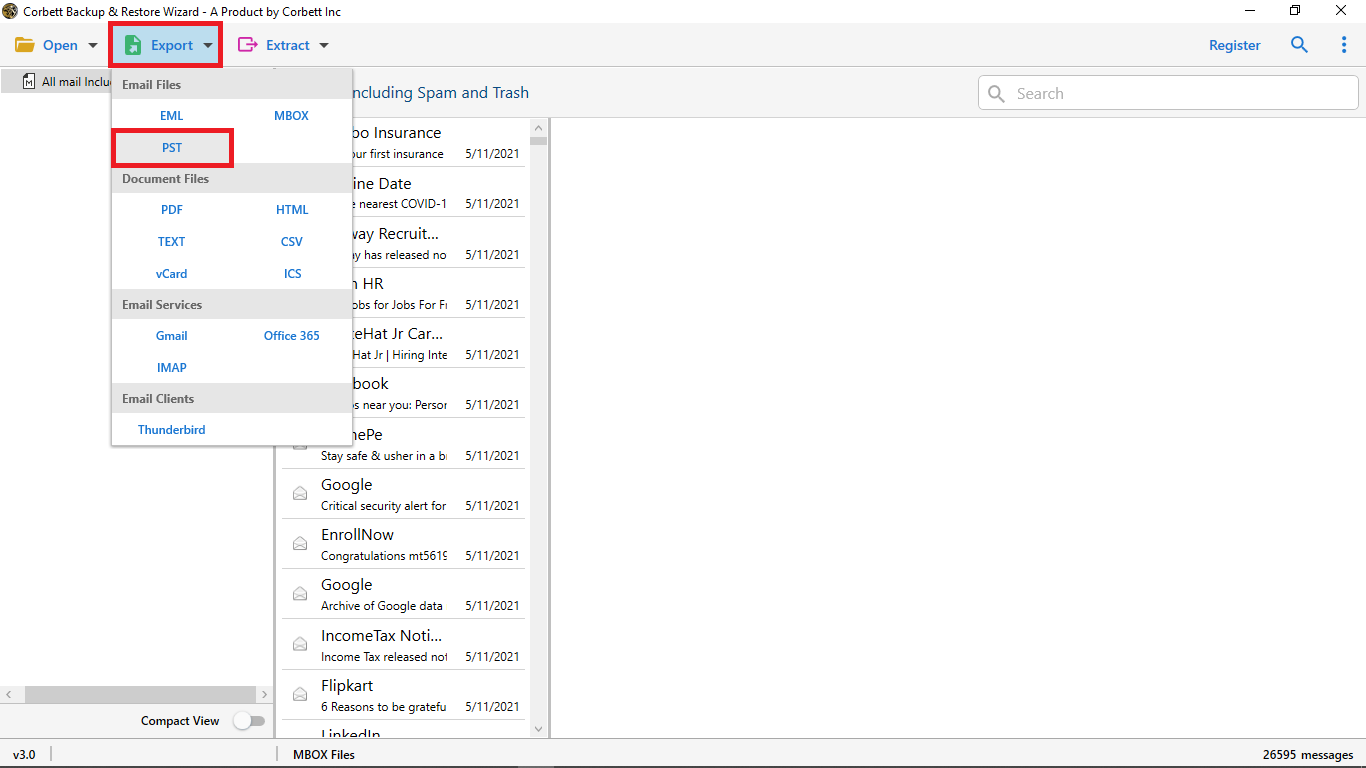
Reach the DBX loader from the Open menu. After the preview, Export offers a PST option. Choose it, set the destination and press Save.

Is batch conversion possible?

Yes. Load a folder and the software batch converts every DBX file in it to PST in one run.

Does the formatting stay the same?

Yes. Original structure and formatting of your DBX data are preserved throughout the conversion.

Are attachments converted?

Yes. Attachments go into the PST inside their messages, so your files stay with the mail they came with.

Is Microsoft Outlook required?

No. The converter works on its own, so Outlook is not needed to create the PST. You need it only to open the PST later.

Do I need Outlook Express installed?

No. The software decodes DBX files directly, so old DBX files copied from a dead PC work too.

Which preview modes are available?

Four: Content, Raw Message, Message Header and Hex View. All of them work before you convert.

Can I limit the PST to certain mail?

Yes. Use Quick Search for a keyword or Advanced Search for Subject, date range, To, From, Cc and Bcc, then convert the matches.

Can DBX go to other formats?

Yes. Select MBOX, EML, MSG, PDF, HTML or TEXT in the Export tab. Gmail and Office 365 uploads are available too.

Is Windows 11 supported?

Windows 11, 10, 8 and 7. Launch the tool with Run as Administrator.

How large can a DBX file be?

The full version sets no limit on data. The demo restricts the count of files, never their size.

Is my DBX data uploaded?

No. Everything runs on your PC. Mail leaves it only for a Gmail or Office 365 upload, and goes directly to that provider.

Does it support Apple computers?

No. The software needs Windows, so copy the DBX files across to a Windows machine.

How is the software delivered?

By email. After payment you receive a download link and an activation key.

What can the demo convert?

It converts 10 data files to another format, which is enough to test the PST before a purchase.

Step by step

DBX and Windows Live Mail Guides

Walkthroughs for mail from Outlook Express and Windows Live Mail.

Moves from one account to another start at the Email Migration Tool . Server cutovers use the IMAP Migration Tool. File type pages sit under the email converter tool. Damaged archives go to the email recovery software. Converted files open free in the email viewer software. Related converters: DBX File Converter and PST File Converter Tool. Also see the EML Converter Tool, MBOX Converter, Gmail Migration Tool, Thunderbird Migrator and Gmail Backup Tool.

User testimonials

DBX to PST Converter Customer Reviews

Scores from 362 users who turned DBX files into PST with Corbett.

4.8 out of 5

Collected across 362 reviews collected from portals and email sent to Corbett. Both quotes stay as submitted.

Support guided me well

I had the best experience using this tool. The technical support team guided me with utmost professionalism and kindness. Moreover, this DBX to PST converter tool is proficient in converting multiple files into PST format at once. Would definitely recommend it to other users in need.

Simon Clark

Rare features, top class

This is undoubtedly the best tool to convert DBX to PST format in an efficient and hassle-free way. The features included in this tool are top class and rare to find in any other software on the internet. I love this tool and I’m happy with how so many technical professionals recommended this utility to users.

Zach Peter

Get started

Convert DBX Files to PST Today

Get the demo, convert a few DBX files and open the PST in Outlook. A $99 lifetime licence follows once the PST opens cleanly.

Download free demo Purchase now

Windows 11, 10, 8 and 7 · 47.6 MB installer · 30 day refund