How to Convert EML to HTML Format? Quick Guide
EML is a file format used by email clients to store sender, recipient, subject, attachments, and formatting in a single message.
HTML (HyperText Markup Language) is a standard language used to create web pages. It tells browser how to display text, images, links, and other content.
Why You Need to Convert EML to HTML Format
- You can open HTML emails on Windows, Mac, tablets, or phones without any problems.
- HTML files open in any web browser like Chrome, Firefox, Safari, Edge etc.
- Converting EML to HTML with the right solution preserves original text, links, images, and layout.
- HTML files offers long-term storage and help users to view emails without email applications.
How to Convert EML to HTML Manually?
Manual method is free but you need email applications like Outlook and Thunderbird to export EML to HTML format. It is only useful when you have a small amount of data, as you have to repeat the same steps for each conversion. Follow the below mentioned steps:
Convert EML File to HTML Format with Microsoft Outlook
- Open Outlook on your system.
- Drag and drop EML file into Outlook folder.
- Open email you want to convert.
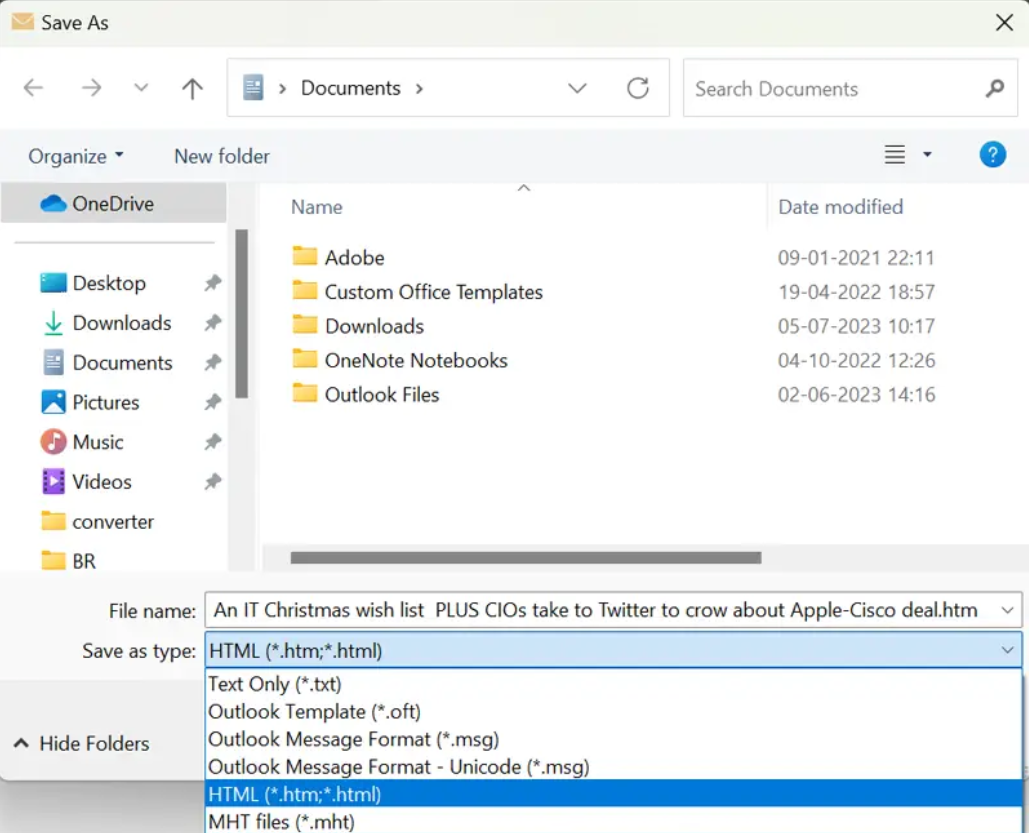
- Click File → Save As.
- Choose HTML as save type.

- Select a location and save file.
Export EML to HTML Format with Thunderbird
- Open EML file in Thunderbird.
- Click More option and choose Save As option.
- Enter file name and select HTML Files as save format
- Click Save to convert EML to HTML file format.
Drawbacks Of Manual Method You Must Aware About It
- This method is not suitable when you are dealing with a large amount of data.
- Can convert only one EML file at a time, which consumes lots of time and human efforts.
- It requires email applications like Outlook or Thunderbird to save EML as HTML file format.
- When converting large files, there is a chance of data corruption and attachments not saved.
- No advanced features for data organization and does not preserve original formatting of fonts, colors, images, and links.
Reliable EML to HTML Converter to Convert EML to HTML Format
Do you have a large collection of EML files from different email clients? And want to convert EML file to HTML format in a few minutes? Corbett EML Converter Tool is here to help you. This software allows you to export EML files into HTML in bulk while keeping attachments and email elements intact. It also offers multiple file naming options to help organize your converted emails efficiently.
Download EML to HTML Converter Tool and try a free trial version to convert only 10 emails from each EML folder to HTML file format. The demo versions lets users to check its performance and functionality before purchasing a licensed version.
Steps to Convert EML Files to HTML File Format in Bulk
- First, download and install the software on your computer.

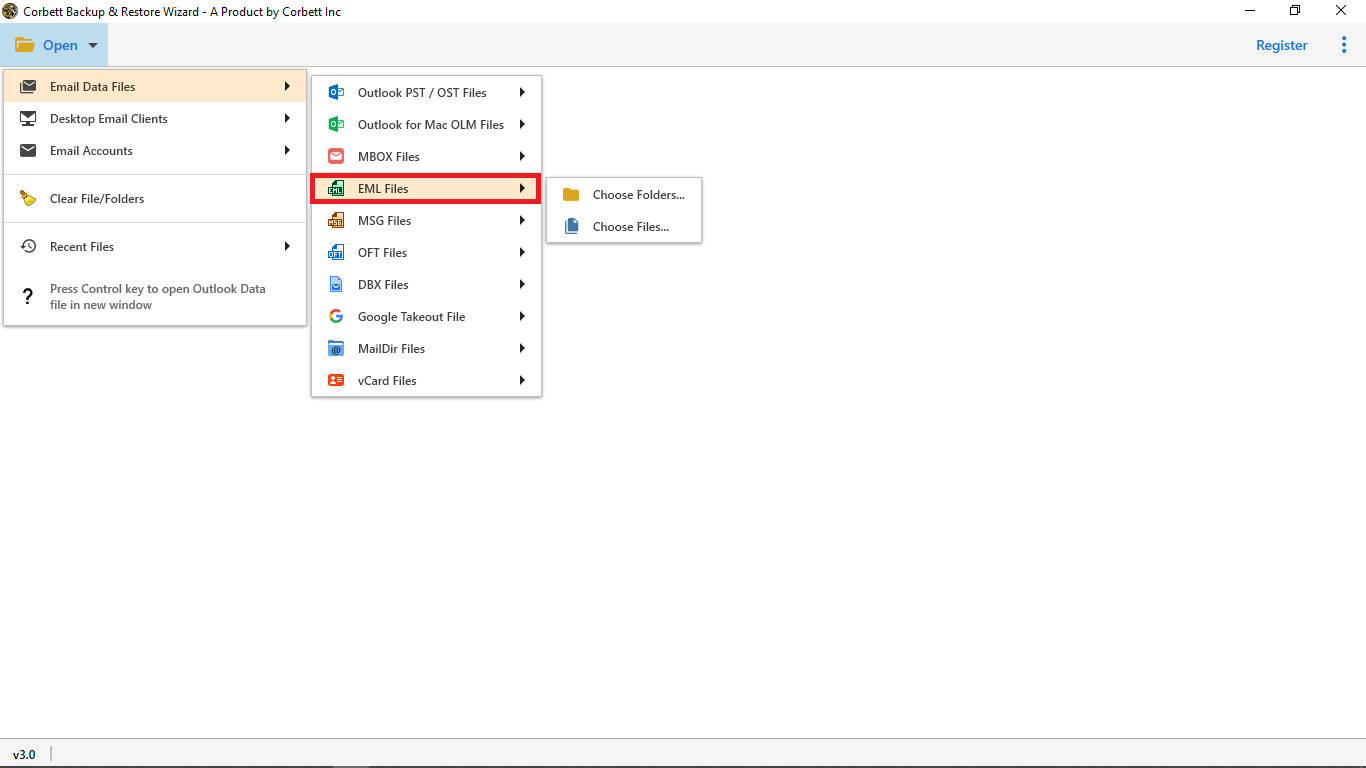
- Next, hit Open and choose Email Data Files >> EML Files >> Choose Folders/ Files.
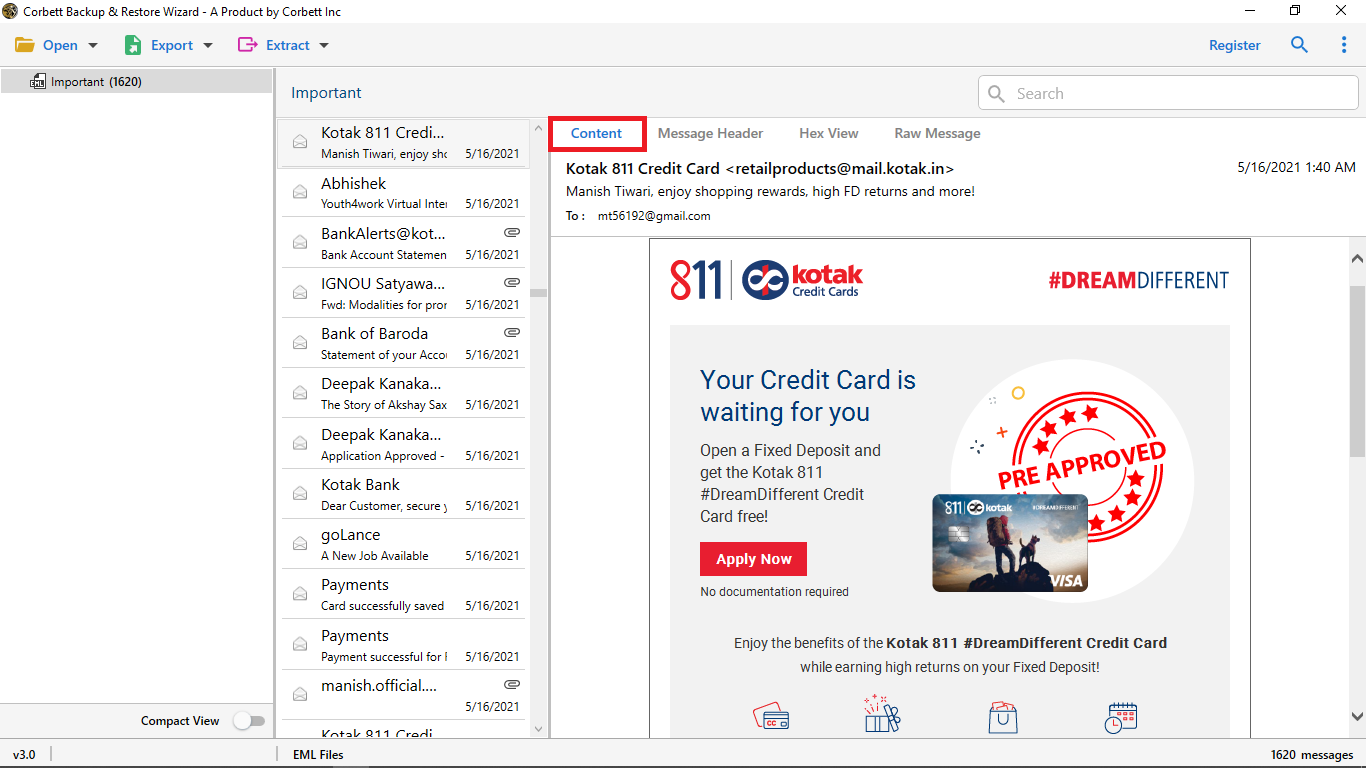
- After uploading EML file preview email in different modes like content, message header, properties, raw and hex view.
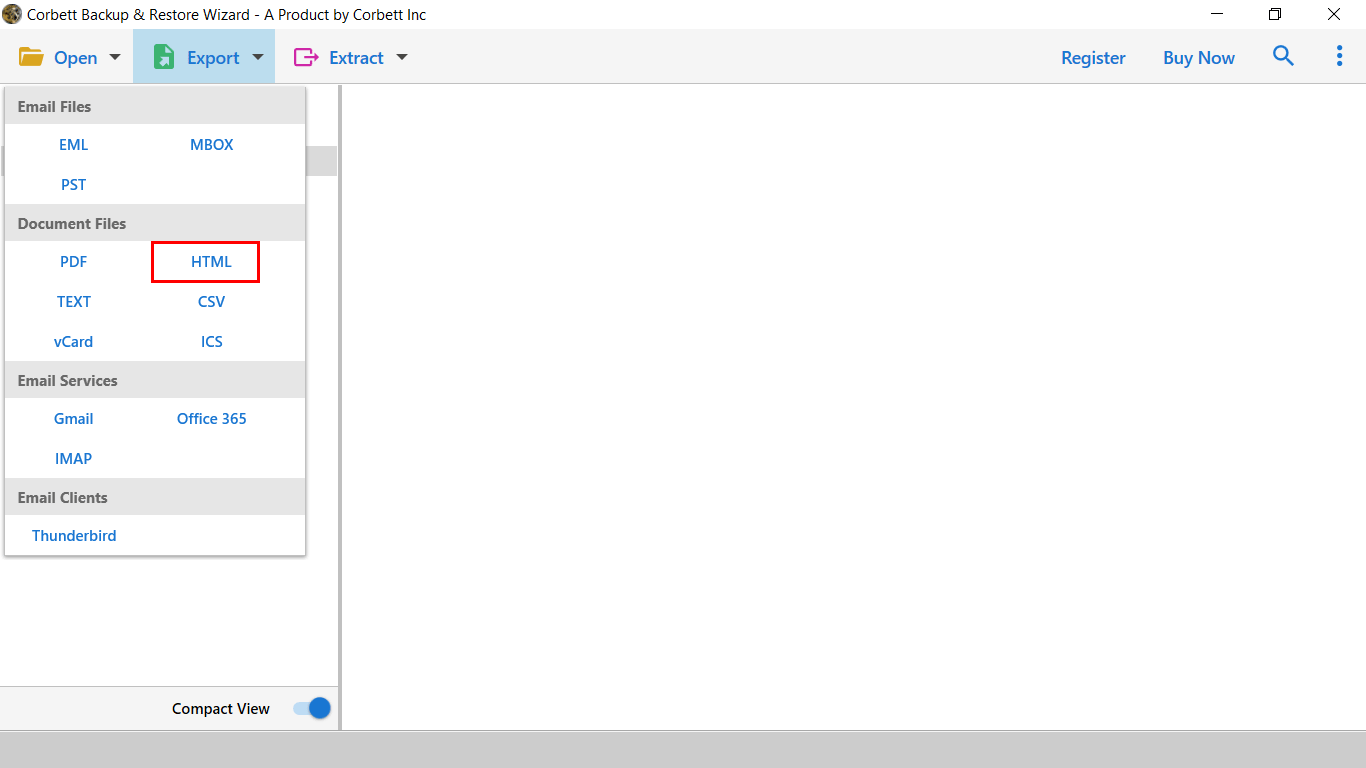
- Then, click Export button and choose HTML as a saving format from given list.
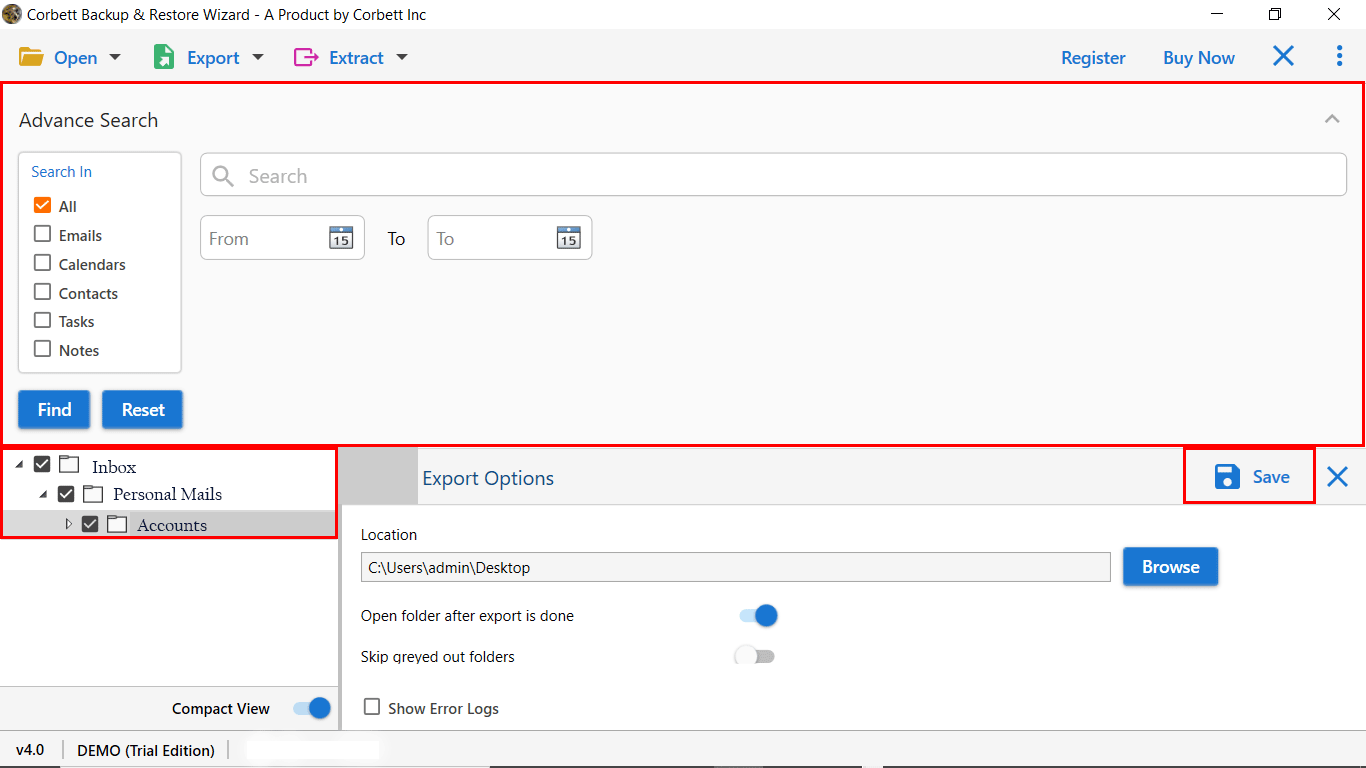
- Lastly, hit Browse to choose preferred destination path and click Save to export EML to HTML file.
Key Features of Using EML File to HTML Converter Tool
- It allows you to export multiple EML files at once without file size limitations.
- The software supports conversion with attachments, images, links, and formatting intact.
- EML file to HTML converter has a user-friendly and simple layout whether you are a professional and non-professional user.
- It allows users to choose desirable saving path with a preferred file name for better email management.
- The tool is also compatible with all Windows versions like Windows 11, 10, 8 and more.
- Convert EML files selectively with advanced filter and search options like date range, sender/recipient, subject, attachments, folders, and email preview.
- It is a complete standalone tool and doesn’t need any email application or extra setup for conversion.
- 24/7 technical support is also available to solve users queries related to software. If they want to customize the software they can also connect with customer support team.
Time to Wrap Up
In conclusion, we cover different ways to convert EML file to HTML in a simple way. The manual method to convert EML to HTML format is not reliable, especially when dealing with large numbers of EML files. While professional tool allow bulk conversion without any data loss, file corruption, or changes to the original email structure. You can also use a trial version of the software to better understand software functionality and how it world.