How to Convert Outlook MSG to ICS Calendar Format?
Outlook stores meeting and event information in MSG files but this format is not ideal for sharing calendars across different platforms like Outlook, Google Calendar, Apple Calendar, and more. Converting MSG to ICS allows you to manage events without any problem. In this guide, we will learn how to convert MSG to ICS (iCalendar) format in a simple way.
Why Users Export Calendar from MSG to ICS File?
- Converting MSG files into ICS format allows users to share event details with colleagues, friends, or family.
- ICS file format allows users to view and manage calendar events without Outlook installation or other email clients.
- MSG attachments are treated as simple messages, not calendar invites. Converting MSG to ICS allows users to import events with all details like time, location, and reminders intact.
- ICS files is a universal format that works on almost every calendar app. It allows recipients to open and add events on Google Calendar, Apple Calendar, Android, or iPhone.
How to Convert MSG to ICS Format?
Convert .msg (Outlook message) files to .ics (iCalendar) format with a dedicated MSG to ICS Converter. Corbett MSG Converter allows users to convert multiple MSG files in single go with no file size limits. The software offers a user-friendly interface to select .msg files and export them as .ics files without any technical advice. If users need any technical support and customization in software they can directly contact the customer support team.
Download and install the free demo version of software to test performance. Free trial available to convert only 10 files from each MSG folder to ICS file format. This feature helps users to check its functionality first before purchasing a license version.
Steps to Convert Outlook MSG Calendar Files to ICS format
- First, download and install MSG to ICS Converter tool on your computer to convert MSG to ICS (Calendar) format.
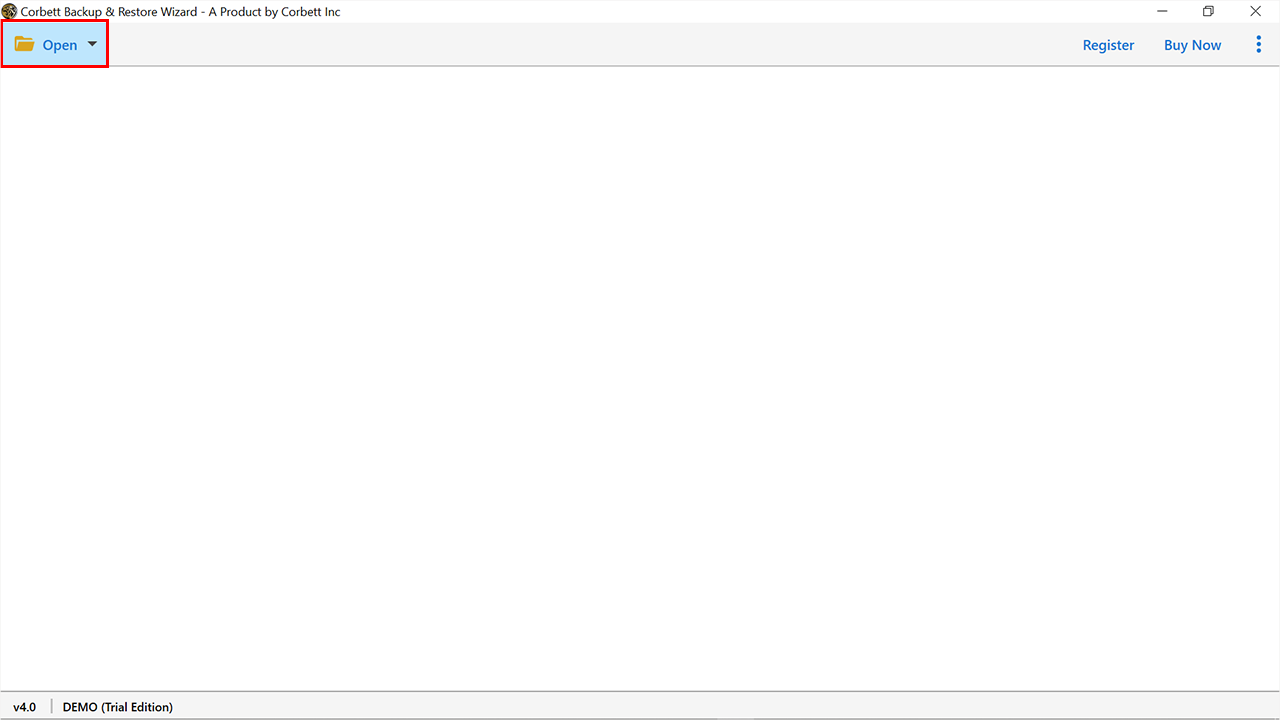
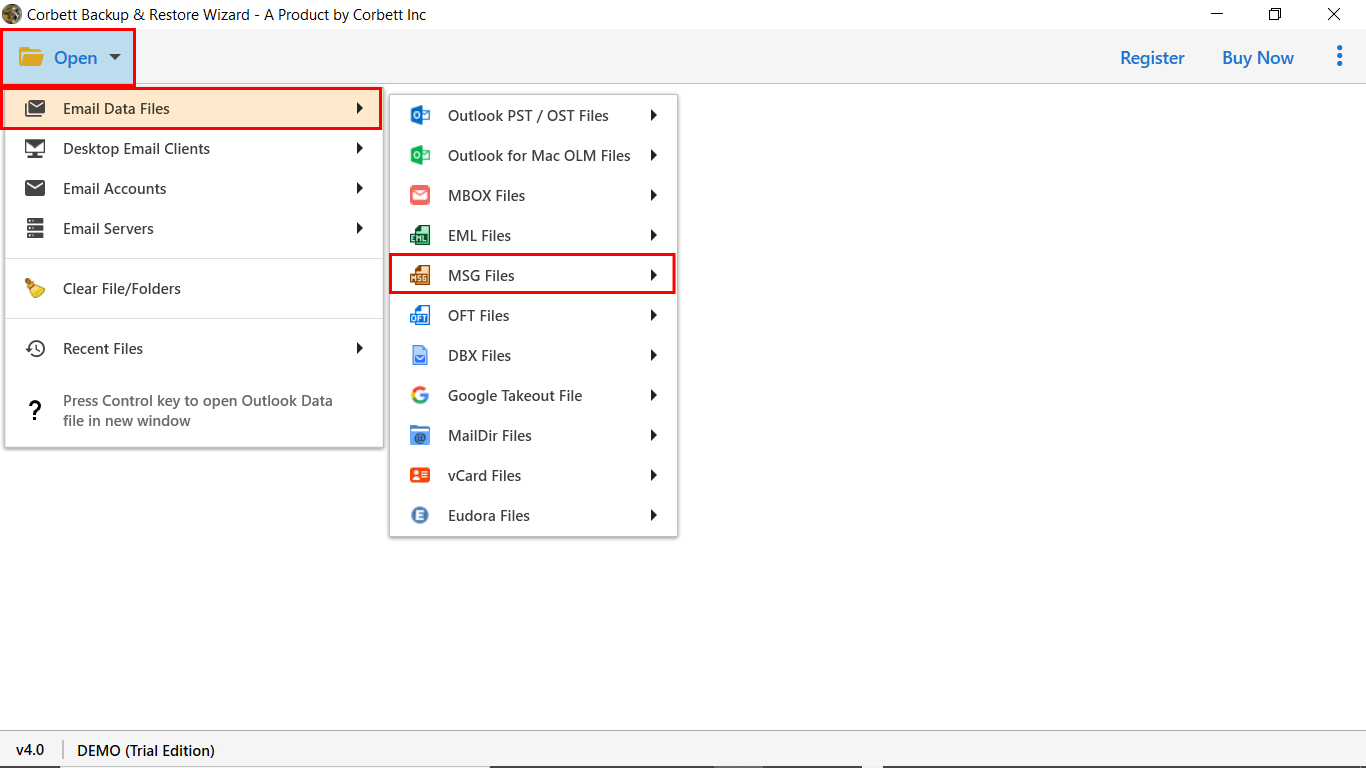
- Next, click on the Open option and select Email Data Files then choose MSG files to upload files/folders.
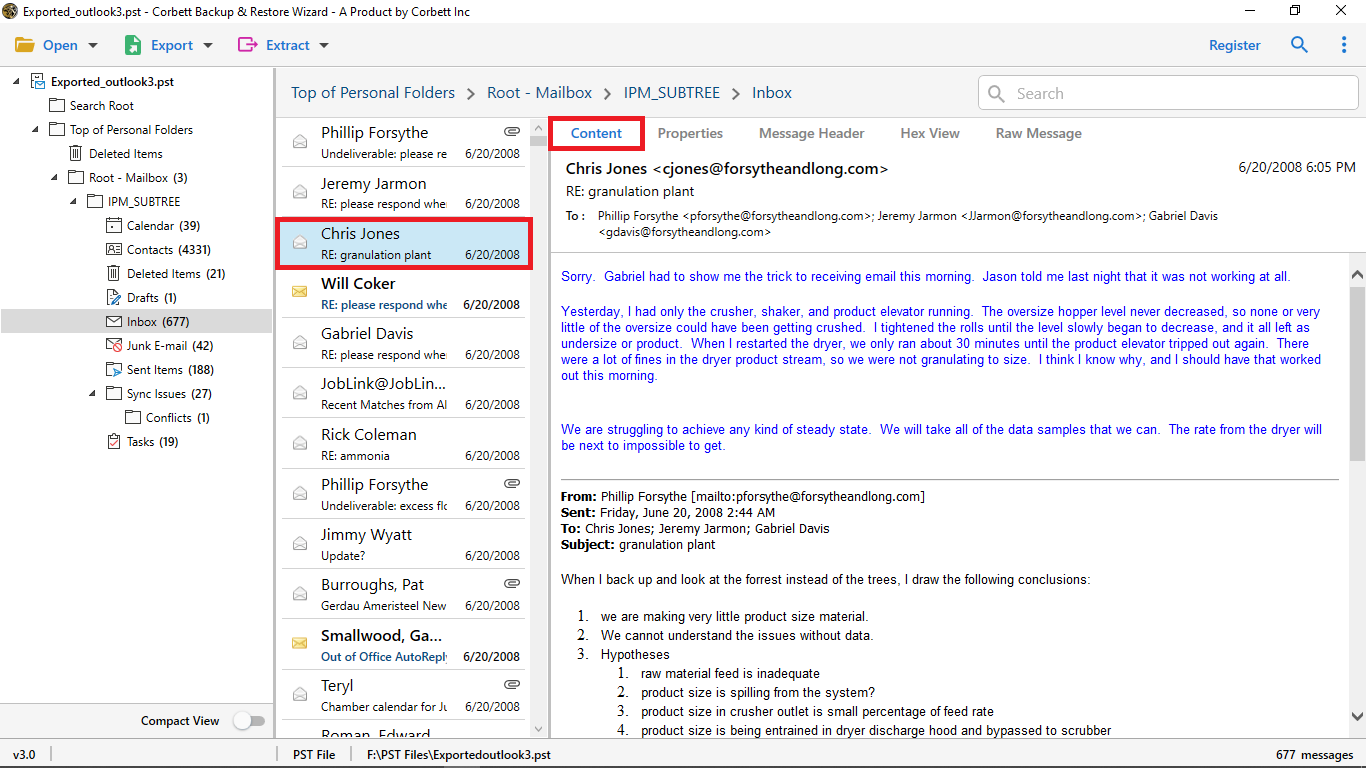
- After that, the software provides a preview panel that allows you to view files in multiple viewing modes before the conversion process.
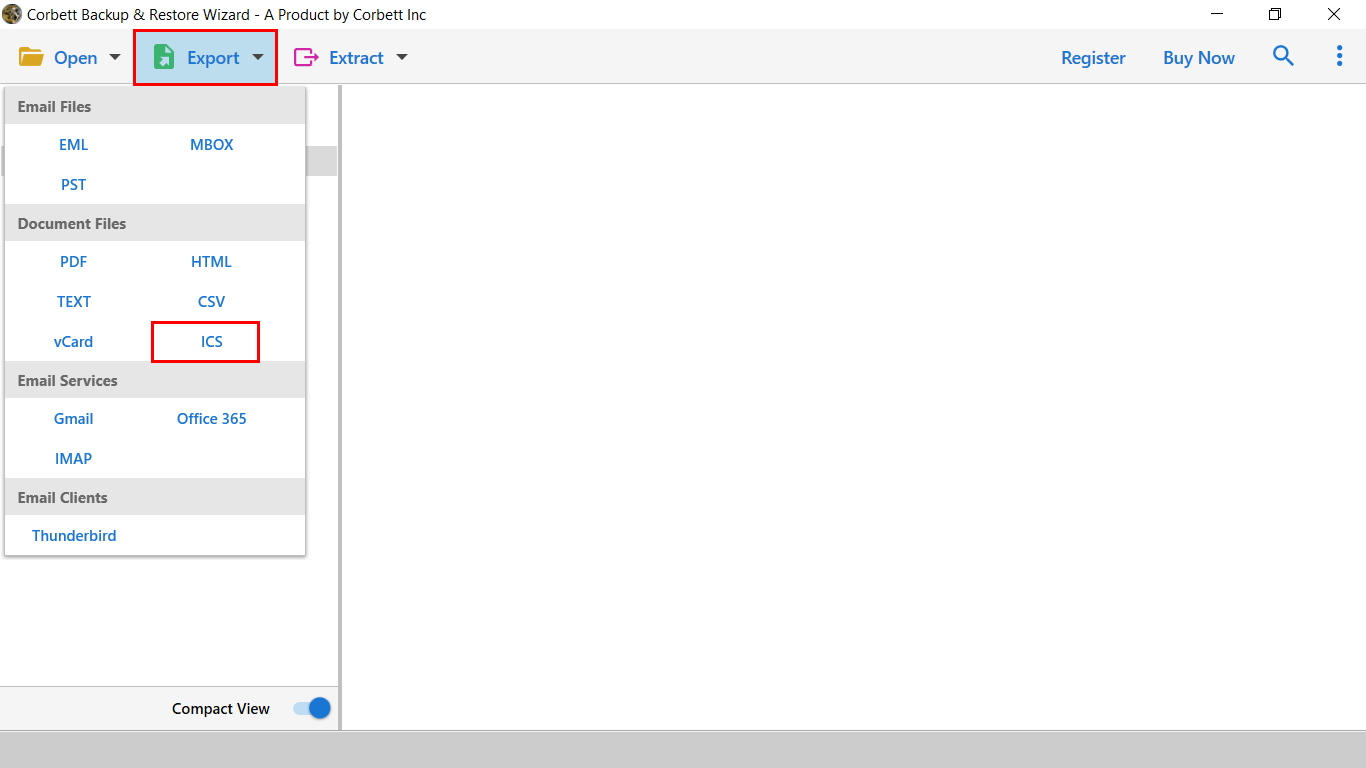
- Now, hit Export to choose saving output according to your desire like ICS from the given list.
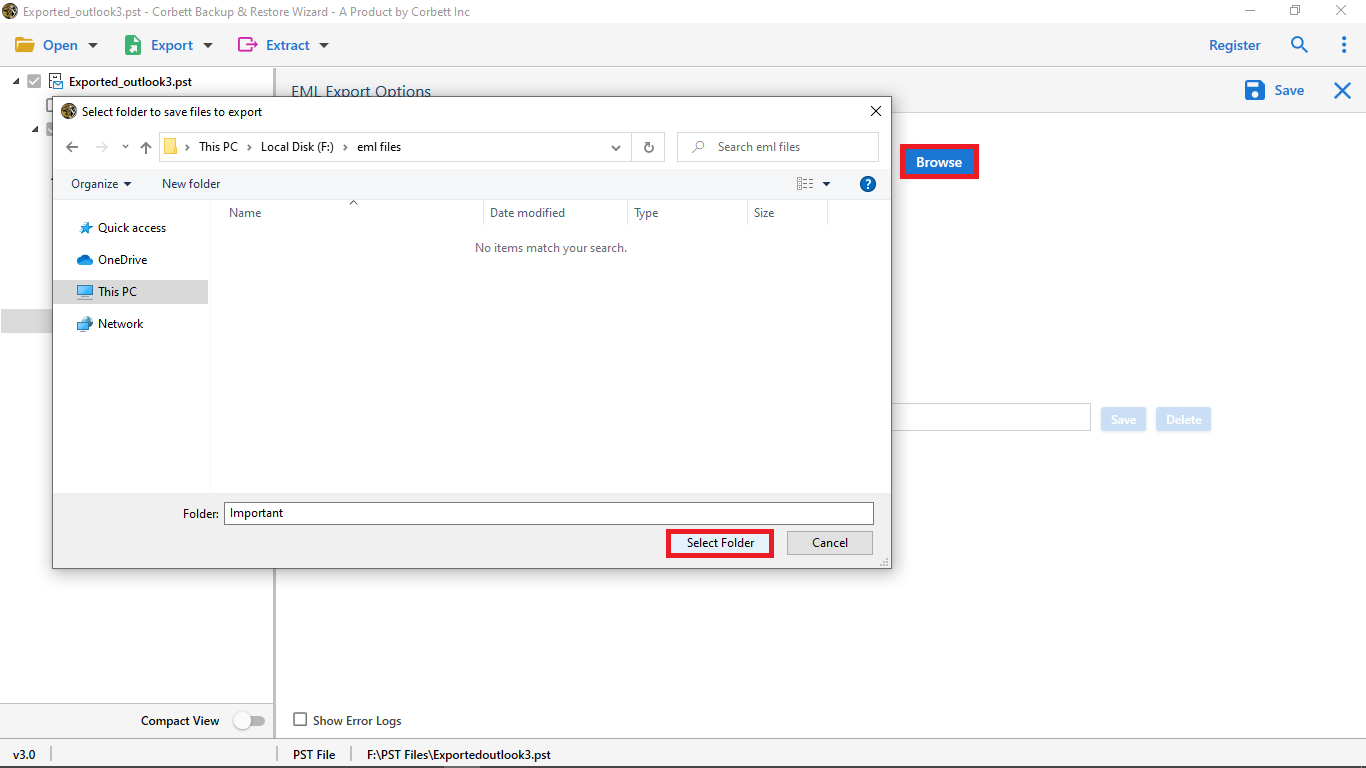
- Finally, select the destination path by clicking on Browse button then hit Save icon to export MSG to ICS file format.
Top Features of MSG to ICS Converter Users Must Know About
- The software allows batch MSG file to ICS conversion without losing data and save users time.
- Quick search and advanced filter option that allows users to convert files selectively with the help of specific keyword, sender, date, time, subject and attachments.
- The software provides different export options like MSG to EML, PST, MBOX, PDF or CSV and also allows you to import MSG to Office 365, Gmail, IMAP, and Yahoo Mail.
- The converter also keeps your data 100% secure because it makes conversion without internet connectivity.
- Compatible with all versions of operating systems like Windows 11, 10, 8.1, 8, 7, Vista, and XP. It allows users to install and run software on both 32-bit and 64-bit versions of systems.
- It is a standalone software that works independently without any email application or extra setup.
- During conversion, the tool keeps all information preserved like event title, date, time, location, reminders, and recurring event settings.
Time to Wrap Up
In conclusion, we have provided a reliable solution to convert MSG to ICS calendar format without data loss. This software provides 100% accurate and virus-free results to users. We also mentioned the trial version so that you can check software effectiveness and its functionality. Without any problem or technical skill users can convert MSG calendars to ICS format.
Frequently Asked Questions (FAQs)
Q. How do I export Outlook calendar events to ICS?
- Open Outlook and go to Calendar.
- Select the calendar you want to export.
- Click File → Save Calendar (or Export).
- Choose iCalendar Format (.ics) as the file type.
- Set the date range and details.
- Click Save to export ICS file.
Q. What is the best tool to convert MSG to ICS file?
Corbett MSG to ICS Converter is the best tool that allows users to convert MSG to ICS in bulk without technical assistance.
Q. Can I open MSG calendar files without Outlook?
No, the software allows users to open events in any calendar app without Outlook.
Q. How to export Outlook meeting to ICS file?
To export Outlook meeting to ICS file, first open Outlook and go to Calendar. Select the meeting you want to export, click File → Save As, choose iCalendar Format (.ics), and hit Save or use a dedicated third-party tool for bulk conversion.