How to Import MSG Files to Office 365 Account Easily
What Is an MSG File and Why Move It to Office 365
An MSG file holds one email with header, body, and attachment in place. Outlook saves any open mail as MSG with a right click Save As. The format is great for archive on disk. Office 365 keeps mail in the cloud and works on every device. A move from MSG to Office 365 brings the old data into the new inbox.
Prepare Office 365 for the Import
A few quick checks save time later.
- Confirm a working Office 365 mailbox for the user.
- Enable IMAP in the Office 365 account.
- Note the server: outlook.office365.com on port 993 with SSL.
- Make sure the mailbox has enough free space.
Method 1: Drag and Drop MSG to Office 365 in Outlook
The manual path works for a small set of MSG files.
- Open Outlook and add the Office 365 account.
- Open the Windows folder that holds the MSG files.
- Press Ctrl + A to select every MSG file.
- Drag the selection into the target Office 365 folder in Outlook.
- Wait for the sync icon to clear.
This path is slow for large MSG sets. It can also fail when the file count is above a few hundred.
Method 2: Use a Direct MSG to Office 365 Tool
A direct importer is the right pick for many MSG files. Corbett MSG Importer reads every MSG in a folder and pushes it to Office 365 in one click. It keeps every header, attachment, and date intact.
Steps to Import MSG Files to Office 365
- Install and launch the tool on a Windows PC.
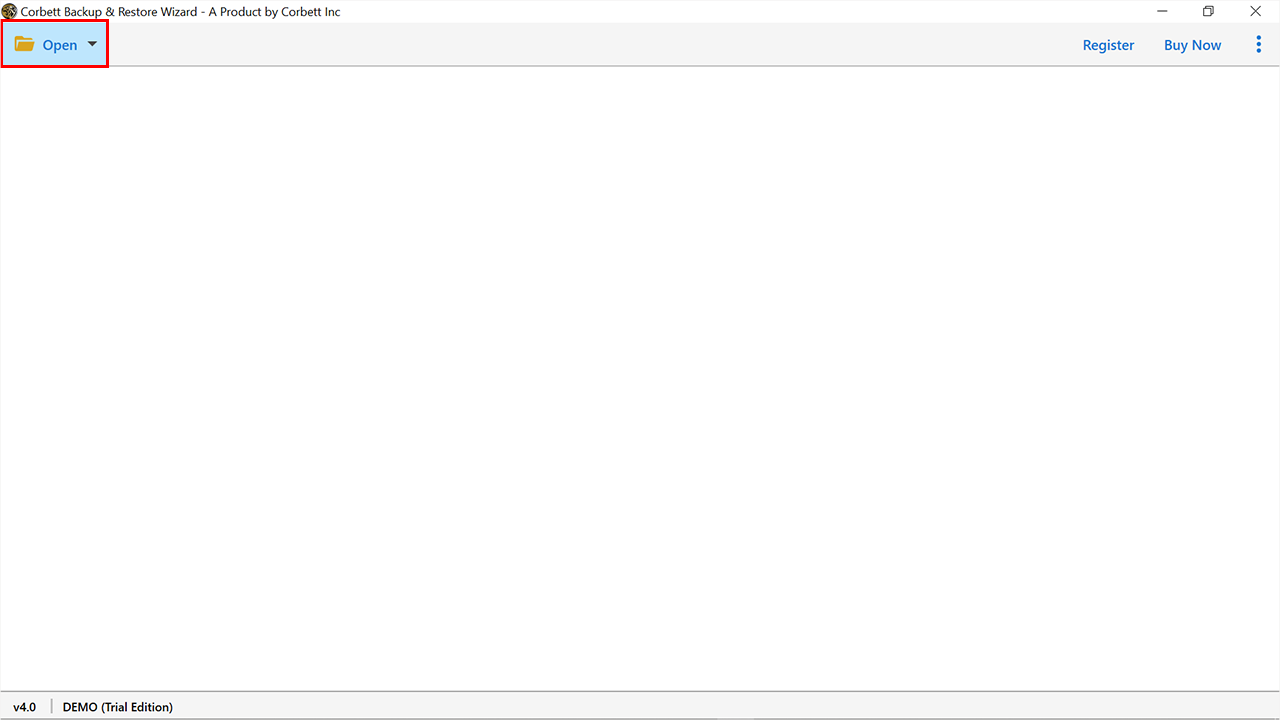
- Click Open and pick MSG as the source.
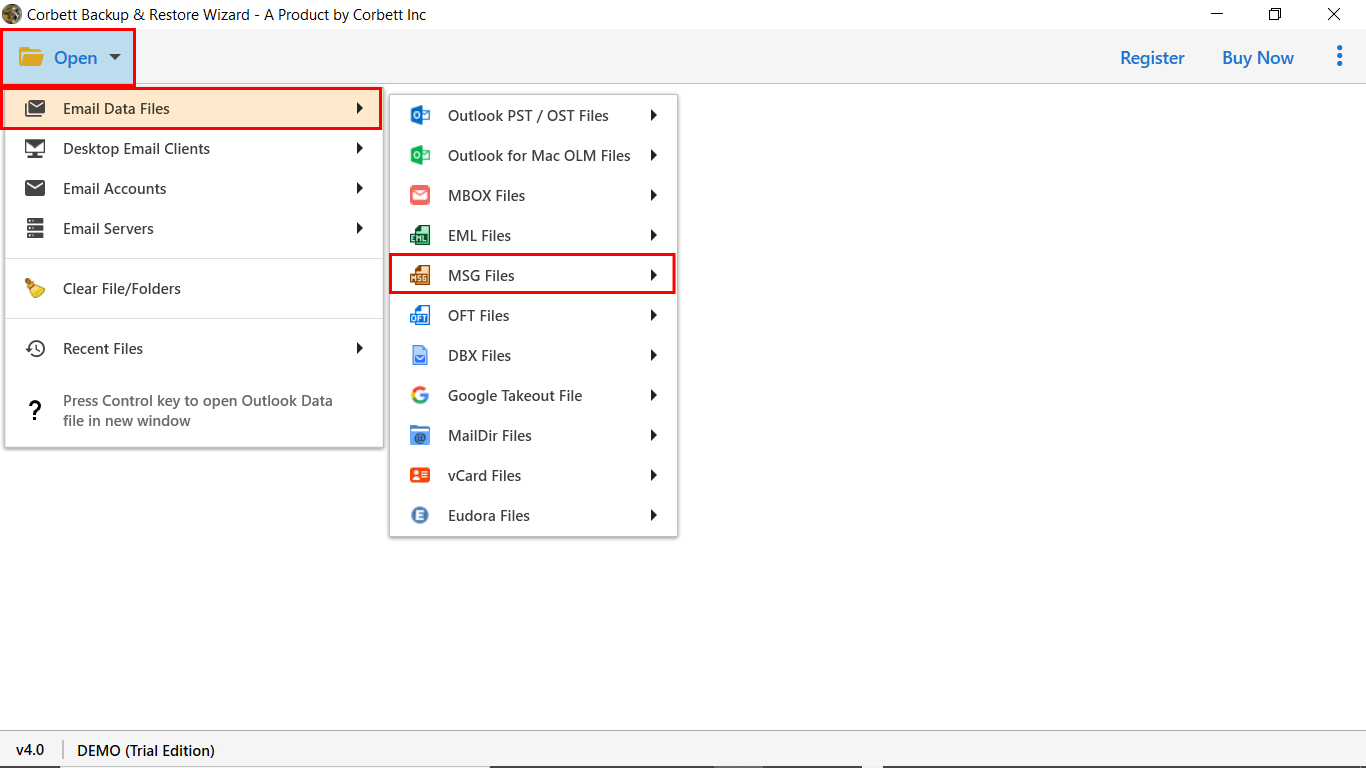
- Browse the folder that holds the MSG files and click Add.
- Preview every mail with full body and attachments in the side pane.
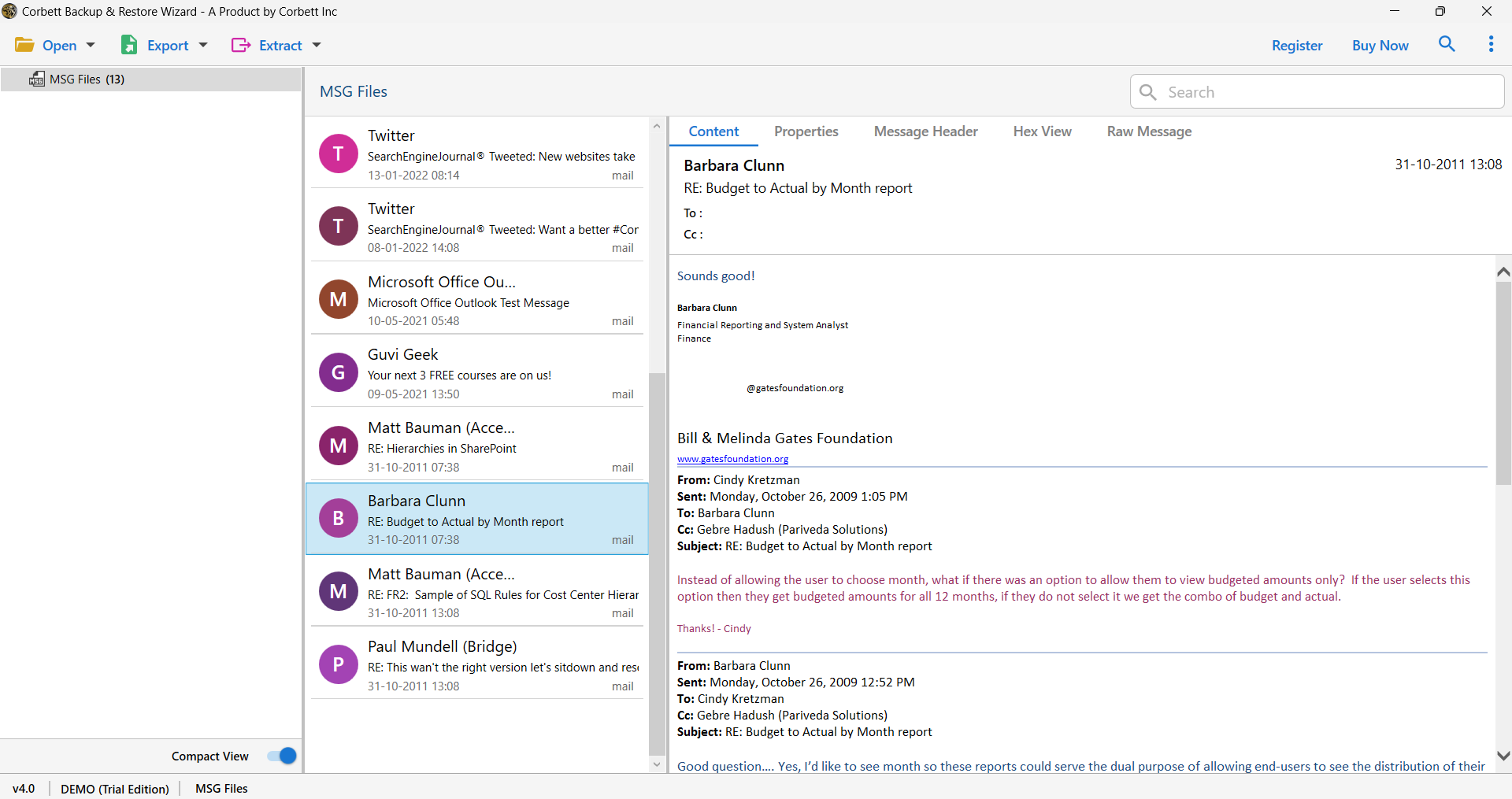
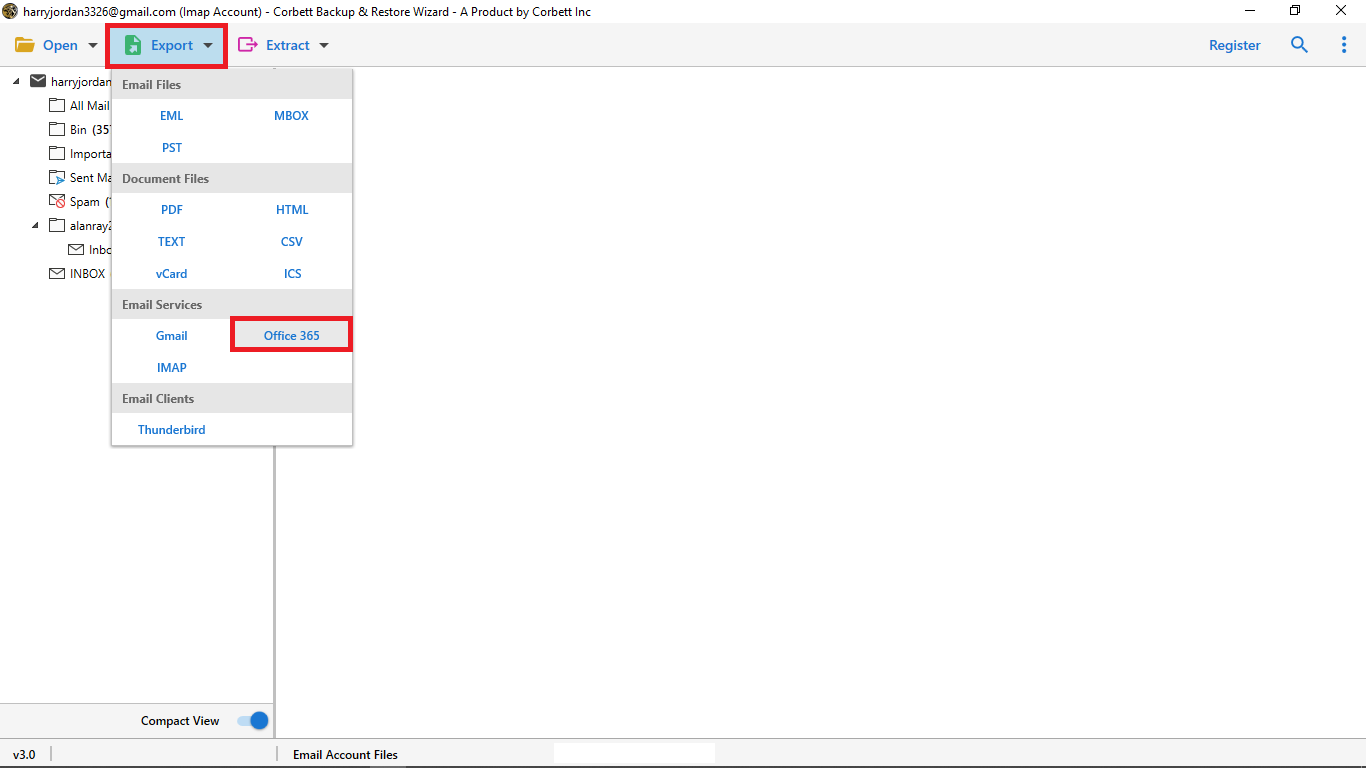
- Click Export and pick Office 365 as the target.
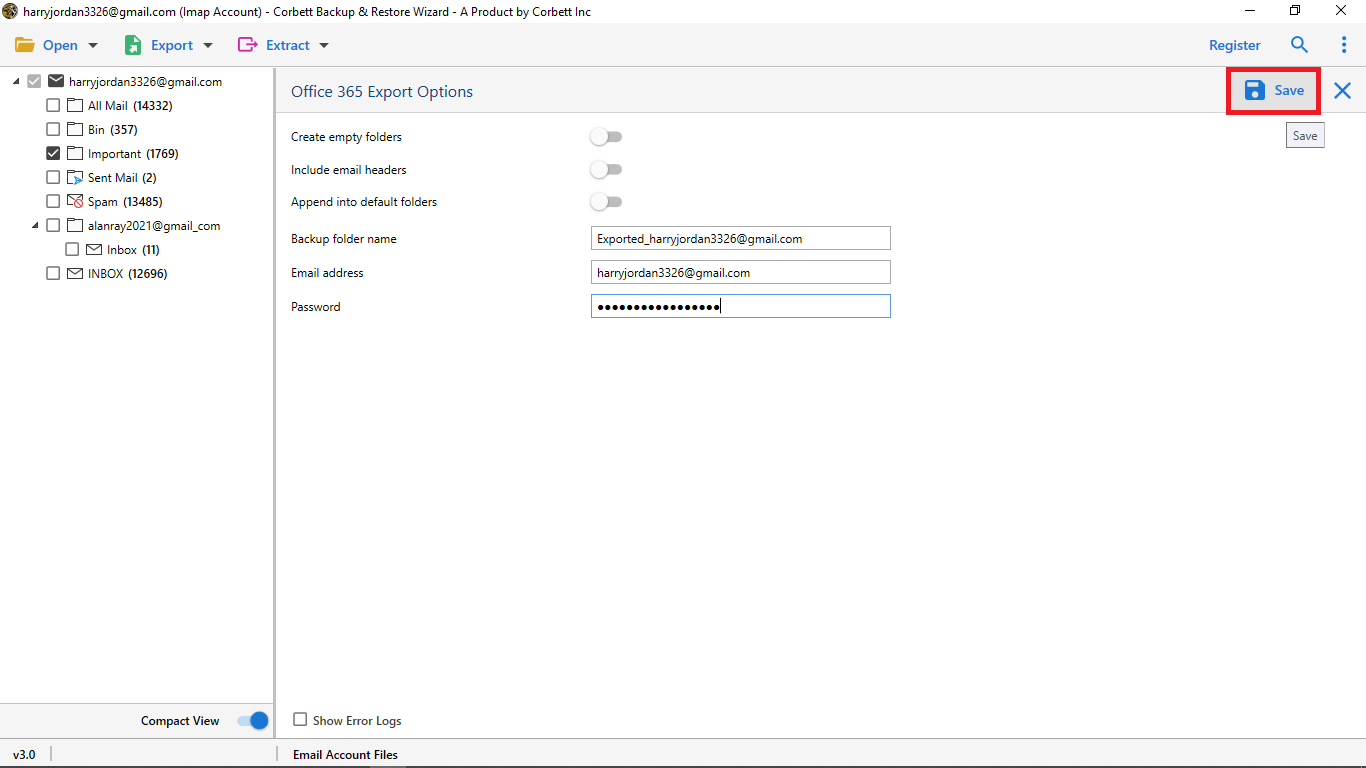
- Sign in with the Office 365 user and click Start.
You may also like the guide on how to convert DBX to MSG for an Outlook Express archive that you plan to push to Office 365 later. If you also need to move Outlook mail into Gmail, the dedicated guide covers every step.
Frequently Asked Questions
Q1. Can I import MSG to Office 365 in bulk?
Yes. The Corbett importer reads every MSG file in a folder and pushes them to Office 365 in one job.
Q2. Will the original sender date stay the same in Office 365?
Yes. The tool keeps the original date, sender, and header for every MSG file.
Q3. Do I need Outlook on the PC for this import?
No. The Corbett importer reads MSG files in offline mode and pushes the data to Office 365 with no Outlook on the PC.
Q4. Is there a count limit for MSG files?
No. The tool reads any number of MSG files in one job and shows a live count of every imported mail.
Conclusion
You can import MSG files to Office 365 with drag and drop or with a direct tool. The manual path fits a small MSG set. The tool is the right pick for hundreds or thousands of MSG files. Your Office 365 inbox will then carry every old mail with full data intact.