How to Convert DBX to TXT Format? Quick Solution
Are you looking for a solution to convert DBX to TXT format? If yes, then you are at right place. To convert DBX Outlook Express file to TXT we will provide a specialized DBX to CSV converter tool. It allows to export DBX files to MSG, PDF, DOC, CSV, ICS, vCard & other file formats without data loss.
In this blog we will explain how to export Outlook Express to TXT with certified software because there is no direct in-built solution to convert DBX to TEXT.
TXT also known as plain text file that saves only characters, numbers, or symbols. There is no formatting like bold, italics, or images. It can be easily opened & created with basic text editors like Notepad, TextEdit, or VS Code.
Professional Software to convert DBX to TXT Format
Corbett DBX Converter is a reliable software that allows you to convert multiple DBX files at once while keeping attachments, metadata, and rich-text formatting intact. It offers selective conversion, handles corrupted or damaged DBX files, advanced filters, file naming options and works as a standalone tool to export Outlook Express to TXT file without requiring Outlook Express installation.
Download free DBX to TXT converter tool to check software functionality and performance. Free edition allows users to convert first 10 messages from each Outlook Express folder to TXT file. If you feel this software meets your requirements you can upgrade the licensed version and convert large DBX files without file size restriction.
Steps to Export DBX to TEXT with DBX to TXT Converter
- First, download and run software on your desktop.
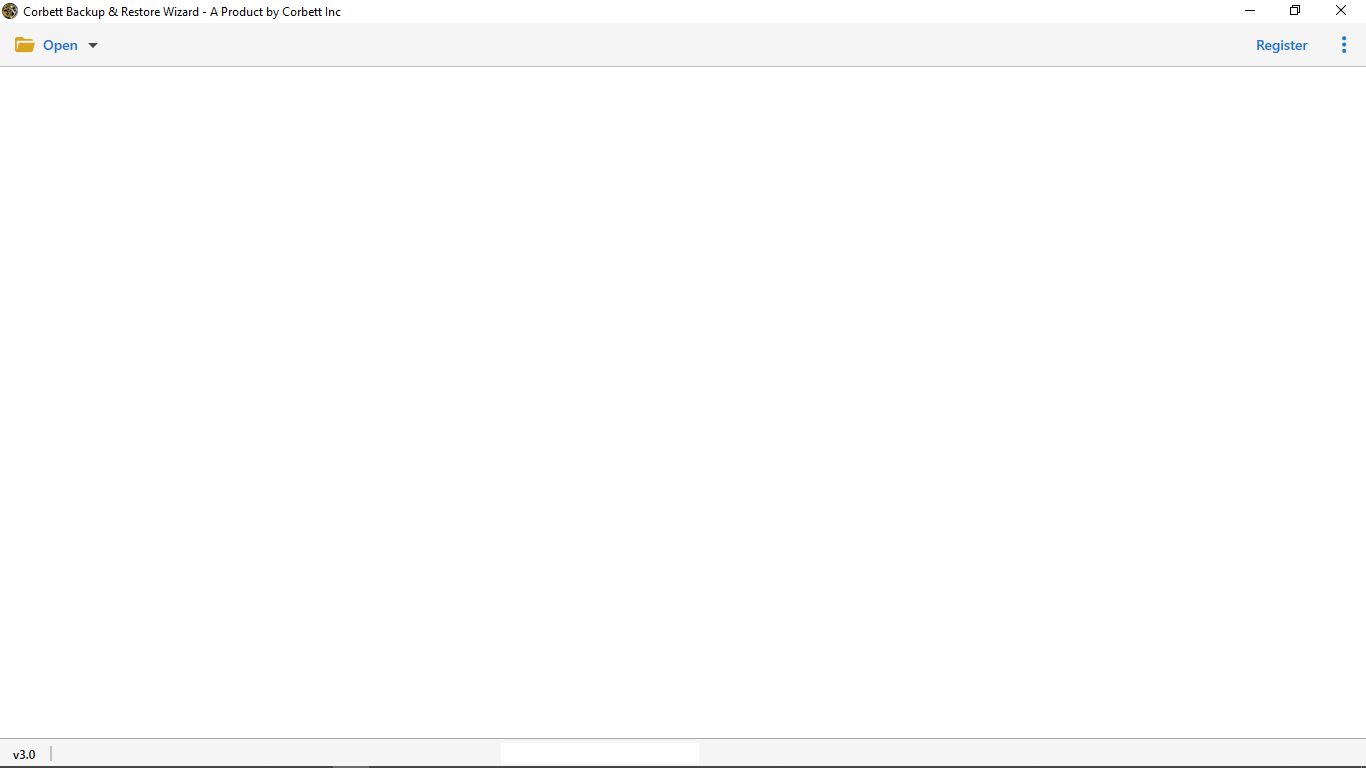
- To load a DBX file choose Email Data File and hit DBX Files option from the given list.
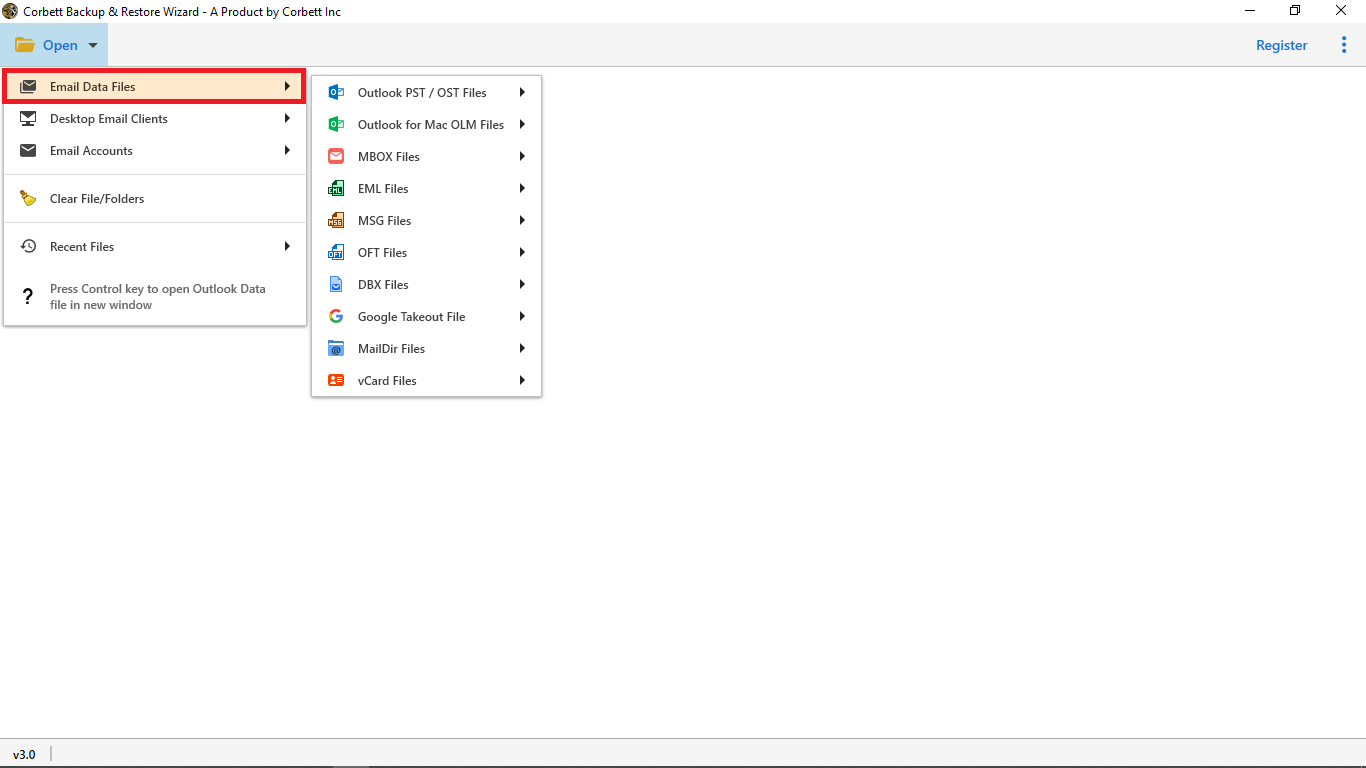
- Now, upload data and preview files in different modes before conversion.
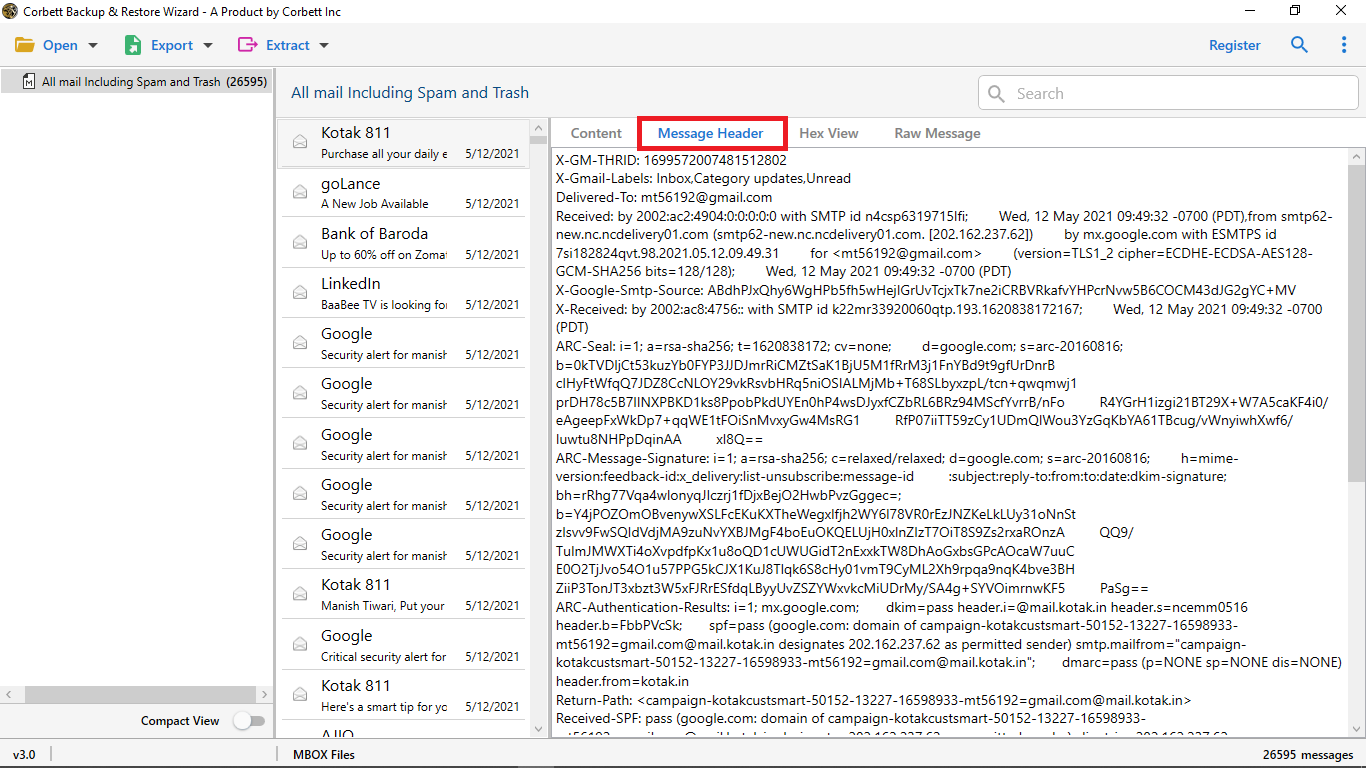
- Then, select TEXT as a saving format according to your preference.
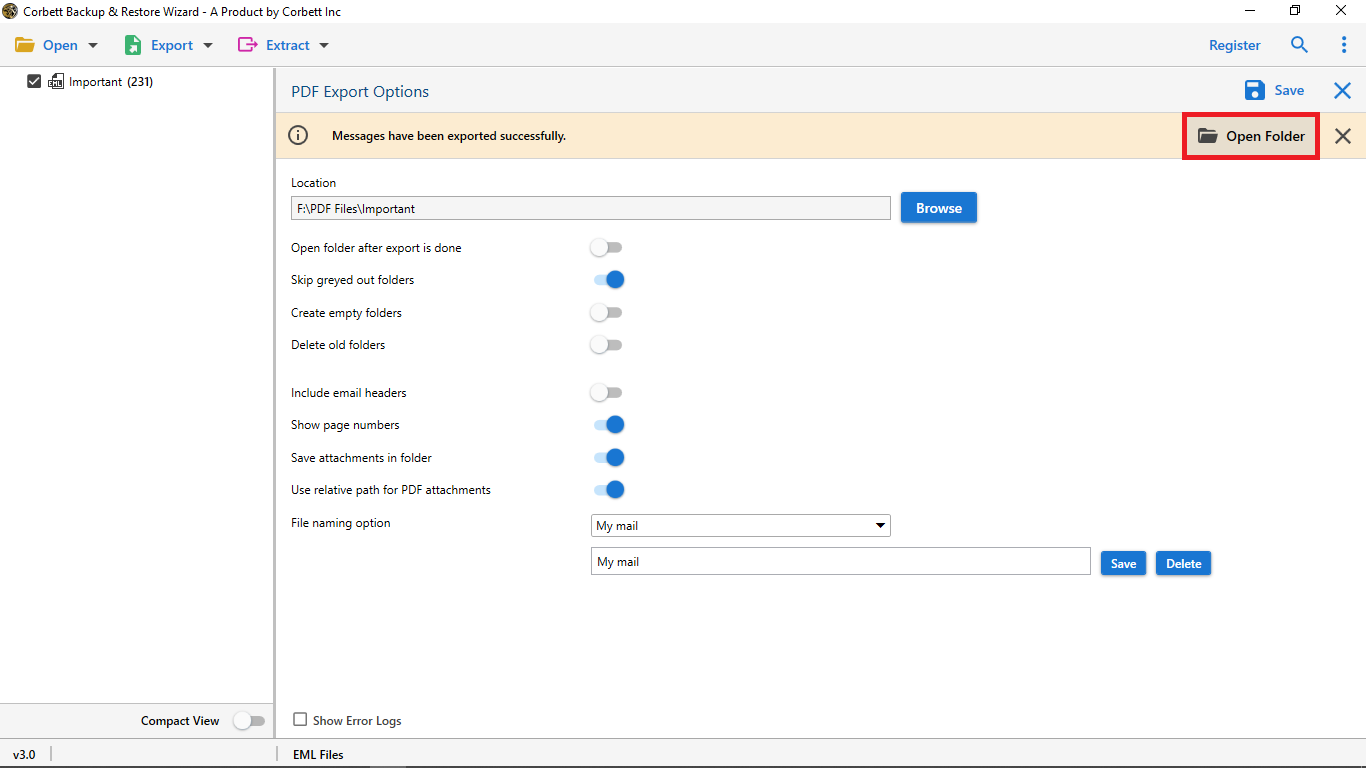
- Finally, click browse to choose a desirable location and hit save to complete DBX to TEXT conversion process.
Advanced Features of DBX File to TXT Exporter
- Batch Export DBX Files to TXT: Convert DBX to TEXT file in bulk without any limitation on file size or number of conversions. You can add a single or multiple DBX file as per requirements.
- Easy and User-Friendly Interface: It has a user-friendly interface that allows you to convert DBX to TEXT even if you are a non-technical person.
- Maintain Original Folder Hierarchy: DBX to TEXT Converter preserves every bit of data like attachments, folder structure, image, date, sender or receiver details.
- 24/7 Customer Service: 24/7 tech support team is available. Directly contact with them if you need technical advice or customization in software.
- Multiple File Naming Options: You can save DBX to .txt file with a desirable file name. For better organization you can choose file name by subject, date, sender, or use different combinations.
- Preview Emails in Different Modes: DBX to TEXT Converter provides a complete preview of emails you can check messages in Content, Raw, Property, Message Header, or Hex views before conversion.
- Windows Compatibility: It is compatible with almost all Windows devices like Windows 11, 10, 8, and 7 (32-bit and 64-bit). The tool doesn’t require any complex setup to convert files.
Time to Wrap Up
In conclusion, we will cover the whole process of how to convert Outlook Express DBX File to TXT without facing errors. You can easily convert large files and save time. Convert DBX to TEXT without any hassle with a dedicated software.It also offers a demo version to the users to test the solution first before making a purchase.
Frequently Asked User Queries
Yes, you can convert damaged or old DBX files without any problem.
- Step 1: Download DBX to TXT converter tool.
- Step 2: Add DBX file.
- Step 3:Select TXT as the saving format.
- Step 4:Hit save to start conversion.
Yes, you can convert multiple DBX files together without file size restriction with this software.