How to Extract Email Header from EML File?
What is Email Header?
Email header is a part of email that shows routing & metadata information. In the email header users get multiple details like “who sent email”, “who received it”, date, time, servers and more. It help to detect the emails was safe or suspicious
Core Elements of Email Header
- From: Senders email address.
- To: Receivers email address.
- Date: When email was sent.
- Subject: Topic of email.
- Message-ID: Unique email identifier.
- Received: Server email passed through.
- Return-Path: Bounce-back email address.
- MIME-Version: Email Format email like text, HTML etc.
- Authentication Results: Check SPF, DKIM, and DMARC
Why Extract Email Header from EML File?
- Verify suspicious sender IP addresses and server paths.
- Solve email delivery issues like delays, blocks, or spam.
- To review technical details for forensic email analysis .
- Extract metadata like sender, recipient, subject, and date.
- Identify the real sender of the email.
Manual Method to Extract Header from EML File
In this section we will provide simple manual ways to view email header information from EML files. You can use basic text editors or email applications (Outlook, Thunderbird, Apple Mail or eM Client) to get email header from .eml file.
Method 1: Using a Text Editor
- Locate EML file on computer.
- Right-click .eml file.
- Select Open.

- Choose Notepad or any text editor.
- Now, the file will open in text format.


Method 2: Using Email Client
- Open EML file in email client.
- Open email message.
- Click View or More Options.
- Select View Source or Message Source.
- Copy header details for analysis.

Direct Solution to Analyze Email Header from EML File
Corbett EML Converter Software is a reliable tool that allows you to view EML file with message header. The software provides preview panel to analyze data in multiple viewing modes like Content, Message Header, Raw Messages, Hex View and properties.
The software also has a user-friendly interface for professional and non-professional users. If you face any problem directly contact tech support team. You can also use the demo version of software to test software performance.
Steps to Open and View EML File Header Information
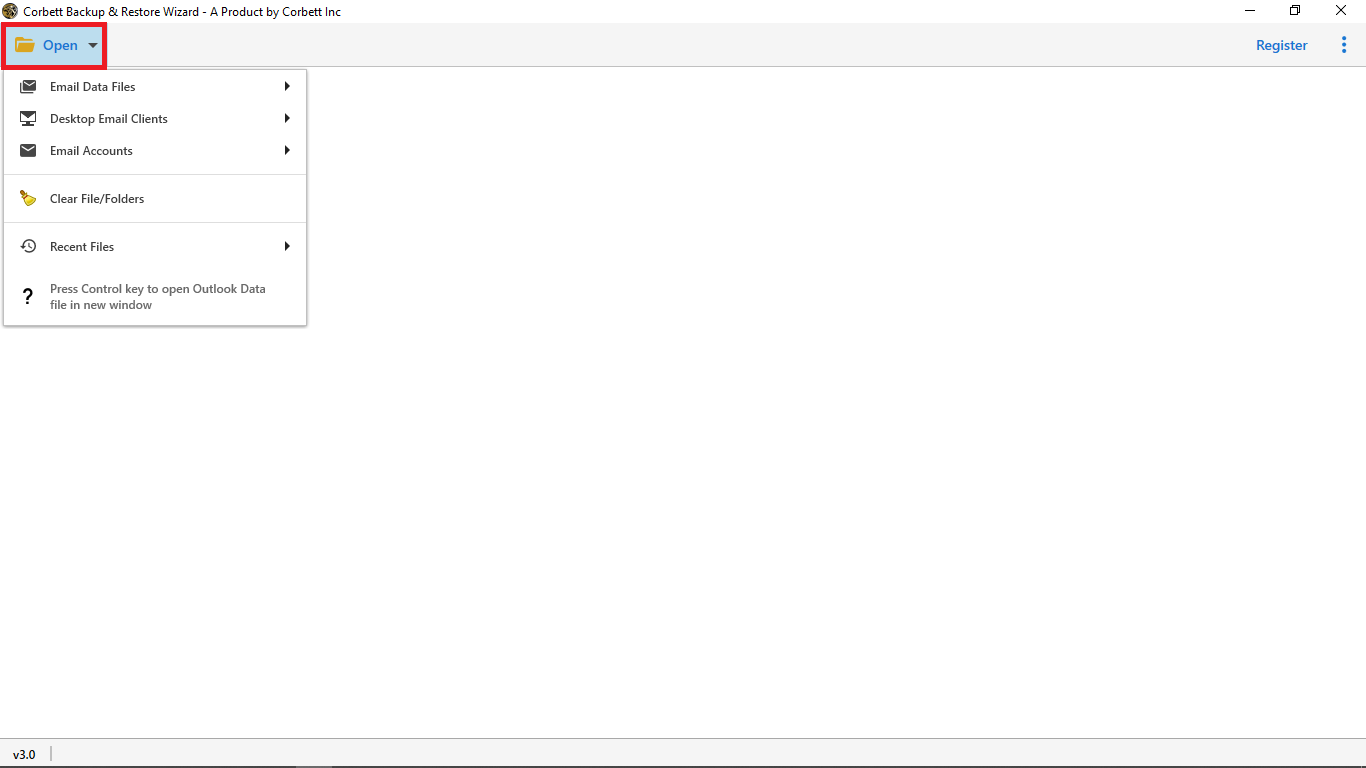
- Download and install software on your computer.

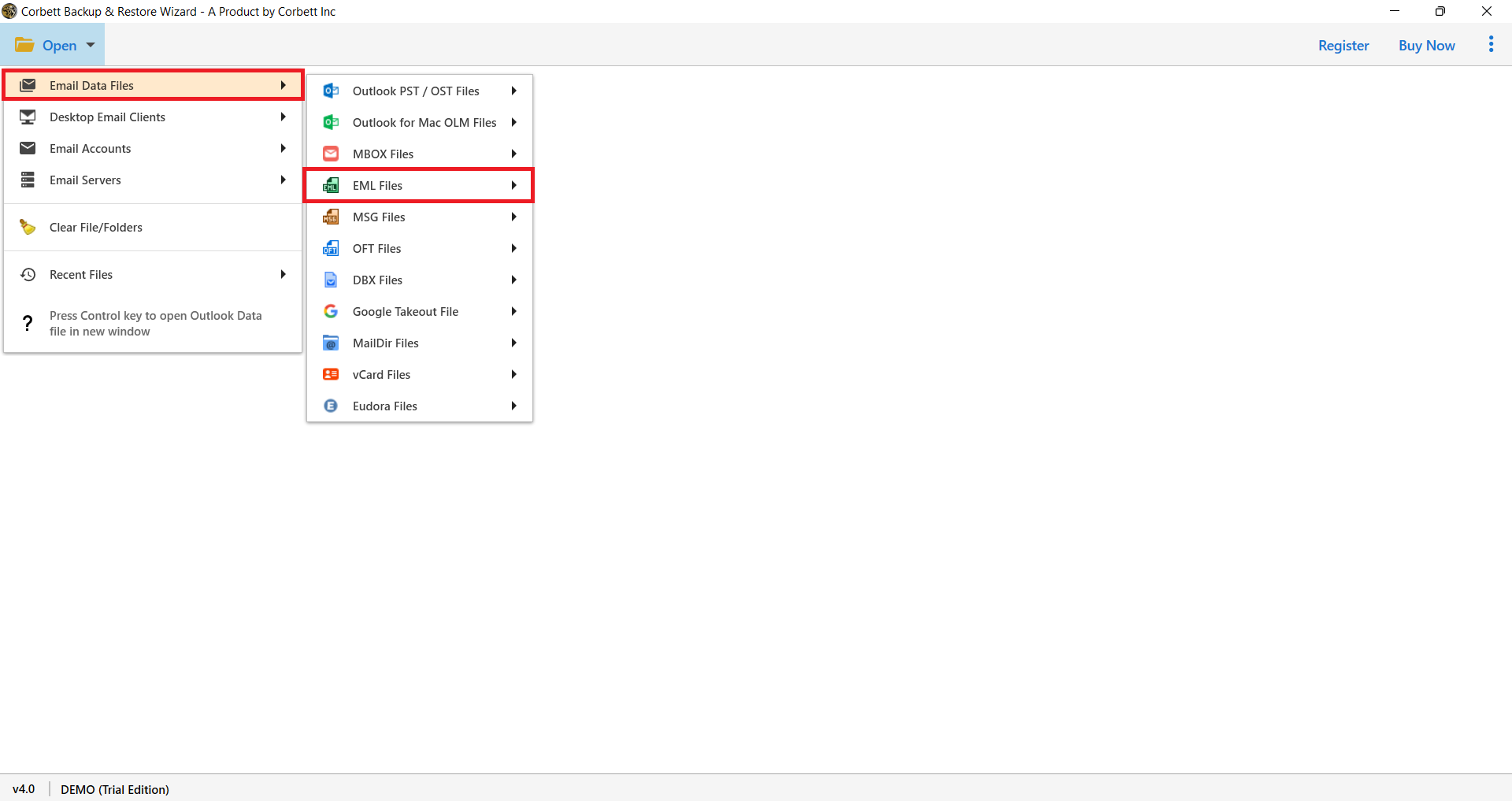
- Hit Open and choose Email Data Files>>EML Files.

- Click on the uploaded file to preview or check data in different modes.
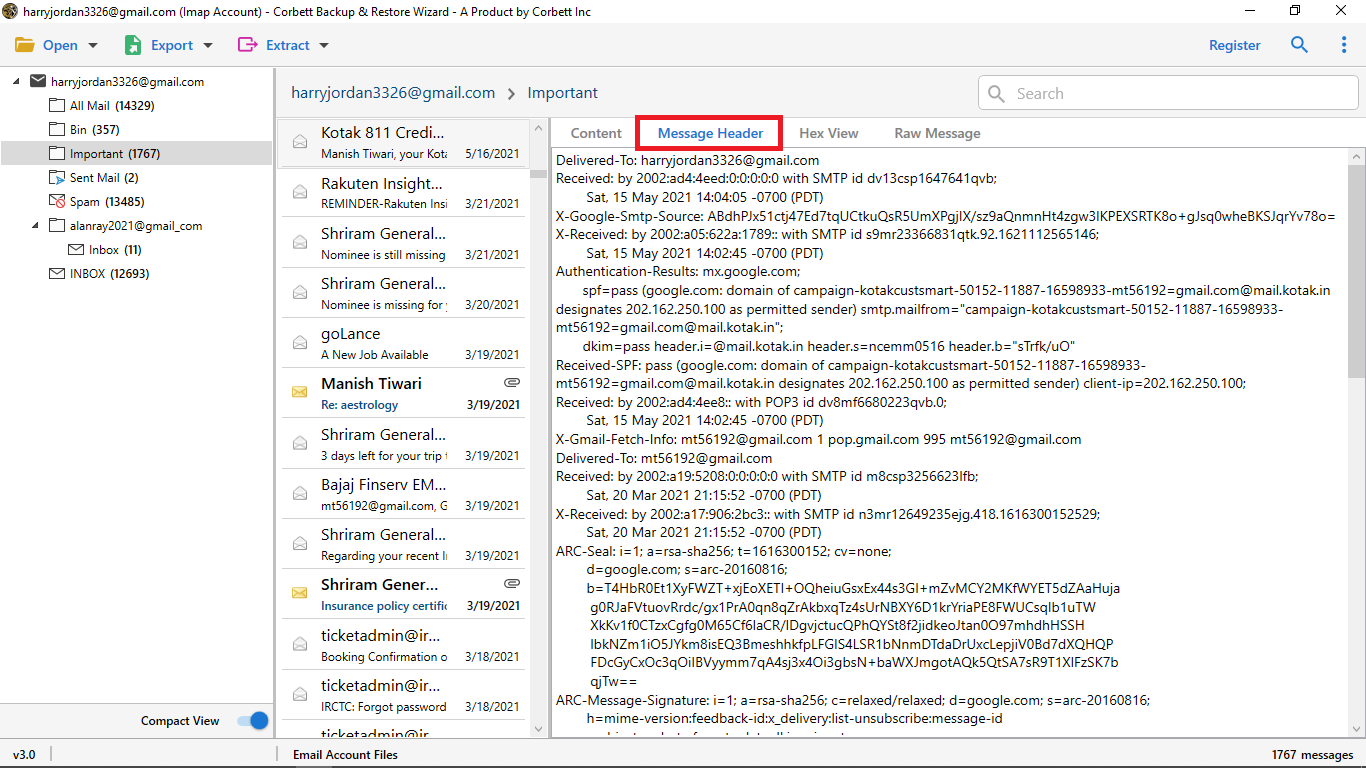
Note: If you want to save this data, copy it from software panel and paste it into Notepad to analyze later. Instantly view and analyze complete email message headers to understand sender details, routing path, and metadata.
Advanced Features of Professional Tool
- Dual modes to upload individual or multiple EML files in a single process and save time.
- Ideal for IT administrators, cybersecurity experts, and forensic investigators.
- Standalone application that doesn’t require any extra setup or email application like Thunderbird, Outlook etc.
- Advanced filter and search option to find specific email field.
- Enables offline operation to protect user data and protect user privacy.
Time to Wrap Up
In conclusion, we discussed different ways to extract email header from EML files. You can choose a method as per requirements. However, manual methods are not suitable for large volumes of data and take lots of time. Use professional software to view complete email header without needing any email program or extra setup.
Frequently Asked Questions
Q. Can I extract headers from multiple EML files at once?
Yes, professional tools enable you to extract email header from multiple EML files in a single process.
Q. What is EML?
EML file stores a single email message. It stores email content, sender/recipient, subject, date, & attachments. You can open EML files with Outlook, Thunderbird, and Windows Mail.
Q. How can I extract header from EML file on Windows?
Open EML file in Outlook, double-click message, go to File > Properties and copy text from Internet headers box.
Q. Can I extract email header using Python?
Yes, you can extract email header using Python’s built-in email parser.