How to Export GoDaddy Emails to Gmail Without Data Loss

Why Move GoDaddy Mail to Gmail
Gmail brings 15 GB free space, fast search, and clean mobile apps. A move from GoDaddy webmail offers many gains.
- One inbox on every device
- Strong spam filter and powerful search
- Free access to Drive, Docs, and Calendar
- Easy custom domain setup with Google Workspace
- Lower cost compared with paid hosting plans
Prepare GoDaddy and Gmail for the Move
A clean start saves time later.
- Sign in to email.godaddy.com and confirm access to every folder.
- Note the GoDaddy POP and IMAP server settings.
- Free up Gmail space if needed. You can free up Gmail storage in a few clicks.
- Turn on 2 Step Verification in Google and create an app password.
Method 1: Gmail Mail and Contacts Import Wizard
Gmail offers a built in import path that works for a single mailbox.
- Sign in to Gmail and click the Settings gear.
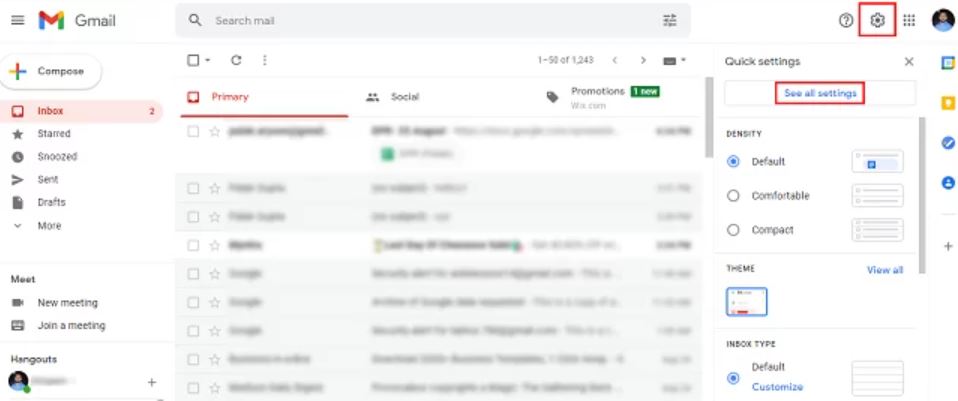
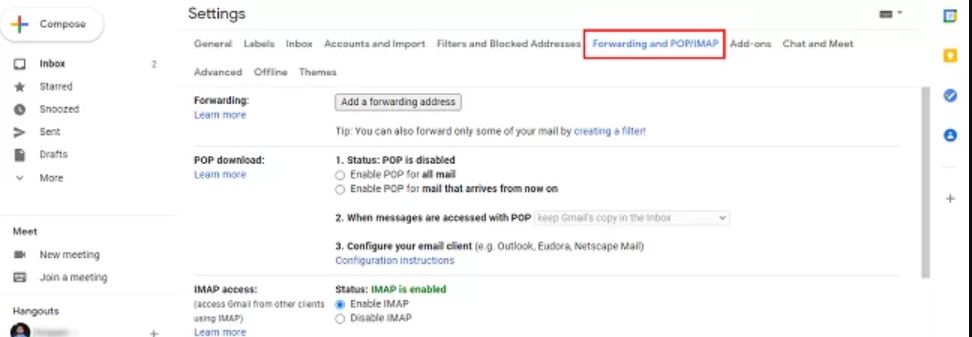
- Go to See all settings and pick the Forwarding and POP/IMAP tab.
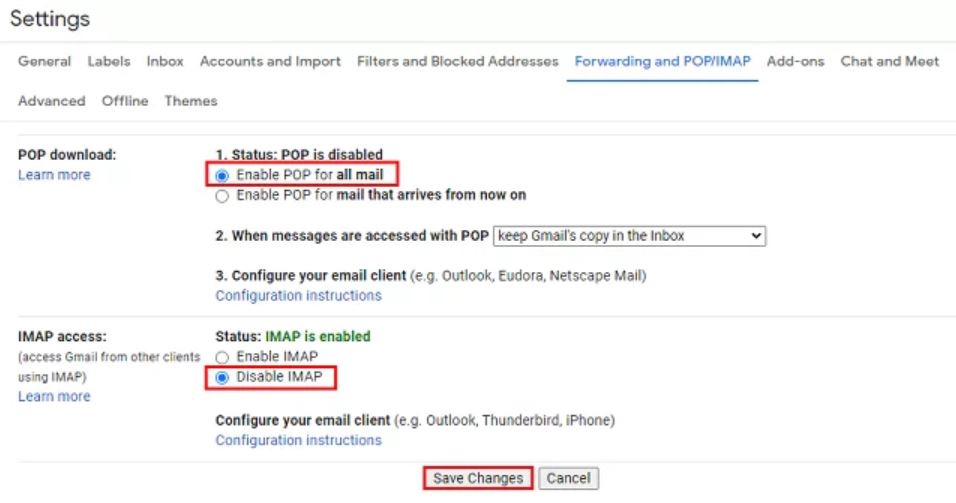
- Enable POP download for the GoDaddy import path.
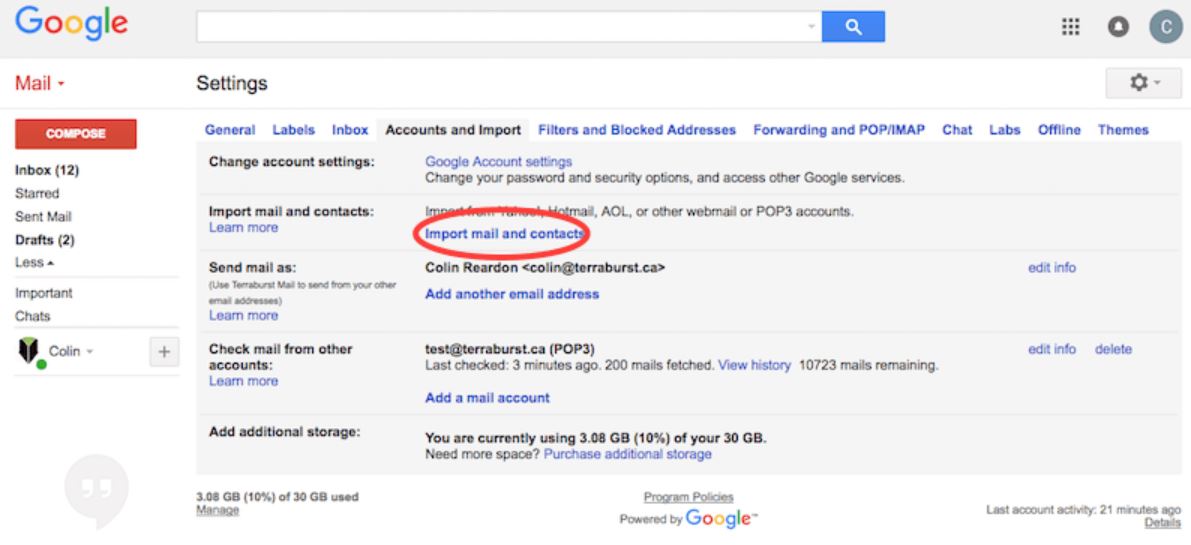
- Open the Accounts and Import tab and click Import mail and contacts.
- Type the GoDaddy email address and click Continue.
- Enter the GoDaddy password and the POP server when asked.
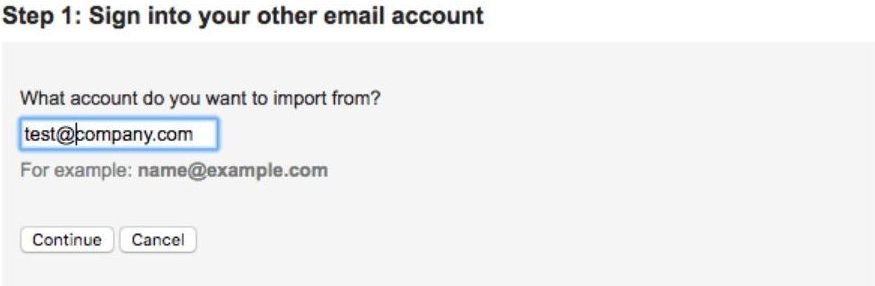
- Pick the import options and click Start import.
Gmail will copy the GoDaddy mail in the background. This path is slow for large mailboxes and skips many folders.
Method 2: Direct GoDaddy to Gmail Migration Tool
A direct tool is the right pick for a large mailbox or a full domain. Corbett Email Migration reads the GoDaddy account and pushes the data into Gmail in one click. It keeps every folder, attachment, and date intact.
Steps to Migrate GoDaddy Email to Gmail
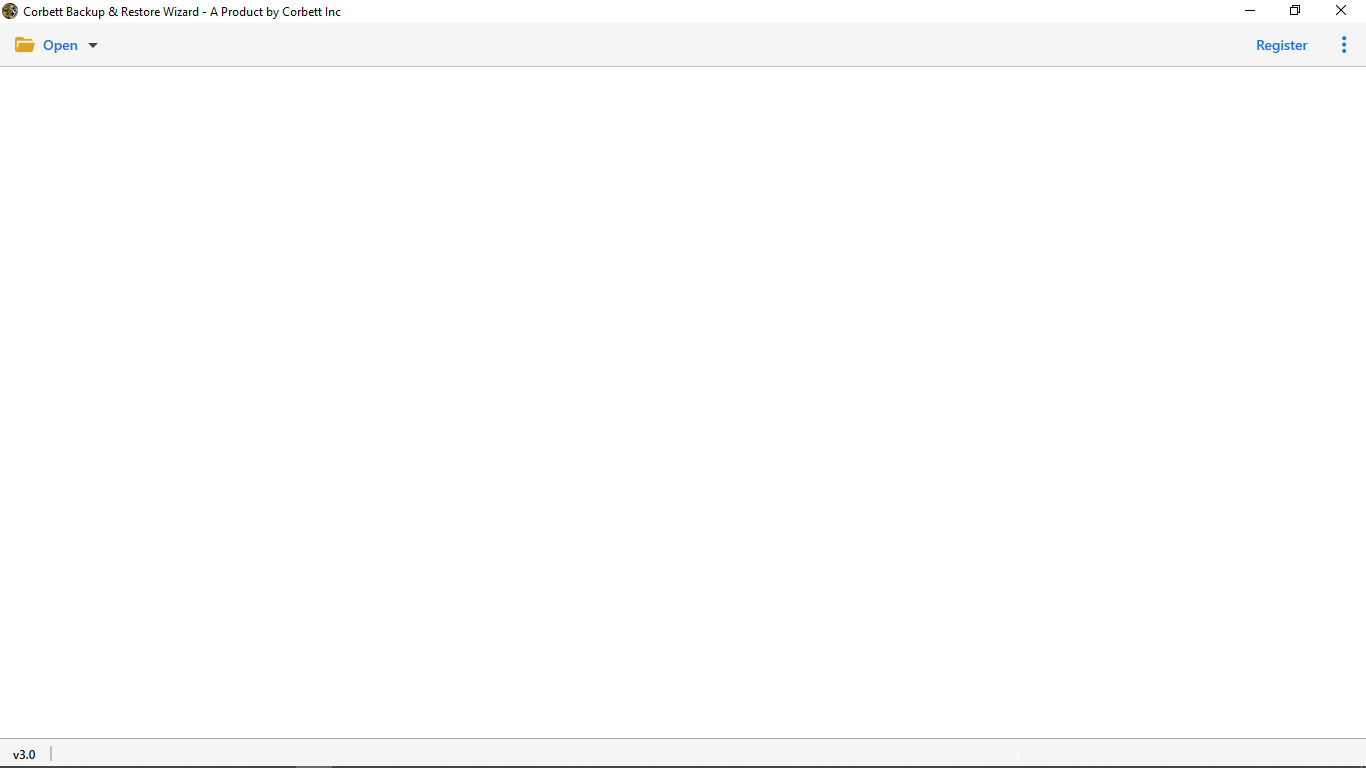
- Install and launch the software on a Windows PC.
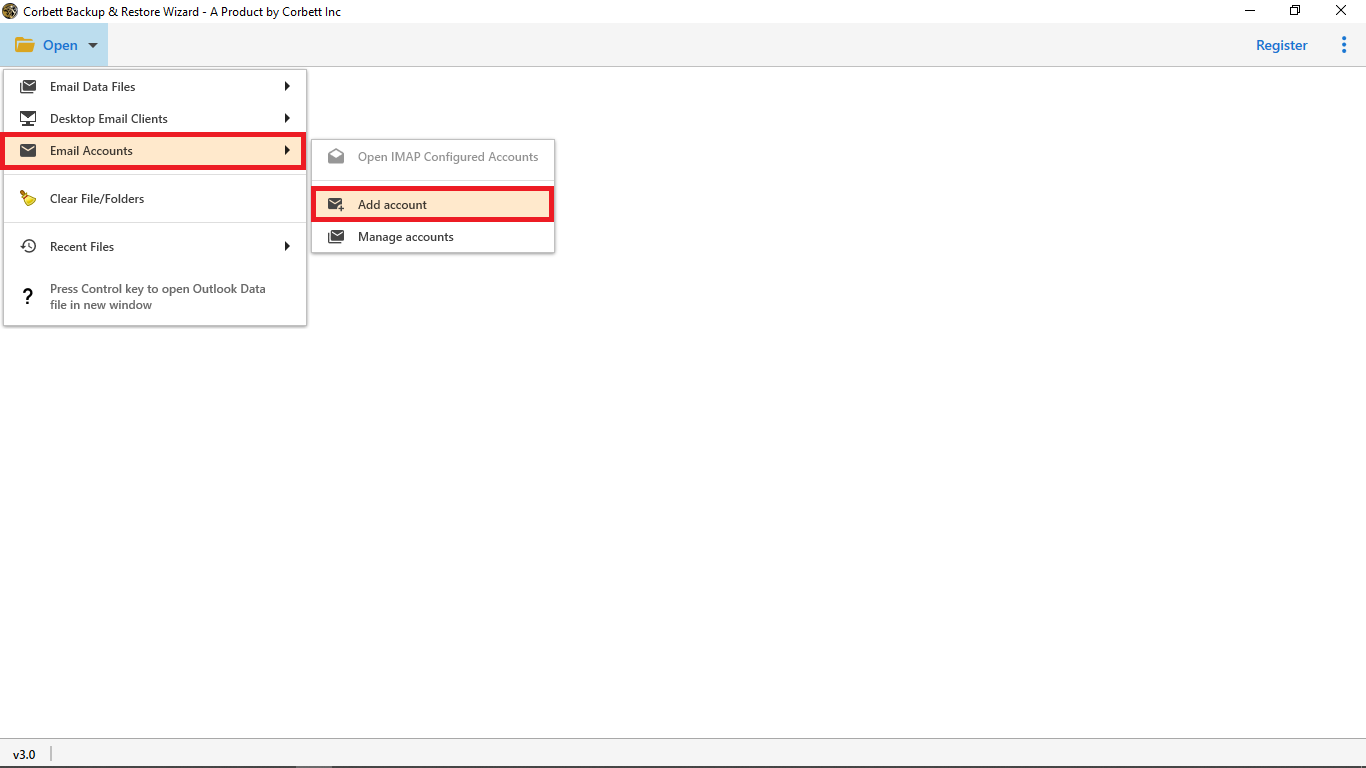
- Click Open and pick Email Accounts > Add Account.
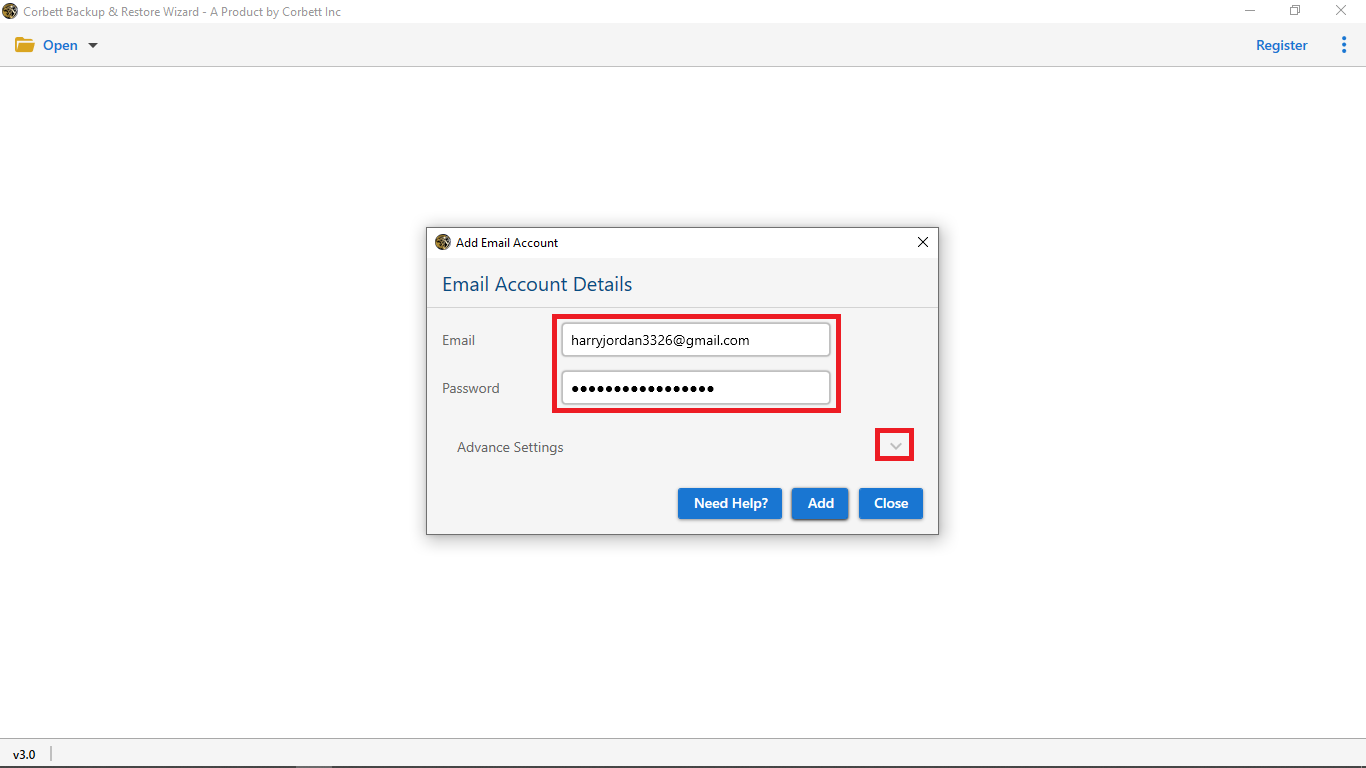
- Type the GoDaddy email, password, and IMAP server.
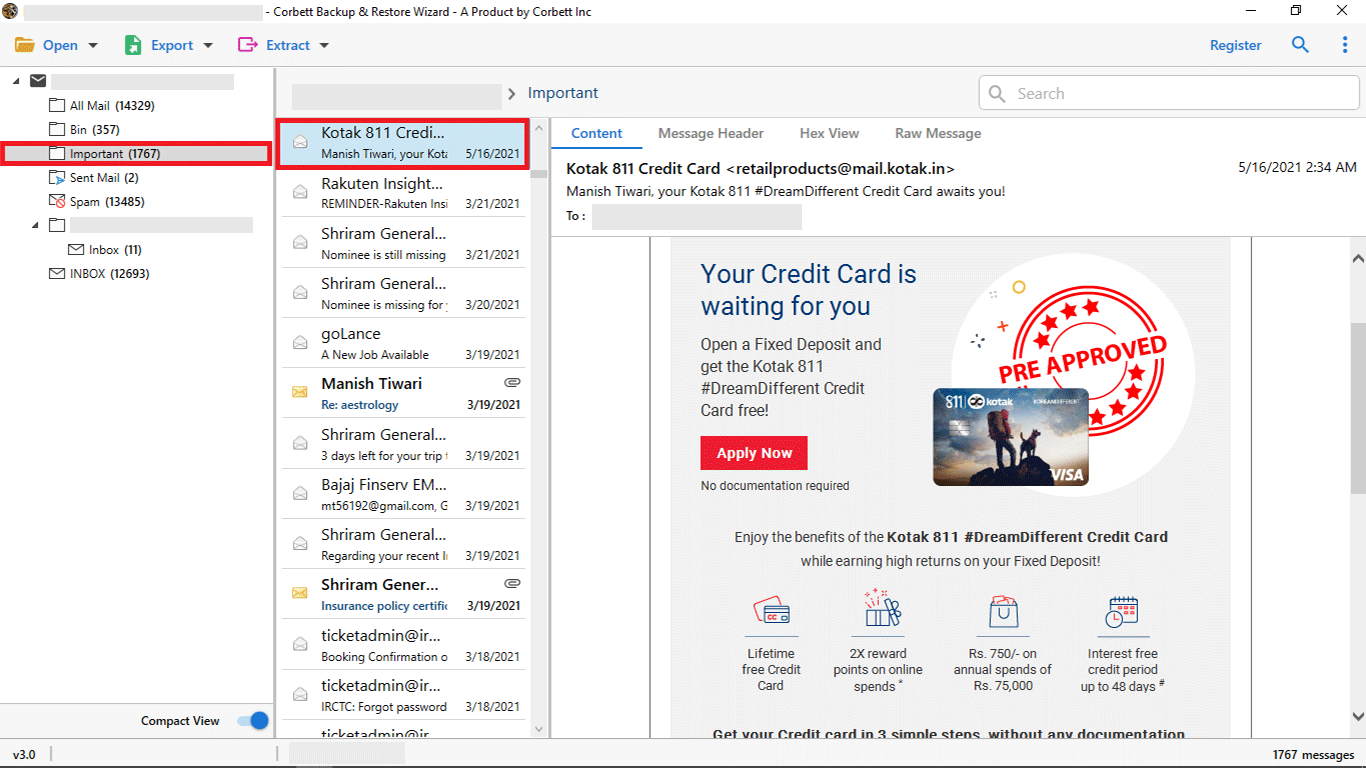
- Preview every folder and mail in the side pane.
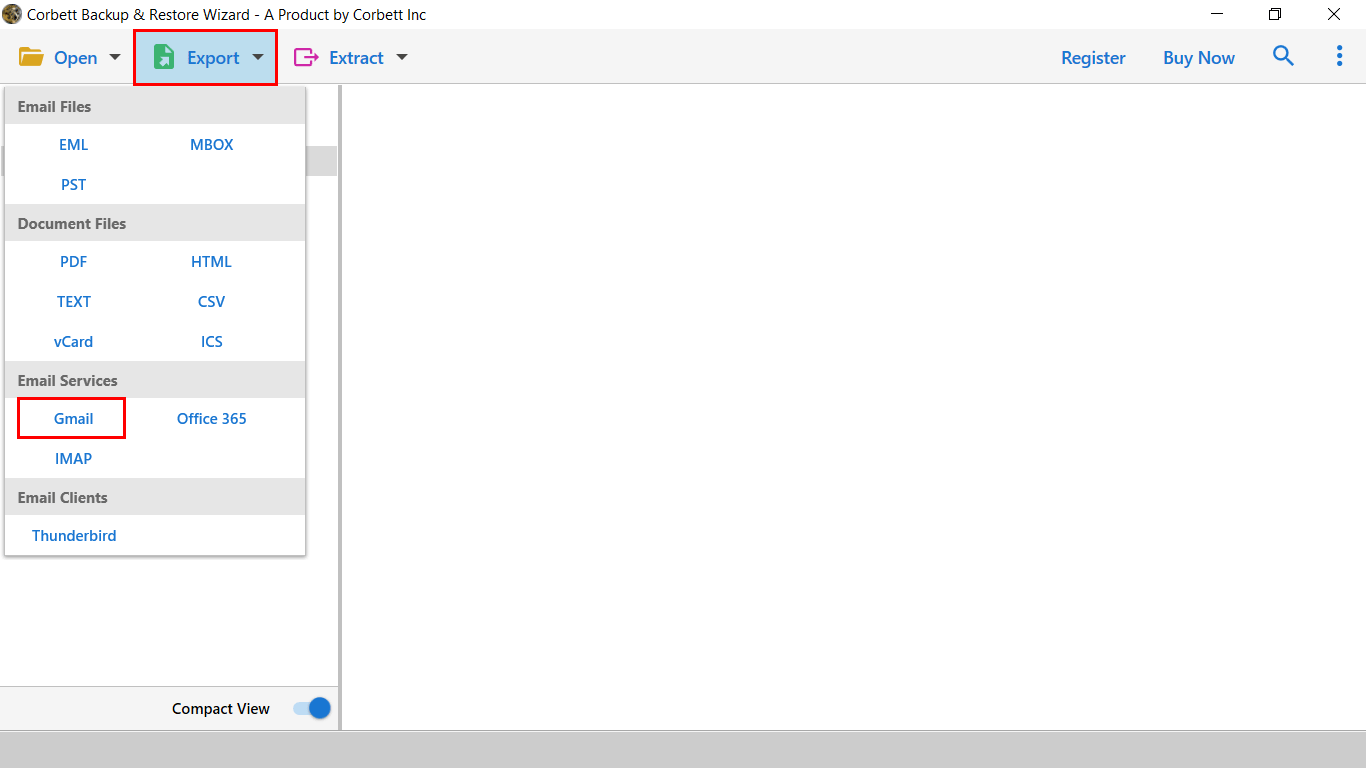
- Click Export and pick Gmail as the target.
- Set a date or sender filter if you want to skip old mail.
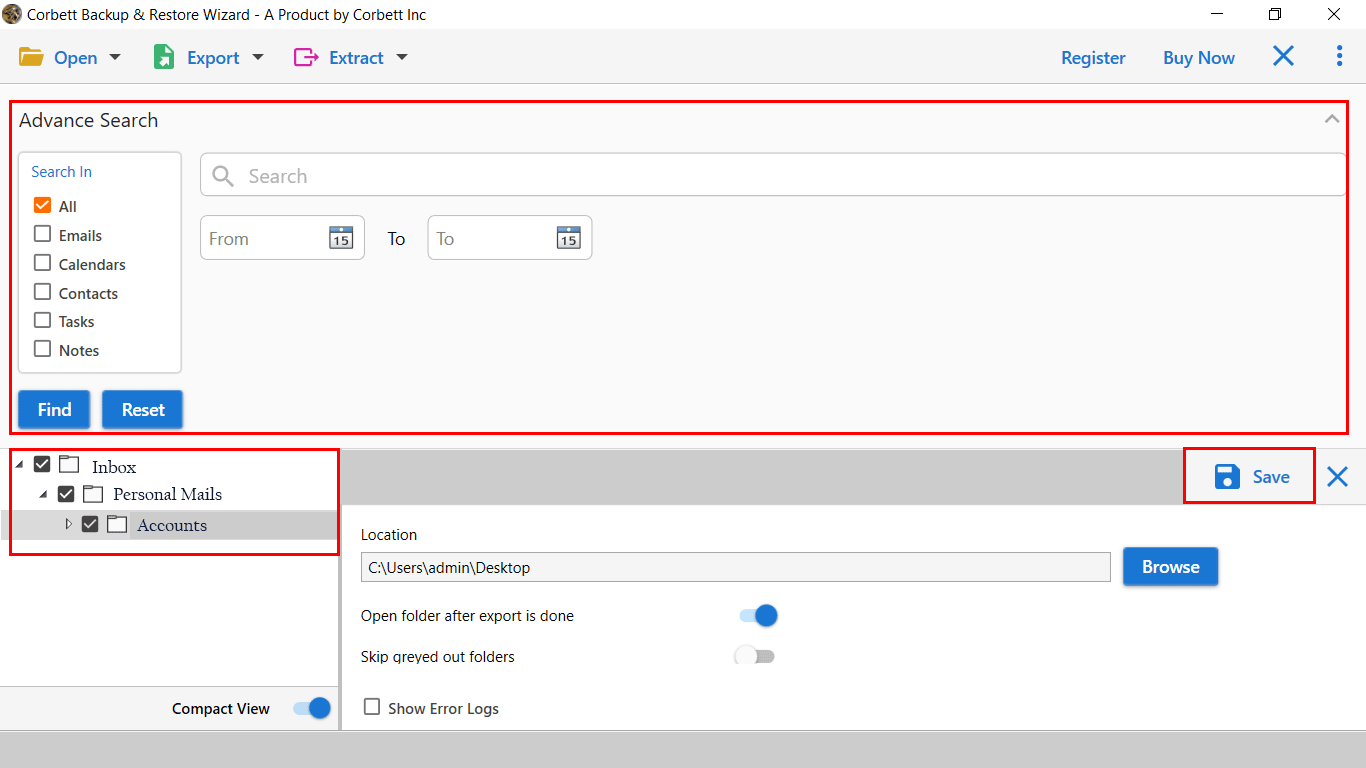
- Sign in with the Gmail address and an app password, then click Start.
You may also like the guide on how to export Gmail contacts as a vCard after the move. If Gmail keeps asking for the password during sign in, our Gmail password fix covers every common cause.
Frequently Asked Questions
Q1. Can I move GoDaddy email to Gmail without losing folders?
Yes. The Corbett tool keeps the same GoDaddy folder layout inside Gmail as labels with the same name.
Q2. Will my GoDaddy address keep working after the move?
Yes. The GoDaddy mailbox stays live until you cancel the plan. The move only copies the data.
Q3. Is the Gmail import wizard safe for many users?
The wizard works for a single user only. For a full domain, use a direct migration tool with admin rights.
Q4. Do I need an app password for Gmail?
Yes. Google blocks normal passwords for third party access when 2 Step Verification is on. Create an app password and use that.
Conclusion
You can export GoDaddy emails to Gmail with the built in import wizard or with a direct migration tool. The wizard fits a single account. The migration tool is the right pick for a full domain or a large mailbox. Your new Gmail inbox will then carry every GoDaddy mail with full data intact.