How to Import DBX Files to Thunderbird Without Outlook Express
Are you searching for a way to import DBX files to Thunderbird? To manually transfer DBX files, Thunderbird provides an in-built import option but this method requires Outlook Express installation which is now discontinued. Because of these limitations, many users prefer to use a reliable third party DBX to Thunderbird converter tool to convert DBX files to Thunderbird directly. In this blog, we will cover how to import DBX to Thunderbird without losing data.
Outlook Express was an old Microsoft email program used in earlier Windows versions. It stored emails in DBX files. Since it is now discontinued and not compatible with new systems. So, it is difficult for users to open DBX which is why many move Outlook Express emails to Thunderbird.
Thunderbird is a free and open-source desktop email application. That is used to send, receive, and manage emails. It supports multiple email accounts and also compatible with Windows, macOS, and Linux. Thunderbird store data locally on your system and offers better customization, privacy and control compared to web-based email services
Why Users Need to Import DBX to Thunderbird?
- Outlook Express is discontinued and no longer supported on new Windows systems.
- Thunderbird allows managing old DBX emails with current accounts in one place with Windows compatibility.
- DBX files cannot be opened directly without a supported email client.
- Thunderbird provides better spam filtering, extensions, and calendar support.
Import Outlook Express DBX Files to Thunderbird with Professional Utility
Corbett DBX Converter is a trustworthy solution that allows users to transfer DBX files to Thunderbird without Outlook installation or extra setup. It supports exporting emails, attachments, and complete mailbox data in different file formats like DBX to PST, MBOX, EML, PDF, HTML, CSV, TXT and more.
Download free DBX to Thunderbird Converter version. The free edition allows converting a limited number of emails from each Outlook Express folder. You can explore software performance and functionality before purchasing the full licensed version.
Steps to Move DBX Files to Thunderbird
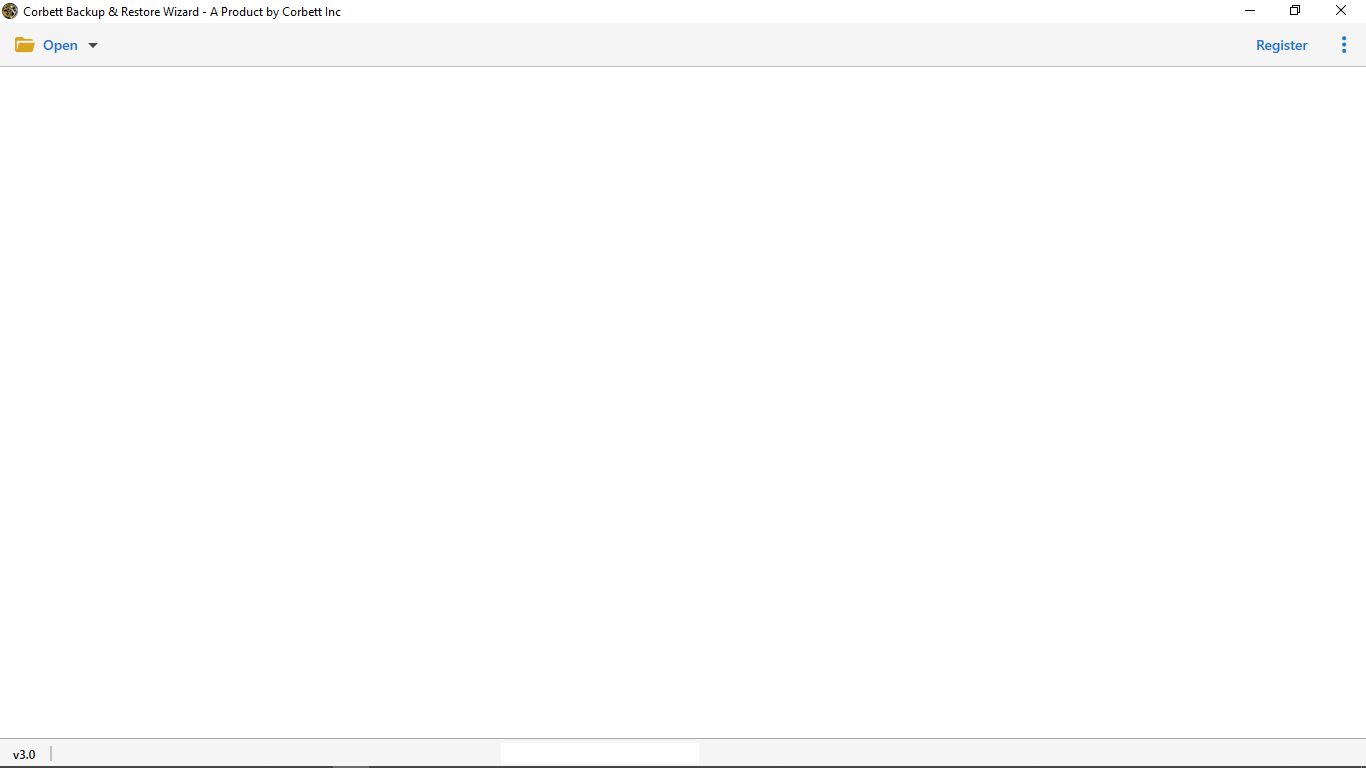
- Install and run DBX to Thunderbird migration tool on your computer.

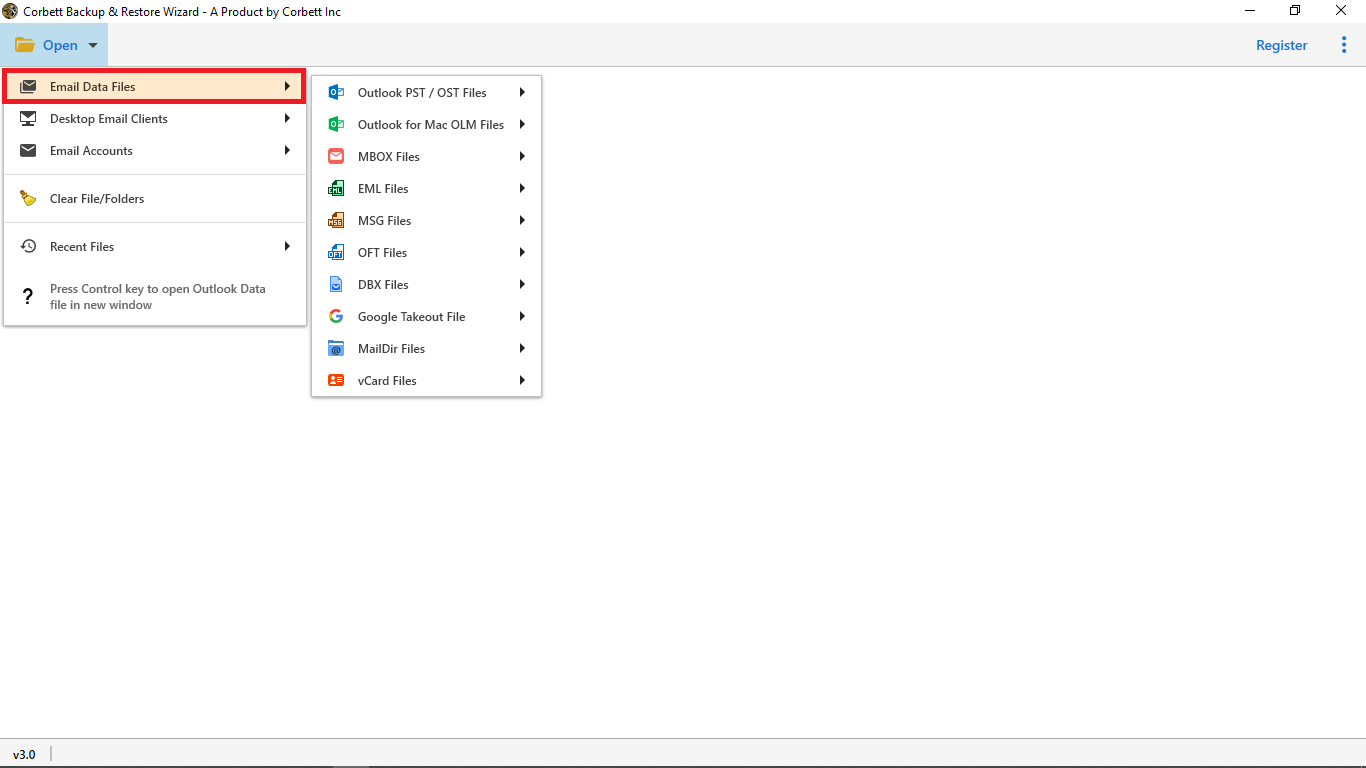
- Hit Open, then choose Email Data Files to upload DBX files.
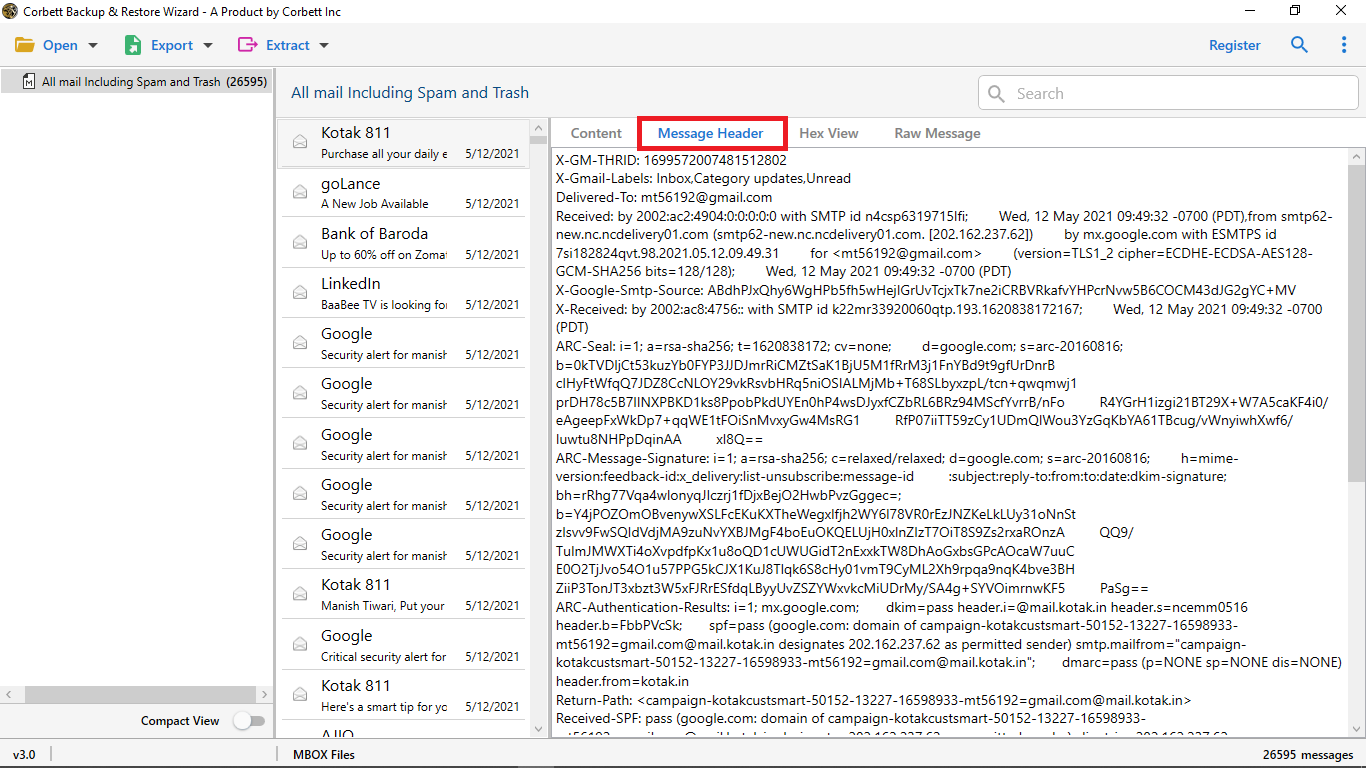
- Now, preview and check data in multiple modes like content, message header, hex, raw and more.
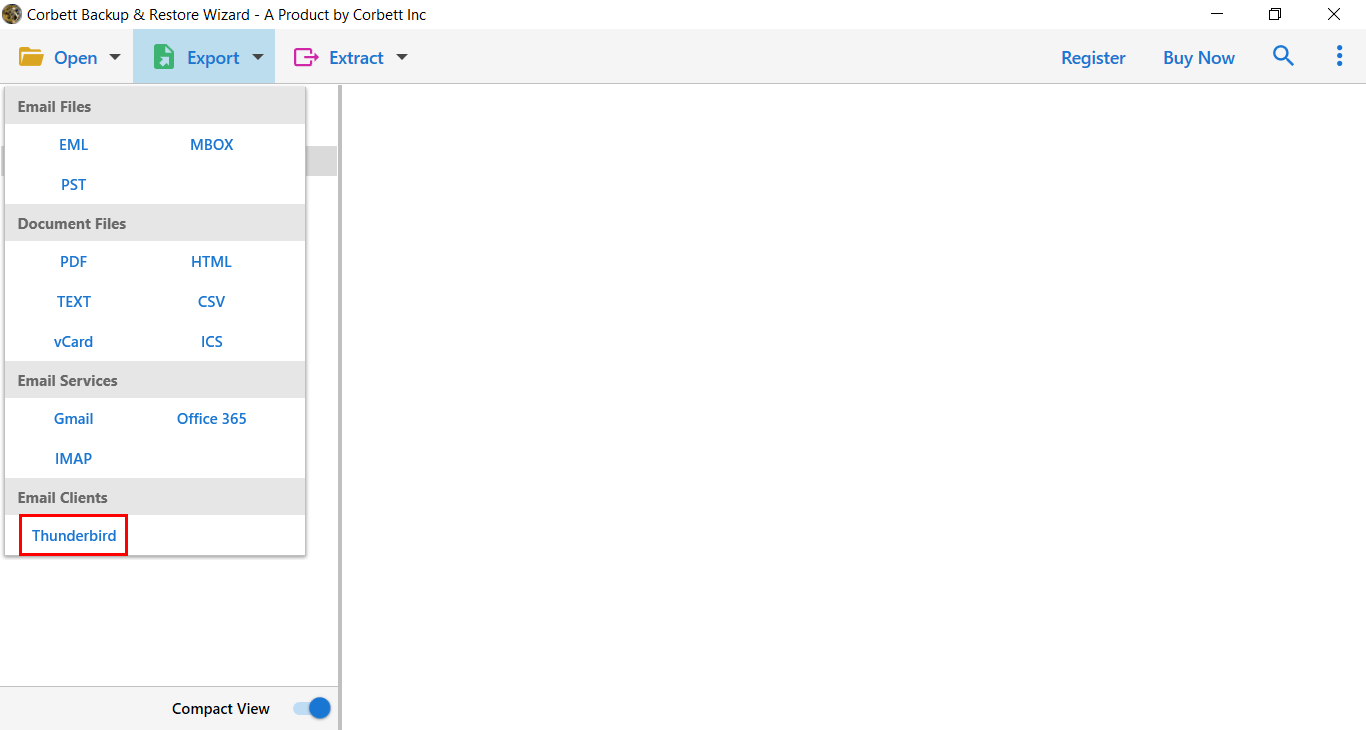
- Click on Export button and select Thunderbird as a saving format from the list.

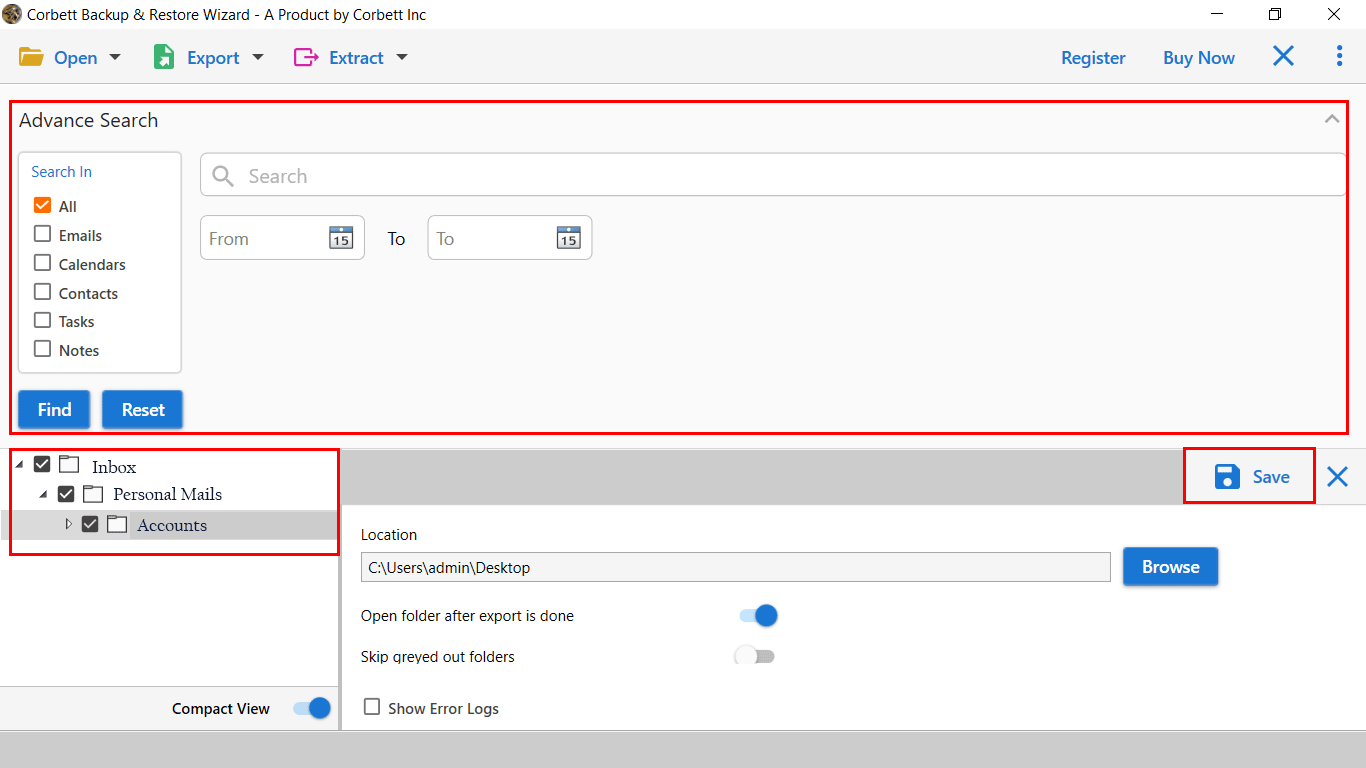
- Browse location according to your preference and hit Save to finish import DBX to Mozilla Thunderbird.
Key Benefits and Features of Automated Solution
- Perform batch convert DBX files to Thunderbird while keeping the folder structure intact. It saves users time when they are handling multiple files.
- It is a standalone tool, Outlook installation is not required to make conversion.
- Maintain original folder hierarchy during DBX file conversion.
- Compatible with All versions of Windows such as Windows 10, 11, 8, 7 and more.
- Multiple file naming options for better email management. For example Subject, Subject + Date (DD-MM-YYYY), or From + Subject + Date etc.
- We provide a 24/7 customer support team. Feel free to contact us for technical guidance and fulfill software requirements if you want customization.
- Date Filter option lets you export DBX emails from a selected date range.
- User-friendly interface for everyone, whether you are a professional and non-professional user you can easily run the software.
Conclusion
In this guide, we will provide an effective way to convert DBX to Thunderbird with all emails and attachments. Professional method is now ideal solution for importing DBX to Mozilla Thunderbird account because manual method need Outlook Express installation. However, the software preserves original folder hierarchy, allows batch conversion, offers date filters, and provides naming options for better organization.
Frequently Asked Users Query
Q. How do I import DBX files to Thunderbird manually?
You can use ImportExportTools add-on available in Thunderbird to import DBX files, but this requires Outlook Express installation which is discontinued now.
Q. What is the easiest way to import DBX to Thunderbird?
Use a dedicated third-party solution to import all emails, contacts, and attachments without any problem.
Q. Will I lose emails while importing DBX to Thunderbird?
There is no risk of data loss if you are using a professional way to import outlook express dbx files to thunderbird.
Q. Can I import multiple DBX files at once?
Automated solution allows you to import multiple files without file size limitations and save time.
Q. Is Thunderbird free to use?
Yes, Thunderbird is a free, open-source email client that works with Windows, macOS, and Linux.