How to Import EML to Yahoo Mail Account? Complete Guide
Understanding EML File Format and Yahoo Mail
EML file stores a single email message as a plain text. It keeps original data like sender, receiver, subject, date, message content, and attachments. EML format supports many email clients such as Outlook, Thunderbird, and Apple Mail. Users can save, share, and archive individual emails without any problem.
Yahoo Mail is a free email service. Allows users to send and receive emails through a web browser or mobile app. It offers features to manage contacts, organize messages, block spam, and open multiple email accounts in one inbox.
Why Users Need to Import EML to Yahoo Mail Account?
- Yahoo Mail is cloud-based that lets you access EML emails from any place and anytime.
- It offers large storage to users and allows long term access.
- Saving emails to Yahoo reduces risk of data loss due to system crashes and other reasons.
- Yahoo allows users to chat without downloading extra chat programs.
- It allows you to manage emails from desktop clients (like Outlook or Thunderbird) at one place.
How to Open EML File in Yahoo Mail Account Manually?
Users can freely open EML files in Yahoo Mail account using a free method. First, you need to download and configure Thunderbird with Yahoo Mail account. Follow these simple steps to import EML files into Yahoo Mail without paying a single penny, but attachments are not included.
- Configure your Yahoo Mail account in Thunderbird using IMAP settings and enter Yahoo credential.
User Note: incoming server: imap.mail.yahoo.com, port 993, SSL enabled; outgoing server: smtp.mail.yahoo.com, port 465/587, SSL/TLS enabled.
- In Thunderbird, right-click on Yahoo Mail account or local folders.
- Select “New Folder” and give it a name for your EML files.
- Then, locate your EML files on desktop.
- Drag and drop the files into the new folder you just created in Thunderbird.
- Now, Thunderbird will automatically sync the folder with Yahoo Mail account.
- After syncing, all imported EML emails will appear in Yahoo Mail.
Limitations of Manual Method You Must Know
- Drag and drop method takes a lot of time when you are handling a large dataset.
- Requires technical skills because it is not easy for a beginner to configure an email client.
- Unstable internet connection during sync can create risk of data loss or file corruption.
- You are not able to move EML to Yahoo Mail account along with attachments.
Professional Way to Import EML Files to Yahoo Mail Account
EML to Yahoo Converter allows you to import EML files to Yahoo Mail account in just few clicks. You can convert multiple EML files to Yahoo Mail without file size limitations. It allows you to convert files multiple file folders like EML to PST, PDF, MSG, MBOX, TXT, HTML or PDF. You can also move data directly to Gmail, Office 365, Thunderbird and other email accounts.
Download a free demo version and move a limited number of EML files to Yahoo Mail. Before purchasing license version of software we allow users to check software features and its performance.
Steps to Migrate EML Files to Yahoo Mail
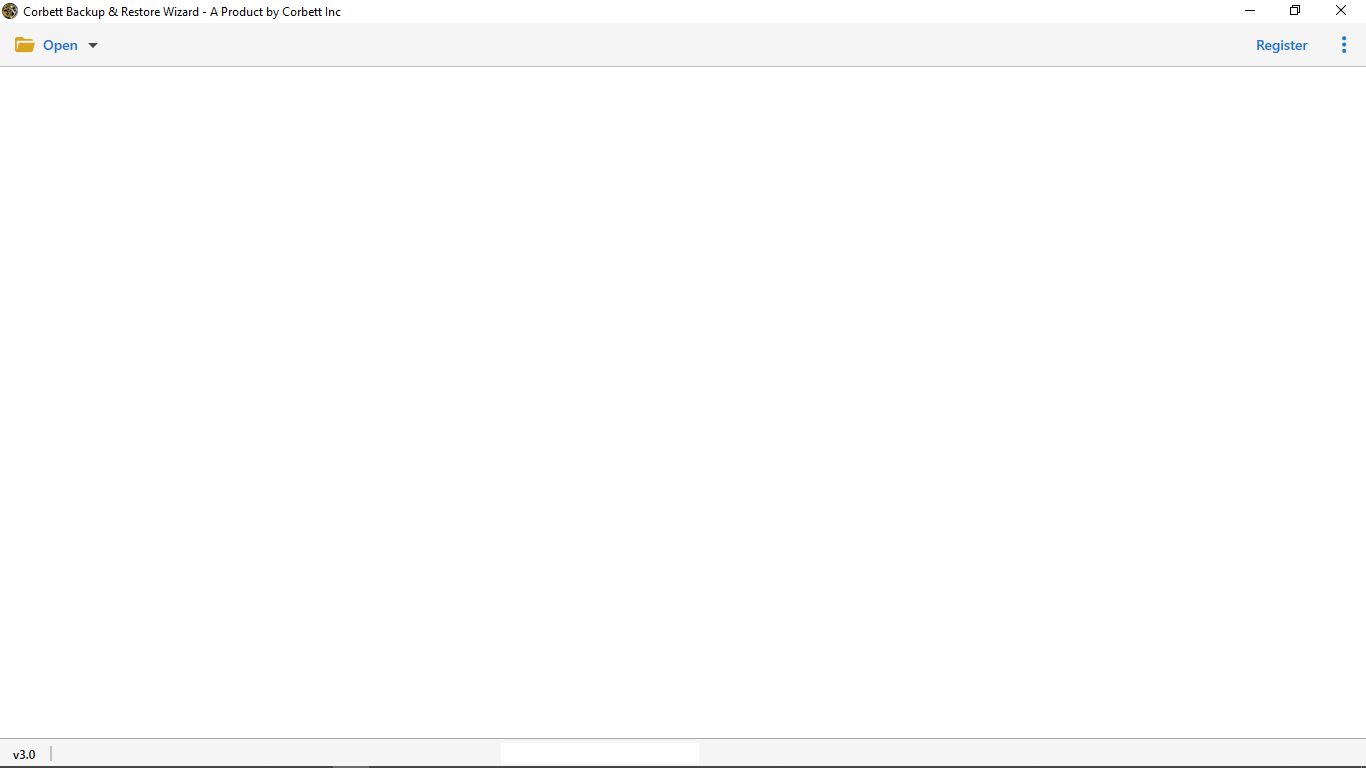
- First, download and install EML to Yahoo Importer on your computer to migrate EML to Yahoo Mail.

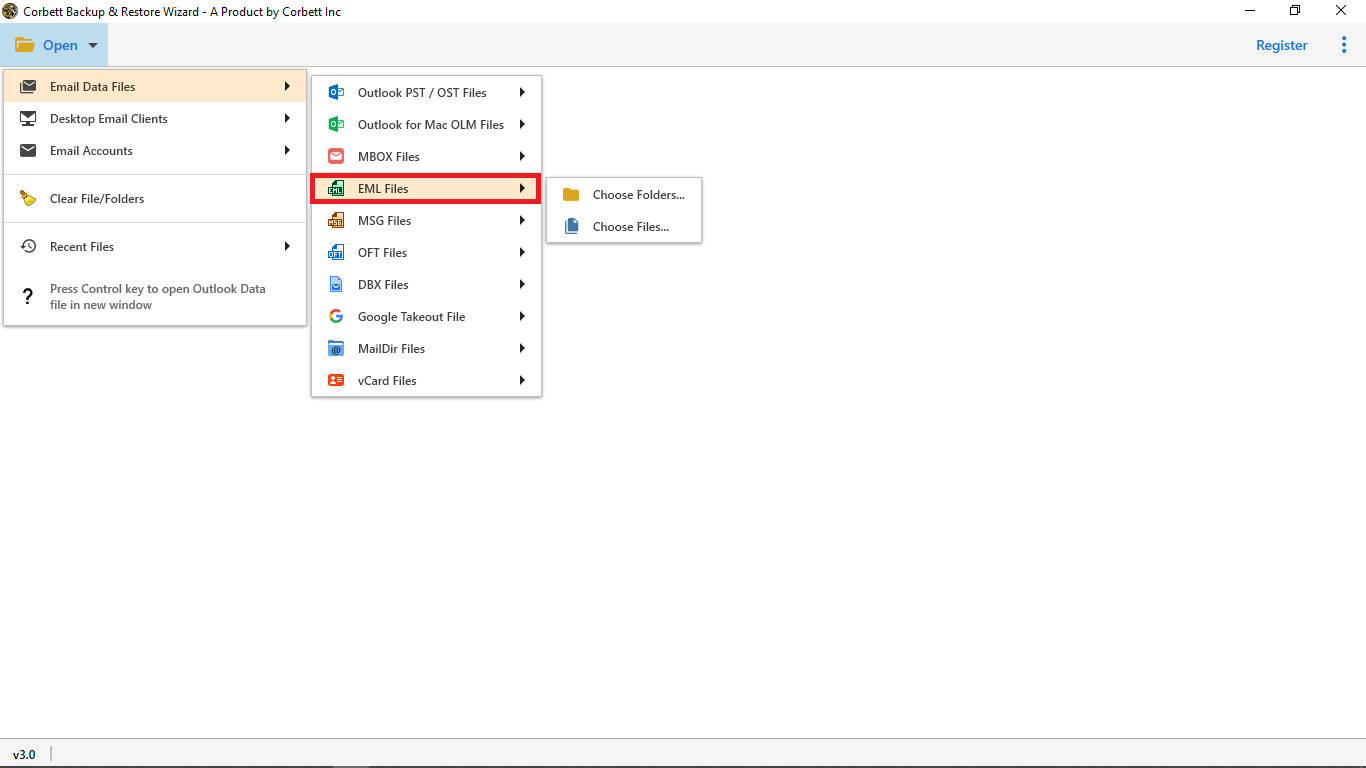
- Then click Open, choose Email Data Files, and hit EML Files.
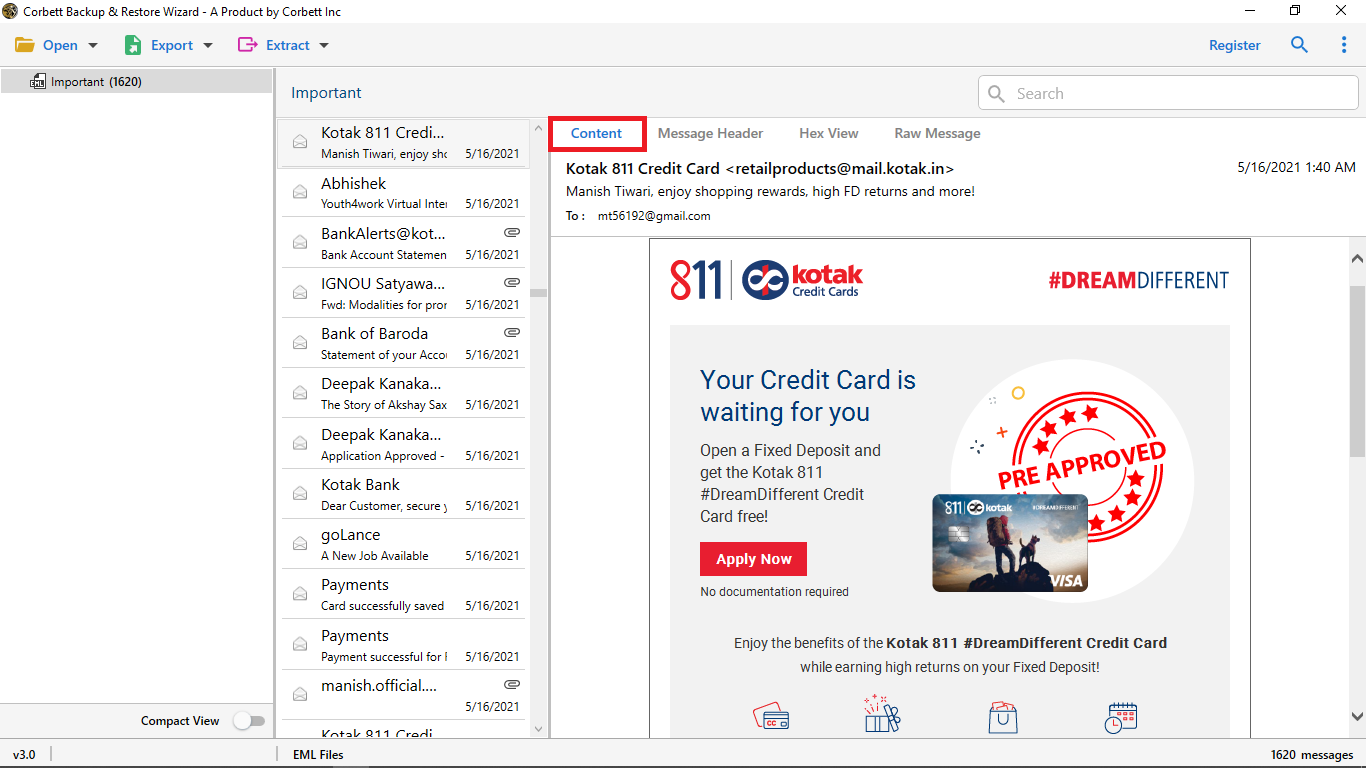
- Now, locate your EML file in and preview data before importing EML file into Yahoo.
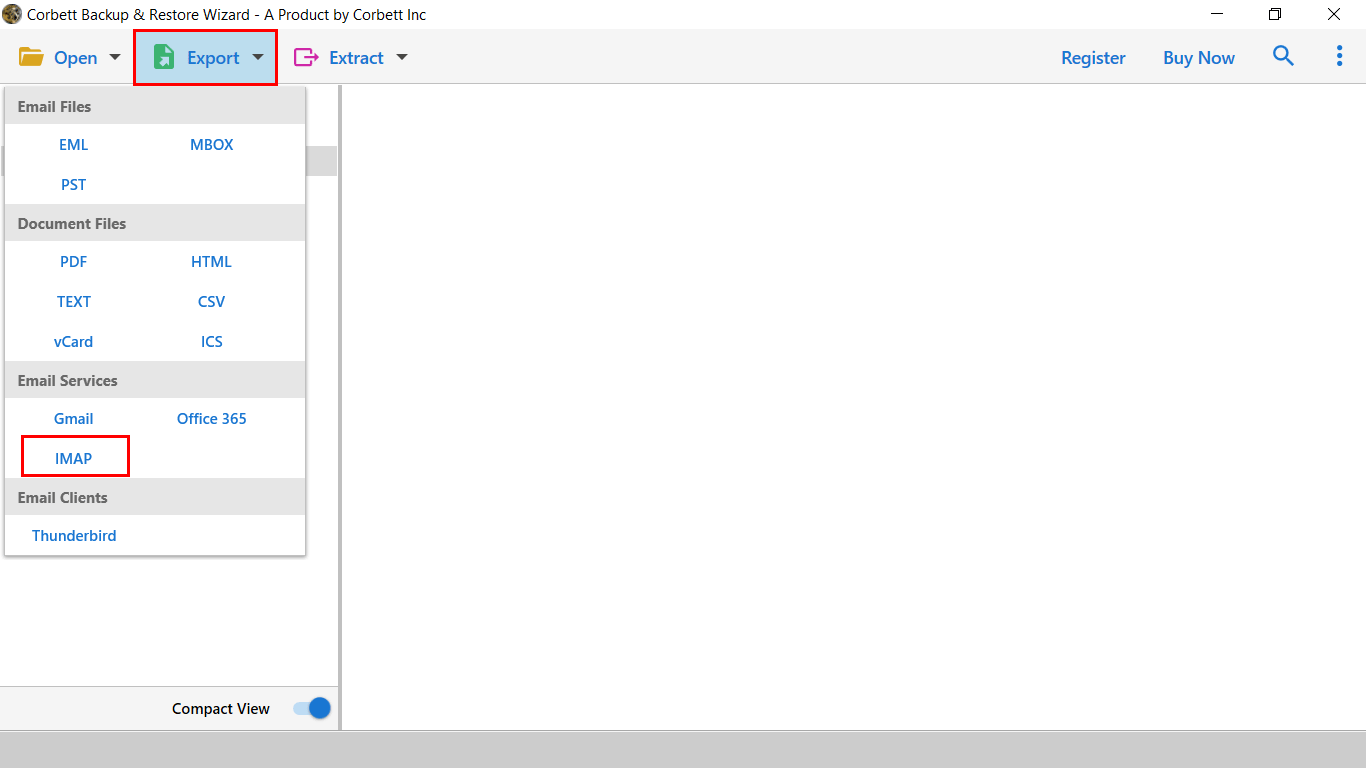
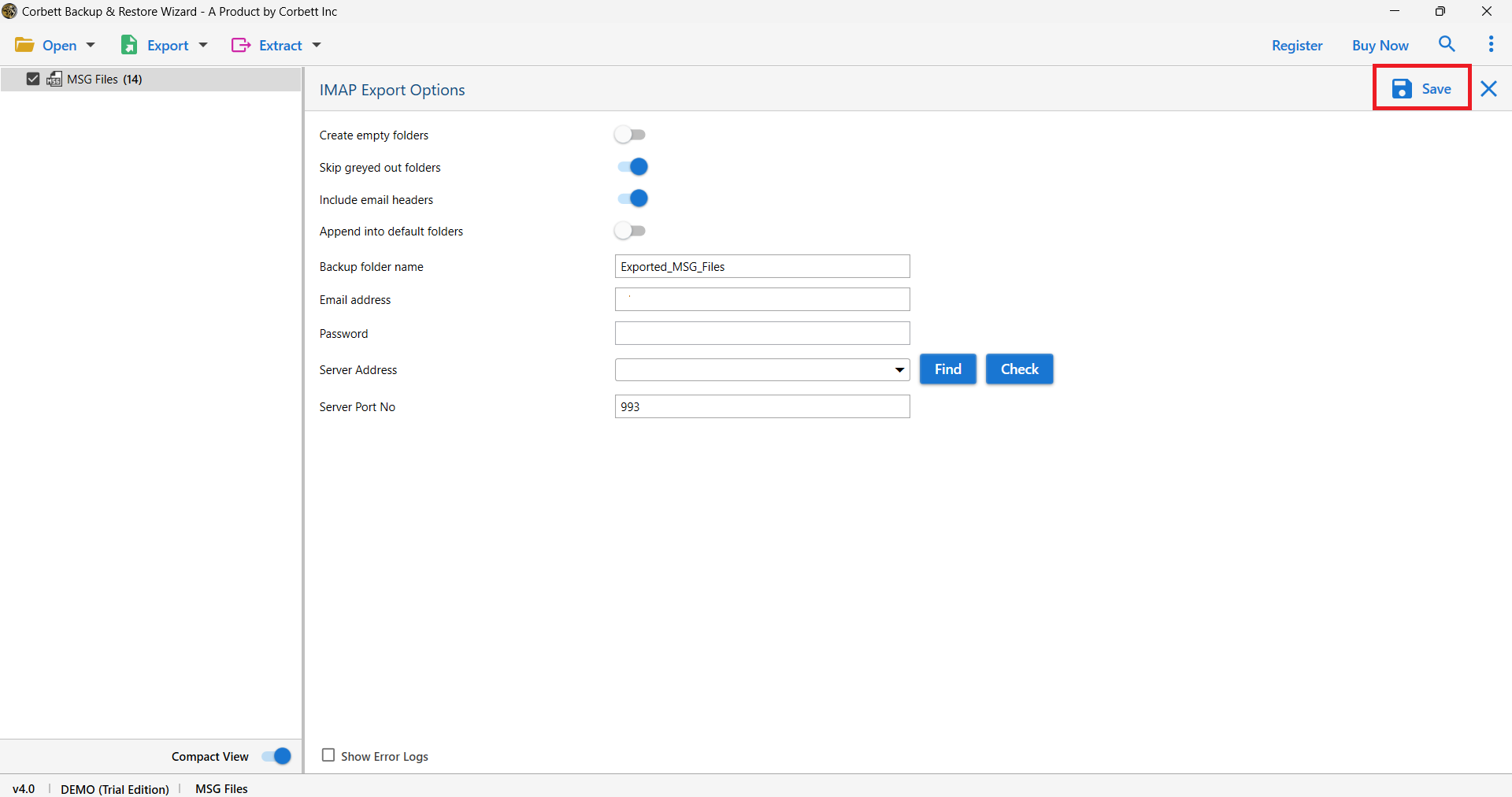
- Hit the Export button and choose IMAP option.
- After that, enter your Yahoo email address, password, and server address.

- Finally, click on “Save” to complete the process to transfer EML files to Yahoo Mail.
Advanced Features of Automated Solution
- Open and import EML files into Yahoo Mail in bulk with 100% data integrity.
- Advanced filter options (like To, Cc, Subject, file size, and file name) for selective migration.
- The software provides a user-friendly interface for both professional and non-professional users.
- It also maintains original format and structure of data during conversion process.
- Offers complete preview of emails in different modes like content, message header, properties, raw and hex view.
- It allows you to save emails with all email attributes and attachments at a desirable saving path.
- It is a standalone tool and doesn’t require any email client or extra setup for migration.
- 24/7 technical support is also provided to solve users query and fulfill desire.
- Compatible with all versions of Windows like Windows 10, 8, 7 and more.
Time to Wrap Up
In this guide, we learned how to convert EML file to Yahoo Mail account without data loss. You can use reliable third-party converter to directly upload EML file in Yahoo Mail. Users can also use drag and drop method by using email clients like Outlook or Thunderbird. However, a professional method is better because it allows you to import large amounts of data with all attachments and also preserves original folder structure.