How to Import MSG Files to Office 365? Complete Guide
Reasons to Import MSG Files to Office 365
- Moving MSG files to cloud allows you to read old emails, contacts, and attachments from anywhere using a browser or mobile app.
- Office 365 offers better security and protects your emails from data loss or theft.
- Importing MSG files into Office 365 allows you to organize, search, and manage all emails in one place.
- Office 365 enables users to share emails, calendars, and tasks within teams, which is difficult with local files.
- Cloud migration of MSG files helps users to free up hard drive space and improve system performance.
Manual Method to Import MSG to Office 365
To open a .msg file in Office 365, you need to use Outlook on your computer. This method works for a small number of emails. However, Outlook must be connected to your Office 365 account.
- Open Microsoft Outlook on your computer.
- Now, locate the folder that stores MSG files on desktop.
- After that, create a new folder inside Outlook where you want to import files.
- Drag and drop MSG files into the Outlook folder.
- Once Outlook syncs with Office 365, you can view your MSG files.
Key Shortfalls of Manually Importing MSG Files to Office 365
- Manual drag-and-drop is not suitable for migrating large collections of MSG files.
- It may cause data corruption or loss of attachments and formatting.
- To perform this method you require Outlook installation locally on your system.
- Large MSG files fail to import properly and can freeze Outlook.
- It also requires good technical knowledge of Outlook to avoid mistakes.
Best Solution to Import MSG to Office 365 Account
Corbett MSG Converter is a reliable software that lets you migrate MSG to Office 365 without data loss. It allows you to import multiple MSG files to Microsoft 365 together with all email attributes, attachments and original folder structure preserved. The software has an user-friendly interface for everyone whether you are a professional and non-professional user.
24/7 customer service is also available if you face any difficulty you can directly contact the technical support team for advice. You can also request for software modification according to your needs or requirements.
Steps to Convert Outlook MSG Files to Office 365
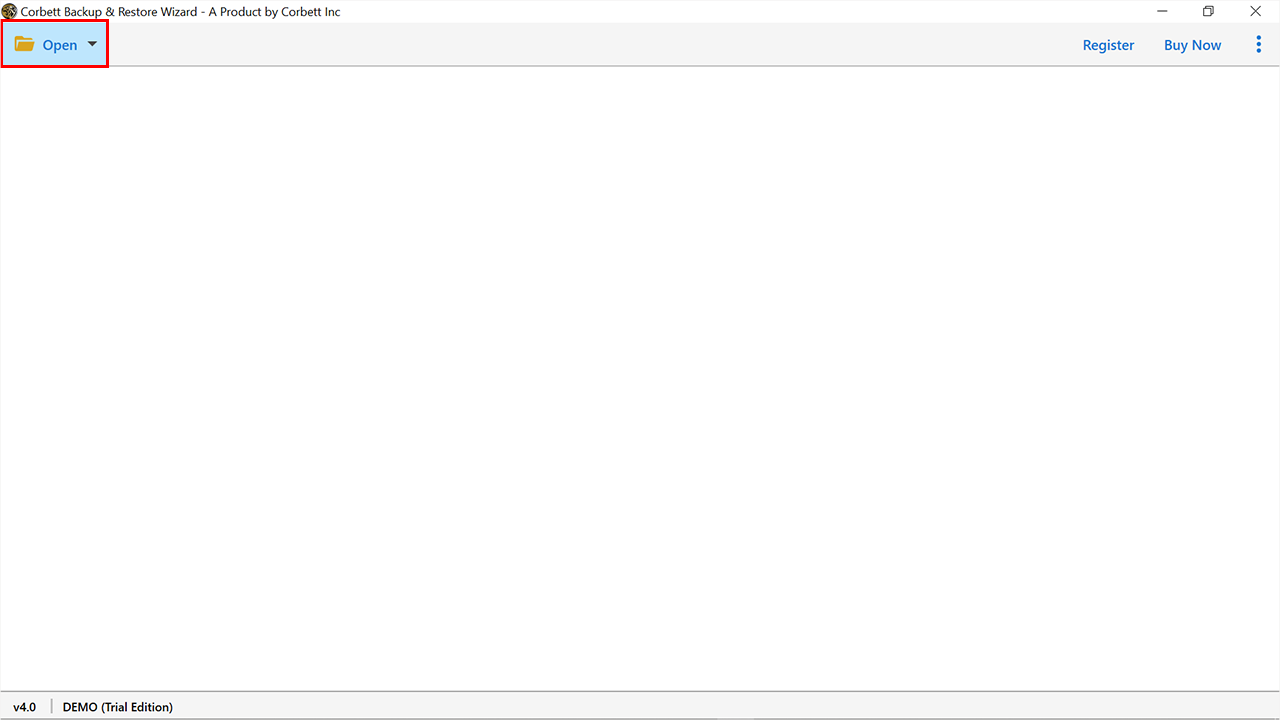
- First, download and launch MSG to Office 365 Converter on your computer.

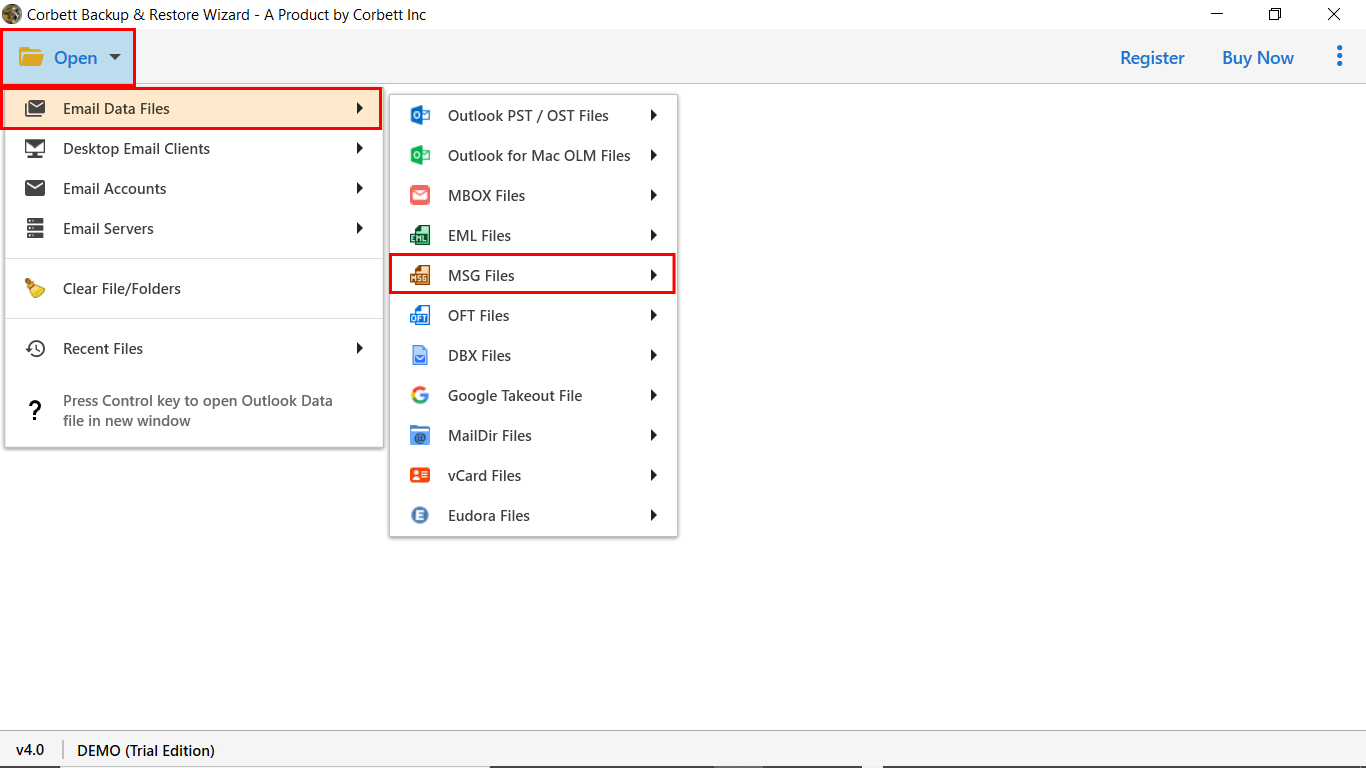
- Now, hit Open, then choose Email Data Files and select MSG files/folders as the source.

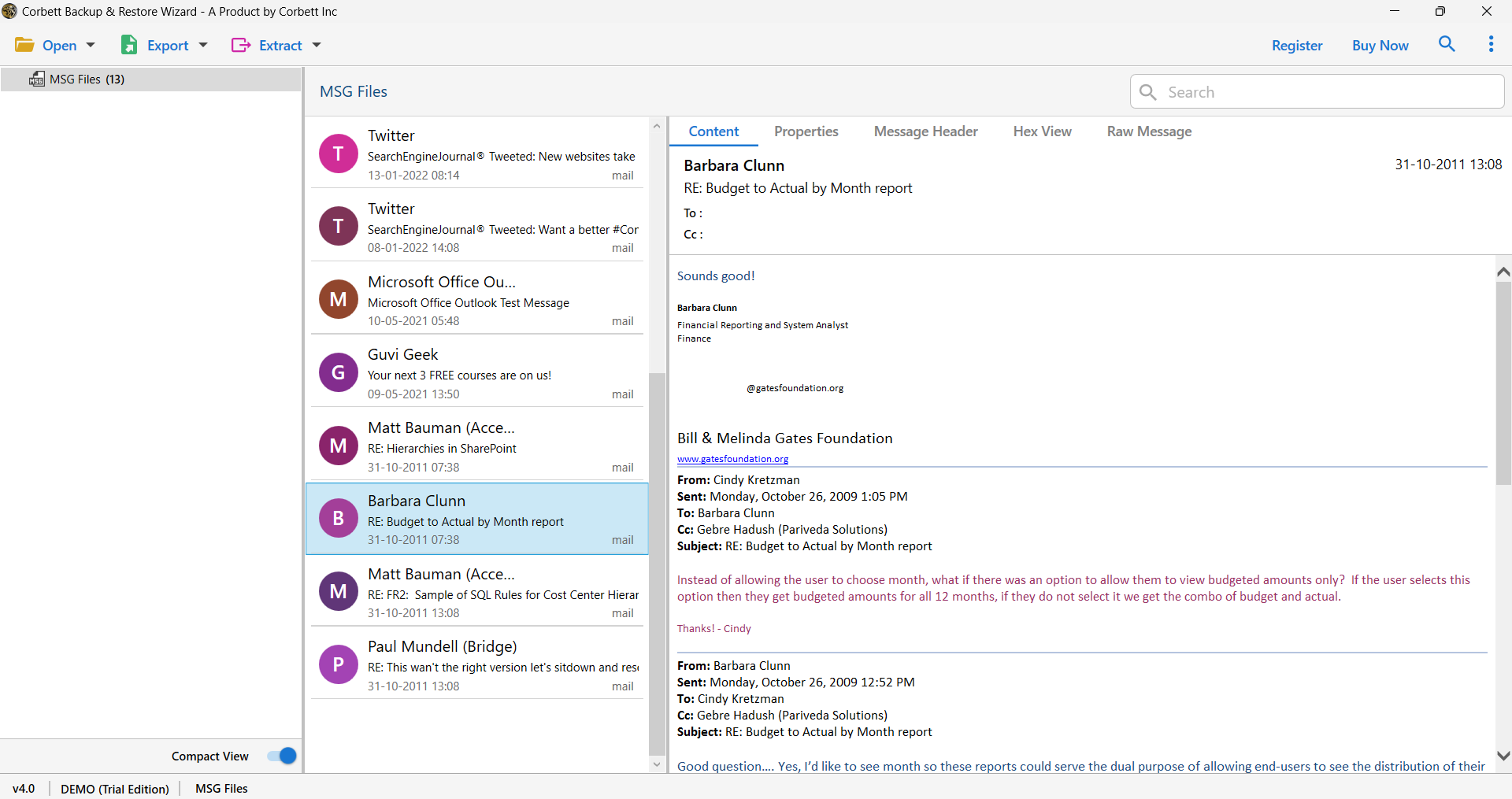
- Preview emails and attachments in different modes before MSG to Microsoft 365 migration process.

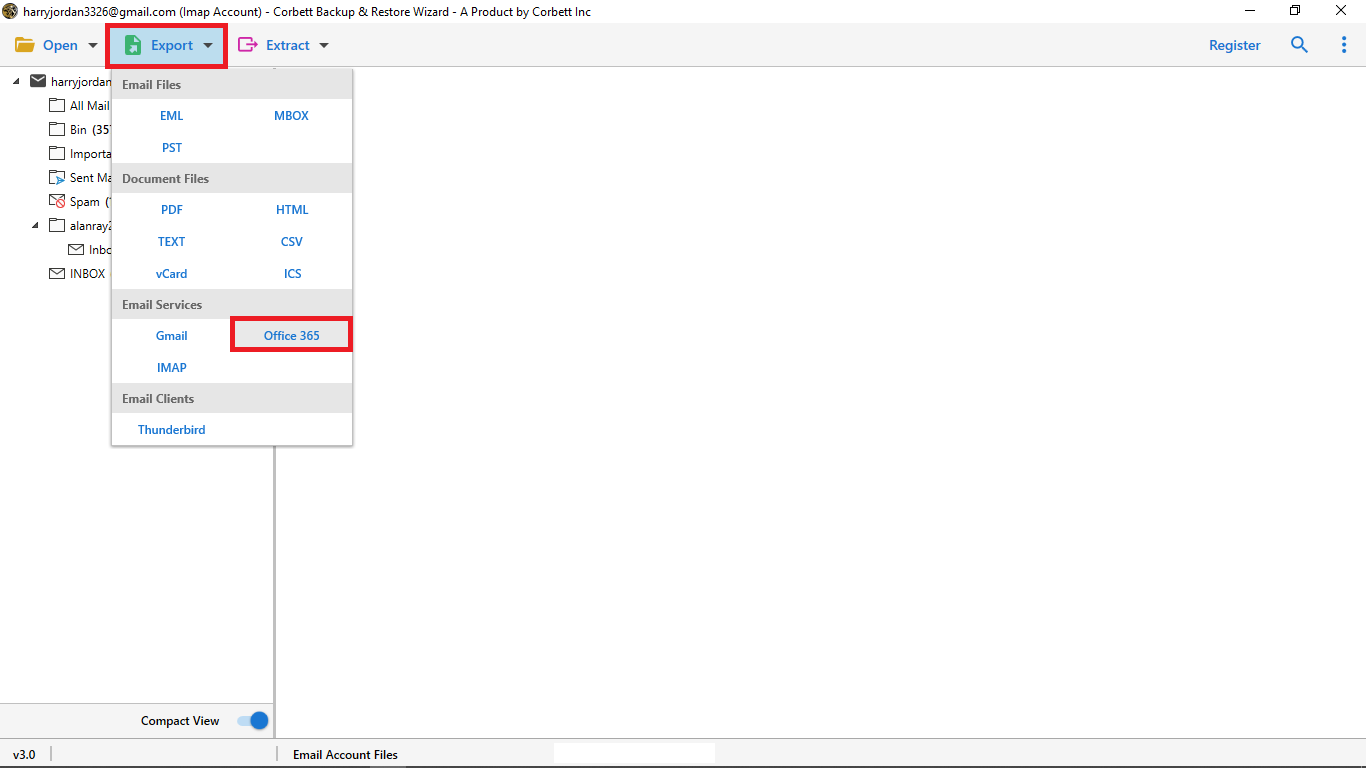
- Click Export button and choose Office 365 as a saving output from the dropdown list.
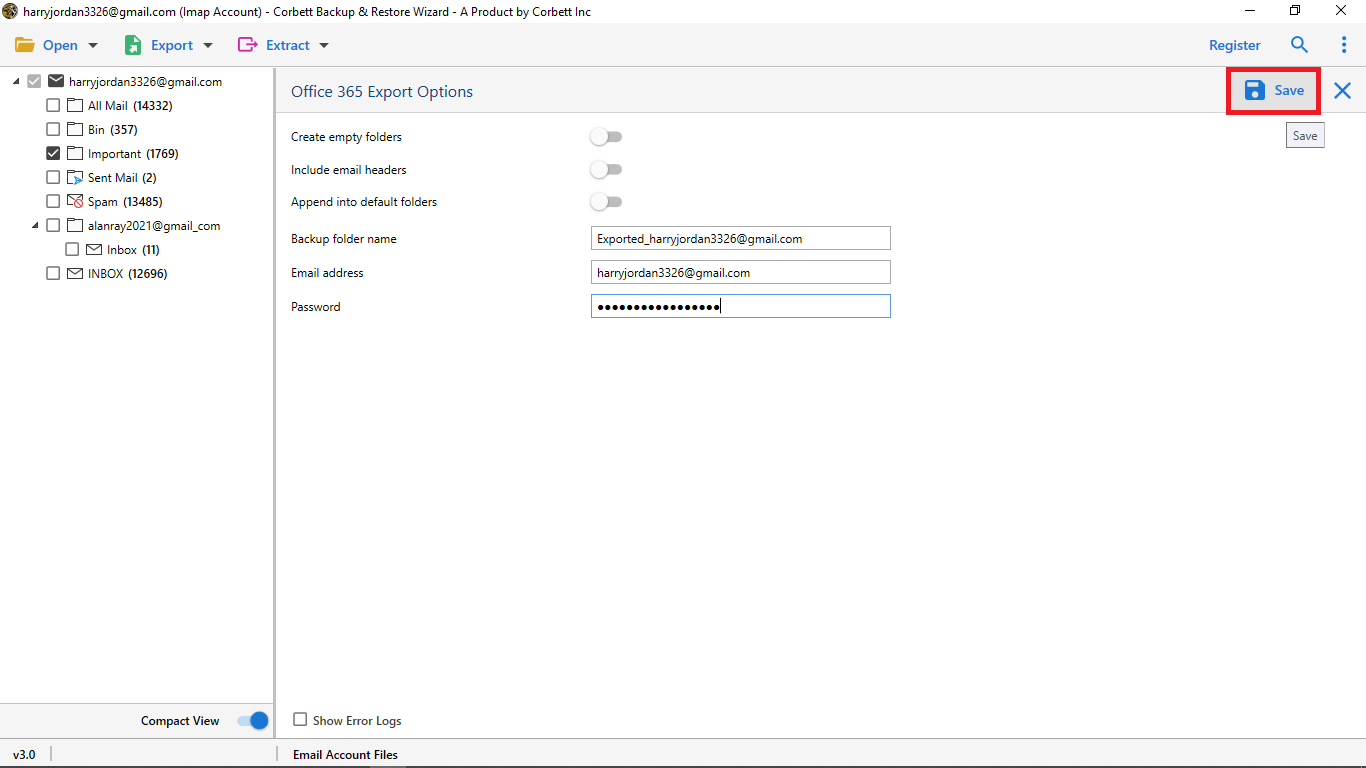
- Enter account credentials then browse the location according to your desire and click Save to migrate MSG files to Microsoft 365.
Benefits of Using Professional MSG to Office 365 Migration Tool
- The tool lets users batch import multiple MSG files into Office 365 accounts without file size limitations.
- It maintains original folder hierarchy and also perverse metadata properties like To, CC, BCC, and attachments.
- You can easily import MSG files to Microsoft 365 without any technical assistance because the software has a simple GUI for all kinds of users.
- The software works with all versions of Window like Windows 10, 8.1, 8, 7 and Vista in both 32-bit and 64-bit systems.
- It also provides multiple viewing modes like content, message header, properties, hex and raw messages.
- It is a standalone tool that helps users to open MSG files without Outlook installation.
Final Thought
In conclusion, we cover both manual as well as professional methods to import MSG to Office 365. The manual method consumes lots of time when you are handling large MSG files and creates risk of data loss or file corruption. However, a professional solution provides 100% data integrity and secure conversion. It allows you to migrate large amounts of data without losing original formatting.
Frequently Asked Questions
Q. What is Office 365?
Office 365 is a cloud service made by Microsoft. It gives email, file storage and tools like Outlook, Word, Excel, and Teams. You can easily access data from anywhere with internet connectivity.
Q. Can I import multiple MSG files to Office 365 at once?
Yes, a professional software allows you to import multiple MSG files to Office 365 at once with no file size restrictions.
Q. How do I import MSG files into Outlook 365?
To migrate MSG files to Office 365 add your Office 365 account to Outlook and drag the MSG files into Outlook folder to sync them. You can also use a professional software for bulk migration.