How to Import MSG Files into Yahoo Mail?
Need to Transfer MSG to Yahoo Mail
Microsoft Outlook creates MSG files but Yahoo Mail lets users manage emails online. There are main reasons mentioned below users choose to transfer messages to Yahoo Mail:
- Access emails from multiple devices anytime with Yahoo Mail cloud service.
- Backup emails and free up local storage space.
- Consolidate emails from different MSG files into a single account.
- Open MSG in Yahoo Mail without MS Outlook installation.
- Yahoo Mail is free and helps you manage emails and attachments.
Manually Import MSG to Yahoo Mail
Yahoo Mail does not provide a direct option to import MSG files. However, with the use of IMAP and MS Outlook you can indirectly access MSG emails in Yahoo Mail free of cost. Follow the steps below to proceed:
- Download and open Microsoft Outlook on your system.
- Drag and drop the MSG files in Outlook.
- Click File and hit Add Account to add your Yahoo Mail account.
- Enter Yahoo Mail credentials and configure account using IMAP server settings.
- Now, move or copy MSG files into Yahoo Mail folders to complete the upload.
Major Drawbacks of the Manual MSG Import Method
- No bulk export available needs to export emails one by one.
- Time-consuming process when you are handling large data.
- Risk of data loss and does not preserve email metadata or formatting.
- Outlook dependency to import messages to Yahoo.
- This method is not suitable for non-tech users because it requires IMAP configuration.
Professional Method to Import MSG to Yahoo Mailbox
Corbett MSG Converter is a best solution that allows users to directly import MSG to Yahoo in bulk with no file size limitations. The software works independently and does not require installing Microsoft Outlook. It is a standalone tool users can easily transfer MSG files to Yahoo without any complex setup.
The converter has a user-friendly and simple interface for every type of user. Whether you are a technical and non-technical person. You can easily complete the process without any assistance. But if you need any technical advice you can also contact the customer support team.
Simplified Steps to Transfer MSG files to Yahoo
- First, launch MSG to Yahoo Converter software on your operating system.

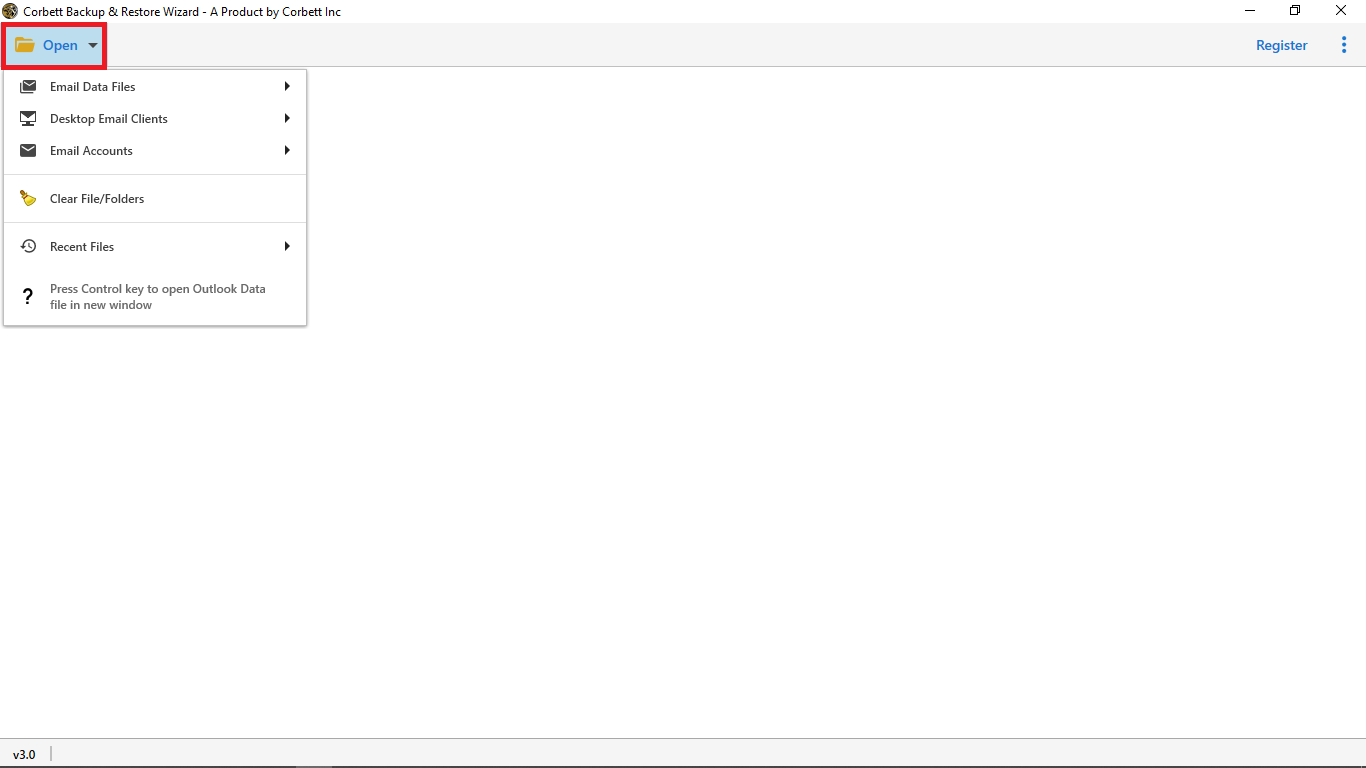
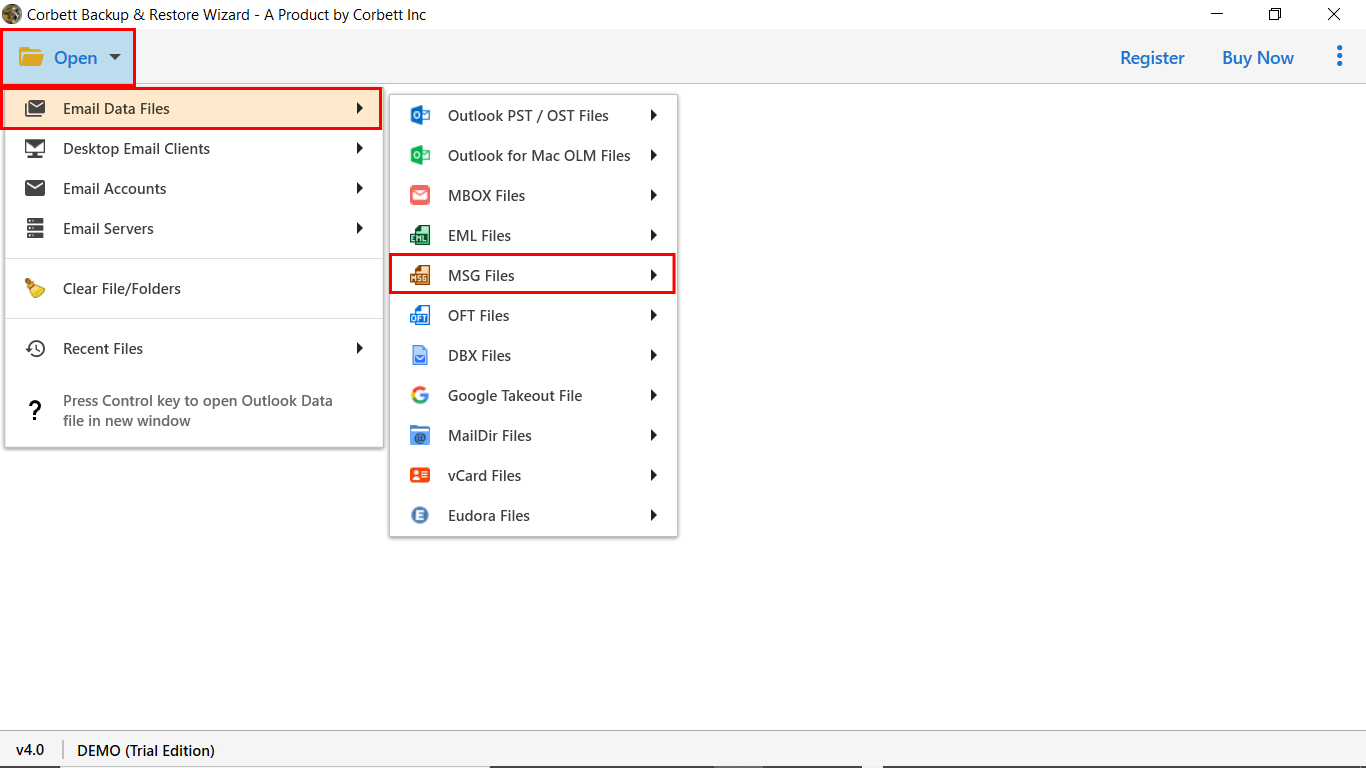
- Then, click Open and hit Email Data Files>>MSG Files>>Choose Files/Folders.
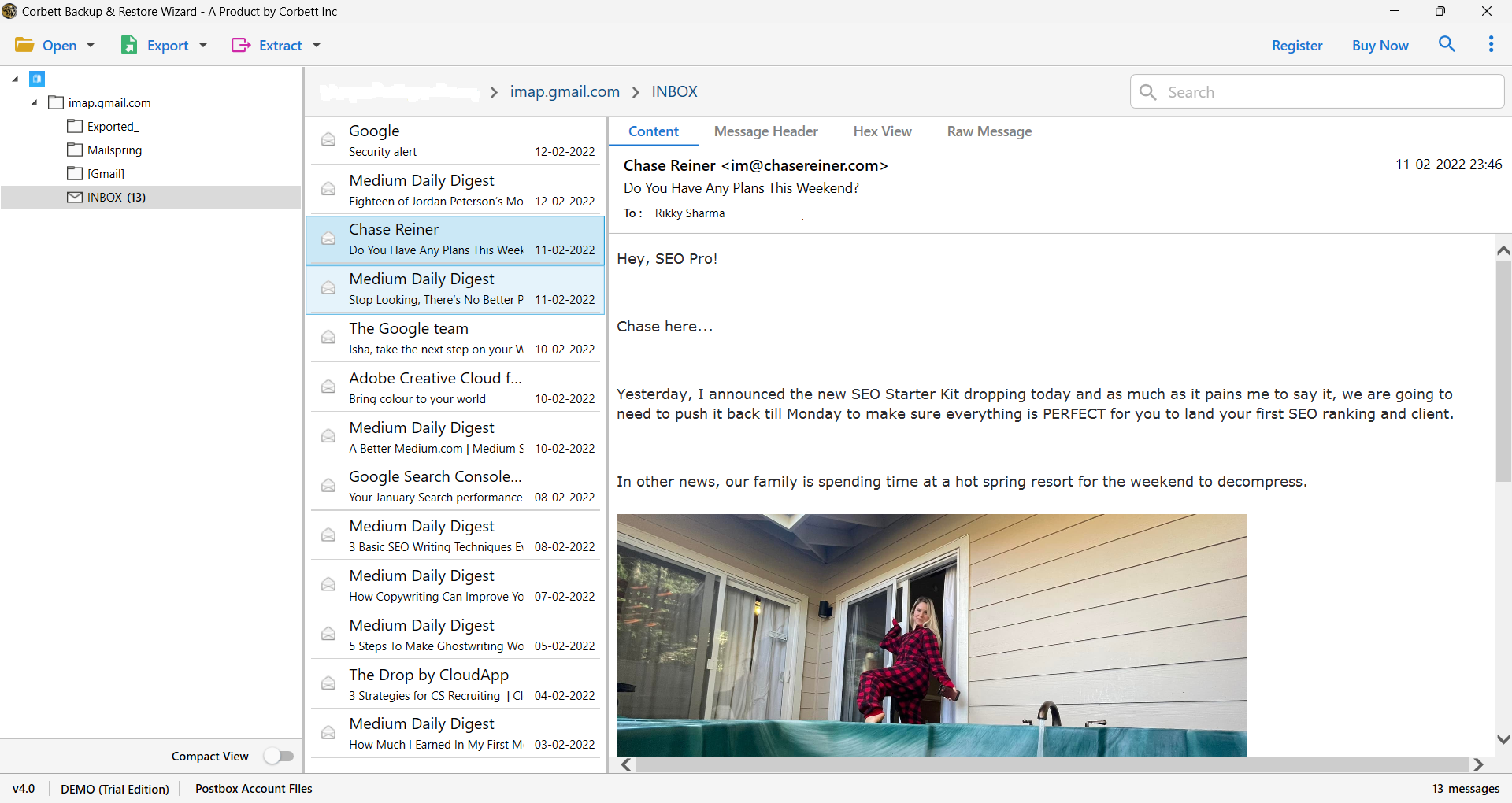
- Now, upload MSG files and preview email data in different viewing modes before conversion.

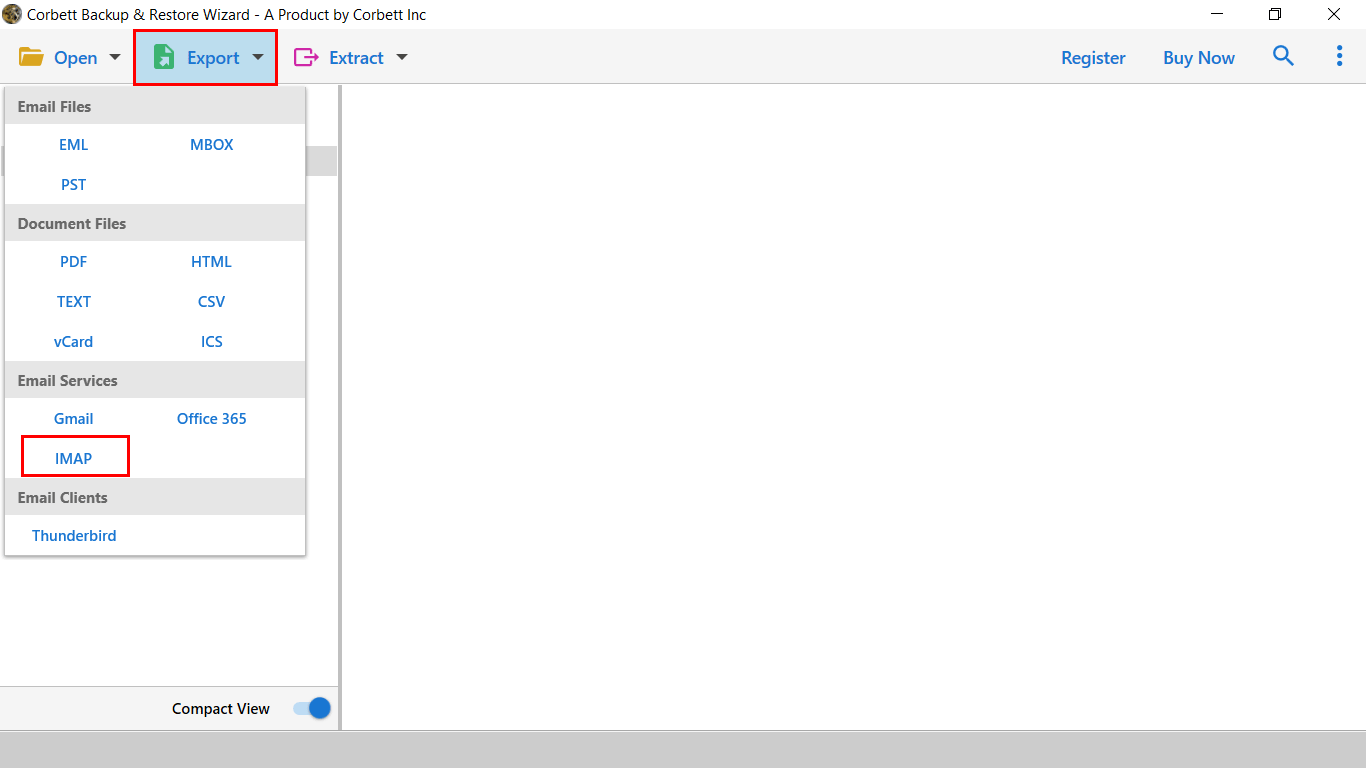
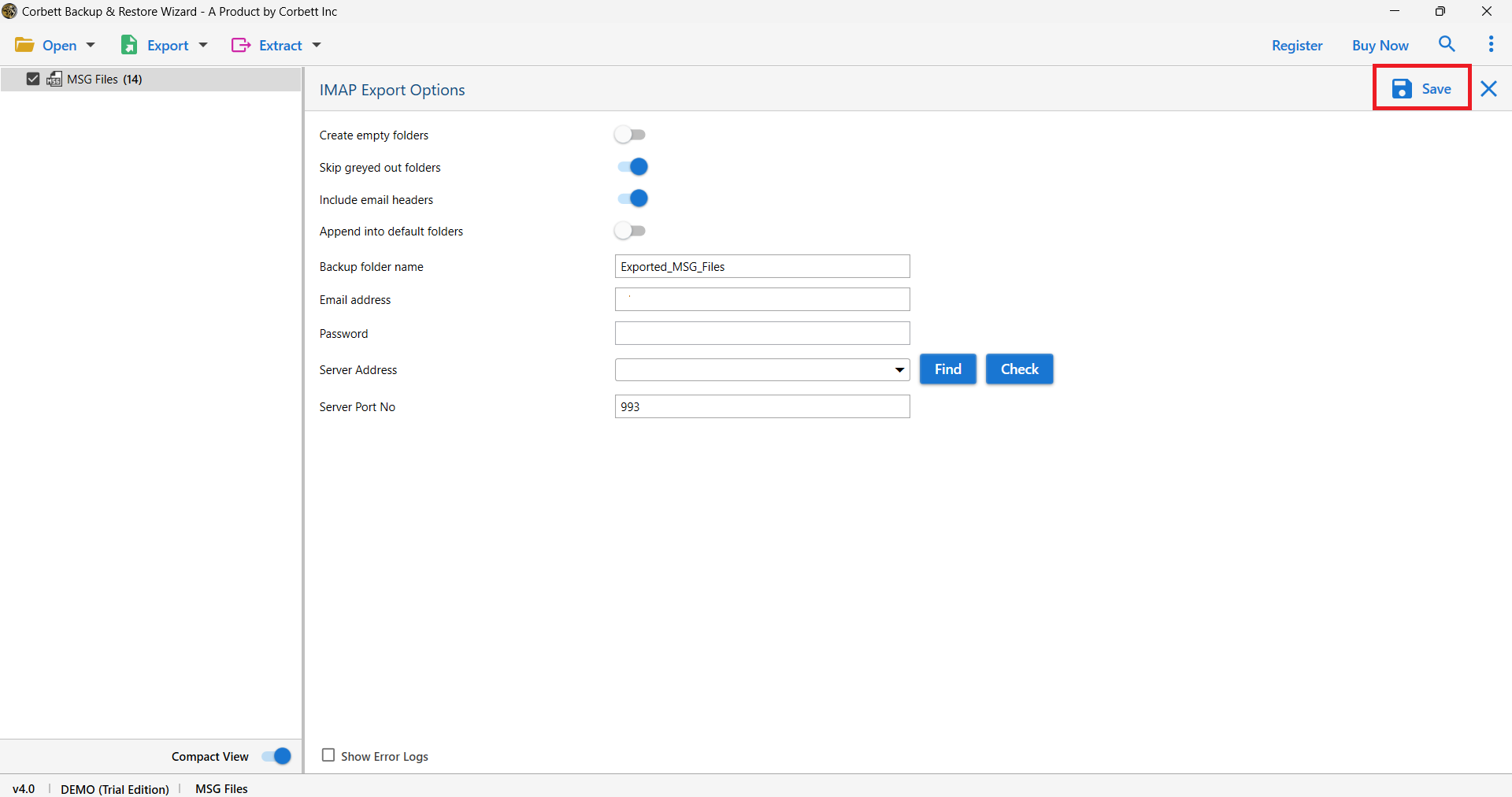
- After that, click Export tap and choose IMAP to add account credentials.
- Finally, hit the Browse option to select the desired destination path and click Save to complete the process.

Key Benefits of Professional MSG to Yahoo Converter
- The software offers dual mode to add files. Users can upload single or multiple files at once. It saves time when you have a large collection of emails.
- During conversion process, software preserves all email properties like sender/recipient details (To, CC, BCC), subject lines, attachments, dates, images, hyperlinks, and folder structure.
- The software allows users to select required MSG files for processing. Once selected, all chosen files are displayed in a software panel where users can check and convert specific MSG files they want to proceed.
- It works with all Windows operating systems such as Windows 10, Windows 8.1, Windows 8, Windows 7, & Windows Server editions 2019, 2016, 2012, & 2008.
- MSG file to Yahoo Mail converter works without internet connectivity and provides 100% secure conversion to users. They don’t need to transfer data on an online portal or external server.
- It also provides a preview panel to check and view MSG emails in multiple modes such as Content, Message header, Properties, Hex View and Raw Messages. This feature is ideal for forensic and IT users.
Time to Wrap Up
In the above blog, we explained easy way to import MSG files to Yahoo Mail account with all metadata and attachments. We cover manual methods using IMAP configuration along with professional solutions. The method you choose depends on the volume of data you need to handle. If you want 100% data integrity and save conversion with all email properties we will recommend you to go with automated one. Users can use the demo version of software and take benefits but in limit for large data they need to switch on licensed edition.