How to Save Yahoo Email as PDF – Complete Guide
This article will guide you to save Yahoo email as PDF format securely. Here, we will discuss several methods which you can use to download Yahoo email into PDF files. Also, we will explore the benefits of converting your Yahoo data.
Yahoo, one of the oldest and most popular email services, offers many great email management functions. Users can manage their attachments, tasks, notes, etc. in the application. Also, you can create a free email account and professional email addresses to help you build your brand. So, Yahoo Mail is a complete package for all your email needs.
Sometimes, users need their Yahoo emails in the PDF document file. The PDF file is a widely used format that stores all types of data. It makes your data offline and opened in many software or applications. This is one of the files, which is used for legal purposes, business work, personal reasons, and many other ways. So, if you want your Yahoo emails in PDF, we will help you.
Quick Answer
To save Yahoo email as PDF, open the email in Yahoo Mail, click the three dot menu, choose Print and select Save as PDF as the destination. For multiple emails or full mailbox export with attachments, use the Corbett Yahoo Email Backup Tool to batch convert Yahoo Mail to PDF, EML, MBOX or PST in one click on Windows.
Benefits to Export Emails from Yahoo to PDF File
Before converting emails, let’s talk more about this topic. When we download the Yahoo emails into PDF format, you will get many benefits. Below are some of the advantages you will get when saving your data to PDF format.
- It is an independent platform format where you can open your file on any platform.
- This file format also comes with a password protection feature that lets you protect your PDFs from unauthorized access.
- PDFs are small and compact in terms of space. Thus they don’t take up much space.
- You can share a PDF file with anyone, and they will be able to easily open it from any device, as it is highly compatible.
There are many other benefits you will get by saving your emails into PDF format. But you have a clear understanding of how it is useful to convert your data. Coming to the methods, it is very easy. Get ready, we are now going to explain the manual ways to save Yahoo email as PDF.
Manual Methods to Download Yahoo Emails to PDF
To convert your Yahoo emails to PDF files, there are some ways available. The common option is to use the Print option from Yahoo Mail to save your emails in PDF format. This is simple and free, another method you can use is the MS Word application, where you copy the messages and save them in your required format. Many problems arise when using this method, which we will explain later. So, here are the methods to export emails from Yahoo to PDF.
- Convert Yahoo to PDF with the print option
- Using Word to save the emails in PDF
Save Yahoo Emails as PDF with Print Option
It is a simple option to change your emails, you have to just go to your Yahoo Mail. Select your emails and choose Print to save the emails. Below are the detailed steps of this technique.
- Open your Yahoo mail and log into it.
- Select the email message you want to save in PDF format.

- Click on the “Menu” option (three horizontally stacked dots).
- In the drop-down menu, choose the “Print” option.
- Now, in the Print Window, select “Save as PDF” as the Destination.

- At last, click on the “Save” button.
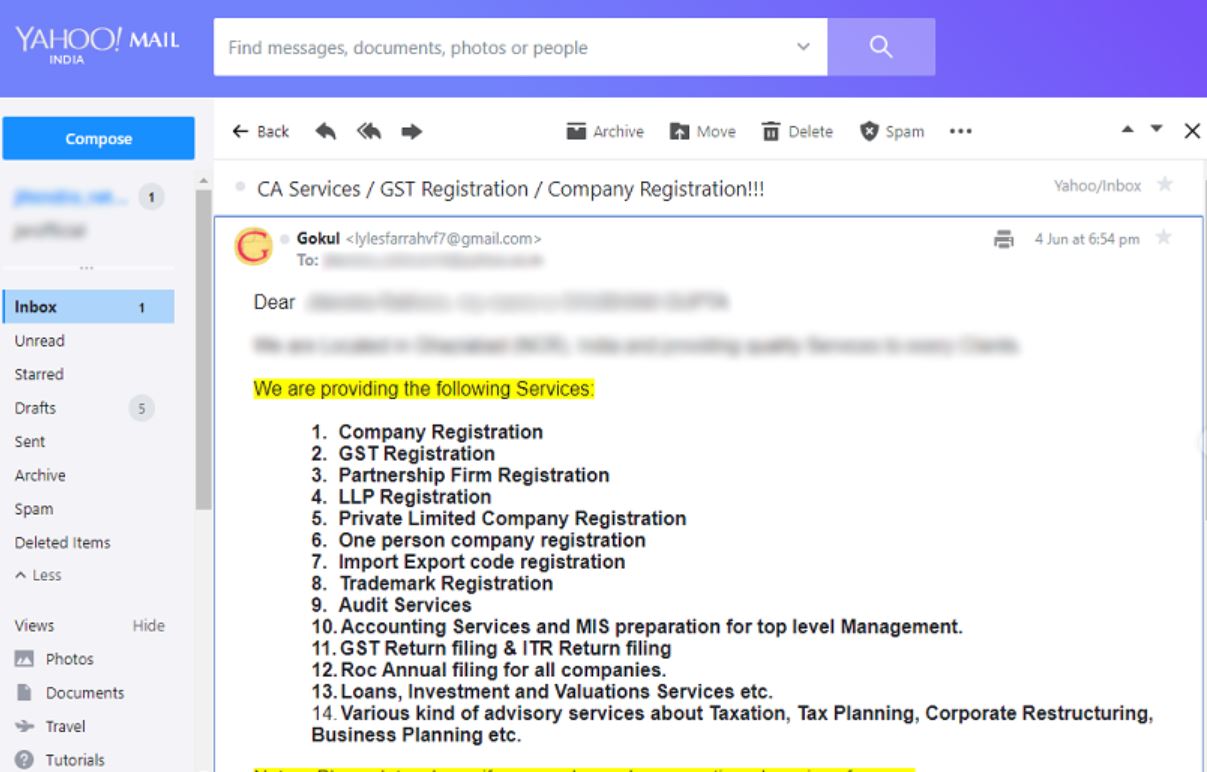
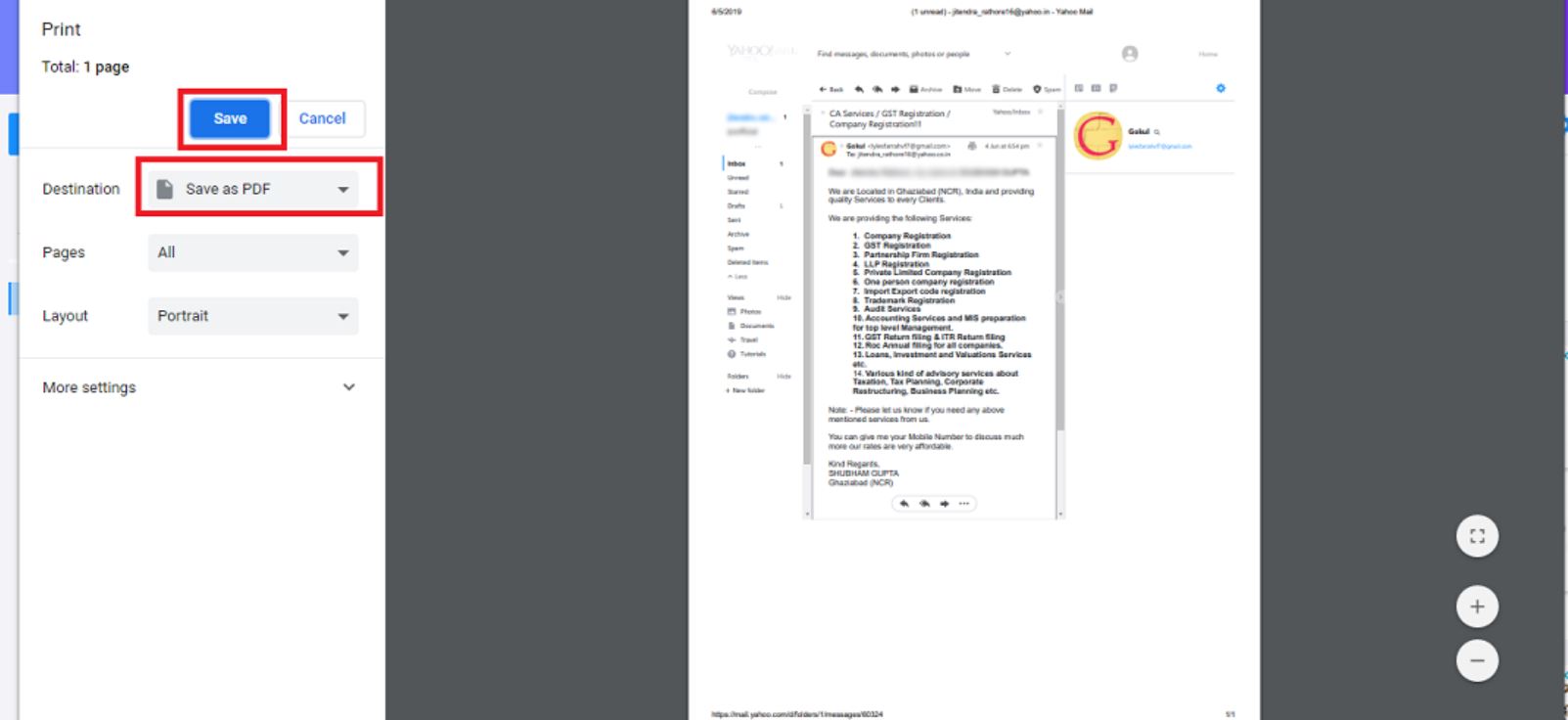
As stated above, we have used the Print command of the Yahoo email service to convert Yahoo to PDF format. Now, let’s check out how to save a Yahoo email as a PDF using MS Word.
Download Yahoo Email to PDF with Microsoft Word
Here, we are going to copy our Yahoo emails to MS Word and then save them in the PDF files. Below are the clear steps of this method.
- Open the Yahoo email that you want to save in PDF format.
- Now, copy that entire text of that email message.
- Open your MS Word application and paste that email text in a new file.
- Now, click on “File” >> “Save As”.
- Then, in the Save as type, select the “PDF” format.
- Lastly, click on “Save”.

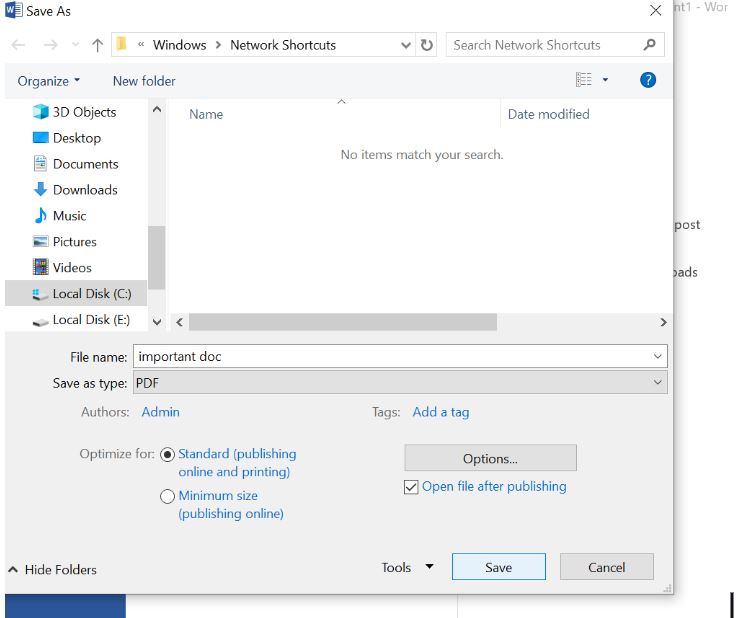
Both the above techniques are simple and free to use. However, there are also issues using them. So, let’s discuss it, and then we will move on.
Limitations of Manual Methods
Below we have provided all the problems you may face when converting the Yahoo emails.
- Both processes are time-consuming because you have to individually save your emails.
- When using the Word technique, you can lose your file structure.
- Here, you have to download the attachments manually, as they cannot be automatically saved.
Hence, manual options are not 100% reliable to use. If you don’t want to face these problems, you can use the below method to export your emails.
Securely Batch Convert Yahoo Mail to PDF
This segment includes an expert-recommended solution for you to save Yahoo email in PDF files with attachments. The Corbett Yahoo Email Backup Tool is the software that guarantees data integrity and is compatible with all Windows Operating Systems. In the software you will get other options to convert your Yahoo emails to PST, EML, Text, CSV, etc. So, without any further ado, let’s check out the execution of the task using this tool.
Instructions to Save Yahoo Email to PDF
- Install and start the software on your device, then click “Open” button at the top.

- From the dropdown menu, click on “Email Accounts” >> “Add Account”.
- Enter your Yahoo credentials to add the account to the software.
- Now that all your Yahoo data is loaded in the software, click on any email to view its contents in the preview panel.
- Then click on the “Export” button and select the “PDF” option from the dropdown menu.
- If you wish to select a preferred location path for the resultant files, then click on “Browse”.
- Lastly, click on the “Save” button in the top right corner of the software window.

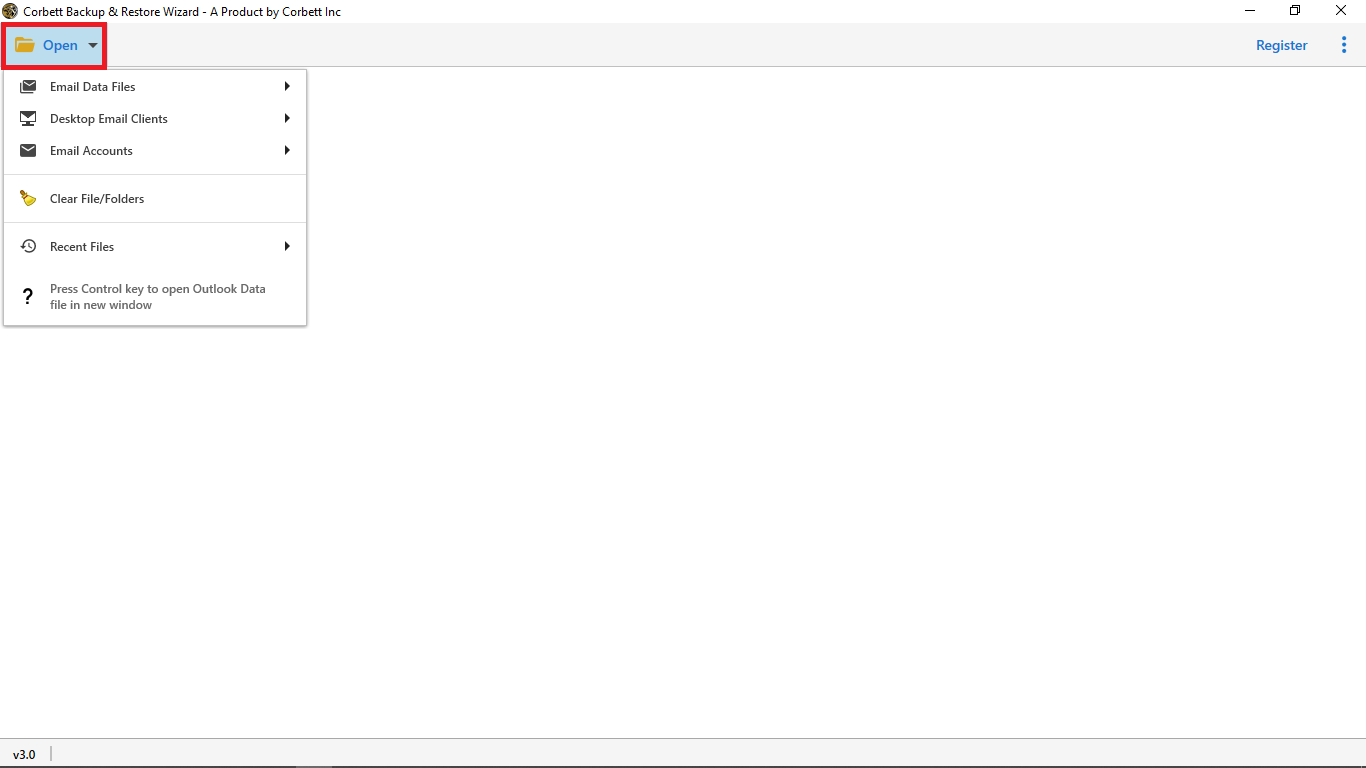
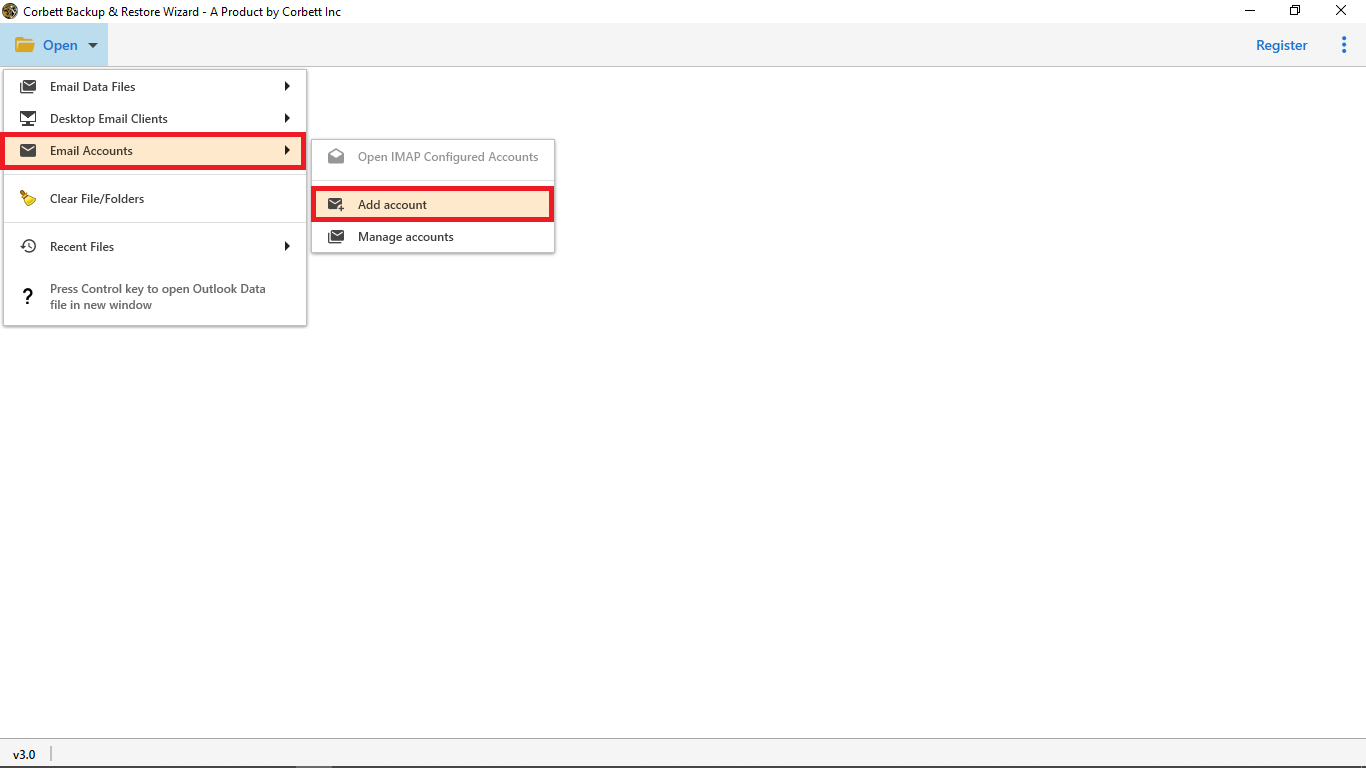
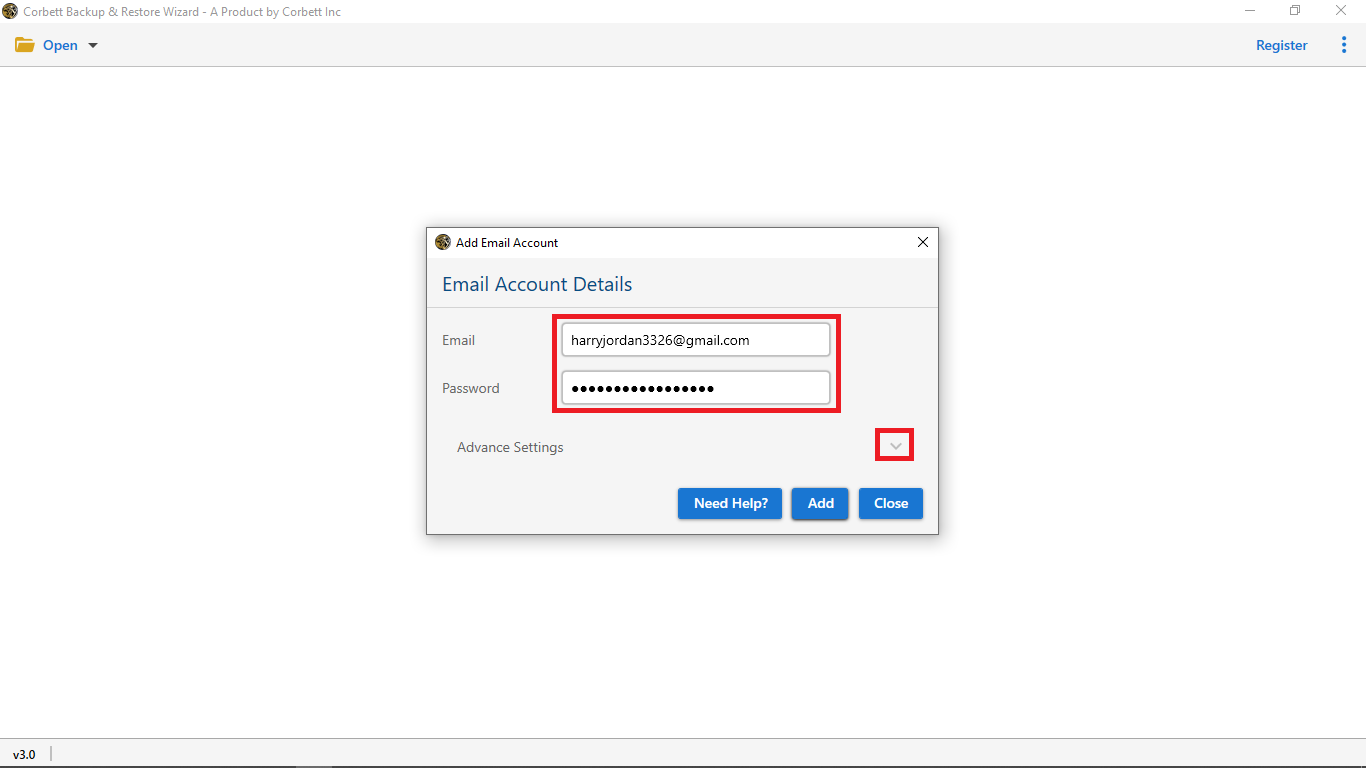
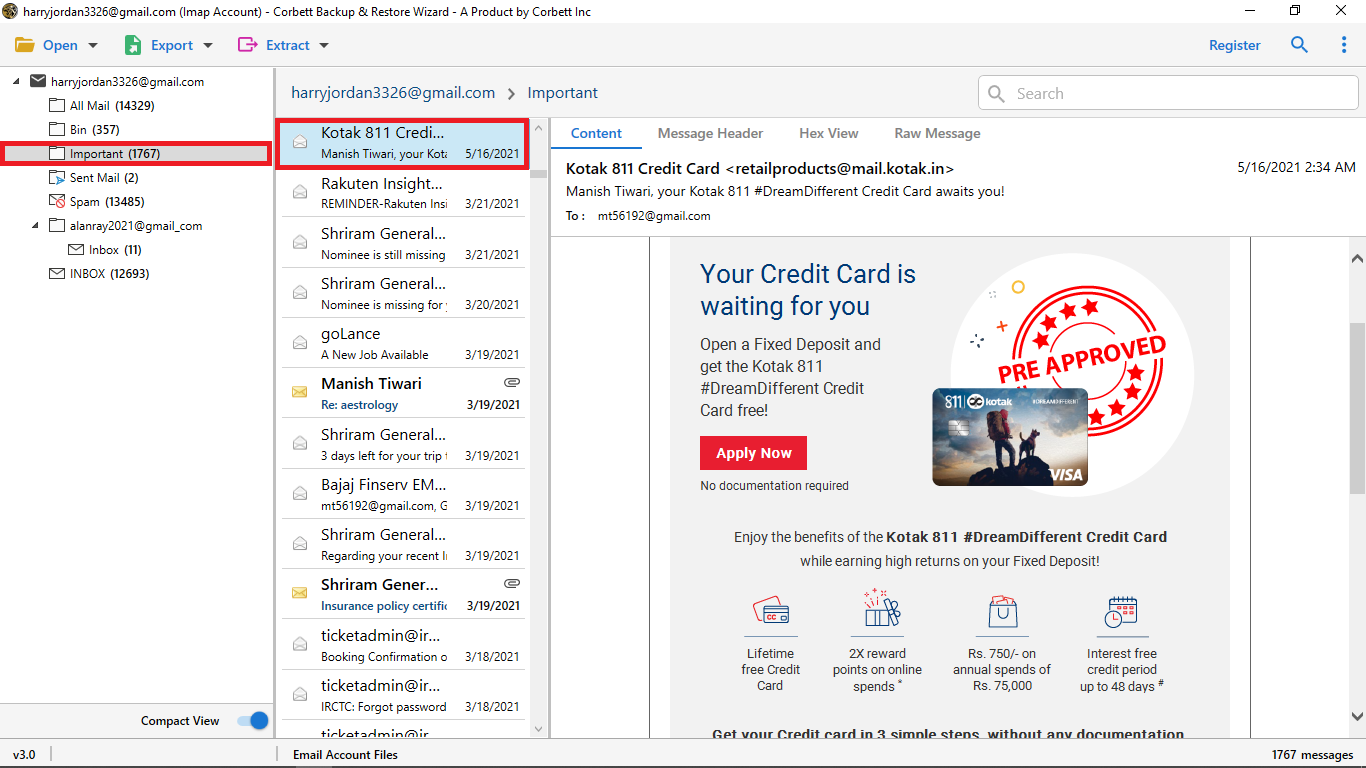
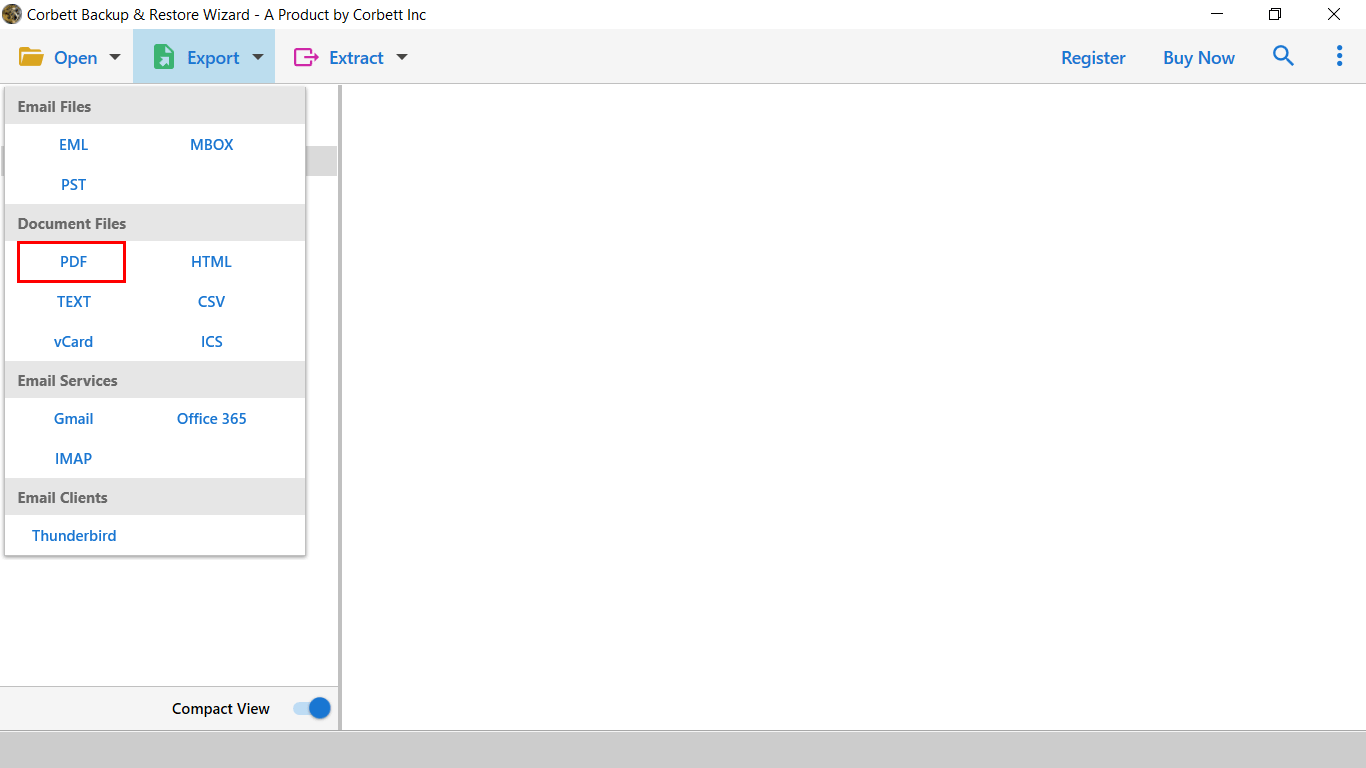
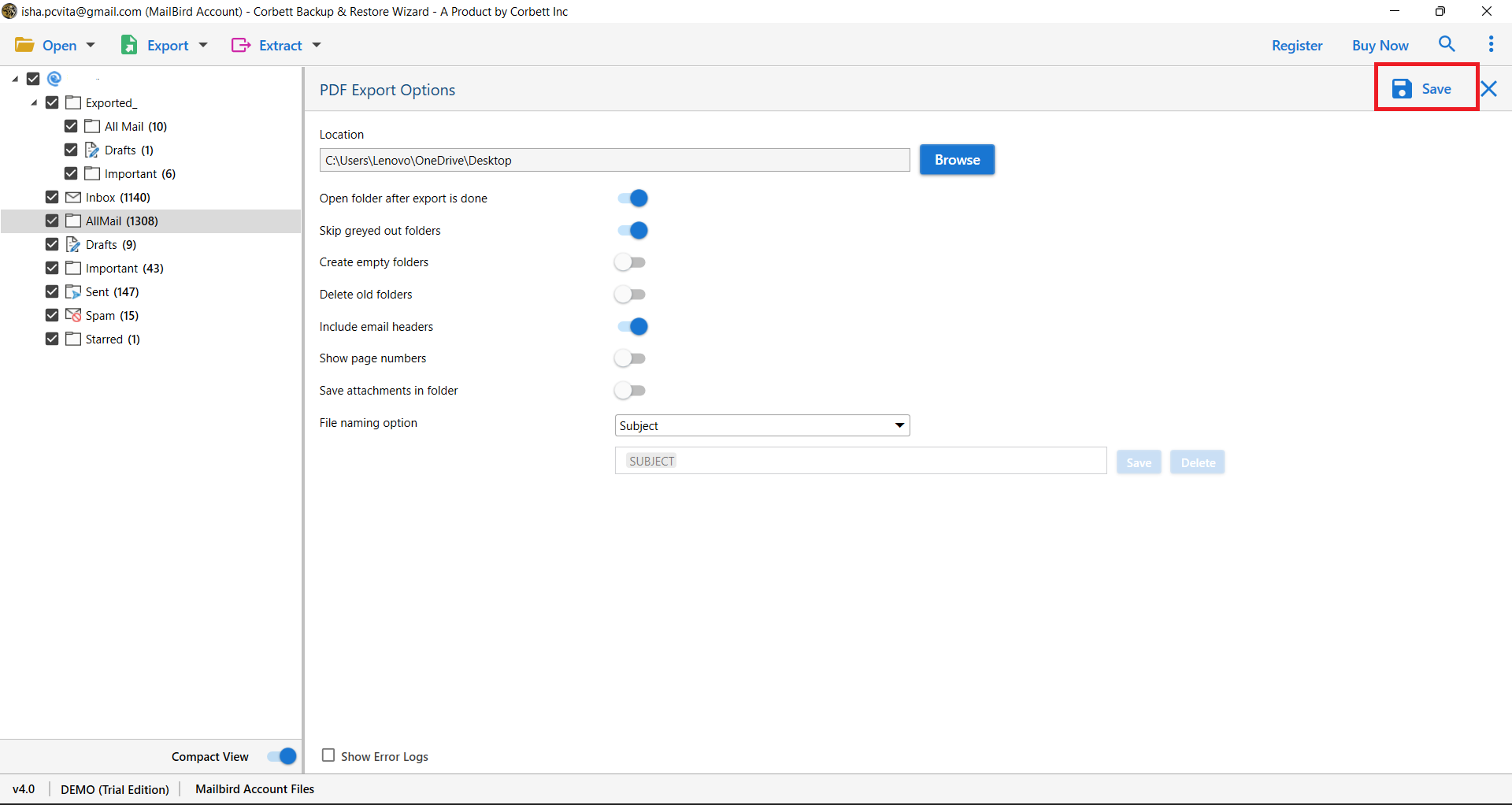
So these are steps that you need to take in order to download Yahoo email to PDF. It is simple for you and converts Yahoo emails in batches without any restrictions.
Conclusion
In this article, we discussed how you can save Yahoo email as PDF. Here, we explained the reasons to download the files and then three different methods. The first two are the manual ways, which are free to use, but you may face many issues. However, professional software is not like them, it is an expert-recommended tool where you can safely secure your data with ease.
Frequently Asked Questions
Q1. How do I save a Yahoo email as a PDF on a computer?
Ans. Open the email in Yahoo Mail, click the three dot menu and choose Print. In the print dialog choose Save as PDF as destination, name the file and click Save to download the email as a PDF on your computer.
Q2. Can I save multiple Yahoo emails as PDF at once?
Ans. Yahoo Mail does not have a built in batch PDF export. To save many emails as PDF in one go use a tool like the Corbett Yahoo Email Backup Tool which can batch convert your full mailbox to PDF with attachments.
Q3. Will saving Yahoo email as PDF keep attachments?
Ans. The browser Print to PDF method does not include attachments, only the email body. A dedicated Yahoo backup tool exports the email and the attachments together either embedded in the PDF or saved alongside.
Q4. How to save a Yahoo email as PDF on iPhone or Android?
Ans. Open the email in the Yahoo Mail app, tap the three dot menu, choose Print, then in the print preview pick Save as PDF or use the Share to PDF option to store it in Files on iPhone or Drive on Android.
Q5. Why is my Yahoo email not saving as PDF?
Ans. Common reasons include browser pop up blockers, missing print to PDF driver or low disk space. Try a different browser, update your printer drivers or use the Corbett Yahoo Email Backup Tool which does not depend on browser print.
Q6. Can I password protect Yahoo emails saved as PDF?
Ans. Yes. After saving the email as PDF, open it in Adobe Acrobat or any PDF editor and add a password under Protect or Encrypt. Some backup tools can also export password protected PDFs directly.
Q7. Is it safe to save Yahoo email as PDF using third party software?
Ans. Yes if you use a trusted vendor. The Corbett Yahoo Email Backup Tool runs locally on Windows, never uploads your mailbox to any server and supports IMAP login or app password for safe authentication.
Read Similar Articles: