How to Convert DBX Files to EML Format in Bulk
Got a stack of old DBX files from Outlook Express? Want them in EML format for modern email clients? This guide shows how to convert DBX to EML in clear steps. You get a manual bridge and a faster direct route. Both keep mail, attachments, and senders intact.
DBX is the mailbox format used by Outlook Express on Windows XP and earlier. EML is a per email format used by Thunderbird, Outlook, Apple Mail, and Windows Mail. Moving from DBX to EML unlocks your old mail for current apps.
Overview
Outlook Express stored each folder as one DBX file. Modern clients no longer read DBX directly. Converting to EML splits each mail into its own file. You can then import EML into Thunderbird, Outlook, or any modern mail client.
Why Convert DBX Files to EML?
- Read old Outlook Express mail in Thunderbird or Apple Mail.
- Keep mail when moving from a retired Windows XP machine.
- Share single emails as attachments with co workers.
- Comply with legal hold and audit needs.
- Reduce risk of corruption by switching off DBX.
- Search old mail with modern client tools.
If you need the same data in another format, you can also convert DBX files to MSG format or save DBX emails as PDF with the same approach.
Common Conversion Scenarios and Errors
- Old Windows PC: The XP machine with Outlook Express is being retired.
- DBX file size: Outlook Express DBX has a 2 GB cap and many files near that limit are corrupt.
- Missing index: The folders.dbx index is lost so per file conversion is needed.
- Manual export fails: Drag and drop in Outlook Express skips attachments.
- Folder mismatch: Custom folders do not import cleanly into new clients.
- Mixed languages: Old DBX files with non English headers lose encoding during simple copy.
Manual vs Automated Method
Quick Side by Side
- Setup: Manual needs Outlook Express plus Thunderbird. Automated needs only one app.
- Speed: Manual saves one mail at a time. Automated handles thousands per run.
- Bulk: Manual cannot batch. Automated converts full DBX files in one click.
- Attachments: Manual can drop inline images. Automated keeps every attachment.
- Filters: Manual offers none. Automated filters by date, sender, and subject.
- Reliability: Manual depends on a working Outlook Express. Automated reads orphan DBX files.
Manual Method With Outlook Express Bridge
This works only if Outlook Express still opens the DBX files on a Windows PC.
- Open Outlook Express on the source Windows PC.
- Pick the folder you want to export.
- Select all emails inside the folder.
- Drag and drop the messages to a folder on your desktop.
- Each mail will save as a separate EML file.
This route fails on orphan DBX files. It also skips inline images in some setups.
Automated Method for Bulk DBX to EML
The Corbett DBX Converter converts DBX files to EML in bulk. It reads orphan DBX files without Outlook Express. It preserves senders, dates, attachments, and folder names. Filters by date and subject are built in.
The same app also exports DBX to PST, MBOX, MSG, PDF, and HTML if you need a different target later. It runs on Windows 11, 10, 8, and 7.
Step by Step Walkthrough
Follow these five steps to convert DBX files to EML format.
Step 1. Install and open the app on your Windows PC.
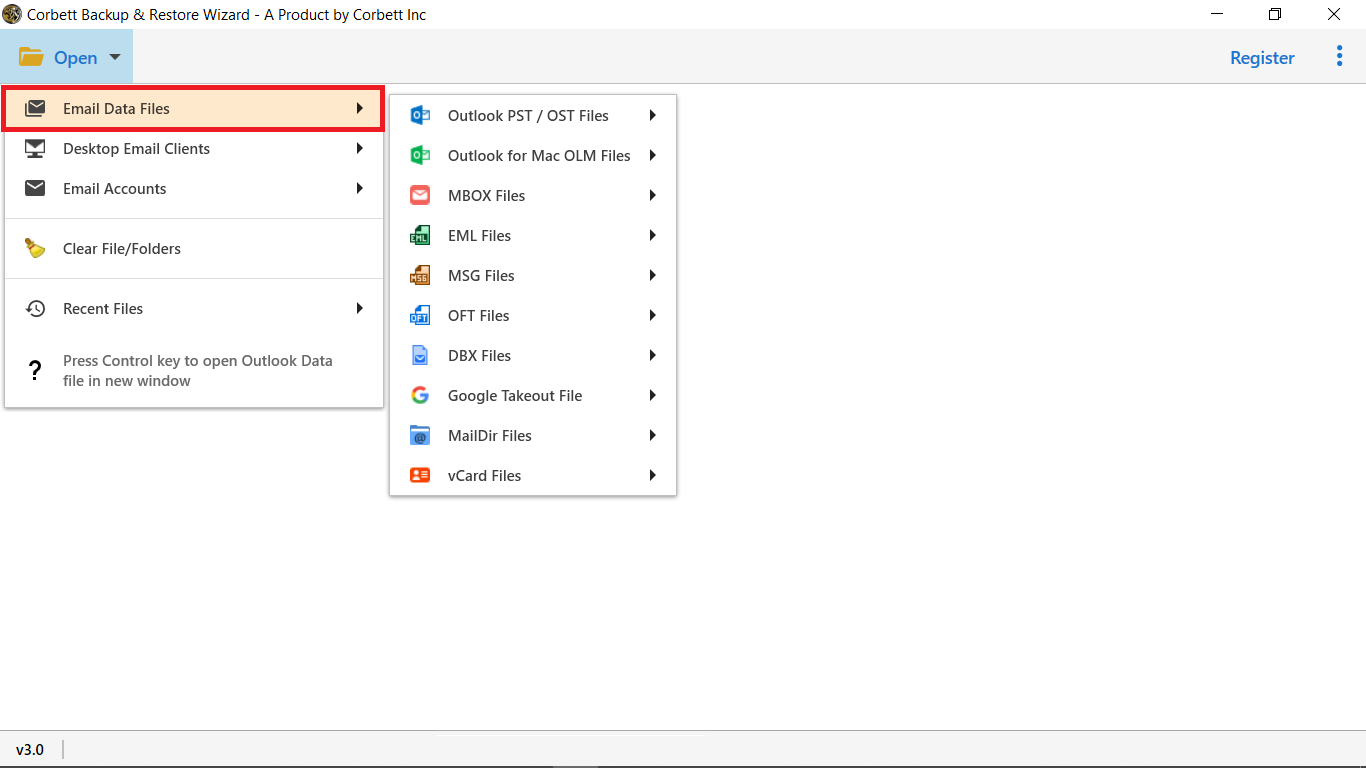
Step 2. Click Open and load your DBX file or folder of DBX files.
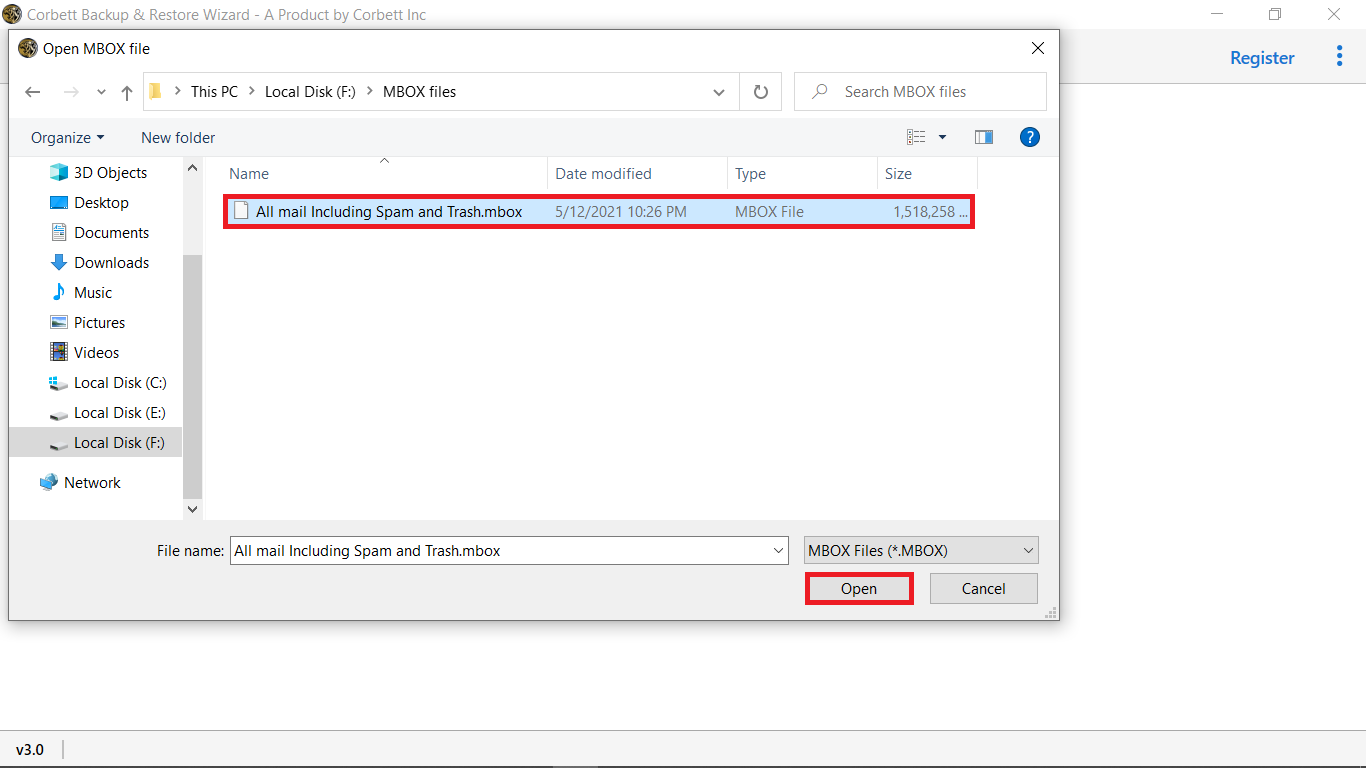
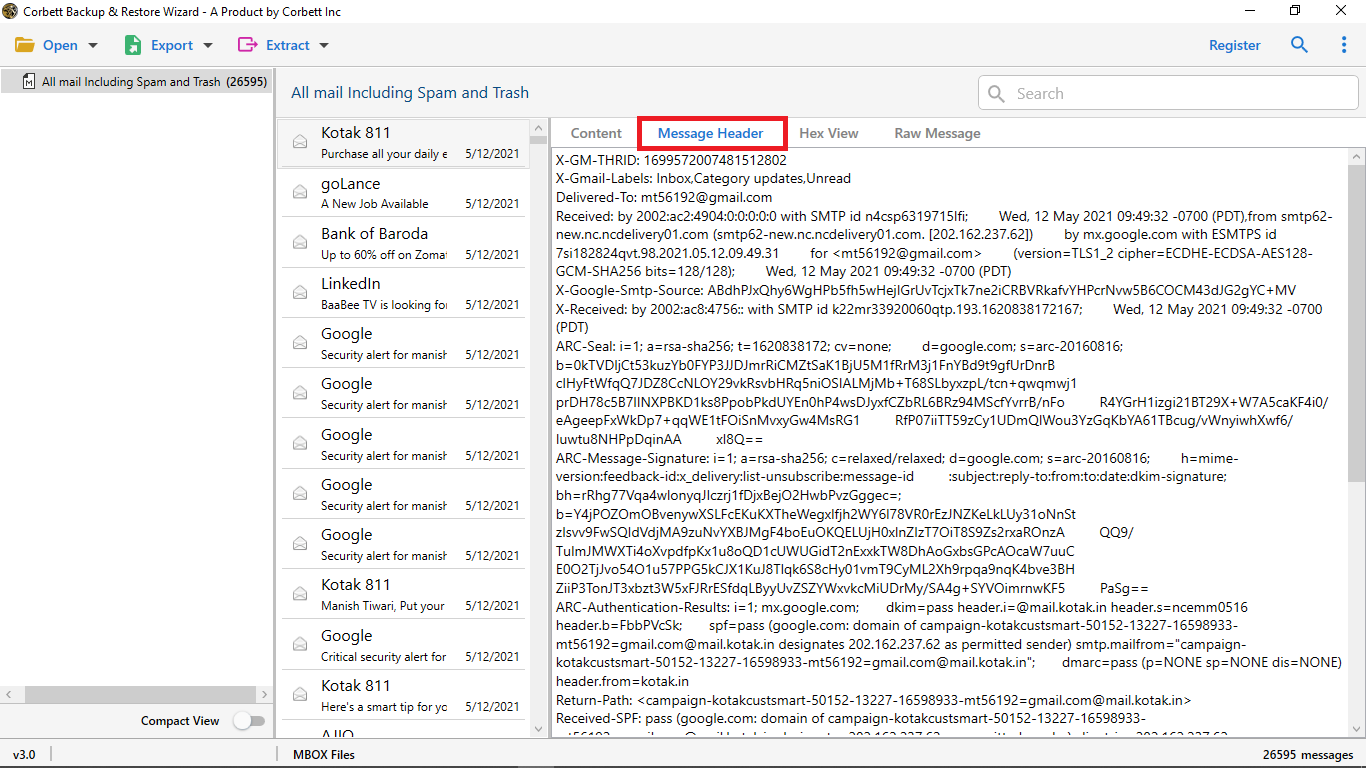
Step 3. Preview the loaded mail. Pick folders, dates, and senders to keep.
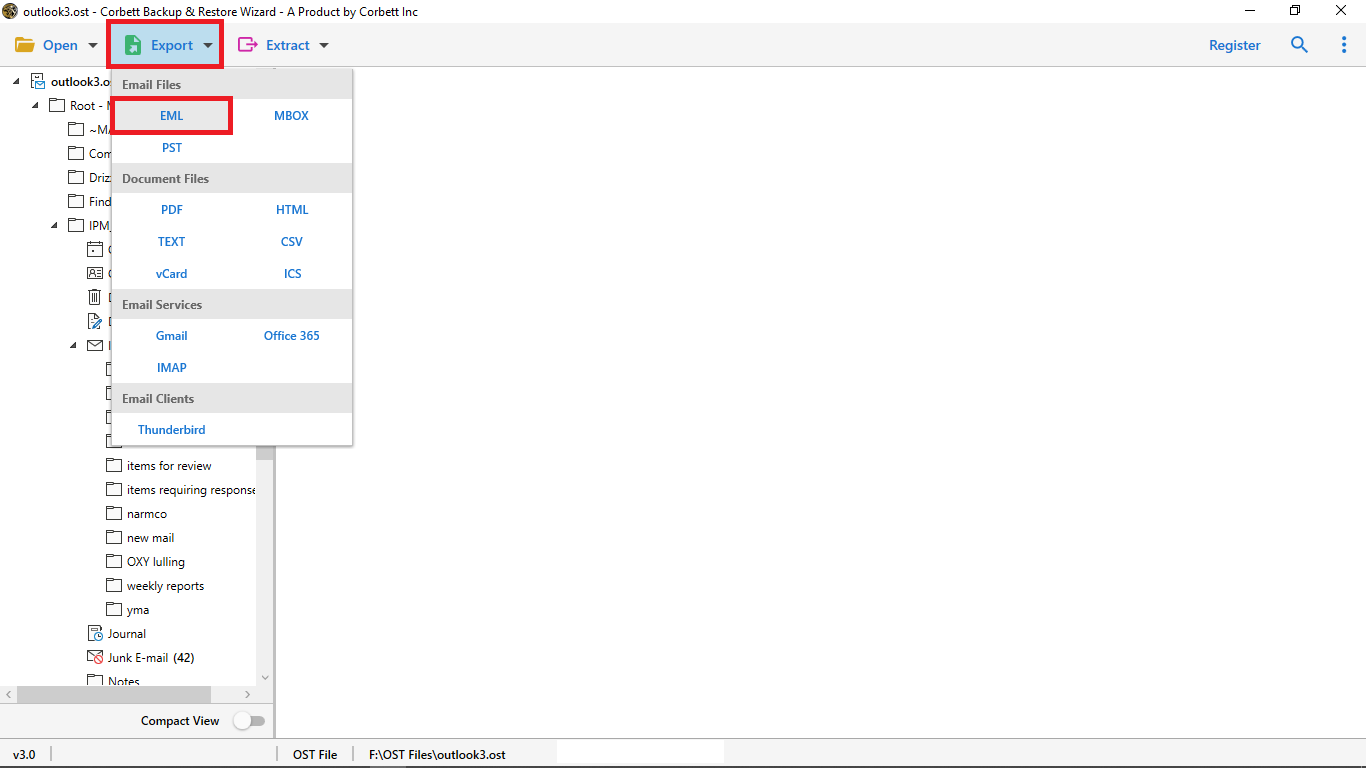
Step 4. Click Export and pick EML as the output format.
Step 5. Pick the destination folder and click Convert to start the run.
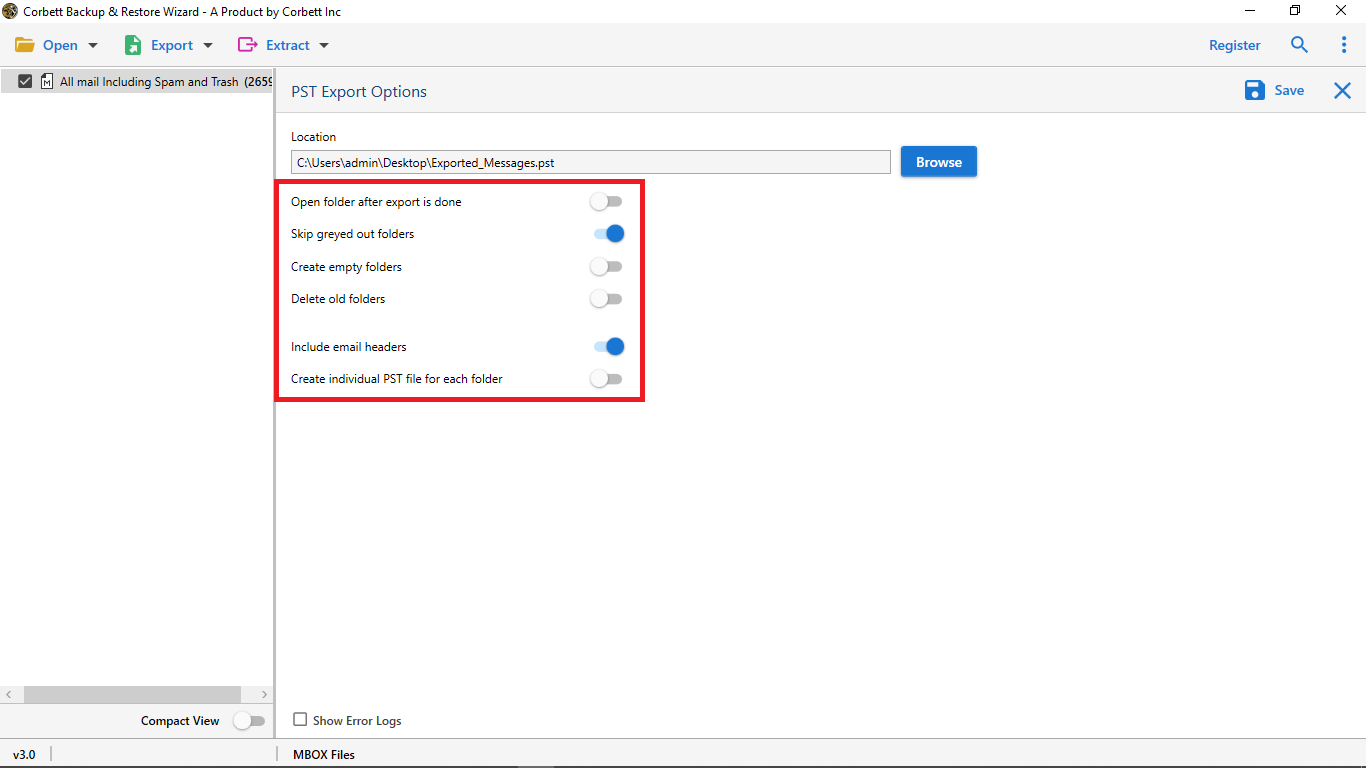
Filters and Naming Options
- Date filter: Convert mail between any two dates.
- Sender filter: Pick specific senders or domains.
- Subject filter: Match keywords in the subject line.
- Folder picker: Pick Inbox, Sent, or any custom DBX folder.
- Naming format: Pick subject plus date or sender plus date for output file names.
- Attachment toggle: Choose to include or skip attachments.
If you also need to convert MBOX files to HTML for browser viewing, the same product line handles that path too.
Frequently Asked Questions
Q1. Can I convert DBX to EML without Outlook Express?
Yes. The automated method reads orphan DBX files directly. No Outlook Express install is needed.
Q2. Will attachments stay inside each EML file?
Yes. Each EML keeps the original attachments, inline images, and signed receipts intact.
Q3. Are sender and date metadata preserved?
Yes. Sender, recipient, date, and subject are kept exactly as in the source DBX.
Q4. Is there a file size cap for DBX conversion?
No. Even DBX files near or over the 2 GB Outlook Express cap can be read by the automated method.
Q5. Can I open the converted EML in Thunderbird?
Yes. EML opens in Thunderbird, Outlook, Apple Mail, Windows Mail, and most modern clients.
Q6. Does it support batch DBX conversion?
Yes. You can load a folder of DBX files and convert them all in one run.
Conclusion
Converting DBX to EML is the safest way to rescue old Outlook Express mail. Manual drag and drop works for a few emails. For bulk and orphan DBX files, a direct converter is faster and more reliable. Pick the route that matches your DBX file size and condition.