How to Forward Hotmail Emails to a Yahoo Mail Account

Want to read Hotmail in your Yahoo inbox? You can pull mail from Hotmail straight into Yahoo. This guide shows two safe ways. The first uses the Yahoo Mailbox feature. The second does a bulk move with a desktop app. Both keep folders, dates, and attachments intact.
Many users juggle a Hotmail and a Yahoo account. Forwarding lets you handle both from one inbox. It also gives you a backup channel for important mail.
Overview
Yahoo Mail lets you add an external mailbox. Hotmail is one of the supported services. After setup, new Hotmail mail flows into Yahoo. For old mail, a bulk move is needed. This guide covers both paths.
Why Forward Hotmail to Yahoo Mail?
- Read both accounts from one Yahoo inbox.
- Keep a backup channel for important mail.
- Move slowly to Yahoo without losing Hotmail mail.
- Reply to Hotmail mail using your Yahoo identity.
- Search both inboxes from one place.
- Use Yahoo filters and rules on Hotmail mail.
If you also need to download Hotmail emails to a hard drive for an offline backup, the same data can be saved locally as well. Some users prefer to transfer Hotmail emails to a Gmail account instead.
Common Use Cases and Errors
- App password missing: Hotmail rejects Yahoo add if two factor auth is on.
- Folder limit: Yahoo Mailbox feature pulls Inbox only by default.
- Old mail gap: The mailbox add feature does not pull old archived mail.
- Slow sync: Mailboxes above 5 GB take hours during the first pull.
- Auth error: Hotmail OAuth pop up gets blocked by some browsers.
- Duplicate mail: Re running setup creates duplicates in Yahoo.
Manual vs Automated Method
Quick Side by Side
- Setup: Manual needs both Yahoo and Hotmail credentials. Automated needs a desktop app.
- Scope: Manual pulls only new mail. Automated moves old and new mail.
- Folders: Manual stops at Inbox. Automated keeps every folder.
- Attachments: Manual keeps them but skips inline images in some cases. Automated keeps both.
- Filters: Manual offers none. Automated filters by date, sender, and folder.
- Speed: Manual is slow on first sync. Automated finishes in minutes.
Manual Method to Forward Hotmail to Yahoo
This works for new mail flowing into Yahoo. It does not move old archived mail.
- Sign in to your Yahoo Mail account.
- Click the Settings gear at the top right.
- Pick More Settings from the menu.
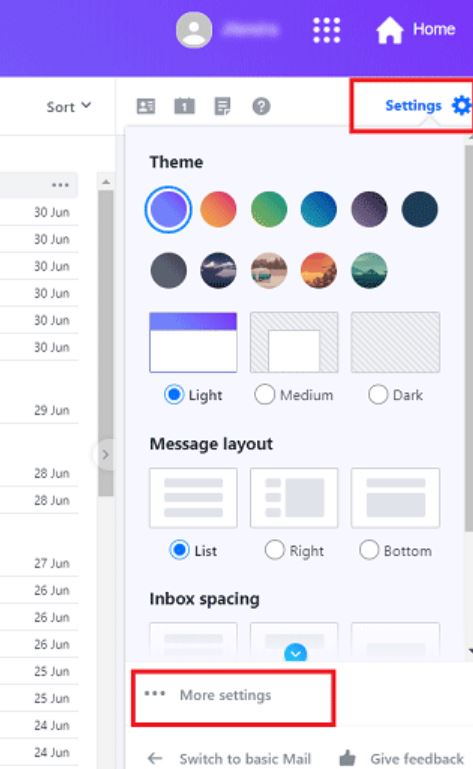
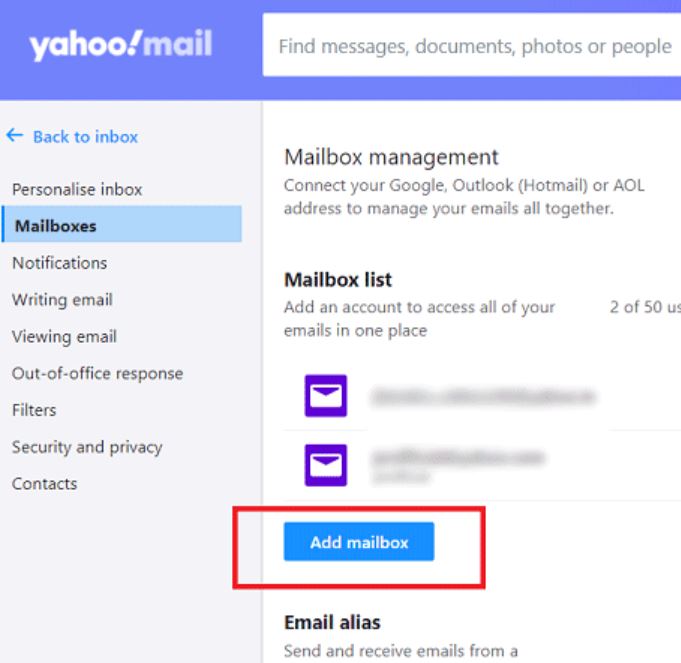
- Click Mailboxes in the left menu.
- Click Add Mailbox on the right side.
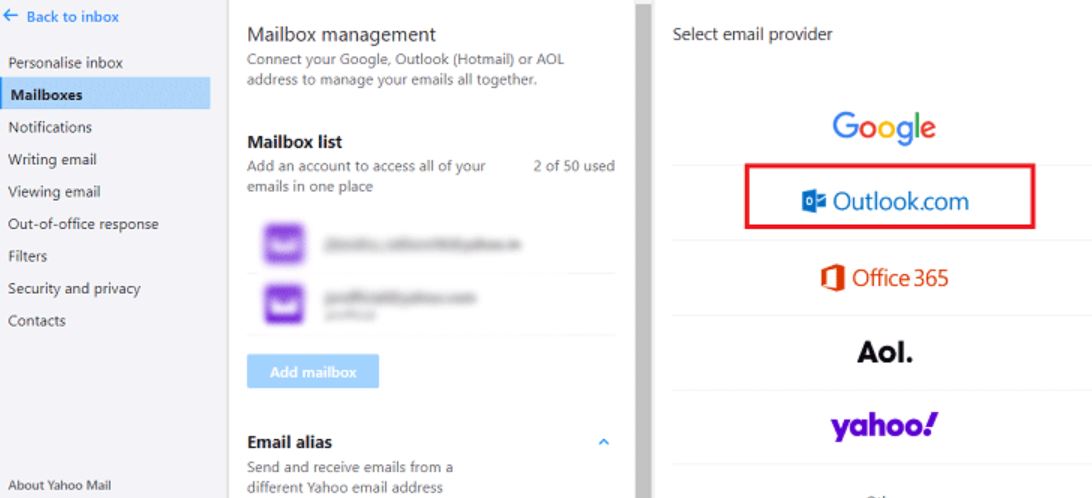
- Pick Outlook.com from the service list. Hotmail uses the same login.
- Enter your Hotmail email address.
- Approve the OAuth pop up with your Hotmail password.
- Click Yes to confirm the add.
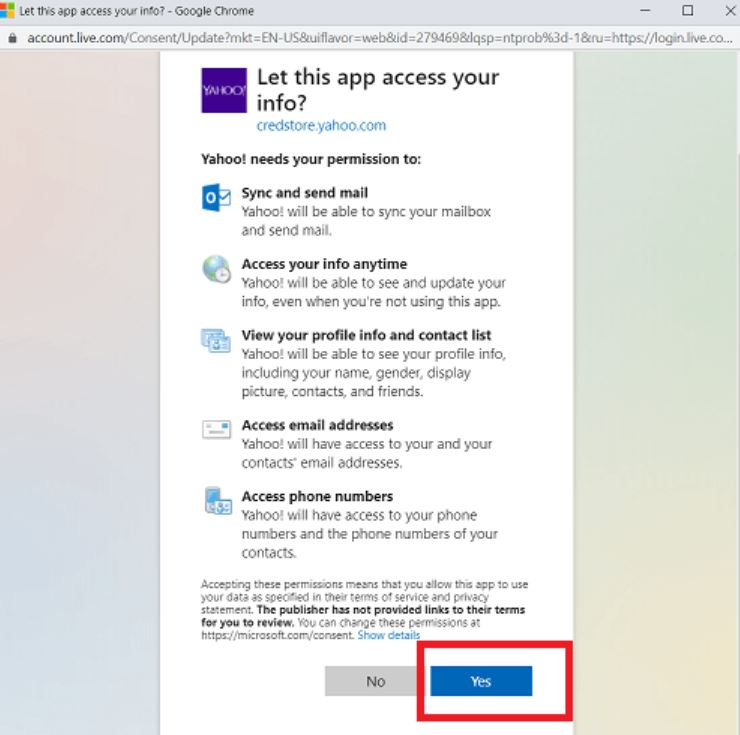
New Hotmail mail will now arrive in your Yahoo inbox. Replies can use either identity.
Automated Method for Bulk Migration
The Corbett IMAP Migration moves all Hotmail emails to a Yahoo account in bulk. It keeps folders, dates, and attachments intact. Old and new mail are moved in one run. Filters by date, sender, subject, and folder are built in.
The same app also helps you import MBOX files to Hotmail or add Hotmail to Windows Live Mail if your workflow needs a different target. It runs on Windows 11, 10, 8, and 7.
Step by Step Walkthrough
Follow these five steps to move Hotmail mail to Yahoo in bulk.
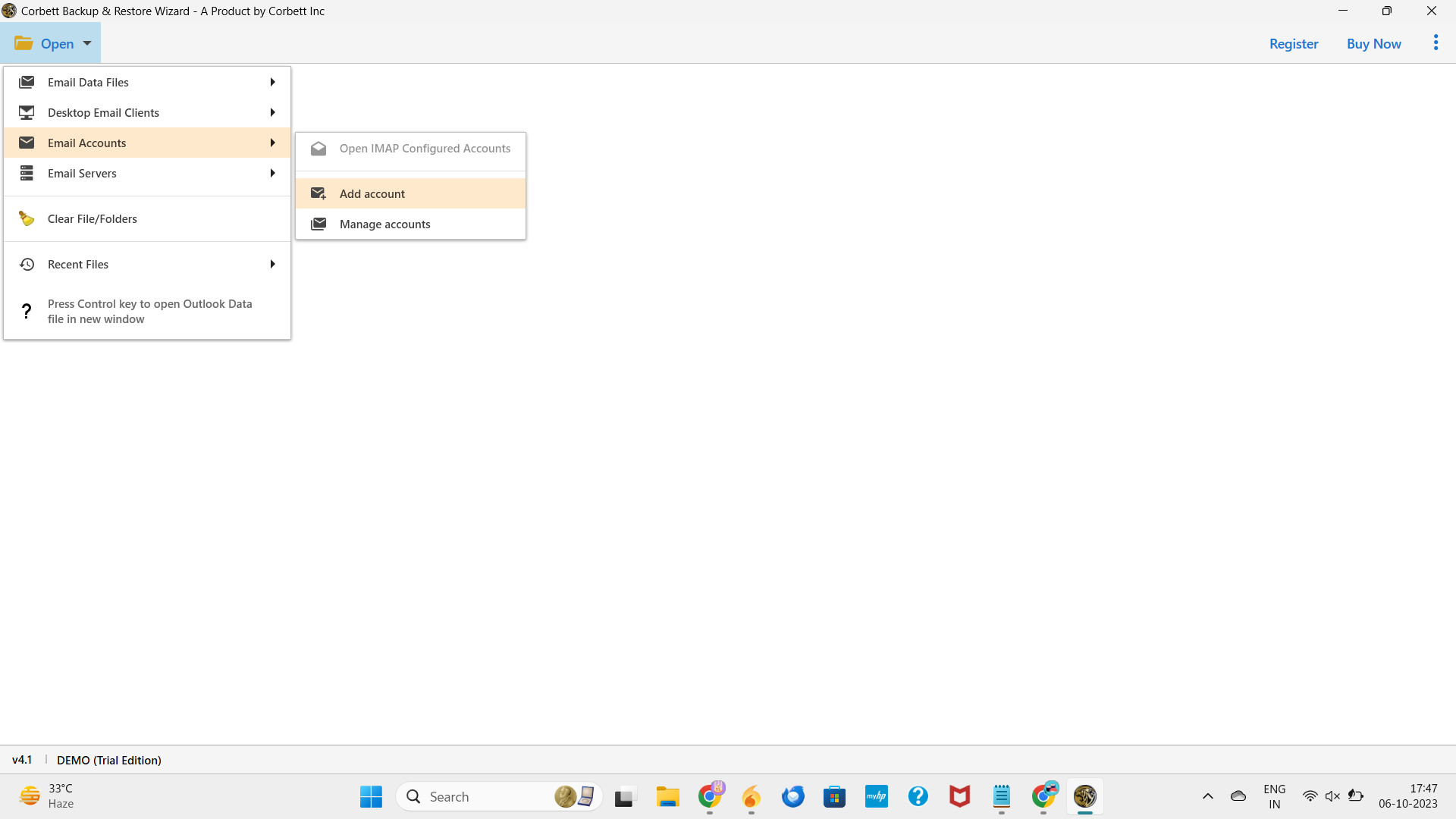
Step 1. Install and open the app on your Windows PC. Click Open > Email Accounts > Add Account.
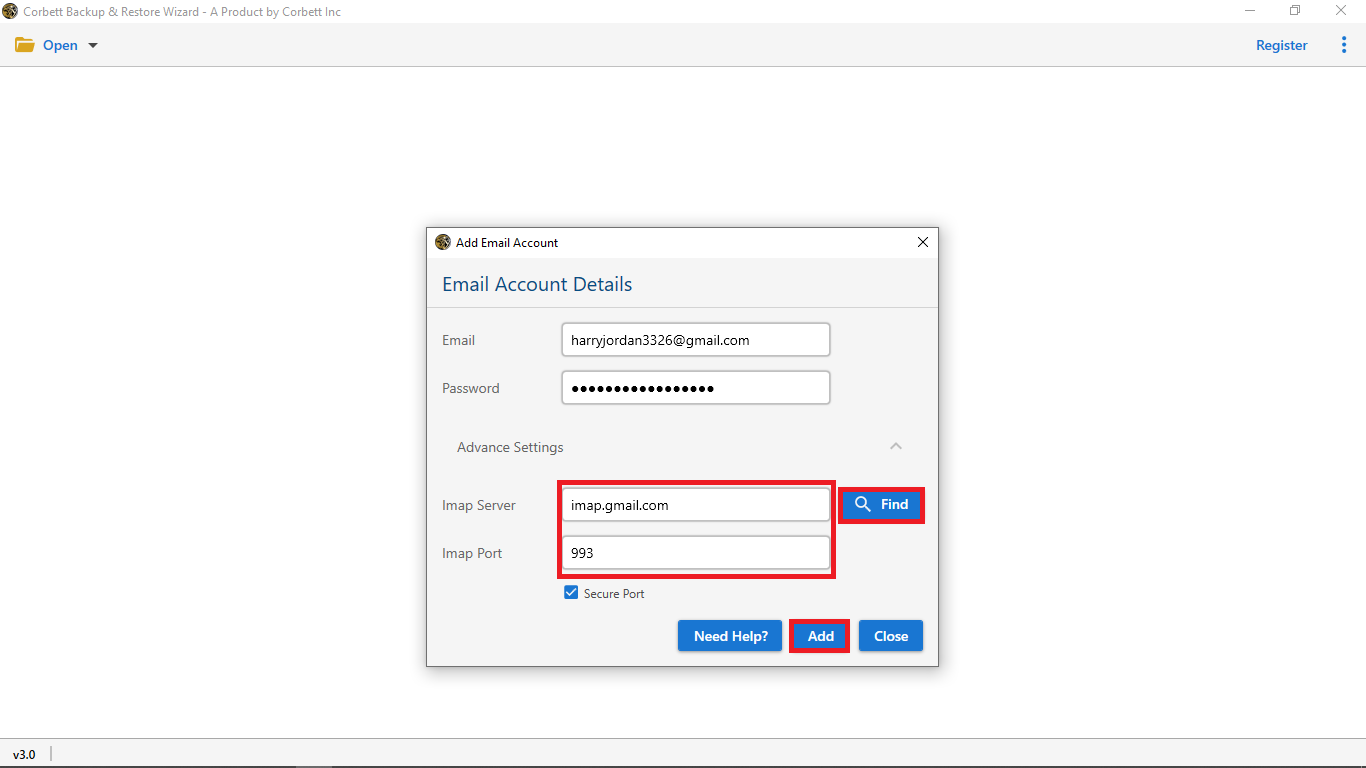
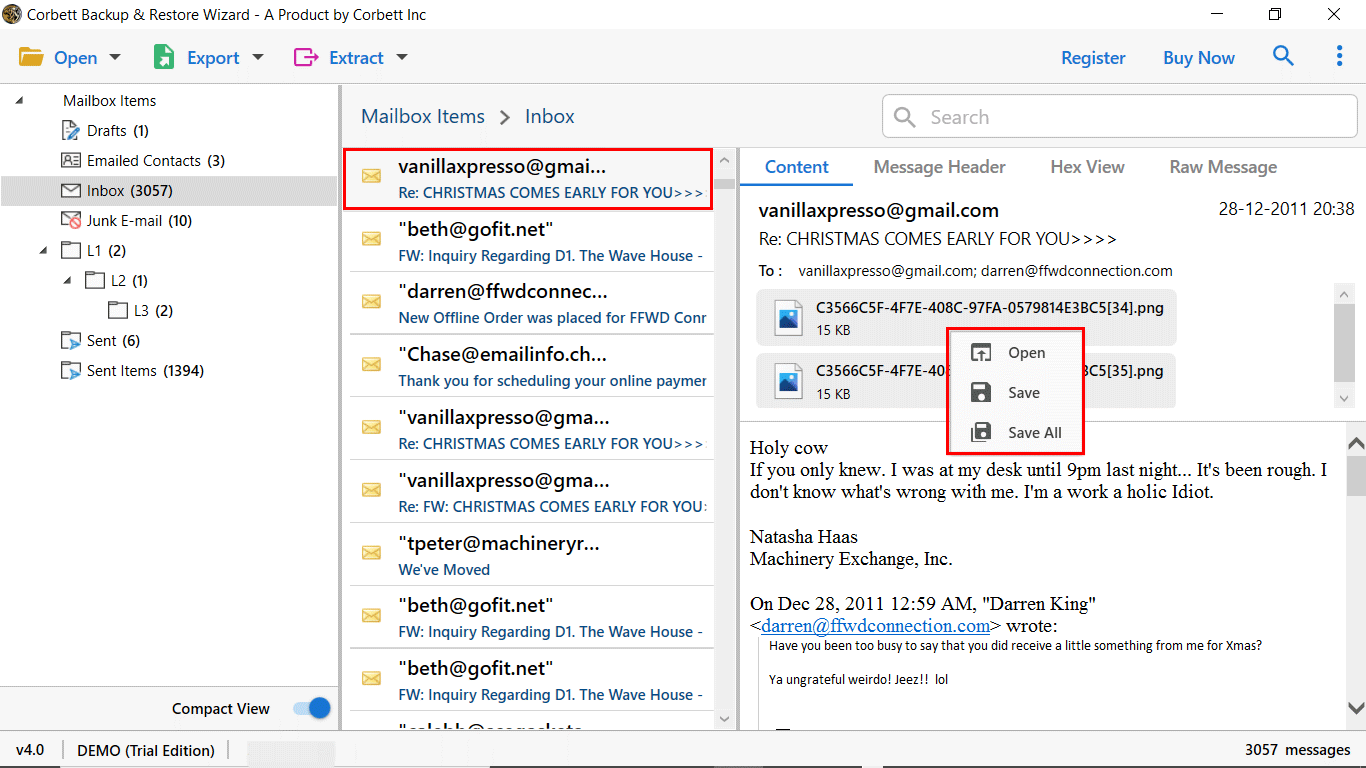
Step 3. Preview the loaded Hotmail mail. Pick folders, dates, or senders.
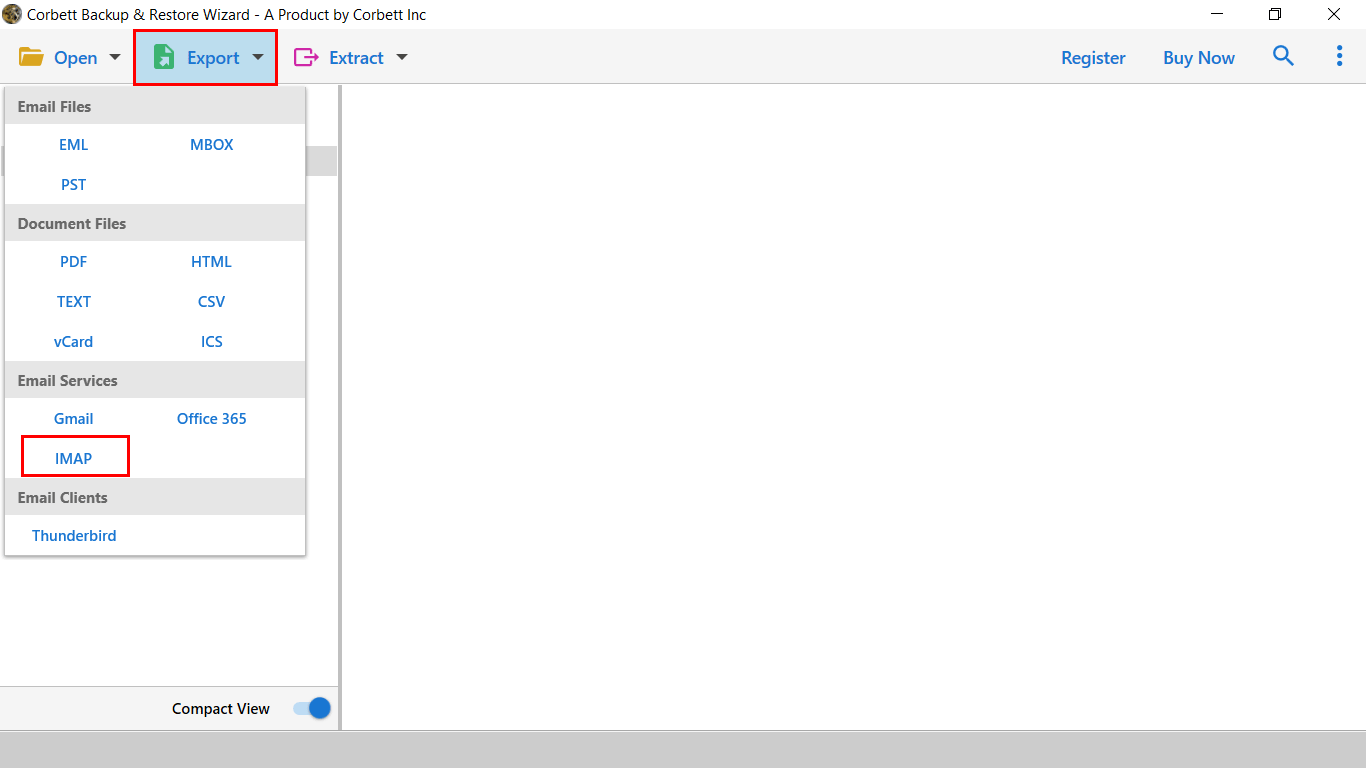
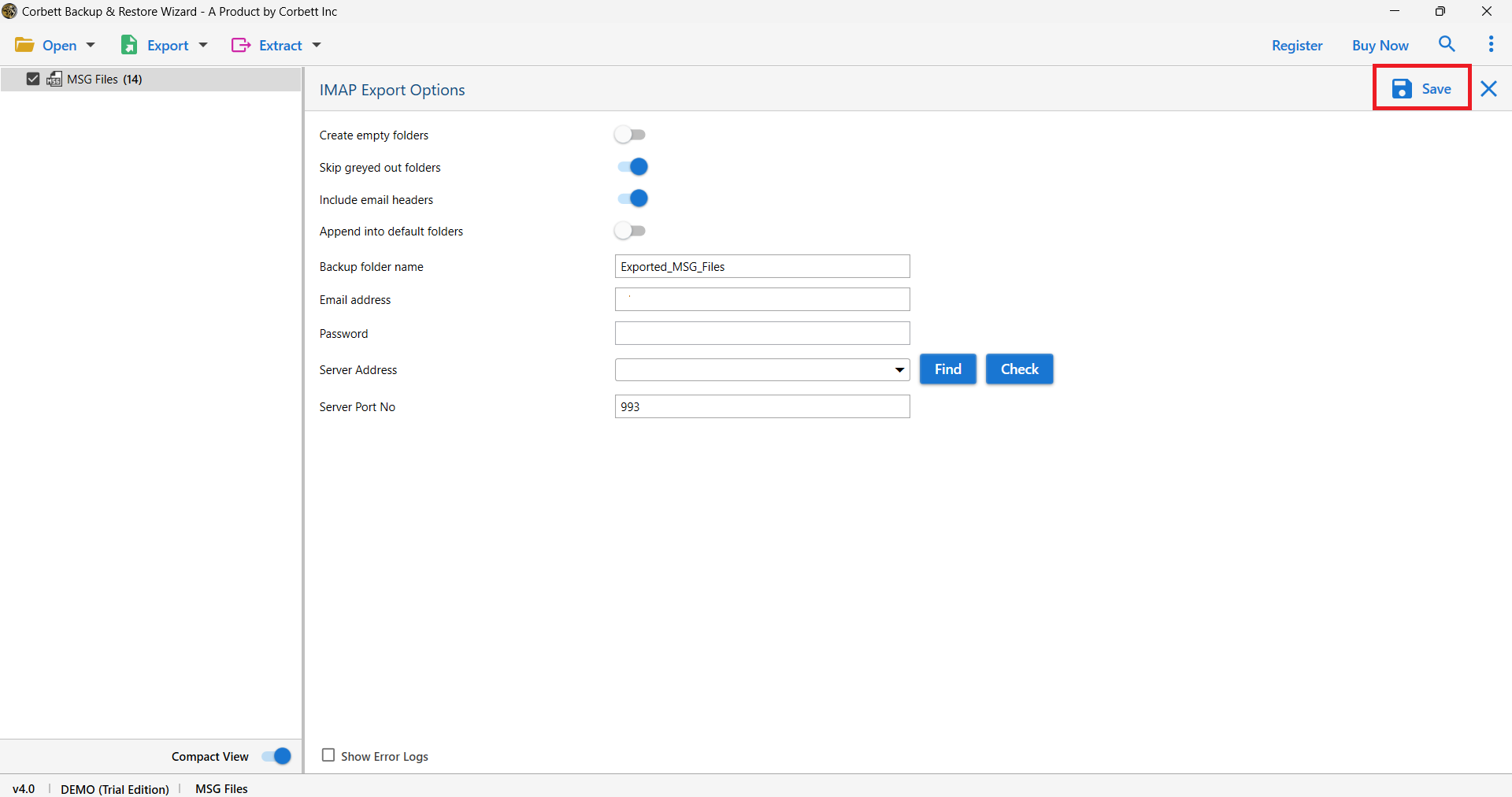
Step 4. Click Export and pick IMAP. Select Yahoo from the IMAP server list.
Step 5. Enter your Yahoo email and app password. Click Save to start the move.
Pro Tips for Smooth Forwarding
- Generate an app password for both Hotmail and Yahoo before the run.
- Use a wired connection during the first big move.
- Split mailboxes above 10 GB by year using date filters.
- Disable antivirus mail scans during the run.
- Keep both accounts active until the move is verified.
- Spot check a few threads after the first sync pass.
Frequently Asked Questions
Q1. Can I forward only new Hotmail mail to Yahoo?
Yes. The native Yahoo Mailbox feature pulls only new Hotmail mail after setup.
Q2. Can I move old Hotmail mail to Yahoo as well?
Yes. The automated method moves both old and new mail in one bulk run.
Q3. Do I need an app password for Hotmail?
Yes if two factor auth is on. Microsoft requires an app password when basic auth is disabled.
Q4. Will folder structure stay intact in Yahoo?
Yes. The automated route preserves folders. Native Yahoo Mailbox keeps only the Inbox.
Q5. Can I reply from my Yahoo address after the add?
Yes. Yahoo lets you pick which identity to send from on each reply.
Q6. How long does a 5 GB Hotmail move take?
About 20-30 minutes on a stable connection with the automated method.
Conclusion
Forwarding Hotmail to Yahoo Mail is simple with the right method. The native Yahoo Mailbox feature pulls new mail automatically. For old mail, folders, and attachments, the automated bulk method is the safest pick. Set up once and you can manage both inboxes from one Yahoo screen.