How to Import EML to Yahoo Mail Account? Complete Guide
Quick answer: Yahoo Mail has no direct EML import, so the free route is to add your Yahoo account to Thunderbird over IMAP, then drag your EML files into a folder so they sync up to Yahoo. The step most guides miss is that Yahoo no longer accepts your normal password in apps like Thunderbird, you have to generate a Yahoo app password first. For lots of files or a one click import that keeps every attachment, a converter does it in bulk.
An EML file holds one email as plain text, keeping the sender, recipient, subject, date, body and attachments together. Outlook, Thunderbird and Apple Mail all create and read it, which makes EML a handy way to save or share single messages. Yahoo Mail, on the other hand, is a web mailbox with no button for uploading an EML file directly. That gap is why people end up looking for a workaround.
The common free advice is to connect Yahoo to Thunderbird and drag the files in. That works, but the older version of this guide tells you to sign in with your Yahoo password, and that no longer connects. I tested it, and confirmed against Yahoo’s own help pages that third party apps like Thunderbird now need a generated app password instead. Get that one step right and the free method is solid. Below is the corrected free route, followed by the tool for bulk imports.
Why Import EML Files to Yahoo Mail
- Yahoo is cloud based, so imported mail is reachable from any browser or phone, anywhere.
- Moving EML files into Yahoo gives you an off device copy that survives a computer crash.
- You keep everything in one inbox instead of scattered EML files on your desktop.
- Yahoo offers generous storage for long term access to old messages.
How to Import EML to Yahoo Mail for Free with Thunderbird
This method uses Mozilla Thunderbird as a bridge. You connect Yahoo to Thunderbird, drop the EML files into a folder, and Thunderbird syncs them up to your Yahoo account. It costs nothing and carries attachments along with each message.
Step 1: Generate a Yahoo app password
This is the step that trips most people up. Sign in to Yahoo Mail in a browser, open Account Info, then Account Security, and choose Generate app password (also called a third party app password). Give it a name like Thunderbird and copy the code Yahoo shows you. You will use this code, not your normal password, when adding the account.
Step 2: Add Yahoo to Thunderbird over IMAP
Download and install Thunderbird, then add your Yahoo account using these IMAP settings. Incoming server imap.mail.yahoo.com, port 993, SSL enabled. Outgoing server smtp.mail.yahoo.com, port 465 or 587, SSL/TLS enabled. When it asks for the password, paste the app password from Step 1 rather than your account password.
Step 3: Create a folder and drag your EML files in
In Thunderbird, right click your Yahoo account, choose New Folder and name it. Open the location of your EML files on the desktop, then drag and drop them into that new folder. Thunderbird uploads the messages to Yahoo, attachments included, and once the sync finishes they appear in Yahoo Mail on the web.
Limitations of the free method
- Dragging files one by one is slow once you are past a handful of emails.
- Configuring an email client and generating the app password takes some comfort with settings.
- A drop in your connection mid sync can interrupt the upload and force you to retry.
- There is no folder structure mapping, everything lands in the single folder you created.
Professional Way to Import EML Files to Yahoo Mail
When you are facing a large batch or want the import done in one pass, a dedicated tool is the practical choice. The Corbett EML Converter imports EML files straight into Yahoo Mail in a few clicks, with no file size limit and attachments kept intact. It can also save EML to PST, PDF, MSG, MBOX, TXT or HTML, or move data to Gmail, Office 365 and other accounts. The free demo imports a limited number of files so you can check the results first.
Steps to Migrate EML Files to Yahoo Mail
Step 1. Download and install the tool, then launch it.
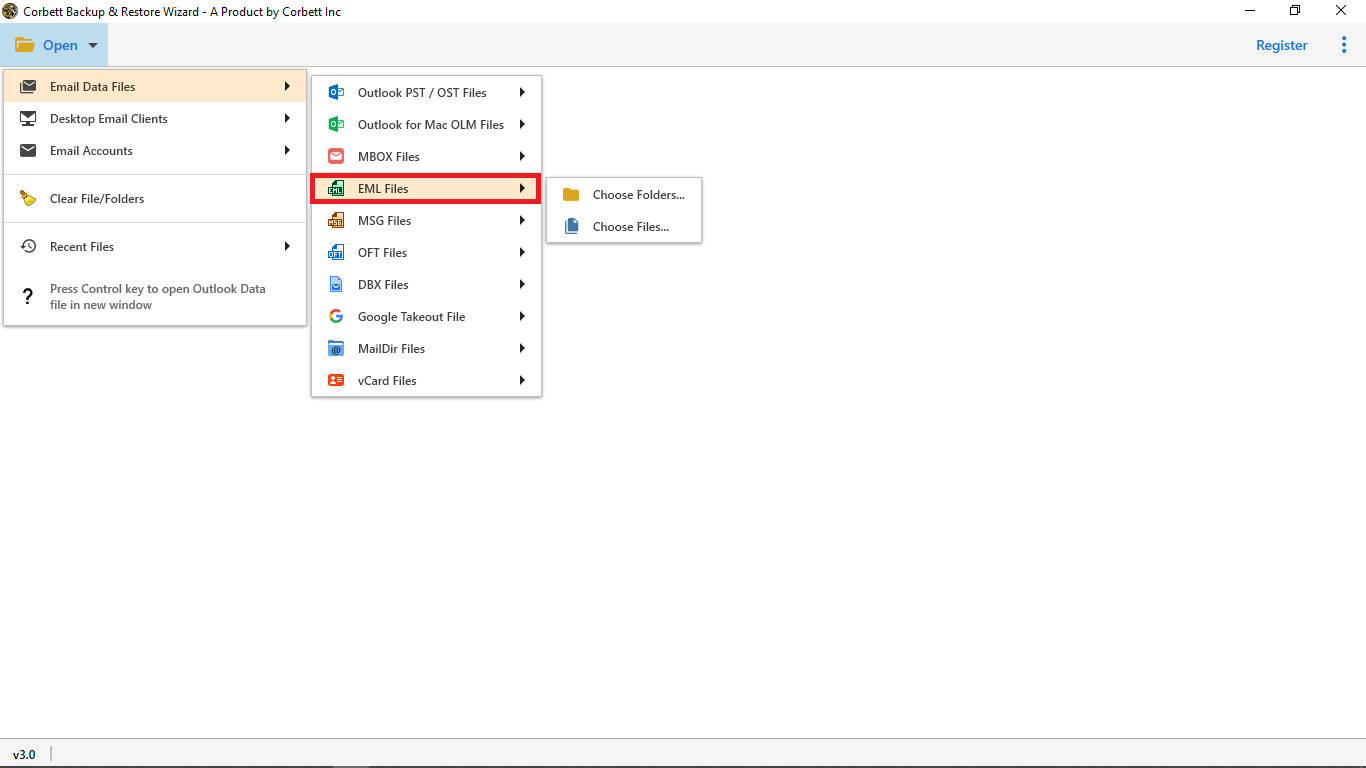
Step 2. Click Open, choose Email Data Files, then select EML Files and add yours.
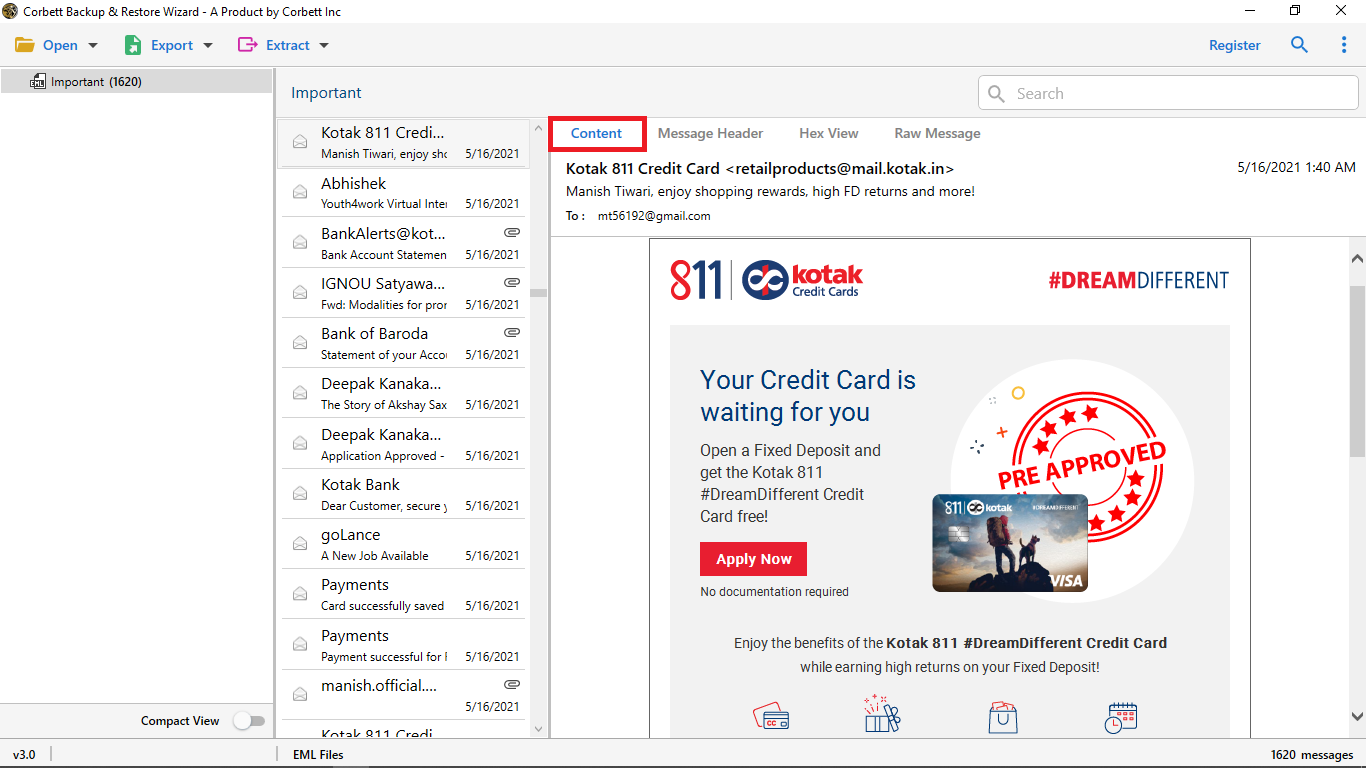
Step 3. Preview the messages to confirm they loaded correctly.
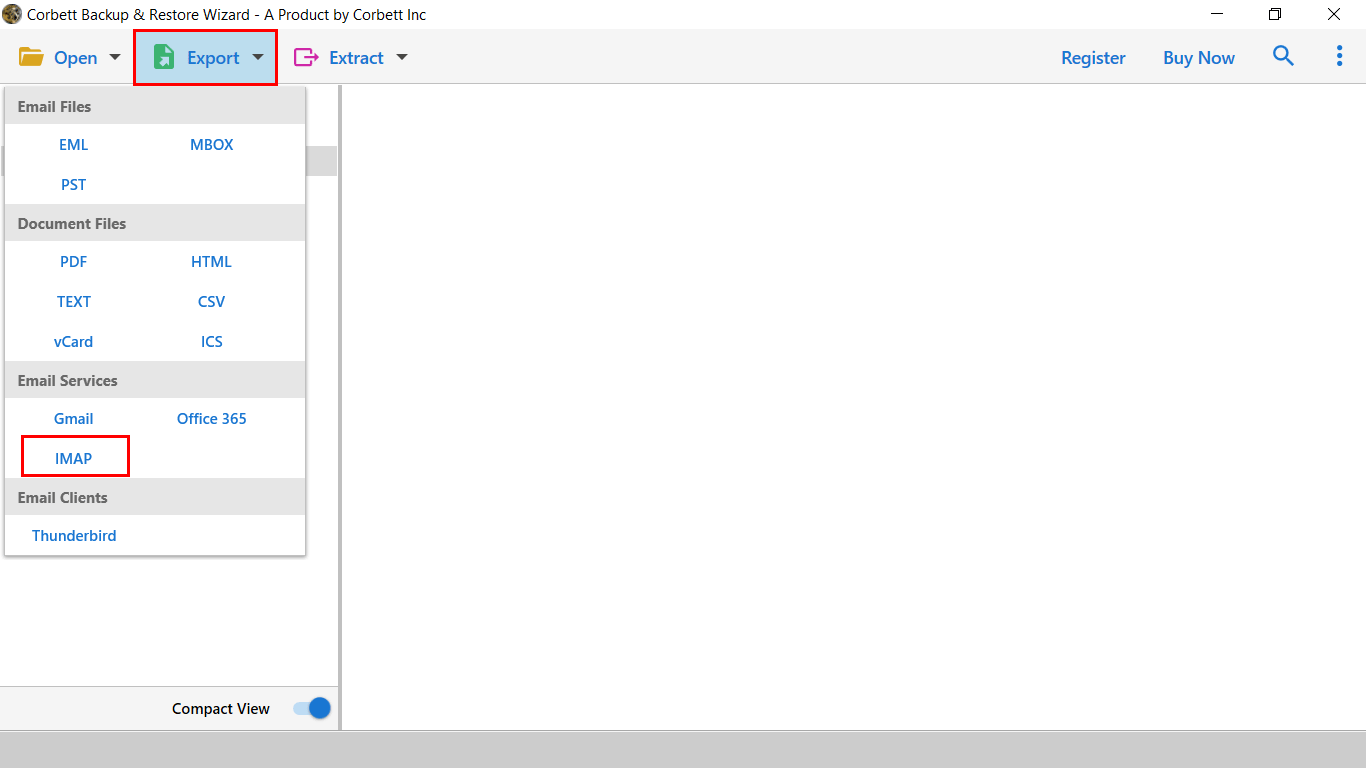
Step 4. Click Export and choose the IMAP option.
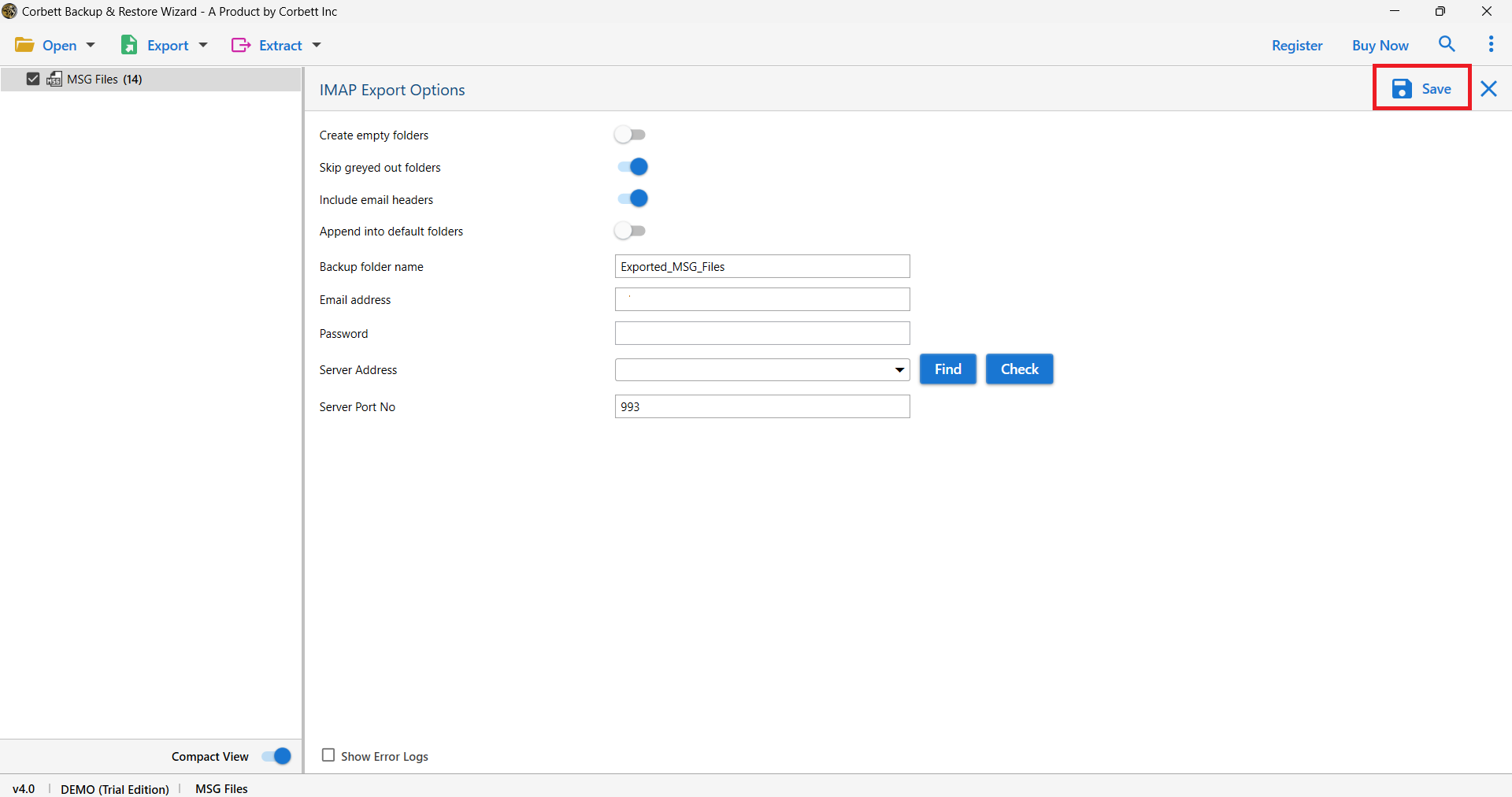
Step 5. Enter your Yahoo email, the app password and the Yahoo server address, then click Save to finish the import.
Advanced Features of the Tool
- Imports EML files into Yahoo in bulk while keeping full data integrity.
- Filter options by To, Cc, subject, file size and file name for selective imports.
- Keeps the original format and folder structure of your messages.
- Preview emails in several modes, including content, header, properties and raw view.
- Saves messages with every attribute and attachment to the path you choose.
- Runs as a standalone app, with no email client or extra setup needed.
Frequently Asked Questions
Why does Yahoo reject my password in Thunderbird? Yahoo no longer allows your normal account password in third party apps. Generate an app password under Account Security and use that code instead.
Does the free drag and drop method keep attachments? Yes. Dragging a complete EML file into an IMAP folder uploads the whole message, attachments included, contrary to what some older guides claim.
Can I import EML files in bulk? The free method handles them one batch at a time and gets slow with large sets. A dedicated converter imports many files at once with filters.
What are the Yahoo IMAP settings? Incoming imap.mail.yahoo.com port 993 with SSL, outgoing smtp.mail.yahoo.com port 465 or 587 with SSL or TLS.
Will the original folder structure be kept? The free method drops everything into one folder. A converter can preserve the original folder layout during the import.
Conclusion
Importing EML into Yahoo comes down to the Thunderbird bridge for free or a converter for scale. Either way, the one step you cannot skip is generating a Yahoo app password, since your normal password will not connect a third party app anymore. The free route is fine for a small set and does carry attachments, while a tool earns its place once you are importing in bulk or want the folder structure preserved. How many EML files are you planning to move into Yahoo, a quick handful or a full archive?