How to Import Comcast Emails to Outlook? [Updated Guide]
![How to Import Comcast Emails to Outlook? [Updated Guide]](https://corbettsoftware.com/blog/wp-content/uploads/2021/06/thumbnail-corettsoftware-1024x576.jpg)
Adding Comcast email to Outlook is mostly free and takes a few minutes, but most people get stuck on one step the older guides skip. Comcast (Xfinity) blocks outside programs from reaching your mailbox by default, so before any Outlook setting matters you have to turn that block off. This guide walks through that step, the exact server settings, and a faster route for moving several mailboxes at once.
Quick Answer
To add Comcast email to Outlook, first sign in to Xfinity Email settings and turn on Third Party Access Security. Then in Outlook add an IMAP account using imap.comcast.net on port 993 with SSL for incoming, and smtp.comcast.net on port 587 for outgoing. If you have several accounts or want a one time export to PST, a migration tool moves everything in bulk.
Why Add Comcast Email to Outlook
Outlook keeps a local copy of your mail, so you can read and search messages offline and you are not tied to the Xfinity webmail page. It also lets you manage several accounts in one window, and if you use Microsoft 365 your Comcast mail sits alongside your work calendar and contacts. Pulling the mailbox into Outlook gives you a local backup too, which matters if you ever close the Comcast account.
Step 1: Turn On Third Party Access in Xfinity
This is the step that trips most people up. By default Xfinity blocks outside email programs, so Outlook will keep rejecting your password until you allow access. Do this first.
- Sign in to your account at the Xfinity Email site.
- Open Settings (the gear icon), then go to Security.
- Find Third Party Access Security and check the box to allow third party programs to access your email.
- Save the change.
If you skip this, the IMAP setup below will fail with an incorrect password error even when the password is right.
Step 2: Add the IMAP Account in Outlook
With third party access on, the rest is the standard Outlook account setup. IMAP keeps Outlook in sync with the Comcast server, so your folders stay mirrored on both sides.
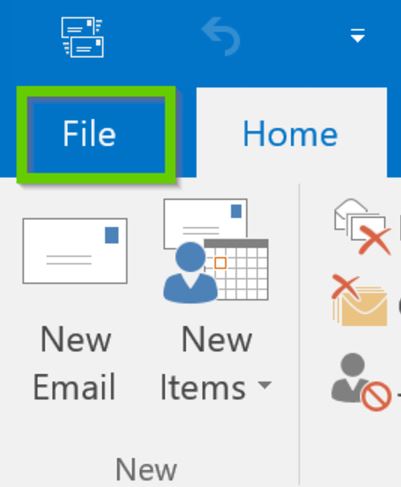
- Open Outlook and click the File menu.
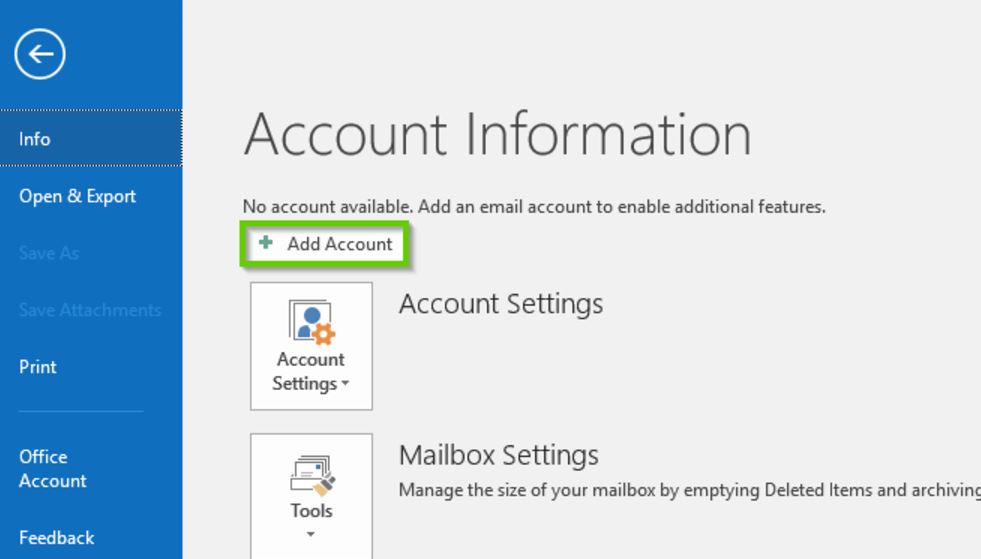
- Click Info, then Add Account.
- Enter your Comcast email address and choose the advanced or manual setup option.
- Select IMAP as the account type.
- Enter the incoming and outgoing server details from the table below.
- Confirm your username and password, then finish the setup.
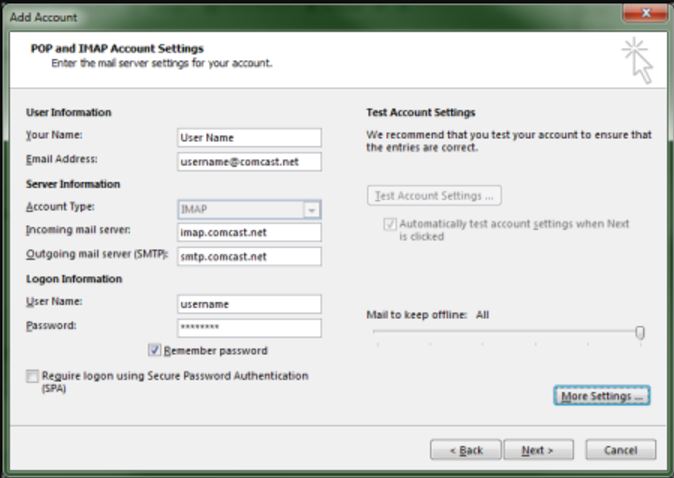
Comcast IMAP and SMTP Server Settings
| Setting | Incoming (IMAP) | Outgoing (SMTP) |
|---|---|---|
| Server | imap.comcast.net | smtp.comcast.net |
| Port | 993 | 587 |
| Encryption | SSL on | STARTTLS, authentication on |
| Username | full email address | full email address |
The IMAP method connects one account at a time and keeps a live link to the server. If you need to move several Comcast mailboxes, or you want a fixed copy you can open in Outlook or load into Office 365, exporting to a PST file is the cleaner route.
Bulk Method: Export Comcast to PST or Office 365
The Corbett Email Migration Tool connects to your Comcast account, previews every folder, and exports it to a PST file you can open in Outlook or import into Office 365. I used it to pull three Comcast accounts into PST in one session, which would have meant adding each one by hand otherwise. For a single account you plan to keep using, the free IMAP method above is enough. You can read more about email migration options or how to back up Comcast emails.
Steps to Export Comcast Emails
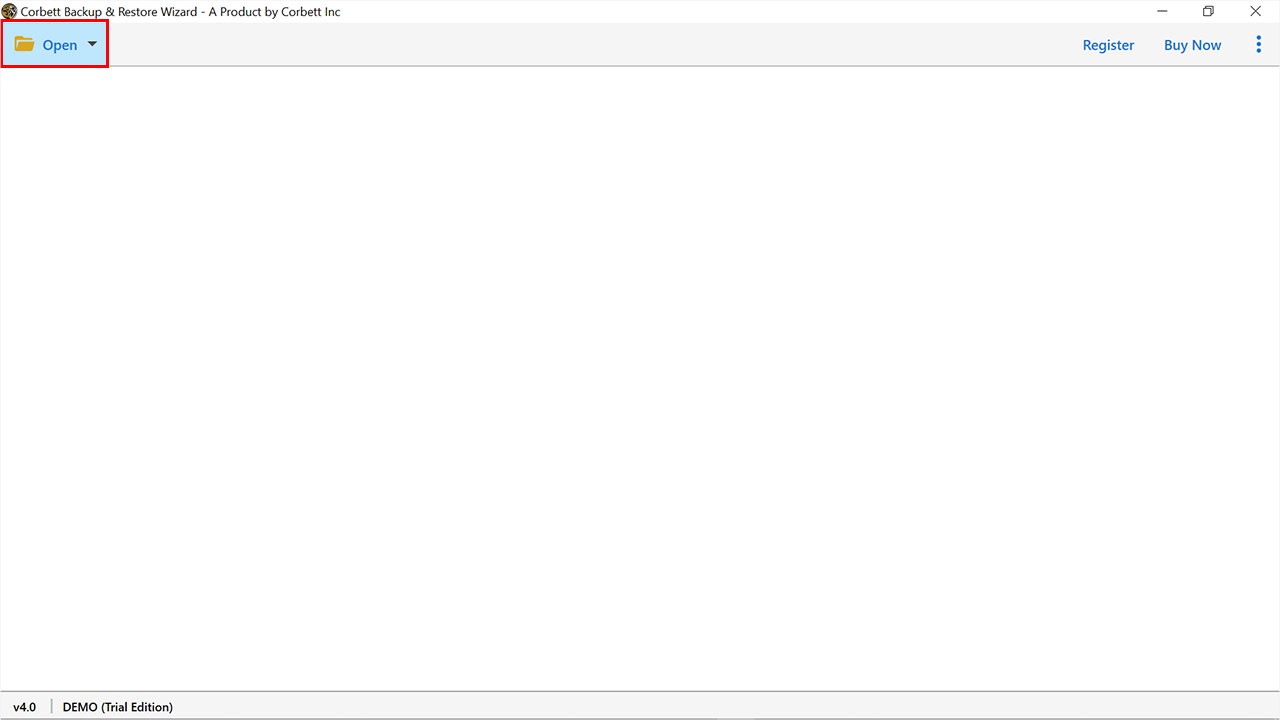
- Install and launch the tool, then click Open in the top left corner.
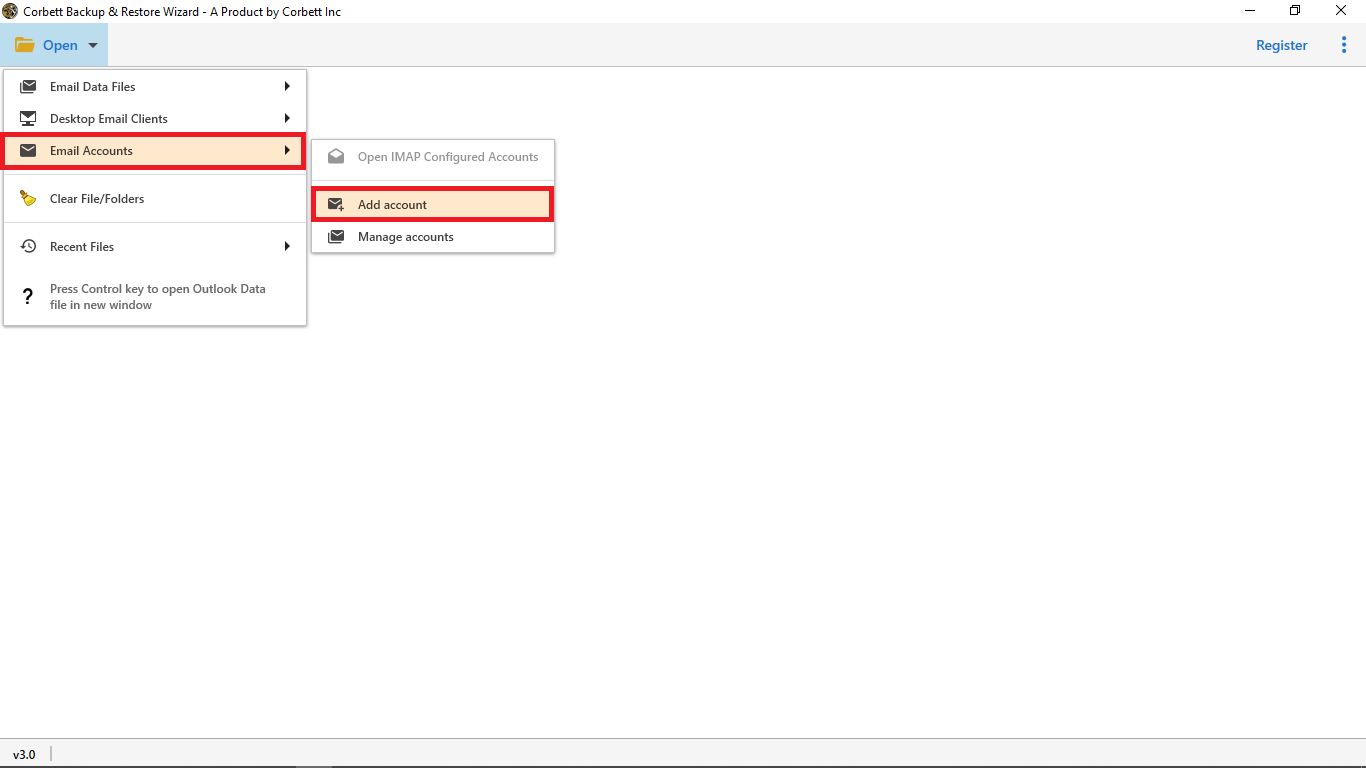
- Choose Email Accounts from the list, then Add Account.
- Enter your Comcast email details and click Add.
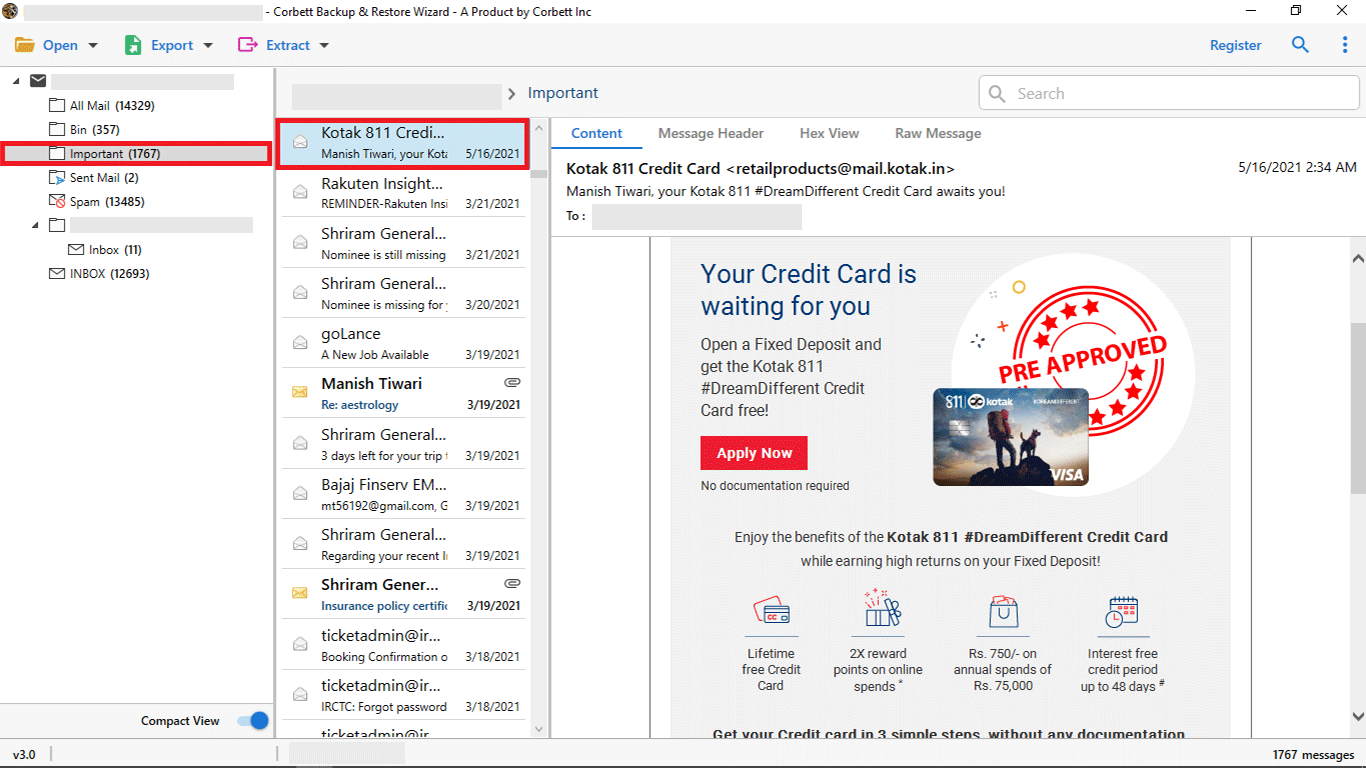
- Let the tool load and preview the folders.
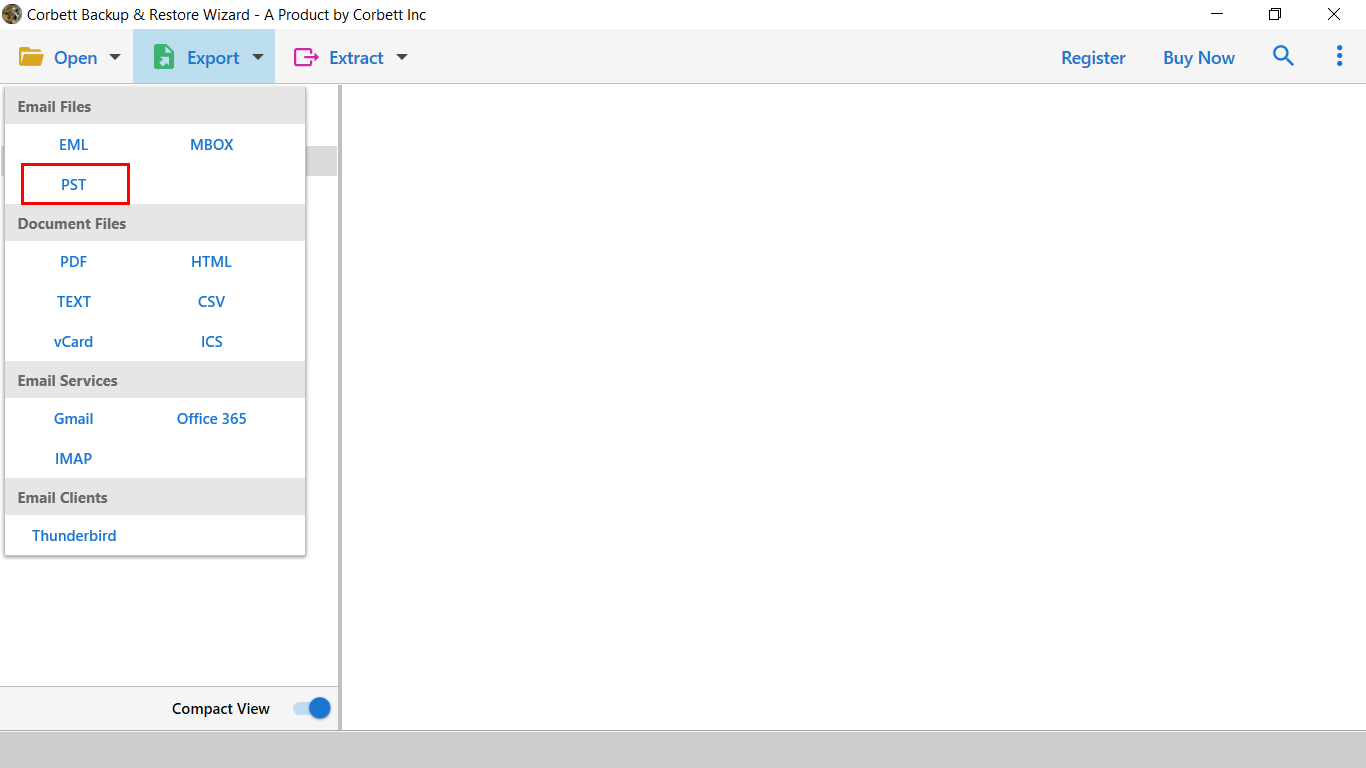
- Click Export and select PST (or Office 365) from the list, then save.
FAQs
Why does Outlook reject my correct Comcast password?
Because Third Party Access Security is off. Turn it on in your Xfinity Email security settings and the IMAP login will work.
Are Comcast and Xfinity email the same?
Yes. Comcast rebranded its consumer services as Xfinity, so a comcast.net address and an Xfinity email are the same mailbox.
What are the Comcast IMAP and SMTP settings?
Incoming is imap.comcast.net on port 993 with SSL. Outgoing is smtp.comcast.net on port 587 with authentication.
Can I move Comcast email straight into Office 365?
The free IMAP setup connects it to desktop Outlook. To land the mail in an Office 365 mailbox, export to PST first or use a migration tool that writes to Office 365.
Will I keep my old emails after the account closes?
Only if the messages are already copied locally. Adding the account to Outlook or exporting to PST keeps a copy on your computer.
To Conclude
Adding Comcast email to Outlook comes down to one easy to miss step. Turn on Third Party Access Security in Xfinity first, then set up the IMAP account with imap.comcast.net and smtp.comcast.net. For several mailboxes or a PST archive, a migration tool saves the repeated setup. Are you connecting a single account, or moving several at once?