Full sites with images saved
This tool makes my work so easy that now I don't have any issues saving my entire websites with images and files. It is also very easy to use and works smoothly every time.
Corbett
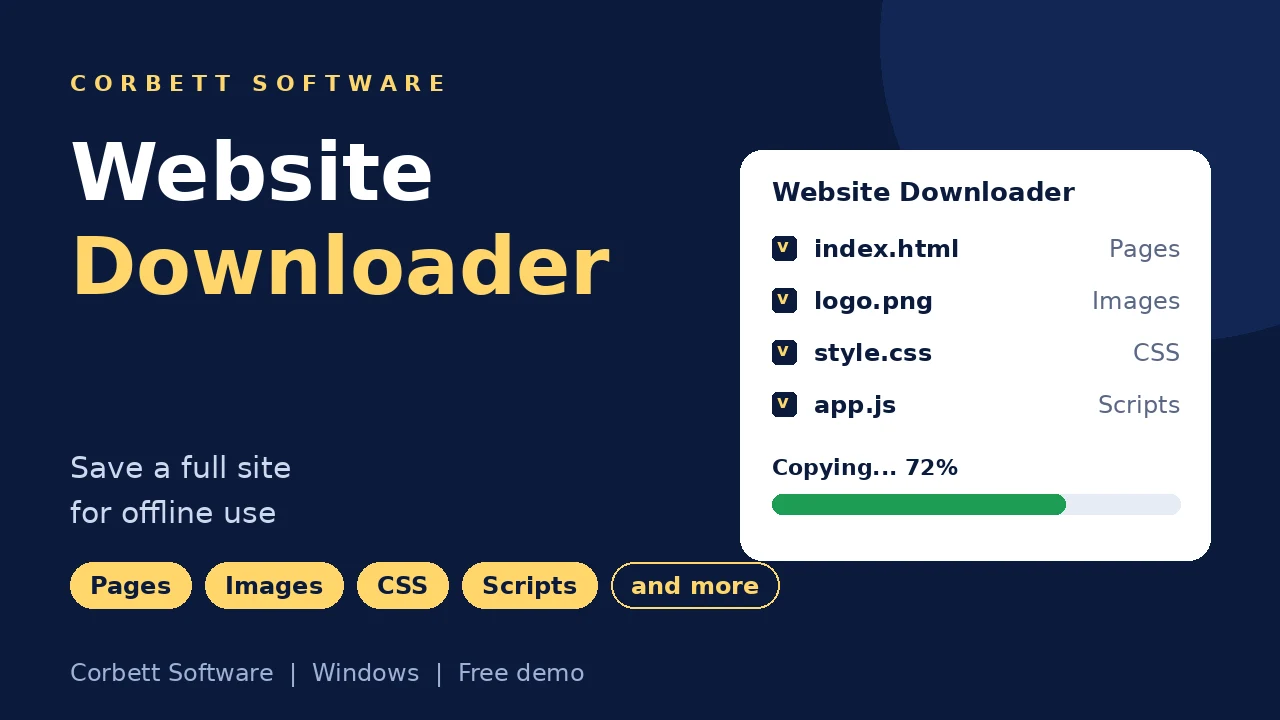
Corbett Website Downloader copies a website to your Windows PC with its pages, images, CSS, scripts and download links, so it opens without internet. Set a size limit, follow robots.txt and include noindex or nofollow pages. Try free demo on a limited set of pages first.
Download free demo Purchase now
Pages download straight from the website to your PC. No copy passes through Corbett.
Free demo, a 30 day money back window.
One time payment from $99 Free demo copies a limited set of pages
Copy facts
Hosting plans lapse, redesigns replace old pages and client sites change overnight. Website Downloader crawls the site and saves its files in one pass, so you keep a copy that stays put.
Files saved
7Good fits
7Settings
7Not copied
4What Website Downloader Does Not Copy
Website Downloader saves the pages a browser receives. PHP code, databases, member areas and live search stay on the server, so your copy opens offline as a static site and not as a working CMS.
Need a list of every URL first? See Sitemap Generator.
Core features
Five screens of Corbett Website Downloader, in working order.

Address
Type your home page address in the URL field and press Copy. Website Downloader follows internal links from there.
Small sites and large sites work the same way, and you can copy several sites one after another.

Location
Right after you press Copy, a folder prompt opens. Point Website Downloader at a drive with room to spare, since media heavy sites grow large.
Any local or external drive works, and no copy of your site stays on Corbett servers.

Preview
Pages fill the preview panel as they arrive. You see type, title and description for every page, then a completion message tells you the copy is ready.
Type shows page, image or file, so you spot large downloads early.

Rules
Settings shape the crawl. Switch on Use robots.txt file for a polite copy, copy pages with noindex or nofollow for a full archive or skip file downloading to save space.
Errors are skipped and the crawl continues.

Size limit
Max download size takes values in bytes, KB, MB or GB. Cap a site full of video or skip file downloads and keep the pages only.
Set the cap once in Settings and start your crawl.
Working process
Four steps take you from website address to offline copy. Test them on a few pages in free demo first.
Install and start
Download the setup file, install Website Downloader on Windows and start it with Run as Administrator.
Enter the address
Type your home page URL in the Create Copy tab and press Copy.
Choose a folder and crawl
Select where the copy is saved, then watch the preview fill until the Crawling Completed message appears. Select OK.
Set rules and open your copy
Use the Settings tab for robots.txt, noindex, nofollow, file skipping and size rules, then open the saved home page in any browser.
Want screenshots for every setting? Open the Website Downloader guide.
Working process
Prefer a step list? Open the Website Downloader guide for every setting.
Advanced options
Small settings that save hours on big sites.
Use robots.txt file
Follow the crawl rules of other sites
Copy pages with noindex
Include pages search engines skip
Copy pages with nofollow
Include pages with nofollow links
Skip file downloading
Save pages only
Max download size
Bytes, KB, MB or GB
Error skipping
Crawl continues past errors
Type, title and description
Shown in the preview panel
Completion message
Tells you when the copy is ready
Output folder
Select any local or external drive
Offline link rewriting
Pages open from your drive
Video files
Saved with the pages
CSS and scripts
Saved with every page
Good fits
Website Downloader works on sites a browser opens without a login. Match your site type to the copy you need.
Static sites
Copy cleanly as files
Brochure sites
Archive before a redesign
Documentation
Keep a reference copy
Blogs
Posts and images saved
Portfolios
Keep your work offline
Landing pages
Save campaign pages
Archived projects
Hand clients a copy
WordPress sites
Pages visitors see, as static files
Free demo
Copy a Few Pages Free With Website Downloader
Install free demo, enter a site address and save a limited set of pages. Open them offline before you buy.
Download free demoTry before you buy
Free demo of Website Downloader copies a limited set of pages with every setting unlocked. Buy when the copy looks right.
| Feature | Free demo | Full version |
|---|---|---|
| Website crawl and preview | Yes | Yes |
| Robots.txt, noindex, nofollow and size settings | Unlocked | Unlocked |
| Pages copied | A limited set | Personal copies limited pages, Business suits sites below 5000 pages and Enterprise suits large sites |
| Price | Free | From $99 one time |
Use cases
Anyone who needs a website to stay available without internet.
Site owners
Archive your site before a hosting plan lapses.
Web developers
Keep the old site on disk before a redesign.
Agencies
Hand clients an offline copy of the finished site.
Researchers
Keep a reference copy that will not shift overnight.
Marketers
Save public competitor pages for side by side comparison.
Archivists
Store documentation and blogs for the long term.
Why Corbett
Pay once
One time payment from $99
Direct to your PC
No copy passes through Corbett
Your folder
Select any local or external drive
Crawl rules
robots.txt, noindex, nofollow and size
Live preview
Type, title and description
30 day refund
Money back window after purchase
24/7 support
Included with every licence
Key by email
Licence key and invoice arrive instantly
Before you crawl
Website Downloader saves what visitors see. Here is what that covers and where it stops.
| Capability | Supported | What it means |
|---|---|---|
| Public pages | Yes | Pages a browser receives are saved |
| Images, CSS and scripts | Yes | Saved with the pages |
| PDF files and download links | Yes | Fetched in the crawl unless you skip file downloading |
| Offline links | Yes | Links are rewritten so pages open from your drive |
| Databases and server code | No | PHP code and databases stay on the server |
| Login areas | No | Member pages are not part of the copy |
| Mac and Linux | No | Website Downloader installs on Windows only |
Before purchase
Any browser saves the page on screen with Save Page As at no cost. A full site with images, scripts and linked pages is where a crawler helps.
| Job | Browser save | Website Downloader |
|---|---|---|
| Cost | Built into browsers | $99 one time |
| One single page | Saved in seconds | Saved too |
| Hundreds of pages | One click per page | Crawled automatically |
| Linked pages | Not followed | Followed site wide |
| Offline links | Links break | Rewritten to work |
| Download links | Saved by hand | Fetched in the crawl |
| Size control | None | Max download size |
| Robots.txt | Not considered | Optional setting |
Green rows mark where Save Page As is enough. One article needs no crawler.
Global recognition
Users rate Corbett website downloader 4.9 out of 5 from 493 reviews.
 CNET
CNET Download.io
 UpdateStar
 TopSoftware Advisor
 SaaSHub
 Uptodown


Specifications
Download details
System
Supported editions
Windows 11, 10, 8 and 7 in 32 bit or 64 bit, plus Windows Server 2019, 2016, 2012 R2 and 2008.
Start the setup with Run as Administrator.
Website Downloader installs on Windows only. No macOS or Linux build exists.
User testimonials
Website Downloader earns 493 ratings from archivists and researchers who saved websites with Corbett.
Collected across 493 reviews from buyers. Three reviews below are unedited.
This tool makes my work so easy that now I don't have any issues saving my entire websites with images and files. It is also very easy to use and works smoothly every time.
While finding a way to archive my webpages for reference on the internet. I came across this software that works exactly what I want. It effortlessly copies everything from images to CSS and scripts. So, it is a great tool to get my website information in offline mode.
As a digital marketer researcher, most time is spent on analyzing the competitor's website. This software makes my process so easy that I can easily compare the sites and backup the content. Must try this tool!
Before you crawl
Three short checks save time before a big crawl.
Check your address
Open your home page in a browser first. Website Downloader needs internet to download the site.
Free up disk space
Image galleries and video reach many gigabytes. Set a size cap or free space before a big crawl.
Confirm permission
Copy sites you own, client sites with consent and public pages for personal reference. Republishing other content is not fine.
Not sure where to start? Follow the Website Downloader guide.
Best practice
Crawlers strain small servers and copy content that belongs to others. Four habits keep your copy fair.
Get permission
Own sites, client sites with consent and public material for personal reference are fine.
Respect robots.txt
Leave Use robots.txt file on when copying a site that is not yours, so blocked areas stay untouched.
Check free disk space
Set a size cap or free space before a big crawl.
Start with the demo
Save a few pages in free demo and open them offline before a large crawl.
Common questions
Copies, settings, limits and licence answers.
Website downloader software crawls a site and saves its pages and files to your drive. Corbett Website Downloader does that on Windows with robots.txt, noindex and size settings.
Enter the site URL in the Create Copy tab, press Copy, select a folder and wait for the Crawling Completed message. Open the saved home page in any browser.
Yes. Website Downloader copies images, video files, CSS, scripts and download links with the pages.
Yes. Website Downloader rewrites links so pages open from your drive without internet.
In the folder you select right after pressing Copy. Open the saved home page in any browser.
Website Downloader saves the pages visitors see as static files. The WordPress admin area and database stay on the server.
Yes, once Use robots.txt file is on. Leave the setting on for sites you do not own. See Google robots.txt introduction for how the file works.
Yes. Switch on Copy pages with noindex and Copy pages with nofollow to include those pages.
Yes. Set Max download size in bytes, KB, MB or GB, or select Skip file downloading to keep pages only.
No. Member areas and other login pages are not part of the copy.
Errors are skipped and the crawl continues.
Yes. Website Downloader copies several sites one after another.
No. Website Downloader is a Windows desktop application.
Free demo and Personal save a limited number of pages. Business suits websites below 5000 pages and Enterprise suits large websites.
Copy your own sites, sites you have permission for or public pages for personal reference. Respect copyright and terms of use.
No. Pages download straight from the website to your PC.
No. Website Downloader installs on Windows 7 to 11 and Windows Server 2008 to 2019.
No. You pay once. Personal costs $99 for limited pages, Business costs $299 for websites below 5000 pages and Enterprise costs $599 for large websites. Free updates last 1 year.
Free demo copies a limited set of pages with every setting unlocked.
Windows 11, 10, 8 and 7 in 32 bit or 64 bit, plus Windows Server 2008 to 2019.
Download size is 6.3 MB. Keep 122.3 MB of free disk space, 1 GB of RAM (2 GB advised) and a 1 GHz processor (2.4 GHz advised).
Yes. Activation needs internet access, and so does downloading a website.
Your licence key and invoice arrive by email right after payment.
Yes. Refund requests made within 30 days of purchase are accepted. See the refund policy for details.
Website guides
Every page below pairs with a website copy and answers questions it raises.
Website Downloader guides
Web and data tools
Mail moves between providers sit on the Email Migration Tool page and server moves on the IMAP Migration Tool page. Mail formats are converted by the email converter tool, broken mailbox files belong with email recovery software and email viewer software opens saved mail free.
Get started
Save a few pages free, open them offline and buy when the copy looks right. Full access starts at $99 in a single payment, and refunds are open for 30 days.
Download free demo Purchase now
6.3 MB · Windows 11 to 7 and Windows Server 2019 to 2008 · 30 day money back