Old Macro Project Back
I stored an old Excel macro project from my previous job and when I needed it, I forgot the password. Someone suggested this tool and it easily unlocked my project. It amazed me how fast the software works and saved my time.
Corbett
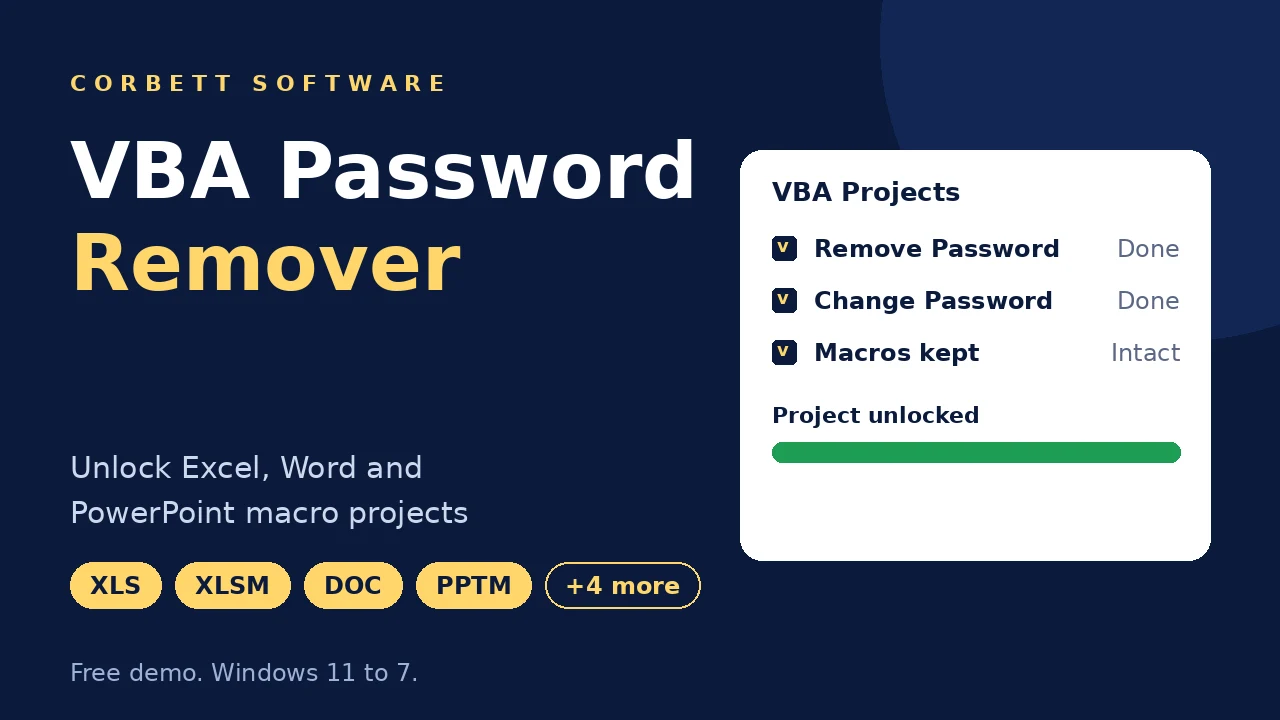
Corbett VBA Password Remover unlocks the VBA project in Excel, Word and PowerPoint files when its password is lost. Remove the project password or set a new one in batch, with macros, modules and forms kept as they were. Try the VBA Password Remover free demo first.
Download free demo Purchase now
Files are unlocked on your PC. No workbook or macro code goes to Corbett.
Free demo, a 30 day money back window.
Lifetime licence from $19 Free trial shows locked VBA projects
Locked macros
Reporting macros keep a workbook alive, and the developer who locked them left years ago. VBA Password Remover clears or resets the project password, so your code opens in the Visual Basic Editor again without a rebuild.
Kept in output
7Office files
6Actions
5Not handled
4VBA Project Locks vs File Open Passwords
Office has separate protections. File open passwords encrypt full documents, sheet protection blocks edits and the VBA project password hides the code. VBA Password Remover deals with that last lock, found under Tools, VBAProject Properties, Protection.
Related pages: XLS to CSV Converter, Metadata Cleaner and Duplicate Cleaner Tool.
Core features
Five screens of Corbett VBA Password Remover, in working order.

Open
Click Open and choose Excel Files, Word Files, PowerPoint Files or VBA Supported Files. Matching formats load from single files or a full folder.
Templates and macro files load beside old and new Office formats.

Load
Every loaded file appears in a list, so a folder of locked department workbooks needs one session instead of many.
Word, Excel and PowerPoint files mix in one list, embedded macros included.

Preview
Click a file in the list and the preview panel shows its content. You confirm the right version of the workbook before any password changes.
File type tells Excel, Word and PowerPoint files apart in the list.

Actions
Remove Password opens the project for anyone with the file. Change Password sets a new, stronger one in the New Password box, so the code stays protected under a password your team now knows.
Macros and forms stay intact, and the action applies to every selected file.

Save
Browse sets the destination and Save stores the unlocked files there. Delete old folders and Open folder after export keep your output tidy.
Your locked originals stay in their own folder.
Working process
Four steps take a locked macro project to an open one. Try them in free demo first.
Open locked files
Start VBA Password Remover, click Open and select Excel Files, Word Files, PowerPoint Files or VBA Supported Files.
Load and preview
Add single files or a folder. Click any file in the list to check its content in the preview panel.
Select an action
Open Actions and choose Remove Password or Change Password. For a new password, type it in the New Password box.
Browse and save
Browse to a destination folder and press Save. Open your unlocked copies in the Visual Basic Editor.
Need the data inside a workbook as plain rows? Open XLS to CSV Converter.
Working process
Prefer text? Open the VBA Password Remover guide for both the remove and change routes.
More options
Small options that make a big unlock job safe and quick.
Remove Password
Opens the project for anyone with the file
Change Password
Sets a new password you choose
Batch folders
Load a full folder of locked files
Preview panel
Check a file before you unlock it
Four file categories
Excel, Word, PowerPoint and VBA Supported
Macros kept
Modules, forms and references stay as they were
Originals kept
Unlocked copies go to a new folder
Delete old folders
Found in the settings list
Open folder after export
Result folder shows at once
Mixed Office files
Word, Excel and PowerPoint in one session
Macro templates
XLT, DOT and POTM files load too
Works on your PC
No workbook or macro code is uploaded
File types
VBA Password Remover opens macro files from Excel, Word and PowerPoint. Match your locked files to the list below.
Excel XLS
Older macro workbooks
Excel XLSM
Macro enabled workbooks
Excel XLT
Workbook templates
Word DOC and DOCM
Documents with macros
Word DOT
Document templates
PowerPoint PPTM and POTM
Decks and templates with macros
VBA Supported Files
For files of unknown type
Mixed folders
Handled by type in one list
Free demo
Test VBA Password Remover on Locked Files
Install free demo and load your locked files. Free demo shows your VBA files, so you confirm they load before you buy. Removing or changing passwords needs the $19 licence.
Download free demoTry before you buy
Free demo of VBA Password Remover loads and shows your locked files. Removing or changing a password needs a licence.
| Feature | Free demo | Full version |
|---|---|---|
| Load files and folders | Available | Available |
| Preview panel | Available | Available |
| Remove Password | Not included | Included |
| Change Password | Not included | Included |
| Price | Free | From $19 one time |
Use cases
Anyone who owns a macro project and lost the key to it.
IT admins
Open inherited workbooks when the developer who locked them has left.
Finance teams
Fix reporting macros that need a change every month.
Developers
Recover your own old macro project after you forgot its password.
Consultants
Unlock client Word and Excel files you are authorised to open.
Office teams
Clear a folder of locked department workbooks in one session.
Companies after staff exit
Open files a former employee locked, when your organization owns them.
Why Corbett
Lifetime licence
From $19, one payment
Works on your PC
Nothing is uploaded anywhere
Batch folders
Load a directory of locked files
Remove or change
Open the project or set a new password
Preview first
Check a file before you unlock it
Copies saved apart
Originals stay in their folder
Macros kept
Modules and forms stay as they were
30 day refund
Money back window after purchase
Before you unlock
VBA Password Remover clears the project lock on Windows. Here is what that covers and where it stops.
| Capability | Status | What it means |
|---|---|---|
| Excel files | Yes | XLS, XLT and XLSM |
| Word files | Yes | DOC, DOCM and DOT |
| PowerPoint files | Yes | PPTM and POTM |
| Remove or change | Yes | Remove Password opens the project and Change Password sets a new one |
| File open passwords | No | Encrypted workbooks and documents are a separate Office lock |
| Sheet protection | No | Sheet and workbook structure protection are separate Office features |
| XLSX files | No project | XLSX cannot store macros, so no VBA project exists to unlock |
| Mac and Linux | No | VBA Password Remover installs on Windows only |
Manual or tool
Forum guides describe editing file bytes by hand to bypass the project lock. It costs nothing, and the rows below show where VBA Password Remover steps in.
| Job | Hex editing | VBA Password Remover |
|---|---|---|
| Cost | Free | $19 one time |
| One old XLS file | Possible with care | Load, preview and select Remove Password |
| XLSM and DOCM files | Unzip and edit inside | Opened directly |
| Many files | One by one | Batch folders |
| New password | Set later by hand | Change Password action |
| Skill needed | Hex and file format know how | Open, select, Save |
| Original file | Edit a copy to keep it safe | Copies saved to your folder |
A developer at ease with hex editors can unlock a single old XLS for free. Folders of mixed Office files belong to VBA Password Remover.
Specifications
Download details
System
Supported editions
Windows 11, 10, 8 and 7 in 32 bit or 64 bit, plus Windows Server 2008 to 2019. No macOS or Linux build.
Rights column lists Run as Administrator.
Support handles setup trouble and questions on first use.
User testimonials
VBA Password Remover earns 493 reviews from buyers.
Collected across 493 reviews from software portals and support chats. Three reviews below are unedited.
I stored an old Excel macro project from my previous job and when I needed it, I forgot the password. Someone suggested this tool and it easily unlocked my project. It amazed me how fast the software works and saved my time.
For my client, I used this tool to recover VBA Word and Excel files. As a non-tech savvy, I easily remove the passwords and preserve the original content. It is a very reliable tool.
I was skeptical whether this software would even work or not. But, it works and I am very happy that I gave it a chance and how it effortlessly unlocked my VBA file.
Before you unlock
Three habits keep your VBA Password Remover job safe and above board.
Unlock only authorised files
Use VBA Password Remover on company files with approval or on your own projects. Record who asked for the unlock in team settings.
Copy the workbook first
Keep the locked original untouched in an archive. VBA Password Remover saves the unlocked copy to a separate folder.
Store the new password
Use Change Password with a new password kept in your team password manager, so the next handover does not repeat the problem.
Related Office data jobs are covered in Convert MSG file to Excel and Convert VCF to Excel.
Safety checks
A locked project holds working code, so four habits keep an unlock job safe.
Save to a new folder
Browse sets a destination apart from your originals, so the locked file stays untouched.
Preview before you unlock
Click a file in the list and check its content. Make sure you chose the right version of the workbook.
Open the output folder
Switch on Open folder after export and check the unlocked copies right after Save.
Set a stored password
Choose Change Password instead of Remove Password when the code must stay protected.
Common questions
VBA password remover formats, actions, limits and what the trial does.
VBA Password Remover is Windows software from Corbett that removes or changes the VBA project password in Excel, Word and PowerPoint files.
Click Open, select Excel, Word, PowerPoint or VBA Supported Files and add them. Check the preview, open Actions, select Remove Password, choose where the copies go and press Save.
Excel XLS, XLT and XLSM, Word DOC, DOCM and DOT, and PowerPoint PPTM and POTM, plus macro enabled templates.
Yes. Modules, forms and macros stay as they were. Only the project password is cleared.
Yes. Change Password replaces the old one with a password you choose in the New Password box.
No. VBA Password Remover handles the VBA project lock, not the file open password or encryption.
Yes. Load a folder and apply the action to all selected files.
No. Sheet and workbook structure protection are separate Office features.
Unlocked copies are saved to the folder you choose. Keep the original as a backup.
Yes, when the files belong to your organization and you are authorized to access them.
XLSX cannot store macros, so it never has a VBA project. Macro workbooks use XLSM or XLS.
Yes. Simple and complex project passwords are both handled.
Yes. Click a file in the list and the preview panel shows its content.
Yes. Browse sets the destination folder and Save stores the unlocked copies there.
No. Files are unlocked on your computer, and no workbook or macro code goes to Corbett.
No. VBA Password Remover installs on Windows 7 to 11 and Windows Server 2008 to 2019.
Personal costs $19 for 2 PCs, Business costs $49 for 10 PCs and Enterprise costs $99 for 50 PCs. You pay once for a lifetime licence.
Free demo loads and shows your VBA files. Removing or changing passwords needs a licence.
You receive the licence key and invoice by email after payment. Activation needs an internet connection.
Windows 11, 10, 8 and 7 in 32 bit or 64 bit, plus Windows Server 2008 to 2019. There is no macOS or Linux build.
VBA Password Remover downloads at 4.7 MB. Keep 10 MB of free disk space, 2 GB of RAM and a Core 2 Duo 2.4 GHz processor.
Yes. Refund requests made within 30 days of purchase are accepted. See the refund policy for details.
Open the VBA Password Remover guide for both the remove and change routes with screenshots.
VBA guides
Help for Office files, data jobs and file privacy.
File privacy
Other utilities
Mailbox transfers sit on the Email Migration Tool page and server transfers on the IMAP Migration Tool page. Mail formats go to the email converter tool, unreadable mail files need email recovery software and email viewer software opens saved mail free. Also see PST File Analyzer, Website Downloader, Email Eraser Tool, Image File Converter, BKF File Recovery, Email Address Validator and vCard Converter.
Get started
Load your locked files in free demo first. Your $19 licence is a single payment backed by a 30 day refund window.
Download free demo Purchase now
4.7 MB · Windows 11 to 7 and Windows Server 2019 to 2008 · 30 day money back