Corbett

Zimbra TGZ Converter

Corbett Zimbra TGZ Converter exports TGZ files and live Zimbra mailboxes to PST, EML, MBOX and over 20 other formats. Folder hierarchy stays intact and batch jobs have no size limit. Filters by To, From, date and subject keep exports focused, while direct export reaches webmail and cloud accounts. Try the free demo first.

Download free demo Purchase now

4.6 out of 5 from 348 reviews

Mail stays on this PC during conversion. Corbett never sees the TGZ file or the Zimbra login.

Free demo, scanned clean on VirusTotal and a 30-day money-back window.

Lifetime licence from $99 Demo converts 10 items

Zimbra TGZ facts

Zimbra TGZ Converter for Mailbox Data

Zimbra stores mail in TGZ archives that no desktop client opens. This tool reads the archive, or signs in to the mailbox, and exports the data to formats Outlook, Thunderbird and cloud services accept. The source stays as it was.

Kept in the output

  • Email headers
  • Email bodies
  • Attachments
  • Email addresses
  • Address book contacts
  • Contact photos
  • Folder hierarchy

Accepted sources

  • Zimbra TGZ files
  • Live Zimbra mailboxes
  • Batch jobs, no size limit
  • Chosen folders
  • Unlimited data volume
  • Emails and address book
  • Calendars and attachments

Formats out

  • PST
  • EML
  • MBOX
  • PDF and HTML
  • More than 20 formats in all
  • CSV
  • Cloud applications
  • Webmail platforms

Not part of output

  • Zimbra passwords
  • Server settings
  • Mail filter rules
  • Saved searches

Why Teams Use a Zimbra TGZ Converter

Companies leave Zimbra for Outlook, Gmail or Microsoft 365, and admins need archives that open on a desktop. TGZ opens nowhere outside Zimbra. A batch conversion takes minutes where file by file exports take days.

Core features

Four Steps for Zimbra TGZ Converter

Install, connect, select data and export.

Zimbra mailbox loading screen

Install

Open the Tool

Run the setup file and open the Zimbra TGZ Converter on Windows. The software waits for a mailbox or an archive.

  • Free demo available
  • Windows 11 and 10
  • No size limit
  • Login or TGZ file
Zimbra folder tree with selection checkboxes

Folder selection

Connect the Mailbox

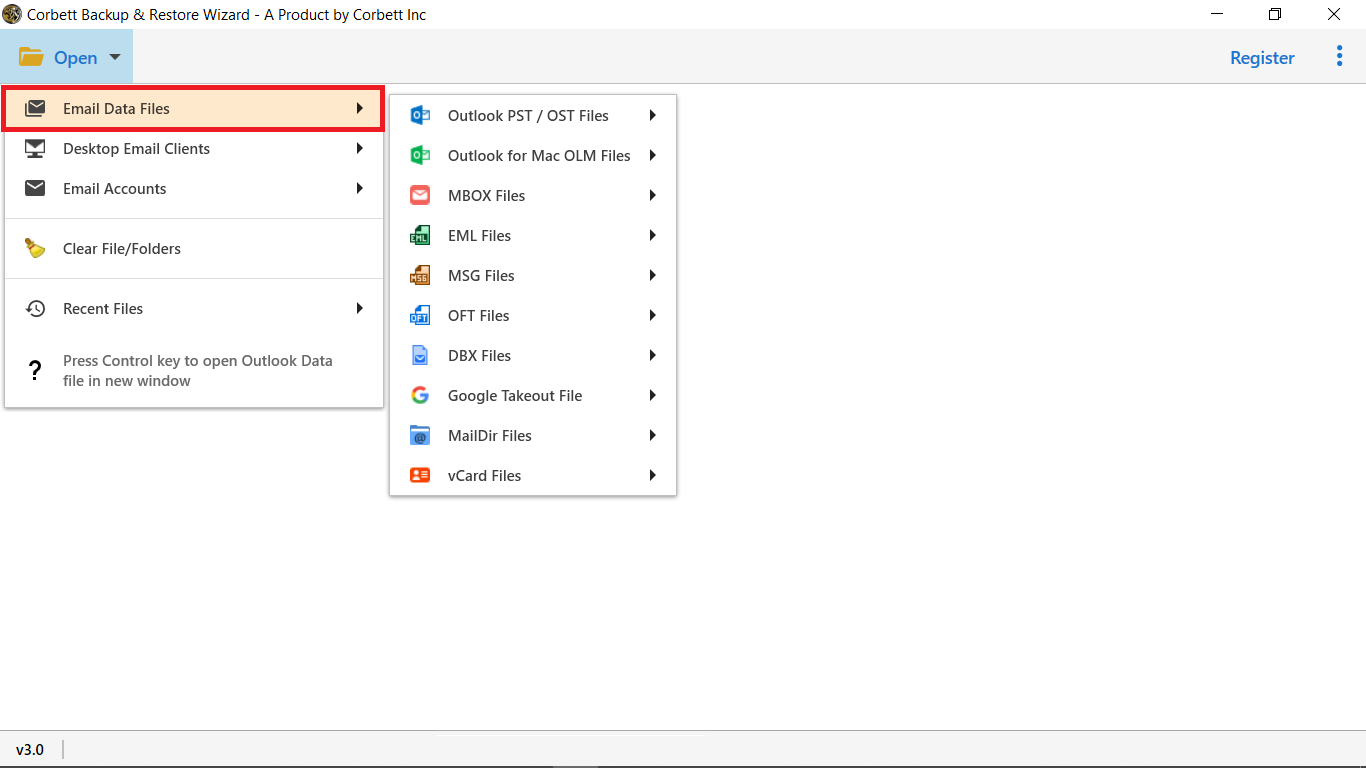
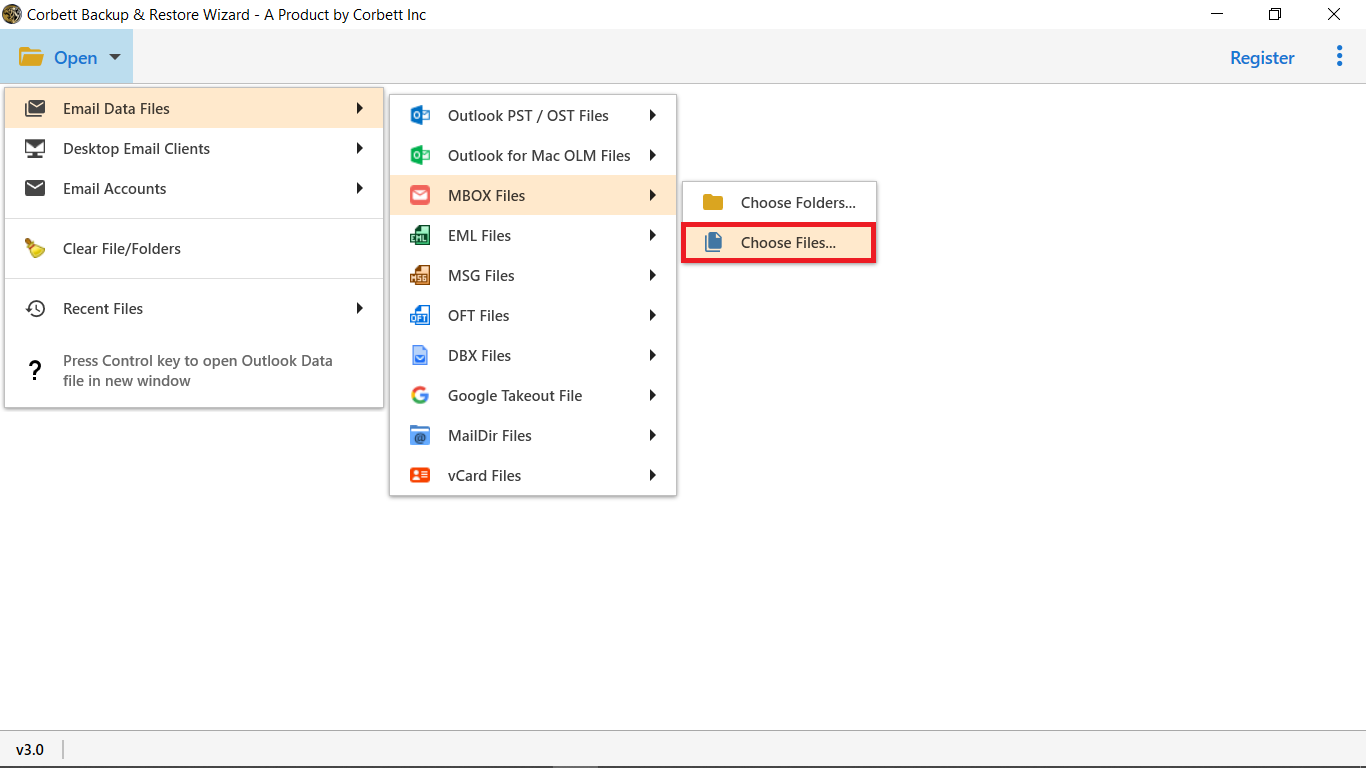
Go to Open, then Email Account, and enter the Zimbra credentials. The tool connects and lists every folder. A TGZ file loads the same way.

  • Mailbox data listed
  • Folder tree kept
  • Unwanted folders unticked
  • Batch selection
Zimbra email and attachment preview

Message preview

See Zimbra Mail First

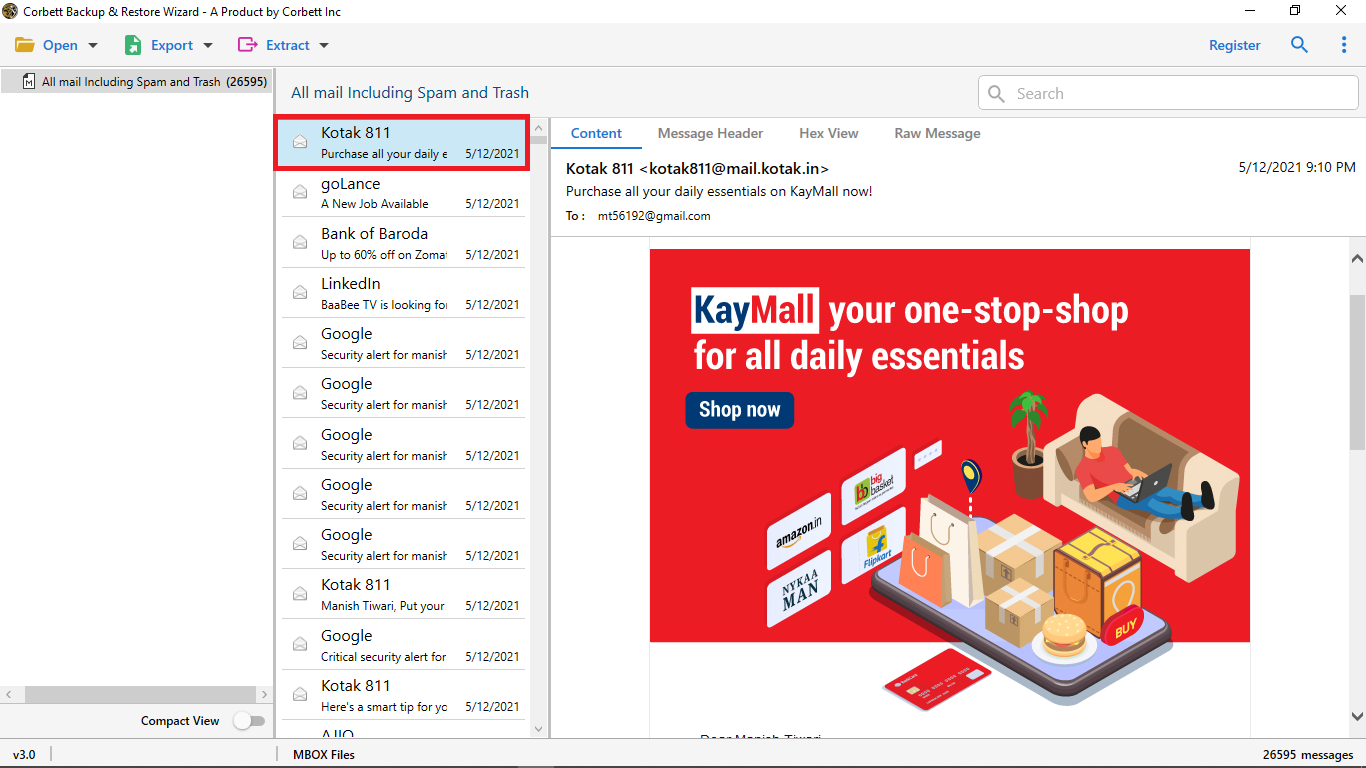
Open any email or attachment before export. Search by text, phrase or keyword finds specific items, and the folder list shows the count of read and unread messages.

  • Email shows body and headers
  • Attachments open before export
  • Search finds text and phrases
  • To and From plus Date and Subject narrow the list
Search filters for selective conversion

Selective backup

Set Filters for Output

Filters keep exports small, so the converted mail is easy to find later.

  • Date filter
  • Subject filter
  • From filter
  • To filter
  • Query filter
  • File extension filter
Export format and destination options

Output options

Export and Save

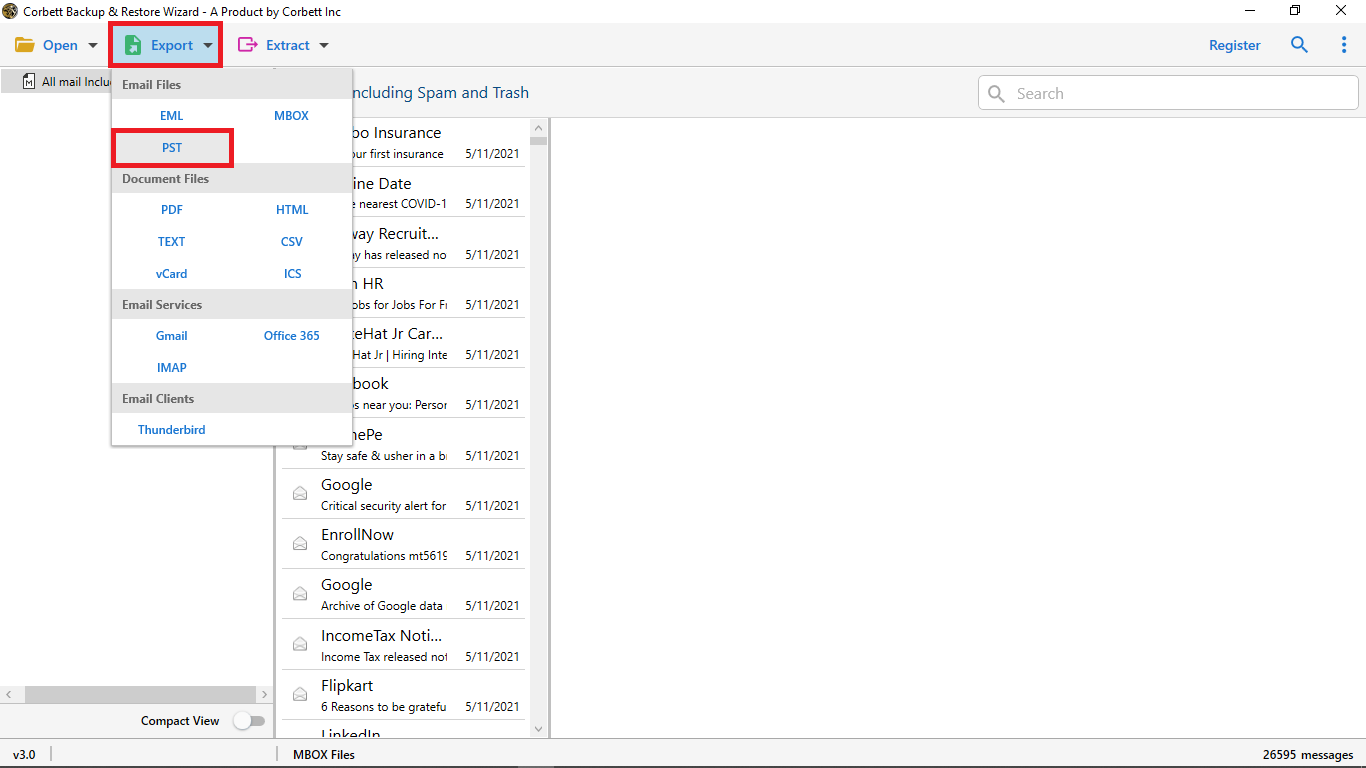
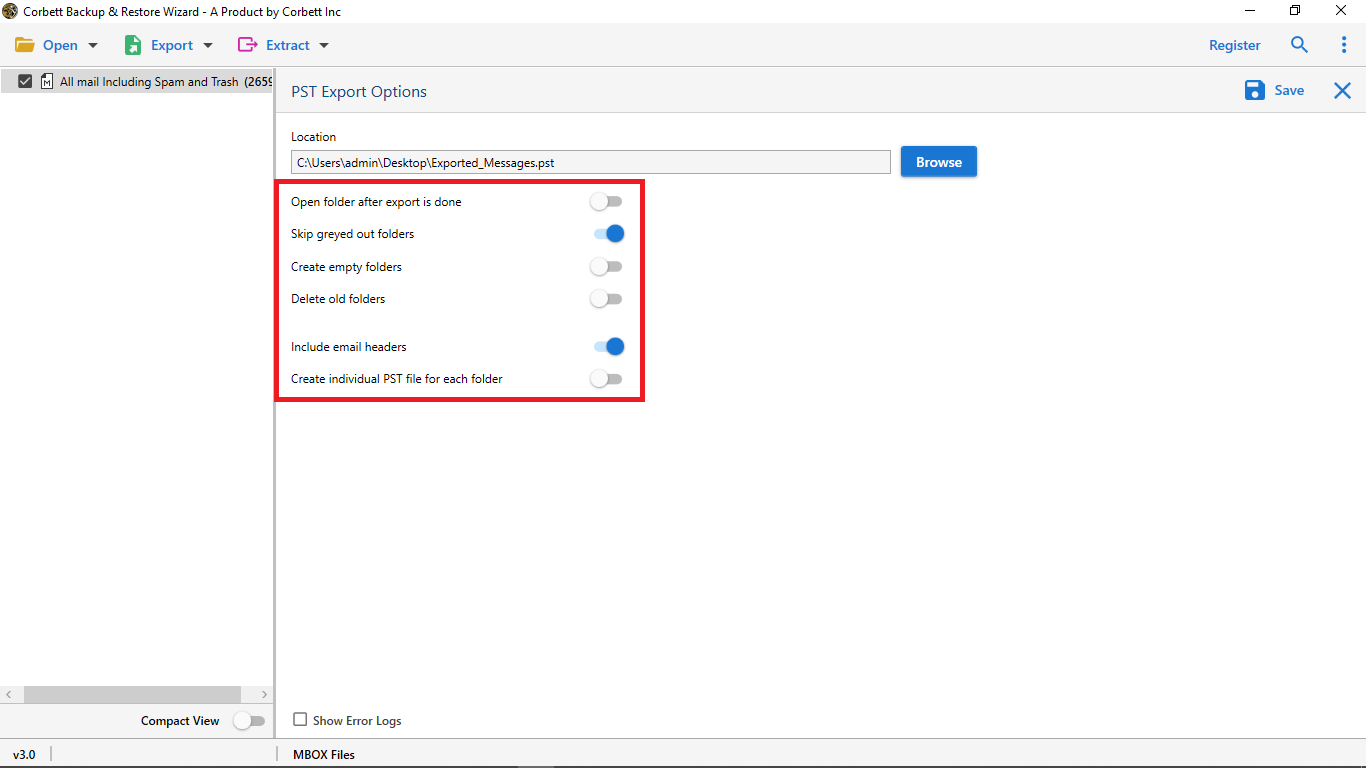
Open the Export tab, select a format, apply filters and click Save. The converted data lands at the chosen path.

Before the export

Preparation for Zimbra Exports

Three short checks keep the output clean.

Source data

Copy the TGZ First

Store a copy of the TGZ archive on a safe drive. Conversion never touches the archive itself.

Data scope

Mailbox or archive

Convert a live mailbox with login details, or use a TGZ file with no login. Select folders only to keep the output focused.

Destination

Set the target format

Local disk formats cover PST, EML and MBOX. Cloud targets ask for login details once and then take the batch.

Moving finished files into mail apps is covered in Import Zimbra TGZ to Outlook and Import Zimbra TGZ to Thunderbird.

Free demo

Try the Zimbra TGZ Converter Free

Trial mode converts 10 messages or folders. Run a small batch and open the result in Outlook before paying.

Download free demo

Manual or tool

Manual Route or Zimbra TGZ Converter

Zimbra exports a TGZ file and stops there. See how the manual route stacks up against the tool below.

Task Manual route Tool
Cost Free $99 one time
One mailbox Export TGZ in Zimbra Works too
PST output Not offered in Zimbra TGZ to PST in clicks
Large mailboxes Slow TGZ downloads Batch jobs, no size limit
Folder hierarchy Rebuilt by hand Kept with read counts
Preview Not before export Emails and attachments
Filters All or nothing To, From, Date, Subject
Cloud upload Not offered Webmail and cloud accounts

Manual export covers the first row only.

Mail addresses alone come out through Export email addresses from Zimbra .

Specifications

Zimbra TGZ Converter Requirements

Download details

Version
4.0
Download size
47.6 MB
Demo limit
10 items
Delivery
Electronic: the buyer receives a download link and activation code by email
Licence
Personal: 2 PCs. Business: 10 PCs. Enterprise: unlimited PCs.
Download Now

System

Hard disk
100 MB of free space
RAM
512 MB of RAM minimum, 1 GB better
Processor
1 GHz or faster, with 2.4 GHz better
Interface
English
Input
Zimbra TGZ files or a Zimbra login

Supported editions

Windows 11 and 10 in 32-bit or 64-bit plus every older edition.

Right click the setup file and use Run as Administrator.

Corbett has built Windows email utilities since 2020. Setup questions and early issues go to the support team.

Working process

Watch Zimbra TGZ Converter Work

Prefer text? The Convert Zimbra mail to PDF post shows a second route for Zimbra mail.

Zimbra TGZ Converter walkthrough

Common questions

Zimbra TGZ Converter FAQs

Steps, attachments, file limits and system support.

How do I run a Zimbra conversion from start to finish?

Install and open the tool, then select Open, Email Account and enter your Zimbra credentials. Once the mailbox data shows, open the Export tab, select a format, apply filters and click Save.

Does the tool convert Zimbra emails with attachments?

Yes. Emails go out with all attributes, including attachments, inline images and links.

Does file size or file count have a limit?

No. Batch mode takes unlimited data, so you can convert as many mailboxes or TGZ files as needed.

Can I install the tool on Windows 11?

Yes. It runs on Windows 11 and every older edition, in 32-bit or 64-bit.

Does it work without a TGZ file?

Yes. A Zimbra login is enough. The tool connects to the mailbox and fetches the data, or you can load a TGZ file instead.

Can the output go straight to cloud mail?

Yes. Enter the login details of the target web platform and the tool sends the converted mail there.

Do folders keep their structure?

Yes. The folder hierarchy stays intact and the count of read and unread messages shows in the list.

Can I convert chosen items only?

Yes. Untick folders you do not want, or use filters by To, From, date and subject.

Can I preview mail before converting?

Yes. Open emails and attachments in the preview pane, or search by text, phrase or keyword.

Which output formats are supported?

More than 20, including PST, EML and MBOX, plus webmail and cloud targets.

Can attachments be saved alone?

Yes. A separate option exports attachments of any size, with a file extension filter for specific types.

Is there a demo edition?

It converts 10 messages or folders so you can test the tool before buying.

How many PCs can a licence activate?

Personal is good for 2 machines, Business for 10 and Enterprise for any count.

How is the licence delivered?

Electronically, after payment.

Can a purchase be refunded?

Yes. Buyers get refunds within 30 days of purchase.

Step by step

Help With Zimbra Mailboxes and TGZ Archives

Guides for moving TGZ mail into desktop apps and for other Zimbra tasks.

Hosted account moves use the Email Migration Tool . Server cutovers use the IMAP Migration Tool. More formats sit with the email converter tool. Broken archives belong with the email recovery software. Free viewing of mail files happens in the email viewer software. Same family: PST File Converter Tool and MBOX Converter. Also see the EML Converter, Zimbra Backup Tool, Zimbra Migration Tool, Thunderbird Backup Tool and Office 365 Backup Tool.

User testimonials

Zimbra TGZ Converter Reviews

Ratings from 348 users who moved Zimbra TGZ mail through Corbett.

4.6 out of 5

Collected across 348 reviews collected from portals and emails, never edited.

Worked without errors

Corbett Zimbra Converter Tool Worked Well for me. This software allows me to export the Zimbra TGZ file without any error. Additionally, I loved the simple way to execute the conversion process with advance data filters. Thank you for this secure and advance automated solution.

Brayden Dev

Licence bought after the demo

Incredible Software! The TGZ File Converter performs the Zimbra conversion efficiently. It allows me to export associated email addresses and contacts. I tried the demo edition of the software and purchased the licensed key to perform conversion of over 1000 Zimbra emails.

Marco AI

Cloud move made possible

The Zimbra TGZ Converter is an all-in-one solution for us. It helps us to export the complete Zimbra Database to cloud platforms. My business has been using Zimbra for the last five years, and we are planning to switch, and this software made it possible. Great way to convert your data files.

J Cup

Get started

Convert Zimbra Mail Data Today

Start with the demo on a small batch. Full access costs $99 once, with 30 days of refunds.

Download free demo Purchase now

47.6 MB · Windows 11 and below · 30 days money back